vs

What is Tivazo?
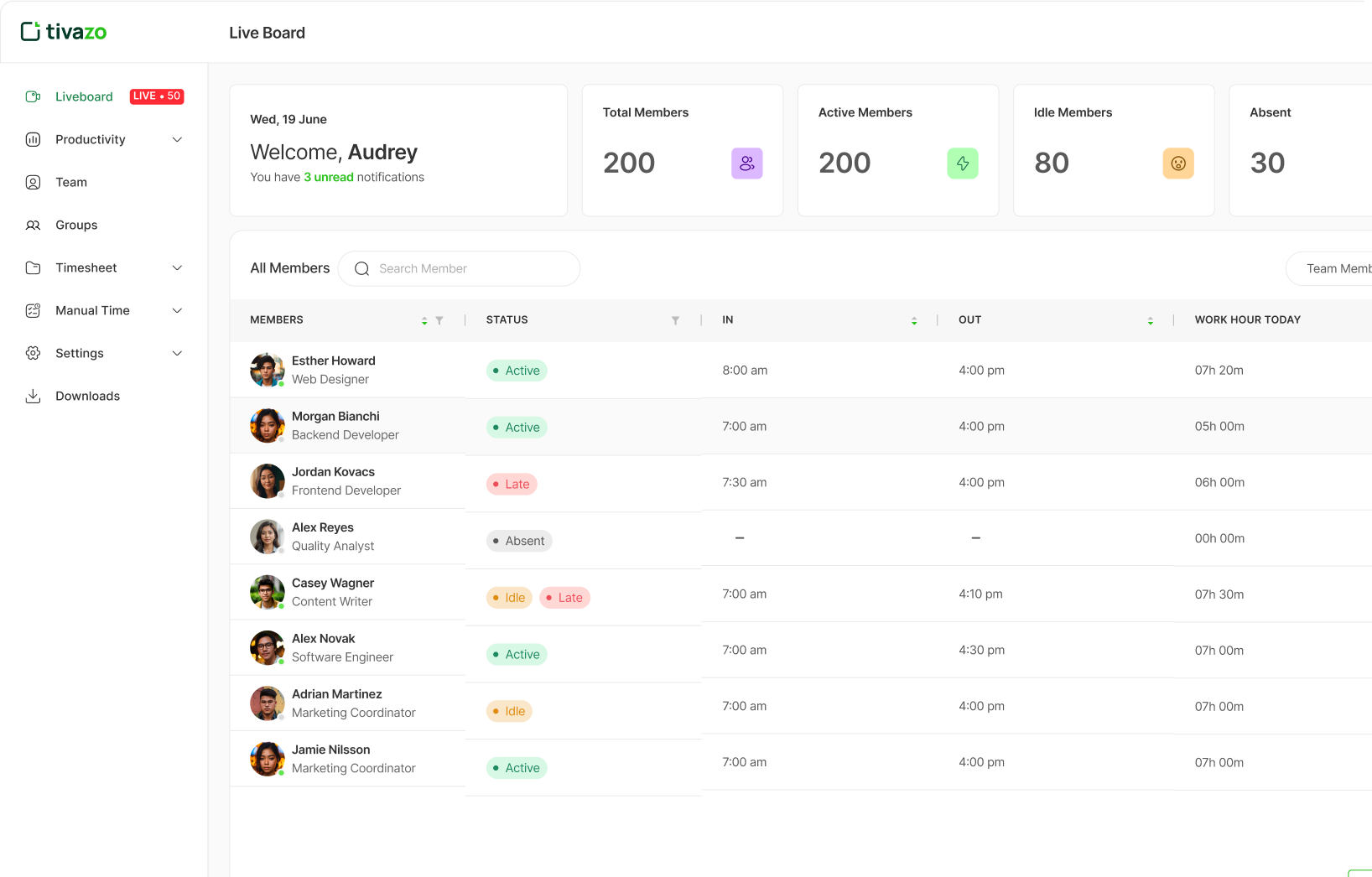
Tivazo is a comprehensive time tracking and employee monitoring software founded in 2023. Tivazo is dedicated to increasing business productivity by keeping track of what employees are working on during their work hours while being non-intrusive. You can manage both on-site and remote teams with Tivazo and monitor them in real-time, without having to be in the same location.
It can also be used by freelancers to help keep track of their productivity and work hours, so if they bill their clients per hours worked, they can get paid fairly. Moreover, the time tracking software is suitable for any profession including: Lawyers, Engineers, Virtual Assistants, Call Centers, and more.
What is Hubstaff?
Hubstaff is a recognized workforce management software that was started in 2012. Hubstaff offers a combined time tracking system, productivity, and payroll to distributed teams. In contrast to the new entrants, Hubstaff has established an established environment with more than 112,000+ businesses relying on their platform. A fully remote organization with 90+ employees worldwide, the company specializes in the areas of extensive workforce analytics, automated payroll processing, and enterprise-scale security provisions.
Side by side feature comparison


Tivazo vs Hubstaff: In-depth Feature Comparison
Table of Contents
- Standout Features of Tivazo
- Standout Features of Hubstaff
- Time Tracking Methods of Tivazo and Hubstaff
- Pricing Plans: Hubstaff vs Tivazo
- Should You Use Tivazo or Hubstaff?
- Conclusion: Which is Better Tivazo or Hubstaff?
Standout Features of Tivazo
1. Screenshot Monitoring
Tivazo
Tivazo has a screenshot monitoring option to track work activities. As an employer, you can receive screenshots of the work of your team at regular times. You have the option of the frequency of receiving the screenshots.
The screenshots taken can also be looked back by your employees. This is to enhance accountability and productivity of the employees. It is also transparent on both sides, the employers who are overseeing a team, and the employees who are being watched.
You do not need to have an employer to use this screenshot feature. You are a freelancer, no problem, Tivazo has your back. Individual workers are also able to look back at what has been done; this is also where you are able to know the time you are taking on various activities.
The other interesting aspect of the screenshot monitoring feature is that, when you are working on more than one screen, the system will capture a screenshot on each screen sequentially. Therefore, you need not worry about the activity on other screens going unmonitored.
2. Timecard Tracking and Auto Clock-In Clock-Out.
You might be using different systems in place to clock-in and clock-out employees. Tivazo has the clock-in clock-out feature, thus you do not need different systems at a high cost to perform various activities.
Besides monitoring the employees, you may also maintain a record of the clock-in and clock-out time of employees and this will enable you to have accurate records of attendance and working hours. You can therefore know whether your employees are early or on time or late.
However, when one could not clock in due to other assignments such as field work, you as a team leader can manually add time on behalf of your employee. Or, you can also have your employees add the manual time to themselves with your approval.
3. Confidentiality of Masking Screenshots.
Tivazo provides customizable screen masking and privacy protection. Focused, secure tracking is possible using keywords to blur sensitive data so that confidential information is still not exposed and productivity can be monitored.
4. Low Cost Pricing Structure.
Tivazo has one of the most favorable pricing systems in the market, and there is a free plan with up to 10 users, and premium plans begin at only $3/user/month.
5. Heatmaps and Real-Time Dashboard.
Measure performance of track teams with enhanced productivity analytics, track trends, identify high performers, and confirm hours with heatmaps enabling a single glance of work intensity.
6. Cross-Platform Compatibility
Tivazo supports Windows, Mac and Linux. The offline capabilities and sync can be used regardless of the operating system that you are using.
7. Customizable and Flexible
Tivazo is developed to be highly customizable to your companies own style and brand, and can be easily adapted to the unique needs of a company in terms of features to be added and removed.
Standout Features of Hubstaff
1. Comprehensive Payroll Automation
Hubstaff is the best at payroll management, where automatic processing of payroll is performed via the app. It connects with the most popular providers such as PayPal, Wise, and Deel, and you can pay employees on their preferred payroll platform without any inconvenience.
2. Enterprise-Grade Security and Compliance
Hubstaff has a higher level of security and is both GDPR-compliant, SOC 2 Type 2, and HIPAA-compliant. It has single sign-on features, custom roles and permissions and best security practices.
3. Advanced Project Cost Management
Have complete control over project costs to maximize profitability. Hubstaff enables you to customize pay rates, billing rates, control employee and contractor payments, and issue custom and automated invoices in a single streamlined solution.
4. Comprehensive Leave Management
Easily arrange the timetables of the workers and customize shifts, PTO, holidays and others with a high level of attendance monitoring in Hubstaff that enables you to track completed, late and missed shifts.
5. Privacy-First Approach
Hubstaff has privacy-first guiding principles and can blur apps and URLs and screenshots and even specifically states: No keystroke logging, No email monitoring, No access to cameras and webcams.
6. Extensive Integration Ecosystem
Time tracking, project management, accounting and payroll, and team management among many more can be integrated to make it a central point of business operations.
7. GPS and Mobile Tracking
Hubstaff offers GPS tracking and full mobile application support on Android and iOS, which is why it is ideal in terms of field teams and mobile workforce.
8. Advanced Analytics and Insights
Hubstaff can offer better business intelligence than newer competitors with 20+ customizable reports to track employee activity, project progress, and budget adherence.
Time Tracking Methods of Tivazo and Hubstaff
1. Manual and Automatic Tracking
Both Hubstaff and Tivazo are able to time-track manually. The time tracking can be started manually and it can be stopped manually.
Tivazo: In case the user is in the field or is unable to record his or her time in his or her devices, he or she is enabled to record the time of work manually in the system. They can also have the time added by employers or team leaders.
Hubstaff: Customers are able to monitor time on desktop, web, and mobile or GPS tracking data and transform it into automated timesheets. Hubstaff has more advanced automatic tracking that is multi-platform synchronized.
2. Idle Detection and Handling
The two systems have idle detection and handling capabilities, but they differ in how they do it.
Tivazo: Employers or admins specify the idle time of their employees. In case the device of an employee is not used during that time, the time-tracking will automatically cease with notifications.
Hubstaff: Provides superior idle detection, productivity insights to identify false activity, workloads, and deliver actionable metrics to manage workforce better.
Should You Use Tivazo or Hubstaff?
While Tivazo and Hubstaff are both used for time-tracking in business settings, you may be looking for features that are unique to either platform. Understanding the differences in these features can determine which one is the best for your needs.
Tivazo caters to those who require affordable, straightforward employee monitoring and time tracking, especially suitable for startups and small businesses looking for basic functionality at a competitive price point.
Hubstaff is designed for businesses that need comprehensive workforce management with advanced features like payroll automation, project cost management, GPS tracking, and enterprise-grade security. It’s ideal for established businesses with complex operational needs.
Conclusion: Which is Better Tivazo or Hubstaff?
The choice between Tivazo and Hubstaff depends on your specific business needs, budget, and scale requirements.
Choose Tivazo if you:
- Are a startup or small business with budget constraints
- Need basic detailed employee monitoring and time tracking features
- Want a simple, affordable solution for up to 10 users for free
- Require straightforward screenshot monitoring and attendance tracking
- Prefer a newer, more customizable platform
Choose Hubstaff if you:
- Need comprehensive workforce management beyond basic time tracking
- Require payroll automation and advanced billing features
- Want enterprise-grade security and compliance certifications
- Need GPS tracking and mobile workforce management
- Require extensive integrations and advanced analytics
- Manage larger, distributed teams with complex operational needs
- Want a proven, established platform with 112,000+ business users
Start For free, and it’s forever
Optimize your workflow with Tivazo's platform, built for seamless task management and maximum efficiency.