Monitoring of employees has become a growing trend within the modern workplace, particularly due to the emergence of remote and hybrid work. The question that many employees ask themselves is: Is their any signs you are being monitored at work, and how do they know this? The knowledge of the signs you are being monitored at work will help you to protect your privacy, improve your level of anxiety, and be aware of your rights.
This guide will discuss the most frequent red flags of workplace monitoring, the tools employers utilize, and what to do in case you suspect that you are being monitored.
📖Related: 25+ Employee Monitoring Statistics for Better Productivity
What Does Employee Monitoring Mean?
Employee monitoring can be described as the act by which employers are able to monitor the behavior, performance, or even digital activity of employees at work. This may involve checking of emails, internet use, computer use, time taken to work on tasks, or even physical movement at the workplace.
Monitoring can happen:
- In physical offices
- During remote work
- On company-issued devices
- Through workplace networks and software
Although part of the monitoring is lawful and aiming at enhancing productivity or security, over-surveillance or unreported surveillance may create privacy issues.
7 Common Signs You Are Being Monitored at Work
Below are the most noticeable signs you are being monitored at work, both digitally and physically.
1. Your Manager Knows Details You Never Shared
When you find your boss talking about details that you never told him/her directly, then that is one of the clearest indications that you are being spied on at the workplace. This could be in the form of particular emails, internal communications, or even websites that you accessed at work. The awareness in this case usually refers to the monitoring of employees or the use of surveillance tools at work.
Employee tracking software is used by many companies to check email history, chat logs, and web history on company computers. Even when you casually mention your activity on the Internet, it may show that you are being digitally monitored.
Although this might be justifiable by employers as a way of keeping track of productivity or security, it might be intrusive when not made clear. Workplace monitoring policies should be transparent to ensure that employees trust and have privacy.
📖Related: Spying on Employees: What It Means for Privacy in 2026
2. Sudden Increase in Micromanagement
Another good indication of monitoring at the workplace is a noticeable change in the direction of micromanagement. In case your manager suddenly requires constant updates, reports, or constant contact, it is possible that monitoring tools are shaping his or her behavior.
The use of productivity tracking software can regularly lead to a real-time view of what employees are doing, and this may require managers to be more vigilant in monitoring the progress of the task. This may cross over to good management and over-surveillance of employees.
Surveillance instead of trust may cause stress and demoralization. Healthy workplaces strike a balance between monitoring performance and freedom, and expressing expectations.
3. Monitoring Software Installed on Your Computer
Digital surveillance is a direct pointer to the existence of employee monitoring software on your work computer. These tools can be screen recording, keystroke logging, or application usage tracking.
These monitoring software usually run in the background and gather information on productivity, time spent working, and internet activity. These tools are usually installed by the employers on the laptops and desktops that are provided by the company.
Although the use of monitoring software may increase efficiency and security, it also poses the issue of privacy in the workplace when the employees are not notified. Being aware of what tracking devices are present will enable you to realize your online privacy limits in the workplace.
4. Your Internet Activity Is Restricted or Logged
The most frequent indicators of monitoring internet usage in the workplace are restricted access to websites. In case some of the sites are blocked or they show warnings, it is possible that your employer is monitoring browsing activities using the network monitoring systems.
Most companies monitor the internet usage of employees in order to avoid data loss or misuse of corporate facilities. This is often achieved by routing all network traffic through a corporate VPN, which allows the IT department to filter content and log web activities in real-time. This type of surveillance in the workplace is particularly widespread in the controlled sectors.
Even though monitoring of the internet is usually legal on company networks, employees must know how their information is gathered and utilized. Easy policies prevent confusion and privacy issues.
5. Emails and Internal Messages Are Reviewed
Spying on emails at the workplace is a common practice, especially on company-owned emails. Messages can be checked by employers to make sure that they are in compliance, secure, or that the employees are acting in a proper way.
Besides email, there is also a likelihood of monitoring internal communication platforms such as Slack, Microsoft Teams, or Zoom chats. These tools tend to be incorporated as part of larger employee surveillance tools.
It is the responsibility of the employees to believe that any form of communication made via the company platforms is liable to workplace monitoring. Personal or sensitive conversations should always be avoided whenever using the work tools.
6. Excessive Time Tracking
Another obvious indication that you are being surveilled at work is excessive timekeeping. Time-tracking software can produce detailed records of the hours spent at work, periods of work, and periods of idle time.
These are worker monitoring tools that are normally applied in the remote working setting to gauge productivity and attendance. Play automated monitoring could be sent as inactivity alerts.
Although time tracking might contribute to accountability, excessive monitoring is detrimental to the morale of employees. The use of productivity tracking tools must be fair in terms of the result rather than constant monitoring.
7. Office Cameras or Physical Surveillance
Employee monitoring is evident in physical surveillance of the workplace, including CCTV cameras and access badges. The use of these tools is common for security and safety purposes.
The location tracking and use of access cards will also indicate how employees move around the workplace. This, coupled with digital surveillance, forms a wholesome surveillance climate.
Even though physical monitoring is widespread, the purpose and the limits of physical monitoring should be made clear to the employees by the employer. Transparency assists in striking a balance between workplace security and the rights of privacy of the employees.
Why Tivazo Stands Out as the Top Employee Monitoring Software
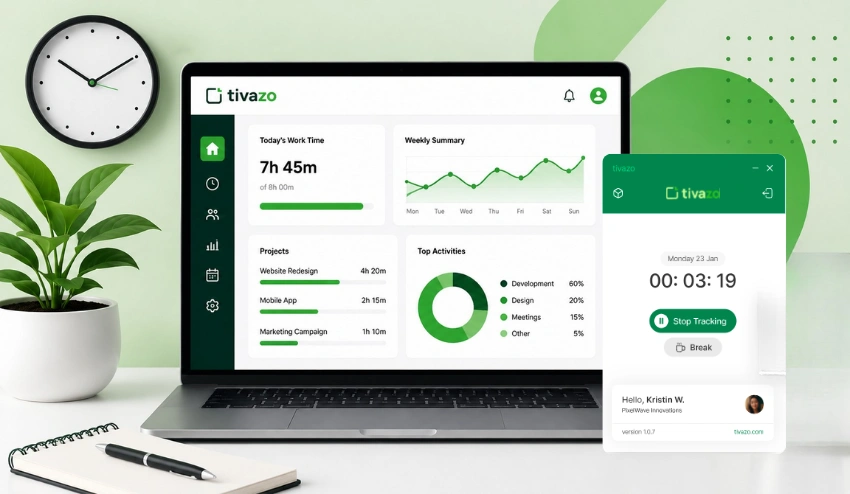
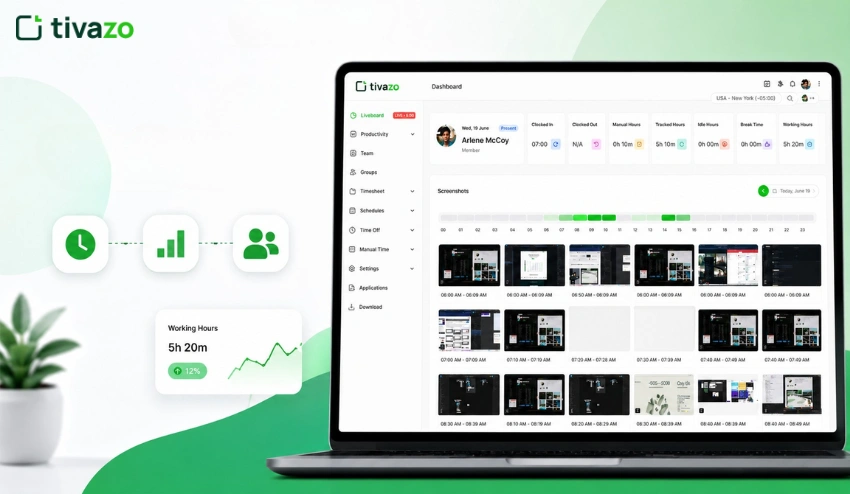
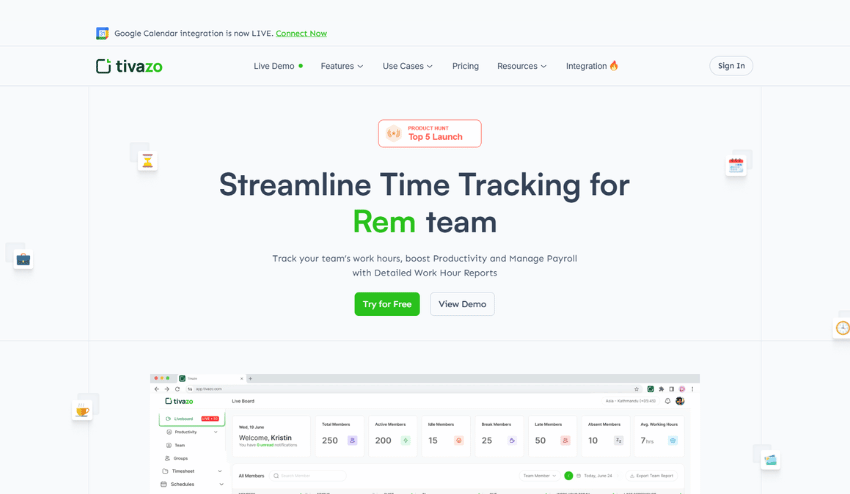
Tivazo is a powerful employee monitoring software, which is a productivity tracking software, time tracking software, and surveillance software. Having such features as live screenshots, real-time tracking, and performance insight, Tivazo enables employers to determine whether you are being monitored at work while maintaining transparency and performance. It has powerful reporting features and heatmaps that enable one to see the engagement, idle time, and optimize the team performance easily.
Tivazo has one of the most impressive features in its smooth integration with the workflows in team management. Employee monitoring through the use of role-based access, intelligent group-based creation, and automatic timesheets is also easier without interfering with the working process. Customizable screen masking as a privacy option will also secure sensitive information, as well as track work activity. Both with remote teams and in-office employees, Tivazo can offer practical ideas that assist in enhancing responsibility, productivity, and the overall performance at work.
Signs You Are Being Monitored While Working Remotely
Remote employees are often monitored more closely than in-office staff.
Common signs include:
- Screenshot capture at regular intervals
- Productivity scores or activity reports
- VPN or network tracking
- Monitoring remote workers’ login/logout times
If your employer uses remote employee monitoring tools, transparency is key, but not all companies disclose their use clearly.
📖Read More: Monitoring Employees Working from Home
Is It Legal for Employers to Monitor Employees?
In most parts of the world, employee surveillance is not outlawed, but it has obvious restrictions. The knowledge of what employers can do in terms of monitoring you at work is usually important in understanding what you should watch out for when you have a feeling that you are being monitored at work. The majority of employers have the right to monitor employees on their company-provided devices and use the gathered data to measure productivity, use of the system, and activity related to security. Such surveillance at the workplace can involve monitoring emails, monitoring internet use, and time tracking software used when working.
Transparency is, however, normally needed in legal employee monitoring. In most instances, the employees need to be told or consent to be monitored, particularly in the case of digital monitoring tools. Although monitoring of productivity on the work systems is usually not prohibited, personal accounts, personal devices, and off-duty activities are not usually subject to employee monitoring. Due to the different laws in monitoring employees depending on the country and the state, it is important to review the company policies and local laws.
Generally:
- Employers can monitor company-owned devices
- Employees must often be informed or give consent
- Personal accounts and private devices are usually protected
Workplace privacy laws vary by country and state, so it’s important to review local regulations and company policies.
How Employee Monitoring Affects Privacy and Mental Health
Monitoring of employees may pose a major challenge to the privacy of the workplace, particularly when employees are aware of the indicators that they are under surveillance in the workplace, with no explicit clarification. Too much surveillance at the workplace, e.g., productivity tracking, screen surveillance, or email surveillance, may cause staff to feel that their personal space is being invaded, leading to low levels of trust and autonomy at work.
Mentally, employee monitoring may cause burnout, anxiety, and stress. The belief of being observed may cause the concentration on productive tasks to come to an end, and the morale and job satisfaction to decrease. Ethical and transparent monitoring practices are necessary in order to safeguard the privacy and welfare of employees.

What To Do If You Feel You Are Being Monitored at Work
If you suspect monitoring:
- Review your employee handbook and IT policies
- Ask HR about monitoring practices
- Avoid personal activity on work devices
- Understand your legal rights
- Use company tools responsibly
Awareness is your best protection.
Monitoring vs Micromanagement: What’s the Difference?
| Employee Monitoring | Micromanagement |
| Uses systems and tools to track work-related activity and performance. Often noticed through signs you are being monitored at work, such as productivity tracking or time logs. | A management style where supervisors excessively control how tasks are performed, beyond what monitoring data requires. |
| Focuses on productivity, security, compliance, and workflow improvement using employee monitoring software. | Focuses on control and oversight, often driven by a lack of trust rather than data. |
| Relies on digital monitoring tools, time tracking, email monitoring, and workplace surveillance systems. | Relies on constant check-ins, repeated approvals, and close supervision. |
| Typically disclosed through company policies to comply with workplace privacy laws. | Often informal, inconsistent, and not clearly communicated. |
| Can feel reasonable when ethical, but unclear signs you are being monitored at work may raise privacy concerns. | Frequently causes stress, frustration, and reduced autonomy. |
| Limited to work-related activity on company-owned devices when done legally. | Invades personal work style and decision-making, even without digital surveillance. |
| When transparent, supports accountability without harming employee morale. | Commonly leads to anxiety, burnout, and a toxic work environment. |
| Data-driven approach that can maintain trust if explained properly. | Signals low trust and damages manager–employee relationships. |
Should You Be Concerned About Workplace Monitoring?
Monitoring in workplaces is not necessarily bad, but it is important that you understand the indicators that you are being monitored at work to ensure that your privacy and well being is not compromised. Monitoring can be used in a transparent manner, with restricted devices owned by the company, and in a morally sound manner by tracking productivity or using employee monitoring software, to ensure security and workflow optimization, without negatively affecting the employees.
Nevertheless, you ought to be worried when surveillance feels like it is a secret, overly intrusive, or when it goes to personal accounts and personal devices. Surveillance may cause stress, mistrust, and may have adverse effects on mental health and morale in the workplace. Being informed about the policies of your company, being aware of your legal rights, and understanding the typical indicators of monitoring your employees can help you responsibly deal with a monitored workplace.
Conclusion
Knowing that you are being monitored at work will enable you to safeguard your privacy, cope with stress, and make a wise decision. Surveillance is gaining popularity, yet there is the issue of transparency and legality. Be aware, revise company policies, and bear in mind that ethical monitoring must never obstruct trust.