Getting more done in less time sounds like a dream, but it’s possible when you focus on optimizing workflows.
There are many teams out there that are struggling with inefficient processes and lack of clarity on who does what, resulting in wasted time and frustration. It is a shame because these problems can be easily fixed by using the right techniques for workflow optimization.
This guide will show you how to increase efficiency by optimizing workflows. It will take you through the steps that you need to follow to achieve this.
What Is Workflow Optimization?
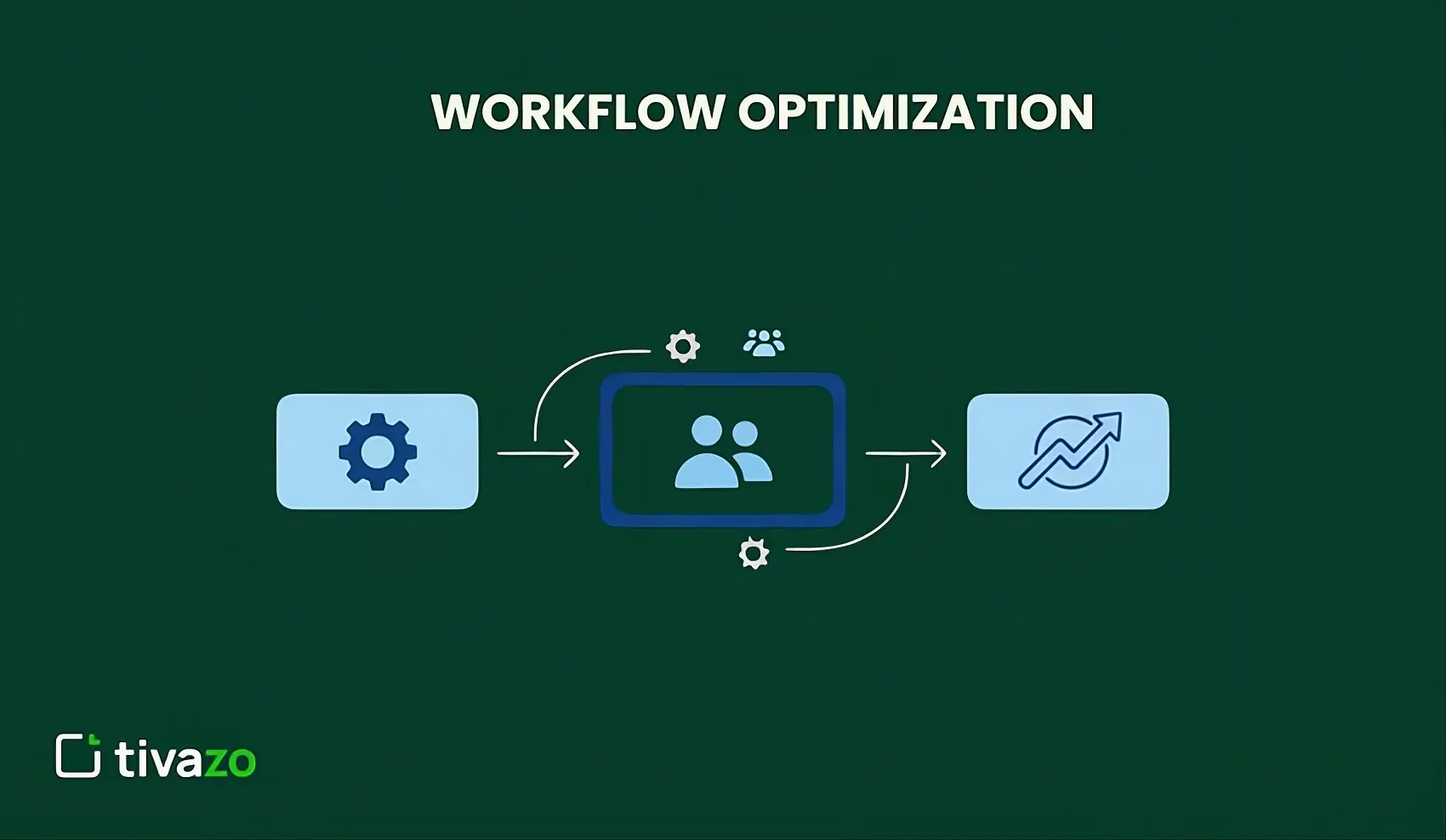
Workflow optimization is the process of improving work processes to make them more efficient, faster, and more effective. This involves finding ways to eliminate unnecessary processes, reduce delays, and eliminate processes that may cause resource waste.
In simpler terms, workflow optimization can be viewed as finding the best and most efficient way to accomplish a task by removing any hurdles and making the workflow smooth from beginning to end.
Why does it matter?
- Effective workflow management enables teams to work smarter.
- It helps eliminate confusion, ensuring everyone is on the same page.
- When work processes are efficient, employees do not feel stressed.
- They have time to do other important things instead of troubleshooting issues.
The connection to productivity
Workflows have a direct link to productivity. When work processes are efficient, tasks are completed faster with minimal errors. Teams that work on workflow optimization have seen improvements. They are able to finish more work without adding more hours to their work schedule.
Benefits of Optimizing Workflows
Making improvements to your workflows will have numerous benefits. The right changes will revolutionize the way your team works. Here’s what you can expect when you commit to better workflows:
Time Savings
A well-organized workflow saves time. Employees will have less time spent searching for information. Well-organized workflows will also reduce the time spent waiting.
Research indicates that companies can save as much as 30% of their time through better workflow management. This is equivalent to over 12 hours per week for a full-time employee.
Higher Task Completion Rate
A well-organized workflow ensures that teams have higher completion rates. Employees will know exactly what to do next.
This means that teams will have fewer incomplete tasks. Your team will be able to handle more tasks without feeling overwhelmed.
Fewer Bottlenecks
A bottleneck occurs when certain tasks are slowed down in certain steps, thereby slowing down the workflow.
Workflow optimization seeks to eliminate these bottlenecks by improving the workflow and using automation. This enables the workflow to flow smoothly from the beginning to the end.
Improved Team Productivity
A well-organized workflow will improve productivity. When everyone is working with the same workflow, teams will be more productive.
Employees will know exactly what to expect from their colleagues. This will improve team collaboration. Your team will be more productive as a unit.
Steps to Optimize Your Workflow
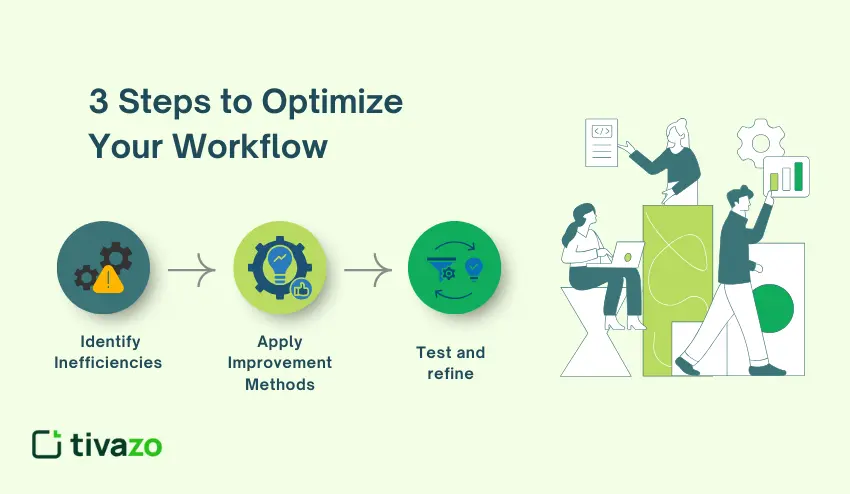
Ready to improve your processes? Follow these steps to create lasting change. Each step builds on the previous one to ensure success.
1. Identify inefficiencies
To start with, it is important to identify inefficiencies in your current workflow. For this purpose, it is a good idea to map your current workflow and note all the steps from beginning to end.
Identify all those steps that take a lot of time to complete. Ask your employees about those steps that cause them problems and confusion.
Common inefficiencies include:
- Redundant data entry
- Too many approval levels
- Unclear instructions
- Inadequate information
- Manual processes that can be automated
2. Apply proven improvement methods
There are several improvement methods that can be applied to achieve a more efficient workflow. These methods are discussed below:
- Lean is a set of principles that aims to eliminate waste in the process. Get rid of the process step that doesn’t add value. If the process step doesn’t help in the final goal, then maybe you should eliminate it.
- Agile is a project management technique that breaks up a project into smaller pieces. It is good for projects that are always changing.
- Six Sigma is a data-driven technique that aims for perfection. It is good for teams that require perfection in the process.
These improvement frameworks work hand-in-hand with workforce optimization strategies to maximize team performance.
3. Test and refine
First and foremost, one should test the new workflow using a small group before rolling it out completely. It is normal that things do not work as expected initially.
It is important to test and improve the workflow continuously to create a smoother workflow.
Strategies for Optimizing Workflow
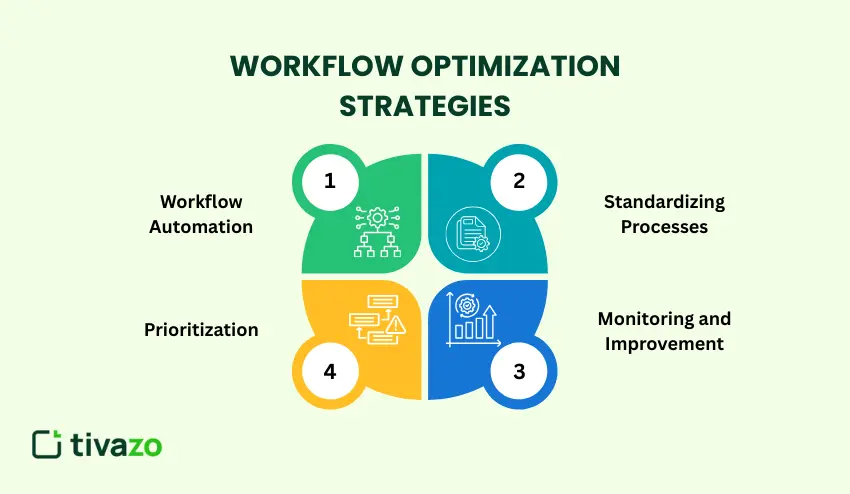
The strategies listed below will help you see improvements in your workflow. Select the ones that you feel your team needs the most.
Workflow Automation
This involves the use of technology to execute tasks without human intervention. Workflow automation saves time and minimizes errors. An example is using automated responses for emails or scheduled posts on social media platforms.
You could also automate the creation of invoices or the backup of data. Automate one simple task and see how it goes.
Standardization
Standardization is the process of creating guidelines for commonly executed tasks. It is important that everyone in your team follows the same steps when executing their tasks.
It is important that you write down your processes in simple language and use checklists to ensure that you do not omit important steps.
Prioritization
It is not all tasks that are of equal importance. It is crucial that you prioritize your tasks so that you are able to execute the ones that are of the most importance.
Your key tasks are the ones that yield the most results. You can use task metrics to separate the ones that are urgent and important from the ones that are not.
Monitoring and Improving Continuously
You should hold meetings regularly to monitor your workflow. The best time to hold these meetings is monthly or quarterly.
It is important that you monitor certain parameters, such as the rate of completion of the tasks and the time you save. This is important because you are then in a position to identify new problems in your workflow.
Workflow Automation Tools
The use of appropriate tools for workflow automation is essential because it makes the process much easier. However, each tool has different features to offer.
- Asana: This tool helps in organizing tasks, assigning work, and setting deadlines with workflow tracking using visual boards for teams of all sizes.
- Trello: This tool uses cards and boards to visually track tasks as they progress through different stages.
- Monday.com: This tool offers customizable workflows with time tracking and reporting features.
- Jira: This tool is designed for complex projects, especially for software development teams tracking bugs and features.
- Zapier: This tool automates workflows by integrating different apps and tools.
| Tool | Best For | Key Feature | Price Range |
| Asana | General project management | Task dependencies | Free to $25/user/month |
| Trello | Visual workflow tracking | Kanban boards | Free to $17.50/user/month |
| Monday.com | Custom workflows | Flexible views | $9 to $19/user/month |
| Jira | Software development | Agile boards | $8.15 to $16/user/month |
| Zapier | App integration | Automated workflows | Free to $30/month |
| Notion | All-in-one workspace | Customizable databases | Free to $15/user/month |
Best Practices for Optimizing Workflow
When working with a team, there are special considerations that need to be made. The following best practices will ensure that all members of the team succeed.
Improve Collaboration
Communication channels should be clear. All members of the team should know where to go for answers. Shared documents can be used for key information. This helps avoid confusion about which version is the latest and where files are stored.
Team meetings should be held regularly but kept brief. These meetings should focus on progress and solutions to problems.
Measure Team Workflow Efficiency
The following metrics should be tracked: average time spent on tasks, number of tasks completed each week, occurrence of bottlenecks, and team satisfaction ratings. These metrics should be shared with the
Provide Proper Training
New processes will not work if people do not know how to use them. Take time to train people. It is important to create simple guides and videos.
Make it easy for people to learn at their own pace.
Gather Regular Feedback
Ask people in your team what is working and what is not. They are the ones using the processes. Surveys can be helpful. Make changes based on feedback.
Digital Workflow Solutions
Technology is a major factor in workflow optimization. Technology, if used properly, can eliminate obstacles and increase the pace of work.
Integrating Digital Tools
Use tools that can be integrated with each other. Many workflow management tools are compatible with other software. For instance, you can integrate your project management software with your email.
This will eliminate the need to switch between applications. Cloud-based software enables teams to work from anywhere. All files are synchronized and accessible to all.
Streamlining Processes with Technology
Technology helps in streamlining processes by reducing manual processing. For instance, forms can be auto-filled with data that has been stored. Signatures can also be added electronically to reduce processing time.
Mobile applications allow people to work anywhere. This ensures that projects are not stalled even when you are not at work.
Real-world Example
A marketing firm cut the time it takes to launch projects by 40%. They integrated their design software with their project manager.
Now, when designers complete their tasks, other tasks are automatically assigned to reviewers. Nobody has to manually change the status.
Common Challenges in Workflow Optimization
Improving the workflow is not always easy. Be aware of the common challenges and how to deal with them.
Challenges in Reducing Bottlenecks
It is easy to identify bottlenecks but difficult to reduce them. Bottlenecks could be people or policies. A single person approving all the work could be a bottleneck. Consider sharing the responsibility.
In some cases, technology could also be the reason. Updating technology requires planning and a budget.
Resistance to Change
People often resist change. They are used to the old ways. The best way to deal with this challenge is to communicate the importance of change. Show them how the new workflow will help them.
Involving employees in the planning of the new workflow could help. When people are involved in the solution, they are likely to cooperate.
Over-Complicating Solutions
Some teams over-complicate their solutions. This leads to confusion rather than clarity. Simplicity should be a part of your workflow optimization process. Simple solutions should come first before complicating things.
Remember, efficiency should always be your goal. If a solution makes things more complicated, then it’s not a good solution to use.
Lack of Follow-Through
Some teams plan their solutions but fail to follow through with them. Others start to follow through, but then drop it along the way.
Deadlines should be set to ensure that things get implemented. Someone should be in charge of overseeing the transition to a new solution.
Measuring Success in Workflow Optimization
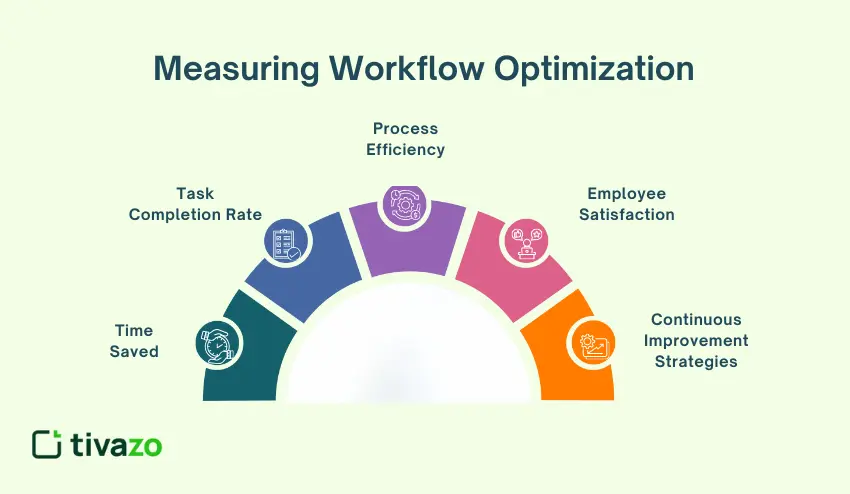
How do you measure success? Here are the key metrics you should be tracking.
Time Saved
Track the amount of time it took to perform tasks before and after workflow optimization. Calculate the difference. Time is money, and every minute counts. Five minutes per task equals hours per week.
Task Completion Rate
Track the number of tasks completed on time by your team. Compare it to previous periods. The higher the completion rate, the better the workflow efficiency. People are able to complete tasks they have started.
Process Efficiency
Track the output per input. Are you getting more out of less? This metric measures overall productivity improvement. It proves that workflow optimization is working.
Employee Satisfaction
Happy employees are more productive employees. Track employee satisfaction by conducting a survey.
Ask them about their workflow and what they think about it. What are their pain points? What are their suggestions?
Continuous Improvement Strategies
It’s a must to have quarterly workflow reviews. The market and teams are constantly changing. What works today may need to change tomorrow.
Always stay flexible and open to new ideas. Celebrate your successes with your team. This will help keep them motivated.
Conclusion
Optimizing workflows transforms how teams work. The techniques outlined in this guide give you a roadmap to follow. Begin by identifying areas where you can improve the most.
Next, implement easy fixes one by one. Leverage workflow automation software that meets your needs. Also, train your team members and seek feedback.
It is worth noting that workflow optimization is a continuous process that requires patience because small steps can lead to huge advantages. Keep monitoring your progress using effective metrics.
The teams that are dedicated to continuous improvement get the best results. Improved productivity is not a solution that you implement and then walk away; it’s a journey.
Your workflow optimization journey begins today. Choose a technique and apply it this week.