Remote and hybrid teams live inside the browser. Work flows through tabs, docs, chats, and dashboards all day. That constant switching quietly drains focus and time. The right tools can claw some of that focus back. One simple win is reading less while understanding more. Clico includes an AI summarizer that condenses long pages and threads on the spot. It brings ChatGPT and Claude to any tab, so you skip the copy-paste shuffle. In this guide, I cover the AI productivity tools distributed teams should know in 2026. I also explain how to build a lean stack that protects attention rather than scattering it.
Why AI productivity tools fit distributed work
Distributed teams handle more written context than office teams. Updates, docs, and threads pile up across time zones. AI tools help you process that load far faster.
The goal is not to add more apps. The goal is to cut the busywork between real tasks. A smaller, sharper stack beats a crowded one.
Attention is the real bottleneck
Focus, not effort, is the scarce resource for remote teams. According to Microsoft’s 2025 Work Trend Index, workers are interrupted roughly every two minutes during core hours, about 275 times a day. Each interruption costs more than the seconds it takes. Tools that reduce reading and drafting give some of that time back. That is why summarizers and in-context assistants matter so much.
Categories that deliver the most value
- Summarizers that shrink long reports into key points
- In-context assistants that draft replies inside any box
- Meeting and note tools that capture decisions automatically
- Research helpers that answer questions on the page
- Translators that smooth cross-language collaboration
These categories overlap in the browser, which is exactly the point. The diagram below shows where the gains concentrate.
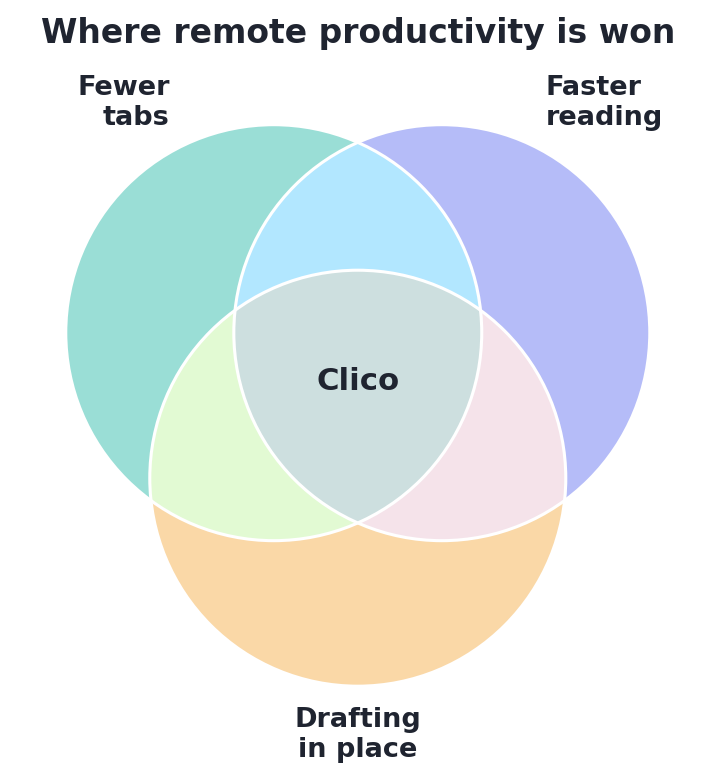
Remote productivity improves where fewer tabs, faster reading, and in-place drafting meet — Clico’s niche.
How a browser assistant saves time
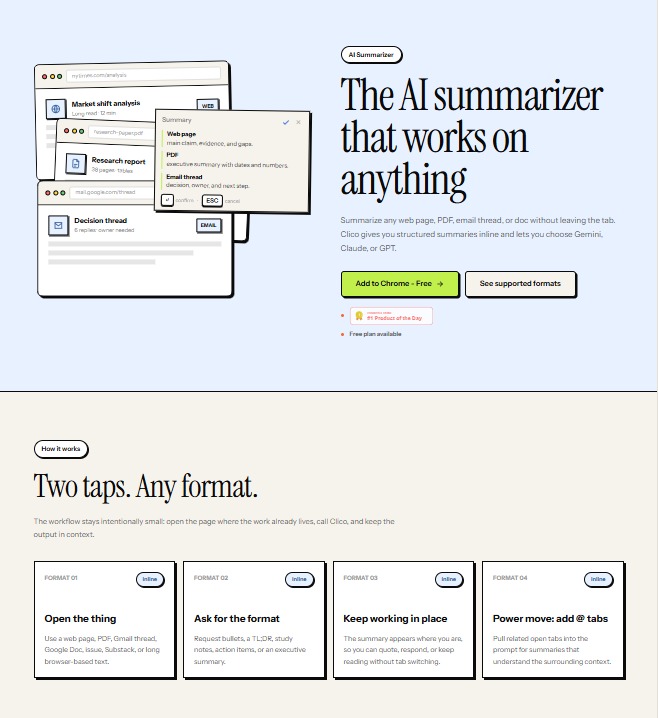
A browser assistant meets you where the work lives. You summarize a thread, rewrite a message, or ask a question in place. Clico does this without opening a separate window.
That keeps your attention on one screen. Fewer tabs means fewer chances to lose your place.
Build a stack that protects focus
More apps rarely mean more output. Two summarizers simply do the same job twice. Pick one tool per task and write it down.
Shared habits beat shiny features every time. When the team works the same way, onboarding speeds up. New hires learn the flow in days, not weeks.
Review the stack every quarter. Drop anything nobody opens anymore. A lighter toolkit keeps attention where it belongs, on the work itself.
Ultimately, the best remote stack feels almost invisible. It removes friction without demanding attention of its own. Start with a summarizer, add an in-page assistant, and stop there. Measure each tool by the minutes it saves, not the features it lists. Keep the setup documented so every teammate works the same way. A small, shared toolkit is what keeps distributed work calm and fast.
How to Use Clico
Remote teams can adopt Clico in minutes, with no setup headaches. Here is the simple flow your teammates can follow.
- Add Clico from the Chrome Web Store on any Chromium browser
- Press ⌘O or Ctrl+O inside any message, doc, or ticket
- Let it read the page so replies match the real context
- Summarize a long thread, then draft your response in place
- Use open tabs as context for sharper, faster answers
The free plan offers 100 generations a month with no credit card. Clico activates only on the shortcut and skips sensitive fields. That makes it easy to roll out across an async team safely.
Conclusion
Remote and hybrid work rewards teams that protect attention. AI productivity tools help by trimming the reading, drafting, and searching that fills the day. Start with a summarizer you trust, then expand carefully. With a leaner stack in 2026, your team can spend more time on work that counts.