13 Best Time Tracking Apps Compared for 2026: Features, Pricing & Review
8 More Excellent Time Tracking Apps
Tivazo - Best for simple all-in-one time tracking & Reporting
Price: Free (up to 10 users), $3/user/month
Available on: Windows, macOS, Linux, Web
We want to be transparent and admit that this is our product; however, we have provided an honest evaluation of the pros and cons of the product after legitimate use.
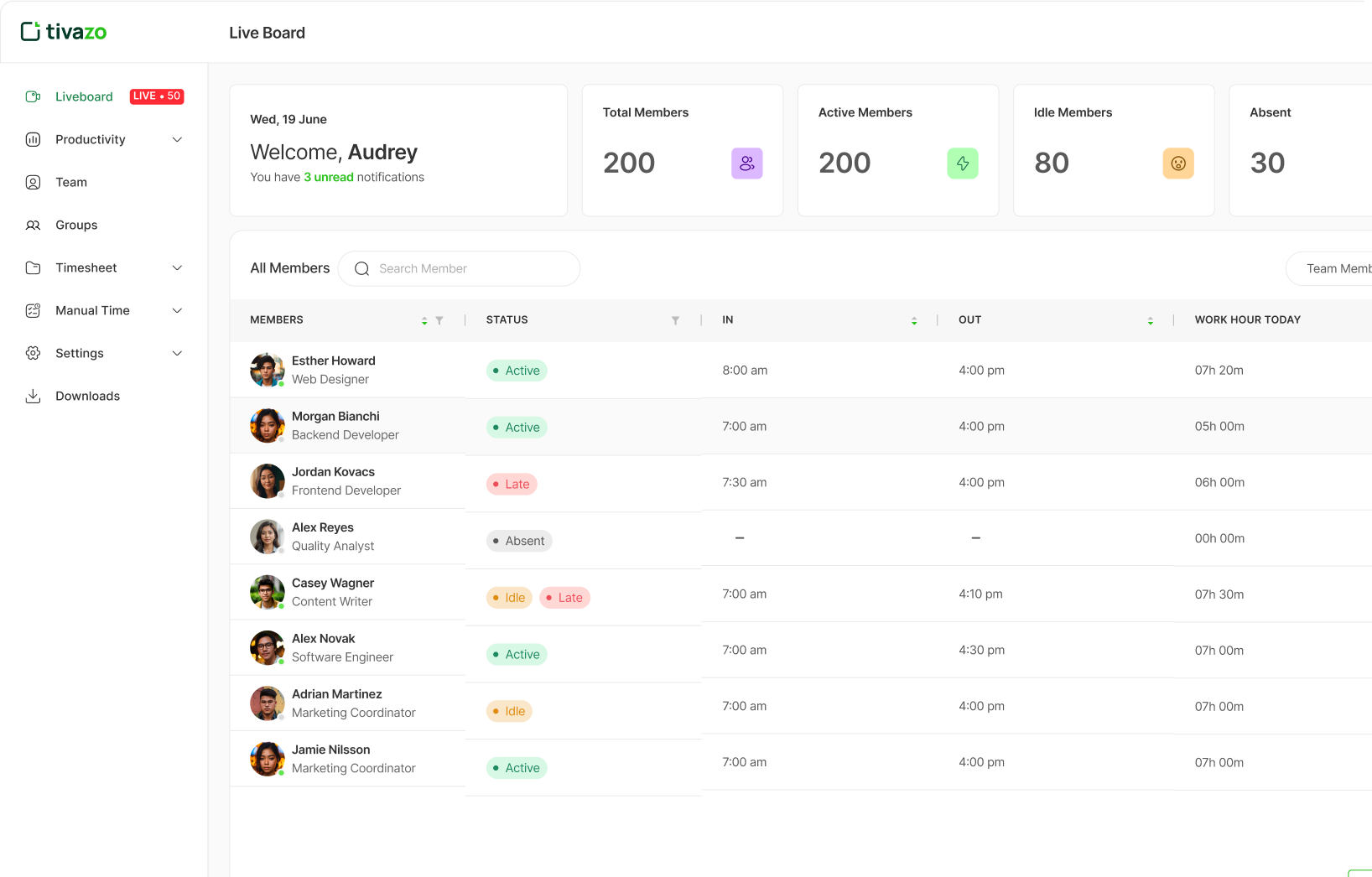
Tivazo is an all-in-one time tracking and employee monitoring solution created for the team that needs the most powerful features without enterprise-level costs. Tivazo is built upon the integration of a time tracking, an automatic screenshot monitoring app which includes automatic idle detection and the use of real-time dashboards, all of which starts at just $3/user/month.
The screenshot monitoring functionality includes privacy protection with keyword-based masking to protect your employees’ privacy. In addition, the program will automatically detect when users are idle (with a customizable threshold), to record work done even if disconnected from the server, with the option of sync when reconnecting.
At the same time, there is a real-time dashboard to see instantly who is currently active, idle, or away. And finally, if your company is a reporting company, you can export to CSV/Excel format for payroll and for billing purposes.
- Cost-effective at only $3/user/month compared to competitors
- Free forever plan with up to 10 users
- Screenshot masking protects employee privacy
- Offline tracking and sync
- Works across Windows, macOS, and Linux
- No screenshot monitoring or advanced employee tracking
- No screenshot monitoring or advanced employee tracking
- Limited project management features
- Invoicing is reserved for higher-tier plans
- No offline desktop tracking is available in the free plan
Our Experience with Tivazo
- The setup was straightforward and quick; installation for Windows and Mac was simple.
- In using it everyday I found that the auto-idle detection worked well; once reconnected to the internet offline time tracking synced seamlessly.
- Real-time dashboards and export to CSV/Excel options also performed as one would expect and were a pleasure to use.
- The screenshot monitoring with the keyword masking option meant we could keep on top of productivity tracking without sacrificing employee privacy.
- All in all Tivazo worked well for a small team needing a single solution that was not enterprise level pricing.
Best for: Small to medium-sized businesses and freelancers that need a strong monitoring platform for budget pricing.
Toggl Track - Best for simple all-in-one time tracking & Reporting
Price: A free plan is available, paid plans starting at $9/user/month
Available on: Web, Windows, macOS, iOS, Android, Chrome extension
We want to be transparent and admit that this is our product; however, we have provided an honest evaluation of the pros and cons of the product after legitimate use.
Toggl Track is among the most well-known time trackers thanks to its clean interface and one-click timer. You can begin tracking almost immediately without setup or training. Record tracked time manually or automatically, identify work by client and project, and use tags to make reporting more detailed.
The browser extension integrates with 100+ tools, including Asana, Trello, and GitHub. You can customize reports to visualize time claims by project, client, and team member and even apply color to charts to make identifying patterns simple.
The Company Culture section of the Employee Handbook defines the core values and principles that shape the workplace environment at company. It highlights the importance of collaboration, respect, inclusion, innovation, continuous learning, and accountability.
- Extremely intuitive interface with little learning curve
- Good browser extension for tracking time in other apps
- Strong reporting with visuals and breakdowns
- Apps for iOS and Android devices are reliable
- Solid free plan for individuals/small teams
- No mobile apps available at this time
- Integrations require one of the paid plans
- Basic web-flow analytics vs advanced enterprise tools
- Small user community; the platform is fairly new
Our Experience with Toggl Track
- It was easy to get setup - it took essentially no learning curve to create an account and start the timer.
- Tracking multiple projects was seamless from the start. Furthermore, using tags for tasks created reporting breakdowns that helped to be able to look at that reporting in detail.
- The extension on the browser worked well and integrated nicely with Asana, Trello, and GitHub also.
- The reports were visually clear and easy to interpret patterns of time use in short order.
- Overall, I would put Toggl Track in the solid category if you are a freelancer who is looking for something straightforward and nice in appearance.
Best for: Freelancers, consultants, and small teams who want straightforward, dependable time tracking with good reporting, but do not need employee monitoring capabilities.
Clockify - The Best Free Unlimited Time Tracker
Price: Free (unlimited users), paid plans start at $3.99/user/month
Available on: Web, Windows, macOS, Linux, iOS, Android, Chrome extension
Clockify is a free time tracker that allows unlimited users, making it great for growing teams on a budget. You can track time using a timer or manually enter hours, organize work by project and task, and run basic reports, all for free.
The Free plan is sufficient because you can create an unlimited number of projects, clients, and tags. In the timesheet view, you can fill in hours for the week. The calendar view shows your time visually. Kiosk mode allows a shared device to be used for clock-in/clock-out for teams. Paid plans include features such as time auditing, custom fields, and advanced reporting.
- Totally free for unlimited users forever
- No limits for team size on features
- Available on all major operating systems, including Linux
- Kiosk mode for time tracking on shared devices
- Clean, simple interface.
- Reporting on the free plan is very basic
- No screenshot or productivity tracking
- Advanced functionality is behind a paywall
- Limited support on the free plan
- Interface feels a bit rough compared to Toggl
Our Experience with Clockify
- Installing and getting started on Clockify was very straight-forward and I found creating projects and tasks was also really fast to do.
- The unlimited free option really enabled our testing team to be able to manage tracking on multiple projects without any restrictions.
- Having both a timesheet and calendar view made it super easy to visualize time usage.
- Report options were simple - it was great for small teams or startups that don't have a need for more advanced analytics.
Best for: Teams/Startups on a budget that need basic time tracking for an unlimited number of users and do not intend to pay any money.
Harvest - Best for No-fuss Invoicing and Billing
Price: Free (1 user, 2 projects), paid plans starting at $11/user/month
Available on: Web, Windows, macOS, iOS, Android, Chrome extension
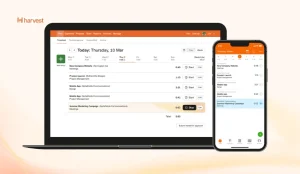
Harvest combines time-tracking, invoicing, and expense tracking all into one tool, making it ideal for businesses that primarily serve clients. You can track your time, log your expenses, and create a professional invoice from your working hours in the same program.
With Harvest’s invoicing features, you can create invoice templates that capture how much time you billed to that client, accept payment on invoice (either through Stripe or PayPal), and also know if the client viewed or paid the invoice. There’s also the capability to track other expenses and attach the original receipt to charge that to the invoice, including clients. If you are using QuickBooks, FreshBooks, or Xero, Harvest gladly integrates with their accounting systems.
- Invoicing right from tracked time
- Integrates payments (Stripe, PayPal)
- Expense tracking with receipts
- Good accounting integrations
- Great mobile apps for tracking on the go
- More expensive than $12 user/month
- The free plan is 1 user and 2 projects
- No screenshot monitoring/team productivity tracking
- Basic reports compared to other analytics
- It can feel overly complicated if just for time tracking
Our Experience with Harvest
- The setup process for Harvest was simple and straightforward.
- Its integration with Stripe and Paypal for invoicing work seamlessly.
- Time Tracking and attaching expenses to invoices worked without problem.
- Reports were detailed and clean but weren't as detailed as Tivazo or Clockify.
- The mobile app was really reliable for tracking on the go.
- Overall, Harvest is a great option for freelancers and agenceis who focus on client billing and tracking of expense.
Best for: freelancers, consultants, and agencies that bill by the hour and need integrated invoicing without moving between multiple tools.
Hubstaff - Best Time tracking app for Remote Team
Price: 14-day free trial, paid plans start at $4.99/user/month
Available on: Web, Windows, macOS, Linux, iOS, Android, Chromebook
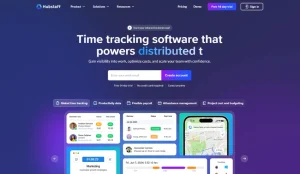
Hubstaff was designed specifically to track remote teams in detail, with tracking activity and insights about productivity. You are able to track time automatically while screen capturing, tracking apps and URLs, and track productivity based on keyboard and mouse activity.
Overall, Hubstaff also has real-time activity dashboards that let you see productivity percentages, active time in contrast to idle time, and average apps and websites used on the Hubstaff app. GPS tracking and geofencing work for your field teams, too. And you can integrate automatic payroll with PayPal, Wise, and Bitwage to pay remote workers for any hours used while tracking time.
- Complete monitoring of employees that includes screenshots
- Employee activity is tracked via keyboard/mouse usage
- GPS tracking and geofencing for mobile field team members
- Multiple automatic payroll processing integrations
- Can operate on all platforms including Chromebook
- Can feel invasive to employees (very heavy monitoring)
- Screenshots and activity-tracking is potentially damaging to team trust
- No free plan, only a 14-day free trial
- More pricey features require being on a higher tier
- Some company cultures are not compatible with a monitoring approach
Our Experience with Hubstaff
- The installation and setup for remote monitoring were intuitive.
- The activity dashboard had fine-grain information on idle time, active time, and app usage.
- The GPS tracking and geofencing were handy for our mobile testing team.
- The screenshots and activity monitoring feature is in-depth, but may feel a bit intrusive depending on your company's work culture.
- Overall, if you're looking for a tool for administration that provides thorough detail, use it! Just be sure you have the buy-in of your team and are honest if anything were to change.
Best for: Remote businesses and agencies where they want to monitor distributed or field-based team members in detail, activity trust, and location verification outlined.
TimeCamp - Best for Automatic Time Tracking
Price: Free plan available, paid plans start at $2.99/user/month
Available on: Web, Windows, macOS, Linux, iOS, Android
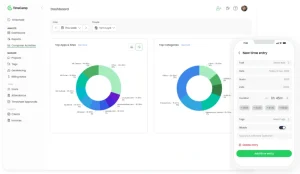
TimeCamp automatically tracks time spent on applications and websites in the background without manual timers. The software learns your work patterns and categorizes activities automatically, making time logging effortless for users who forget to start timers.
- Fully automatic tracking requires zero manual input
- Very affordable at $2.99/user/month
- Automatic invoicing based on tracked hours
- Integrates with 50+ project management tools
- Automatic tracking can feel intrusive
- Requires setup time to categorize apps correctly
- Free plan has limited reporting
- Mobile apps lack some desktop features
Our Experience
- Automatic tracking was dependable and automatically ran in the background without manual effort.
- Setting up app categorization took a few minutes, but after that, it was seamless.
- The reporting is easy to read (although advanced features are paywalled).
- The pricing was affordable, so you can easily try multiple users.
- Overall, it's ideal for freelancers or small teams looking for "hands-off" tracking.
Best for: Teams and freelancers who want hands-off automatic tracking without remembering to start/stop timers.
QuickBooks Time - Best for Payroll and Accounting Integration
Price: Starting at $20/month + $8/user/month
Available on: Web, iOS, Android
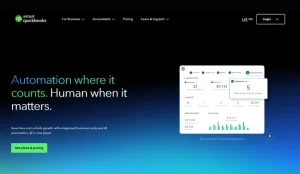
QuickBooks Time (formerly TSheets) integrates seamlessly with QuickBooks accounting software for instant payroll processing. Track employee hours, approve timesheets, and sync directly to QuickBooks for payroll, eliminating double data entry.
- Perfect QuickBooks integration for payroll
- GPS tracking and geofencing for field teams
- Job costing for project-based businesses
- Scheduling features included
- Expensive base fee plus per-user costs
- Only valuable if you use QuickBooks
- Steeper learning curve than simpler trackers
- No free plan available
Our Experience
- Automatic tracking was dependable and automatically ran in the background without manual effort.
- Setting up app categorization took a few minutes, but after that, it was seamless.
- The reporting is easy to read (although advanced features are paywalled).
- The pricing was affordable, so you can easily try multiple users.
- Overall, it's ideal for freelancers or small teams looking for "hands-off" tracking.
Best for: Businesses already using QuickBooks that need seamless time-to-payroll workflow and field team tracking.
ClickUp - Best for Project Management with Built-in Tracking
Price: Free plan available, paid plans start at $7/user/month
Available on: Web, Windows, macOS, Linux, iOS, Android
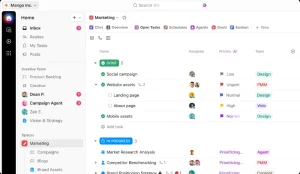
ClickUp is a comprehensive project management platform with native time tracking built in. Track time directly on tasks, set time estimates, view time reports, and manage projects all in one tool without switching between apps.
- All-in-one project management and time tracking
- Time tracking included in free plan
- Multiple project views (list, board, calendar, Gantt)
- Extensive customization options
- Can be overwhelming with too many features
- Primarily a PM tool, not a dedicated time tracker
- Steep learning curve for new users
- Time tracking features less robust than dedicated tools
Our Experience
- Time tracking worked nicely with the task and management features of the software.
- At the beginning, the large number of options might feel overwhelming, but the customizations made the workflow very efficient.
- Several project views enhanced team visibility.
- Overall, I can say ClickUp is powerful, but it can take a while to learn how to use it most effectively.
Best for: Teams already using or planning to use ClickUp for project management who want built-in time tracking instead of separate tools.
Time Doctor - Best for Detailed Productivity Analytics
Price: Starting at $7/user/month
Available on: Web, Windows, macOS, Linux, iOS, Android
Time Doctor provides detailed productivity analytics with screenshots, website/app tracking, and distraction alerts. The platform focuses on accountability with features like idle time detection and optional video screen recording for detailed monitoring.
- Comprehensive productivity analytics and reports
- Distraction alerts help employees stay focused
- Payroll integrations for automatic payments
- Client access for transparency
- Heavy monitoring can reduce employee morale
- More expensive than basic time trackers
- May feel like micromanagement to team members
- Video recording feature is controversial
Our Experience
- Screenshots, website/app tracking, and distraction alerts worked as advertised.
- The platform provided very detailed productivity reports that were actionable.
- Heavy monitoring and optional video tracking could feel invasive to employees.
- Integration with payroll systems simplified payments for remote teams.
- Overall, excellent for teams that prioritize accountability and productivity metrics.
Best for: Remote companies that prioritize detailed productivity metrics and need accountability features for distributed teams.
Everhour - Best for Budget Time Tracking and Estimates
Price: Free for solo users, paid plans start at $8.50/user/month
Available on: Web, iOS, browser extension
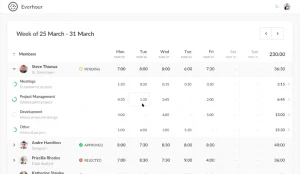
Everhour specializes in budget management by comparing estimated vs. actual time spent on projects. Set time budgets, get alerts when approaching limits, and track profitability in real-time. Integrates deeply with Asana, Trello, Jira, and other PM tools.
- Excellent budget tracking and estimates
- Real-time budget alerts prevent overruns
- Deep integrations with popular PM tools
- Clean, focused interface
- Requires a minimum of 5 seats on paid plans
- More expensive for small teams
- Limited standalone features (works best with integrations)
- No mobile time tracking app
Our Experience
- The setup process for project budget and time alerts was simple and very straightforward.
- The integration with systems like Asana, Trello, and Jira made the workflow smooth.
- The reporting provided clear insight into estimated versus actual hours and profitability.
- Limited standalone capabilities make this work better for teams already using project management tools.
- In all, this is very well suited for project-based teams who require strict budget management.
Best for: Project-based teams that need strict budget control and already use tools like Asana, Trello, or Jira.
RescueTime - Best for Personal Productivity Insights
Price: Price: Free plan available, premium at $6/monthly
Available on: Web, Windows, macOS, Linux, Android
RescueTime runs in the background, tracking how you spend time on apps and websites, then provides detailed productivity reports and insights. It’s designed for individuals wanting to understand and improve their work habits rather than team tracking.
- Completely automatic with zero manual input
- Detailed personal productivity insights
- Focus session blocking for distractions
- Works across all devices automatically
- Not designed for team time tracking or billing
- No screenshot monitoring or employee features
- Limited project/task organization
- Privacy concerns with always-on tracking
Our Experience
- The ability to track platforms and apps in the background was smooth and accurate.
- The blocking capability of focus sessions was very helpful in limiting distractions while working.
- The significant personal productivity reports offered great suggestions for users.
- Not for teams or billable hours.
- In summary, a great tool for a single person or freelancer wanting to increase personal productivity.
Best for: Individuals and solo entrepreneurs who want personal productivity insights and habit tracking, not team management.
ClockShark - Best for Construction and Field Teams
Price: Price: Starting at $40/month + $9/user/month
Available on: Web, iOS, Android
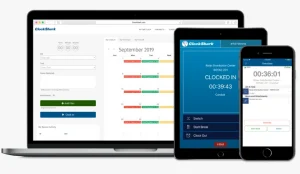
ClockShark is purpose-built for construction, field service, and outdoor teams with GPS tracking, geofencing, and job site clock-in/clock-out. Track crew locations, manage schedules, and process certified payroll for prevailing wage jobs.
- GPS and geofencing are perfect for field work
- Job costing and crew management
- Certified payroll for prevailing wage compliance
- Offline time tracking with mobile apps
- Expensive base fee plus per-user costs
- Overkill for office-based teams
- Limited project management features
- Steep learning curve for admins
Our Experience
- GPS tracking and geofencing worked without any problem for field-based teams.
- Job costing and certified payroll features were very precise for construction workflows.
- The setup required administrators to have technical knowledge, especially for large crews.
- Offline time tracking and easy clock-ins on sites were available through mobile apps.
- Overall, it is exceptional for the construction, landscaping, and many field-based industries, but overkill for office-based teams.
Best for: Construction companies, HVAC, plumbing, landscaping, and other field service businesses needing job site tracking and certified payroll.
My Hours - Best for Freelancer Time Tracking
Price: Price: Free plan available, paid plans start at $8/user/month
Available on: Web, Windows, macOS, Linux, iOS, Android, browser extension
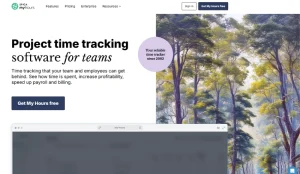
My Hours offers simple time tracking with unlimited projects, tasks, and clients on the free plan. The clean interface makes logging hours easy, while reporting and invoicing features help freelancers bill clients accurately without complexity.
- Generous free plan with unlimited projects
- Simple, clean interface for solo users
- Good reporting for billing clients
- Works across all platforms
- Limited team collaboration features
- No employee monitoring or screenshots
- Basic integrations compared to competitors
- Paid plans are required for invoicing
Our Experience
- Straightforward, uncluttered interface to log time easily and quickly.
- Unlimited projects, tasks, and clients on the free plan made it easy to evaluate.
- The reporting and invoicing features worked flawlessly and allowed freelancers to invoice more easily.
- Limited team collaboration features, so better for individuals or smaller teams.
- Overall, ideal for freelancers and consultants looking for uncomplicated time tracking with no fuss.
Best for: Freelancers and solo consultants who need straightforward time tracking for multiple clients without team management complexity.
| App | Free Plan | Starting Price | Best For | Platforms |
|---|---|---|---|---|
 tivazo
|
Up to 10 users | $3/user/month | Small & medium teams | Windows, Mac, Linux, Web |
 Toggl Track
|
$0/user/month | Freelancers | Web, Windows, Mac, iOS, Android | |
 Clockify
|
Unlimited users | $3.99/user/month | Budget teams | Web, Windows, Mac, Linux, iOS, Android |
 Harvest
|
Yes (1 user, 2 projects) | $11/user/month | Invoicing & billing | Web, Windows, Mac, iOS, Android |
 Hubstaff
|
14-day trial | $4.99/user/month | Remote team monitoring | Web, Windows, Mac, Linux, iOS, Android |
 Timecamp
|
$2.99/user/month | Automatic tracking | Web, Windows, Mac, Linux, iOS, Android | |
 Quickbooks
|
$20/month + $8/user | Payroll integration | Web, iOS, Android | |
 Clickup
|
$7/user/month | Project management with tracking | Web, Windows, Mac, Linux, iOS, Android | |
 TimeDoctor
|
$7/user/month | Productivity analytics | Web, Windows, Mac, Linux, iOS, Android | |
 Everhour
|
Free solo | $8.50/user/month | Budget tracking & estimates | Web, iOS, browser extension |
 RescueTime
|
$6/month | Personal productivity | Web, Windows, Mac, Linux, Android | |
|
ClockShark
|
$40/month + $9/user | Field & construction teams | Web, iOS, Android | |
 myhours
| $8/user/month | Freelancer tracking | Web, Windows, Mac, Linux, iOS, Android |
Dishonorable Mentions – Apps to Avoid in 2026
These apps fell short in usability, reliability, and pricing during testing:
Table of Contents
Timeular - Best for simple all-in-one time tracking & Reporting
- Subscription fees are higher than other time-tracking apps.
- Added cost for a physical time-tracking device.
- Set up is complicated, pairing the device with the app, and then adding your slots for activity.
- Limited options for integration with both project management and productivity tools.
- Best for a niche user with a need for a physical tracker, too complicated otherwise, and too costly.
Desktime - Overly Invasive and Confusing
- Constant activity monitoring, although, is perceived as intrusive and impacts trust in the team.
- The confusing interface complicates dashboards and report interpretation.
- Pricing scale quickly with the size of team members and may not be cost-effective for smaller teams and freelancers.
- Some key features (offline tracking, detailed project tracking) require you to activate a premium plan.
- Best for larger teams using strict productivity monitoring and able to withstand a learning curve.
Hubstaff Tasks - Basic Features and Reporting Capabilities
- There are no core time tracking features (screenshots, activity tracking).
- Reports are basic and lack options to improve actionable insights.
- Additionally, most features require an upgrade and are of limited value.
- Overall, this is good for teams already using Hubstaff that are looking for a simple task tracking companion, not for a standalone time tracking with a task management companion.
Our Testing Methodologies for the Best Time Tracking App
- We tested every tool personally in real daily work environments, freelancing, team setups, and remote work.
- We accurately compared the free and paid versions.
- We verified ratings and comments from reputable review sites for authentic feedback.
- We assessed usability, reliability, support, and unique features.
- No sponsorships, all findings are unbiased and based on first-hand experience.
We do not make any recommendations that are biased, and we base our recommendations on actual performance, not features or marketing claims.
Needed Features in Time Tracking Apps
- Easy time tracking: Start and stop timers, and the ability to enter time manually for flexibility in logging hours.
- Timesheets: The ability to look at hours put in for either days, weeks, or months at a time.
- Project / task management: Track work by client, project, and the contribution of tasks.
- Reporting / Analysis: Have available and customizable reports exporting full use hours, brief use hours, detail, and abstracts.
- Invoicing & Billing: Track billable hours, and have invoices available for time worked.
- Payroll management: Run payroll automatically for payments.
- Monitor Activities: Screenshots, app, or URL tracking times for accountability.
- Mobile and desktop apps: Work across platforms (Windows, Mac, Linux, iOS, Android, Web).
- GPS / Geofencing: Location-based time clocking for field teams if needed.
- Integrates: Ability to integrate with project management and billing tool (Asana, Quickbooks).
- User Management: Integrates and includes roles, approvals and permissions.
- Support: Good responsive support and usability.
Choose apps with features that best support your workflow and business needs.
Start For free, and it's forever
Optimize your workflow with Tivazo's platform, built for seamless task management and maximum efficiency.