It’s more difficult to manage team members today than it was five years ago. With remote, hybrid, and distributed teams, it’s not possible to simply walk over and say hi. You need systems.
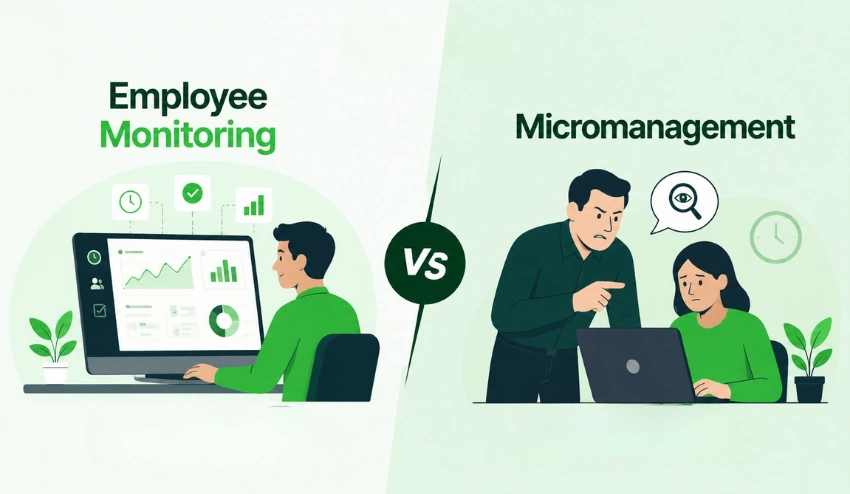
Employee tracking isn’t about surveillance. It is more about clarity; that is, knowing who is working on what, how much time it is going to take, and whether your team has what it takes to succeed.
According to Gallup Workplace Research, many managers still struggle to accurately measure remote employee productivity. Businesses lose time and money and have poor project planning due to that gap.
What are the employee tracking methods? Quick Answer
Employee tracking methods are the systems and tools that businesses use to track how employees spend their time at work, measure their productivity, and manage attendance.
They can vary from basic timesheet tracking systems to automated software that seamlessly logs hours, records tasks, and generates reports, all without being constantly monitored by a manager.
It depends on your team size, remote or in-office environment, and the specific measurements you are looking for.
Why is Tracking Employees Important?
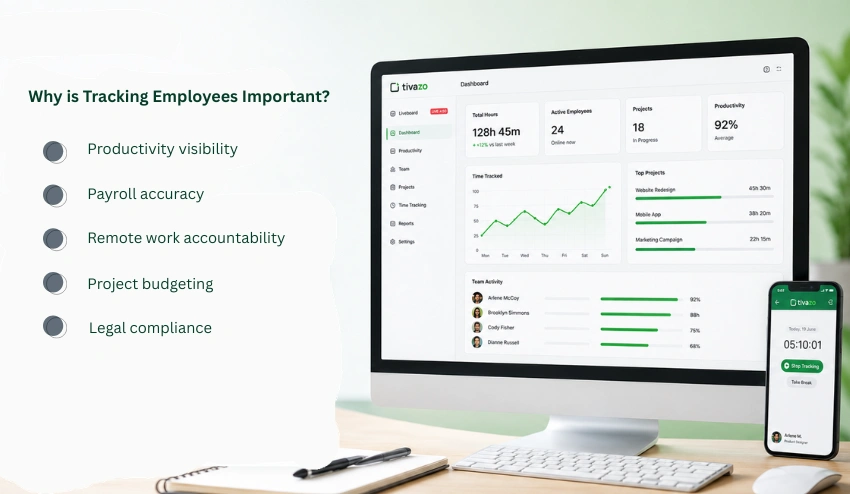
It’s important to have this clarity before you get into the methods about why tracking is important, not just for managers but for the team.
- Productivity visibility: You can’t improve what you can’t measure. Tracking indicates where time is spent and where it should be spent.
- Payroll accuracy: Manually calculated hours lead to errors. Even the smallest errors add up to form major payroll issues over time.
- Remote work accountability: Tracking helps create structure and doesn’t need micromanagement when teams are spread out across time zones.
- Project budgeting: When you’re a service business, the number of hours required to complete a project is crucial for accurate pricing and to prevent scope creep.
- Legal compliance: Many jurisdictions have regulations that specify how to keep accurate work hour records, particularly for hourly workers.
10 Best Employee Tracking Methods
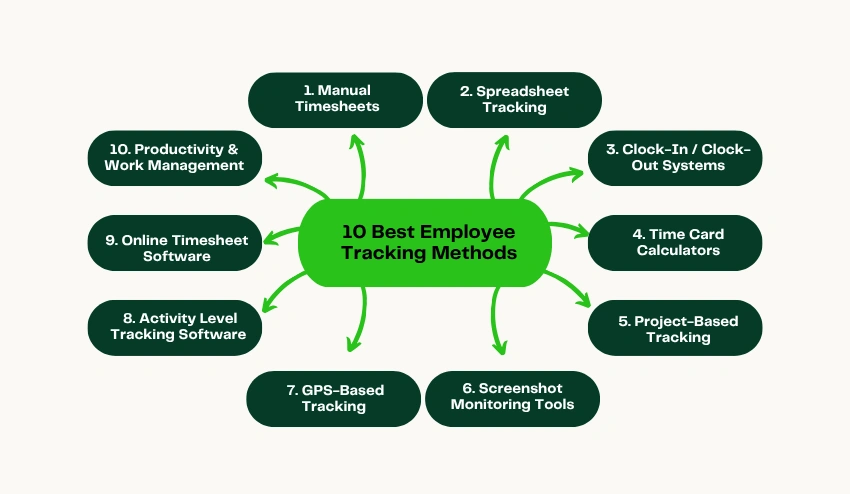
1. Manual Timesheets
How it works: At the end of the day/week, employees record the tasks and their start/end times on paper or a simple document.
Pros:
- Zero cost
- No software needed
- Uses tools to collaborate effectively with small groups of colleagues
Cons:
- Susceptible to human error and “buddy punching” (when somebody else is not in the office, they are replaced by someone else).
- Difficult to gather and analyse
- No real-time data
- Can’t be scaled up to a large number
Best use case: Solo contractors or very small teams with fewer than 5 people.
Best for: A freelance designer records the hours he works on a project in a notepad and bills his clients for a month’s worth of work. That works until you have three at once and can’t perform math in your head.
2. Spreadsheet Tracking (Excel / Google Sheets)
What it does: Groups enter their hours on a shared spreadsheet and fill out columns for dates worked, tasks performed, projects, and hours worked.
Pros:
- No new tools required and no cost for this service.
- Easy to customize
- Good for simple reporting.
Cons:
- All automation by hand, no automatic data entry.
- Version control problems for shared files
- If the cells contain incorrect formulas, the calculations will fail.
- There are no alerts or integrations.
Best for: Small teams that need structure without software.
Use this along with a free time card calculator to reduce spreadsheet formula errors.
3. Clock-In / Clock-Out Systems
What it does: “Punch in” and “punch out” times when employees start and finish their shifts, either through an app, at a terminal, or via a web portal.
Pros:
- Simple and consistent
- Reduces time theft
- Improved audit trail on payroll.
Cons:
- Does not monitor the activities of employees during those hours
- Biometric systems can be expensive
- App-based systems need smartphones.
Best for: Retail, restaurants, warehouses, any shift-based workforce.
Many teams also use clock-in and clock-out apps to automate attendance tracking and reduce manual errors.
4. Time Card Calculators
What it does: A digital application that uses clock-in and clock-out data, entered manually or imported from another system, to calculate total hours, overtime, and pay.
Pros:
- Quick and precise computations
- Auto-generates overtime rules for you.
- Requires no complex software.
Cons:
- Still requires manual data entry
- Not a full tracking solution on its own
Best for: Payroll teams and managers who require fast, accurate hour calculations without a full software subscription.
Use the Tivazo free time card calculator to easily calculate shift totals and weekly hours without needing to register. They have an overtime calculator that can be used to remain compliant with overtime rules as well.
5. Project-Based Tracking
What it does: Instead of logging raw hours, workers record time against projects, tasks, and/or clients. Consider: “2 hours for Client A’s proposal / 3 hours internal reporting.
Pros:
- Demonstrates the flow of time on a project
- Helps with billing accuracy for service businesses
- Refines the estimation of a project over time.
Cons:
- Asks workers to be deliberate about structuring their time. Encourages workers to be purposeful in managing their time.
- May become tedious if not part of the daily routine
Best for: Agencies, consultants, law firms, software teams, and those that charge by the hour or work with multiple clients.
6. Screenshot Monitoring Tools
What it does: Periodically captures screenshots of an employee’s screen while he or she is working, providing a visual record for the manager.
Pros:
- Clear visibility of work activities
- Deters unproductive browsing
- Great for telecommuting workers
Cons:
- If not carefully executed, it can seriously harm employee trust.
- The information captured in screenshots is not equal to productivity information.
- Data privacy issues, particularly in areas where data privacy laws are robust
Best for: Fully remote teams with contractors or hourly staff members where accountability has been identified as a concern.
Always make sure that employees are aware of the monitoring of screenshots at the start, and have a contract in place regarding the use of screenshots. Surprise surveillance backfires.
7. GPS-Based Tracking (For Field Teams)
Useful for delivery drivers, field technicians, and sales reps who need to track their employees’ physical whereabouts during the day. What it is: Mobile apps or devices track employee’s physical location throughout the workday.
Pros:
- Precise mileage and route information.
- Ensures employees are in the right place
- Helps optimize routes and schedules
Cons:
- If applied outside of working hours, it may be invasive.
- Your workers are open to being distrusted.
- Requires smartphones and data plans
Best for: Logistics companies, field service teams, construction crews, home health aides, and anyone who has to travel from one location to another.
8. Activity Level Tracking Software
What it does: The software tracks the actions of keyboard and mouse, app usage, and web visits to determine an “activity score” for each worker during work time.
Pros:
- Records more detailed productivity information than ‘hours.’
- Helps to identify burnout and/or disengagement patterns
- Works well in conjunction with time tracking
Cons:
- Can cause anxiety and “busy work.”
- Lacks the ability to distinguish between productive and unproductive types of activities
- The risk that the perceived meaning of the message will differ from the actual meaning.
Best for: Call centers, data entry jobs, high-volume processing centers where screen activity is truly linked to the amount of work completed.
9. Online Timesheet Software
What it does: Identifies what project or task an employee is working on automatically, based on the apps they are using, events in their calendar, or activity in their browser, and automatically records time without requiring any manual input.
Pros:
- Very low data entry requirement.
- Accurate, better than self-reported hours
- Produces comprehensive reports on their own:
- Scales with ease on large teams
Cons:
- Needs some up-front work and staff adoption
- Even though the CCTV cameras are not visible, some staff members may feel that they are being watched.
- The larger the team, the higher the subscription price.
Best for: Any company wanting accurate data without any administration, tech teams, or remote-first companies.
There are tools, such as Tivazo, which many modern teams are using to automate this process.
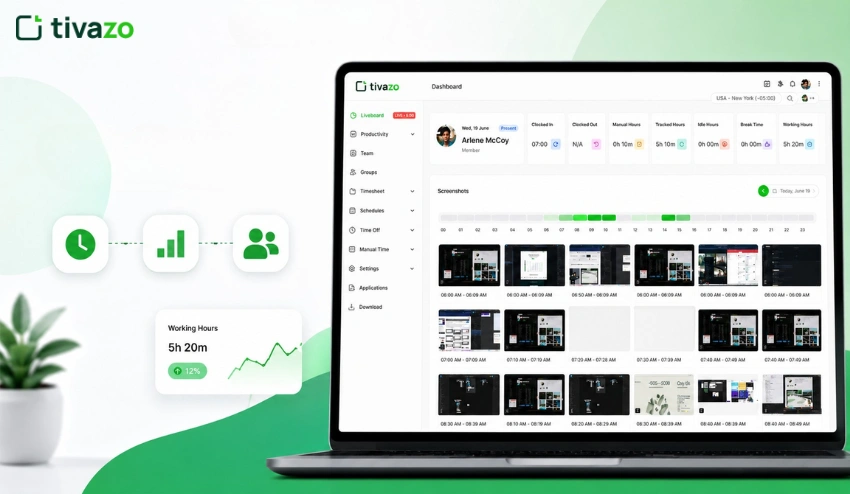
Tivazo automatically tracks time on tasks and projects, provides payroll-ready reports, and provides managers with real-time productivity insights, without them having to manually log every minute their employees spend.
Combine automation with a productivity timer for employees to remain focused during structured work periods.
10. Productivity & Work Management Platforms
What they do: They are integrated apps, where the task management, time tracking, team communication, and reporting features are all in one place. Some examples are ClickUp, Asana, and Monday.com.
Pros:
- One place for projects, tasks, and time
- Ideal for cross-functional teams
- Effective communication and transparency
Cons:
- May be costly when used en masse
- Steep learning curve
- Provide a feature overload for smaller teams that only require time tracking.
Best for: Mid to large companies with large and complex projects spanning multiple departments.
Comparison Table: Manual vs. Automated Tracking Methods
| Feature | Manual Methods | Automated Software |
| Accuracy | Low–Medium | High |
| Effort Required | High (daily input) | Low (set and forget) |
| Scalability | Poor | Excellent |
| Cost | Free–Low | Low–Medium (subscription) |
| Real-Time Data | No | Yes |
| Payroll Integration | Manual | Often automated |
| Best For | Solo workers, tiny teams | Growing or remote teams |
| Employee Trust Risk | Low | Medium (if not communicated well) |
When your team is small and the changes are not rapid, it works well as long as you can get it done by hand. Once you have 5+ people or remote workers, the price of mistakes and paperwork is so overwhelming that it simply is not worth it not to use software.
Best Practices for Employee Tracking
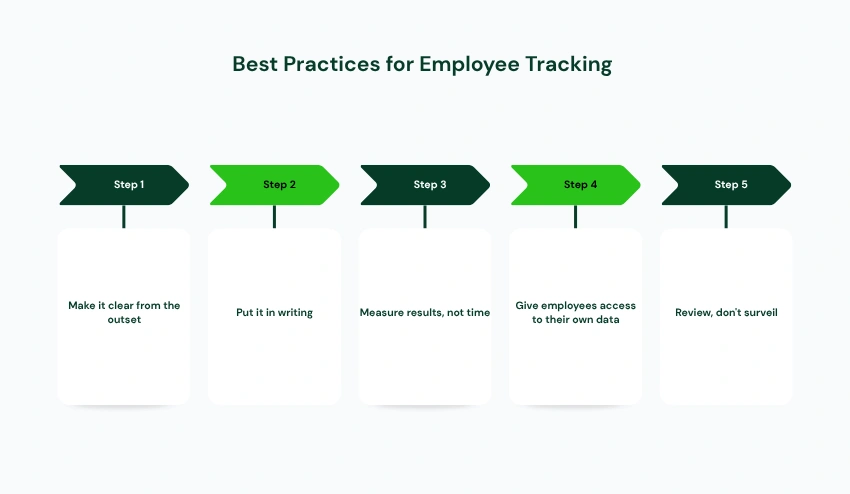
It is not enough to have the mechanics correct; you must also be able to get them right. The method used, as well as the method itself, is important.
Make it clear from the outset: Communicate clear definitions, purposes, and uses of data to employees. There is nothing that will ruin trust more quickly in the workplace than surprise monitoring.
Put it in writing: Have policies for tracking included in the employee handbook or onboarding material. This is to protect the company as well as the employee.
Measure results, not time: An employee who puts in 6 hours and gets a lot done is better than an employee who works 9 hours and gets little done. Using tracking to drive performance talks, but not in place of them.
Give employees access to their own data: People are more likely to be honest with themselves and more precise in their time reports when they can view them. There’s transparency on both sides.
Review, don’t surveil: Tracking data check-ins every week or month is good. The ability to monitor all mouse clicks in real-time is not. Establish guidelines and follow them.
5 Ways to Avoid Common Mistakes Businesses Make
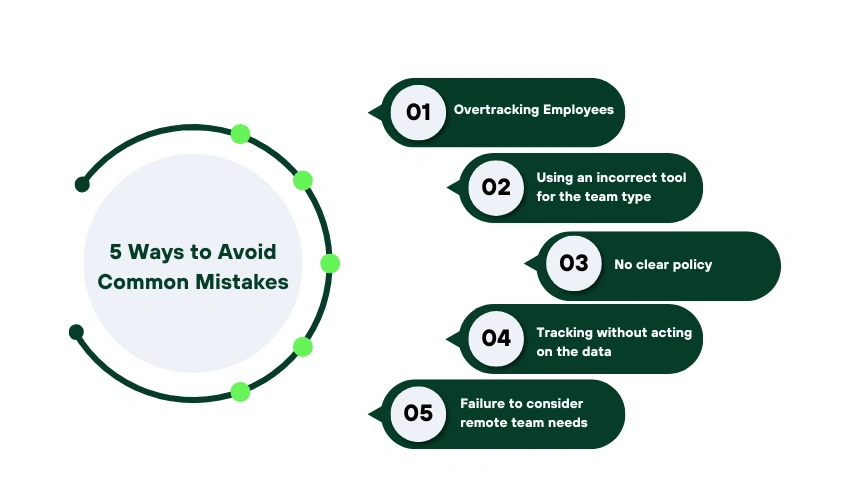
Even a good intent tracking program gets it wrong. Avoid the following:
1. Overtracking employees: This transitions from accountability to surveillance when you take screenshots every 5 minutes, record when GPS is being used, or log every keystroke. It demoralizes, it leads to attrition.
2. Using an incorrect tool for the team type: A field sales team doesn’t need to use screenshot software. Don’t need GPS tracking for a remote developer team. Use the right tool for the right task.
3. No clear policy: Without a written policy, employees are unclear, and managers are inconsistent about tracking software. Record all of this before deployment.
4. Tracking without acting on the data: If you gather hours without leveraging that information to enhance scheduling, eliminate bottlenecks, or solve performance issues, you have put everyone’s time to waste. Only tracking is valuable if used to inform decisions.
5. Failure to consider remote team needs: If you are working remotely, then your visibility tools need to operate across time zones. Numerous office-oriented tracking solutions make the assumption that staff are in the same office. Select tools suitable for distributed teams.
Why Modern Companies Use Software Like Tivazo
The track manual simply doesn’t scale at a certain point. With 10+ employees working on a number of different projects, not to mention remotely, the administrative burden of spreadsheets, manual timesheets, and disjointed tools quickly becomes too much to handle.
That’s where time tracking software designed for the purpose comes into the picture.
Tools such as Tivazo are created to:
Eliminate the manual data entry: Time is automatically recorded according to task and project.
Create accurate payroll data: information, including advanced calculators for regular hours, overtime, and pay rates. Provide managers with ‘real-time visibility’ to know what is being worked on without having to ask
Grow with your team: Ranging from 5 to 500 employees, without burdening your administrative processes.
For remote work teams: Time zone, flexible hours, distributed workforce are built in.
When timesheet preparation and submission are manual and more than an hour a week is spent, a solution such as Tivazo is a cost-effective investment.
Their free hourly salary calculator is also available to double-check payroll calculations before running payroll.
Conclusion
There is no single ‘best’ method of employee tracking. It hinges on your team size, industry, and type of staff (office, remote, or field) that you have.
The brief answer is
- If you want to use a spreadsheet or a time card calculator to make your tiniest teams. To make your tiny teams, you can use a spreadsheet or a time card calculator.
- Employ clock-in/clock-out systems, as needed for shift workers.
- Service businesses: Project-based tracking is essential
- Field teams are always the first to adopt GPS tracking tools because they are essential.
- For remote or hybrid teams: Automated time tracking software saves the most time and provides the best data.
Whatever you decide, do it openly and tell everyone what you’re doing and why, and use the data to improve decisions, not to micromanage. The desired outcome is a team that works smarter, not a team that feels watched.