When I set out to find the best employee time tracking software for remote teams, my goal was to identify tools that truly improve productivity, accountability, and performance, without harming trust or morale. Remote and distributed work is now the new reality, and businesses require more than just the clock-in and clock-out time tracking software to scale and offer accurate and reliable time tracking software for remote teams.
In this in-depth guide, I’ve carefully researched, tested, and compared leading employee time tracking software, analyzing their features, pricing, integrations, usability, and real-world performance. I paid attention to the solutions that can assist in remote employee time tracking, monitoring projects, payroll automation, gaining productivity insights, and collaborating as a team, so you can decide on the appropriate tool with certainty.
Whether you manage a small remote team, a growing startup, or a large distributed workforce, this article will help you discover the best time tracking software for remote teams in 2026. I’ll break down the best tools, point out the most interesting features, clarify how they were selected, and provide practical information to make a data-driven decision that will give the maximum efficiency and ROI.
Why Trust Our Software Reviews
When reviewing the best employee time tracking software for remote teams, I don’t rely on surface-level research or vendor claims. Every recommendation in this guide is based on practical testing, thorough research, and practical applications to make them accurate, just, and worthwhile.
My approach to reviewing each time tracking software for remote teams is clear and consistent, with additional consideration paid to the main aspects of time tracking accuracy, productivity monitoring, reporting, integrations, the user-friendliness of the software, cost, scalability, and data privacy. I also determine the effectiveness of each tool in terms of remote employee time tracking, automation of payroll, tracking of a project, and team performance management.
I use a combination of product demos, review of documentation, customer reviews, feature comparison, and industry best practices to give a balanced view. I am determined to draw both advantages and disadvantages to give you a clear, objective opinion before making a buying decision.
This article is designed to assist business owners, managers, and remote team leaders to confidently choose the best time tracking software for remote teams in 2026, which is supported by the extensive research, experience, and purchase intentions of commercial buyers.
Best Time Tracking Software for Remote Teams Overview
- Tivazo — Best for both on-site and remote team time tracking
- Hubstaff — Best for time tracking with workforce monitoring
- Time Doctor — Best for deep productivity insights
- Toggl Track — Best for simple and user-friendly time tracking
- Clockify — Best free time tracking software for teams
- Harvest — Best for time tracking with invoicing and billing
- Everhour — Best for project-based time tracking
- TimeCamp — Best for automated time tracking and reporting
- Jibble — Best for attendance and remote employee tracking
- Monitask — Best for activity-based time tracking
Best Time Tracking Software For Remote Teams Review In Detail
1. Tivazo
Why I Picked Tivazo
Tivazo was developed to provide a powerful balance between accurate time tracking, employee productivity monitoring, and remote workforce management, without adding unnecessary complexity. A business in the modern world requires an advanced timer, but rather a comprehensive framework with real-time availability, a hierarchy of reporting, and practical performance metrics. And this is what Tivazo is supposed to offer.
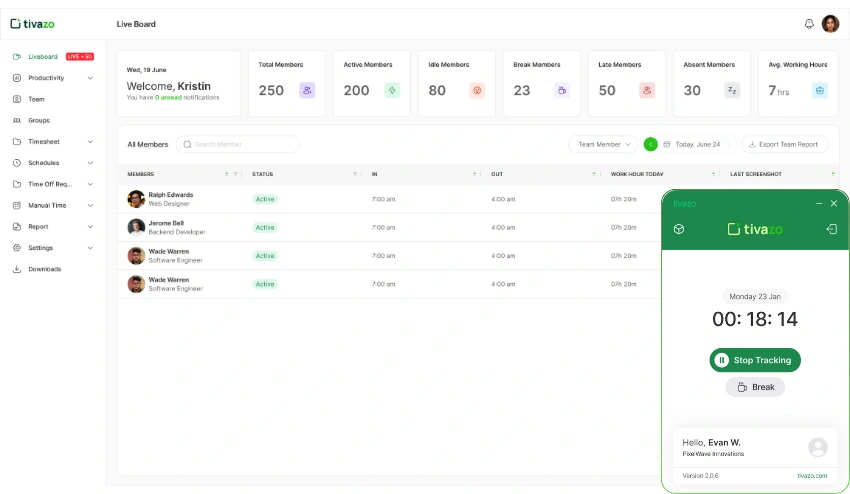
Tivazo, being one of the best employee time tracking software, integrates usability, scalability, and advanced analytics in one platform, which explains the reason why it is among the best time tracking software for remote teams. It provides a clean dashboard, comprehensive productivity reports, and intelligent timesheets that enable managers to make decisions that will be based on data with confidence.
Tivazo helps in remote employee time tracking, besides facilitating transparency, responsibility, and effective team management. Built to support startups, agencies, enterprises, and distributed teams, it does more than clock-in and clock-out tracking. Rather, it is a complete time tracking and productivity monitoring software that is aimed at assisting organizations to maximize efficiency, streamline workflows, and enhance team productivity in general.
Standout Features & Integrations
Tivazo offers several features that make it ideal for remote teams:
- Accurate Time Tracking: Track work hours automatically, ensuring reliable and clean timesheets.
- Real-Time Dashboard: Monitor clock-in, clock-out, active, idle, break, and total working hours to gain instant visibility into team performance.
- Screenshot Monitoring: Live screen captures help verify work progress while maintaining oversight.
- Productivity Analytics & Reports: Access daily, weekly, and monthly reports to evaluate team output and optimize workflows.
- Smart Timesheets: Simplify payroll processing and client billing with structured reporting.
- Offline Time Tracking: Captures time even when offline, syncing when the connection returns.
- Team Management Tools: Assign roles, manage permissions, and organize teams efficiently.
- Scalable for Multiple Use Cases: Suitable for remote teams, agencies, enterprises, freelancers, call centers, and many more industries.
- Integrations: Connect with commonly used collaboration and calendar tools to streamline workflows such as Google Calendar, Slack, Jira etc.
Pros and Cons
| Pros | Cons |
| Accurate and comprehensive time tracking for remote teams | Screenshot monitoring can feel intrusive for some users |
| Real-time productivity insights and detailed reporting | Limited third-party integrations compared to older tools |
| Easy to set up with an intuitive user interface | Some advanced features require higher-tier pricing |
| Supports payroll, billing, and workforce management | Smaller ecosystem due to being a newer platform |
Want To Learn More About Tivazo:
- Visit www.tivazo.com to explore pricing, features, and start a free trial upto 10 users
2. Hubstaff
Why I Picked Hubstaff
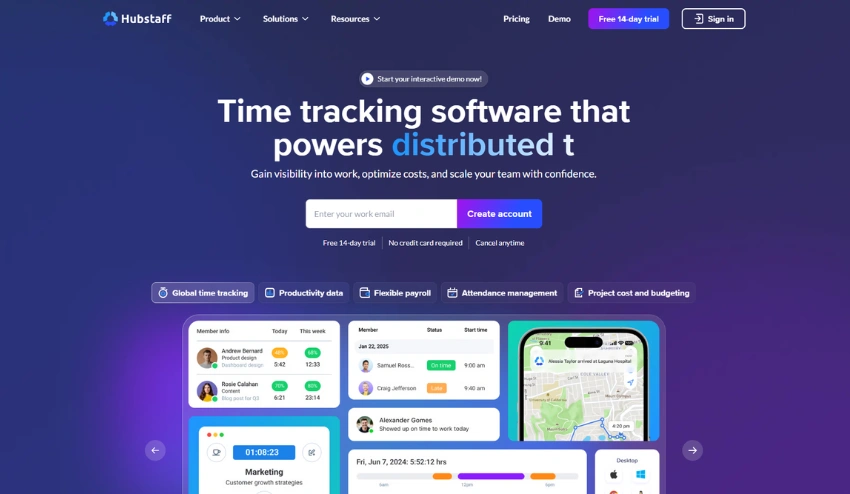
I have chosen Hubstaff as it is one of the established and most feature-rich in the employee time tracking software industry. While evaluating the best time tracking software for remote teams, I looked for something that would offer more than just clock-in and clock-out features. Hubstaff is distinguished by providing accurate remote employee time tracking with productivity monitoring, managing the workforce, and automated payroll.
The feature that is especially powerful about Hubstaff is that it can convert the hours that are tracked into meaningful insights about team productivity. It does not merely capture time; it gives insight into the utilization of time in various projects, tasks, and teams. Hubstaff provides scale, rich analytics, and structured reporting to distributed teams, agencies, and field-based workers to facilitate operational efficiency and accountability. This makes Hubstaff a good choice to companies that are interested in using time tracking software and gaining more information about workforce performance within a single platform.
Standout Features & Integrations
- GPS & Geofencing: Automatically track location-based time entries for field teams and mobile employees.
- Extensive Integrations: Connects with popular project management, Communication, and collaboration tools like Slack, Jira, Asana, Trello, etc
Pros and Cons
| Pros | Cons |
| Comprehensive time tracking with productivity monitoring features | Pricing can increase with advanced plans and add-ons |
| Detailed reporting for project budgeting and workforce insights | Advanced setup may require time for full configuration |
| Automated payroll and invoicing workflows | Activity monitoring features may feel intrusive for some teams |
| Strong integrations and scalability for growing remote teams | Smaller teams may find premium plans costly |
Want To Learn More About Hubstaff:
3. TimeDoctor
Why I Picked Time Doctor
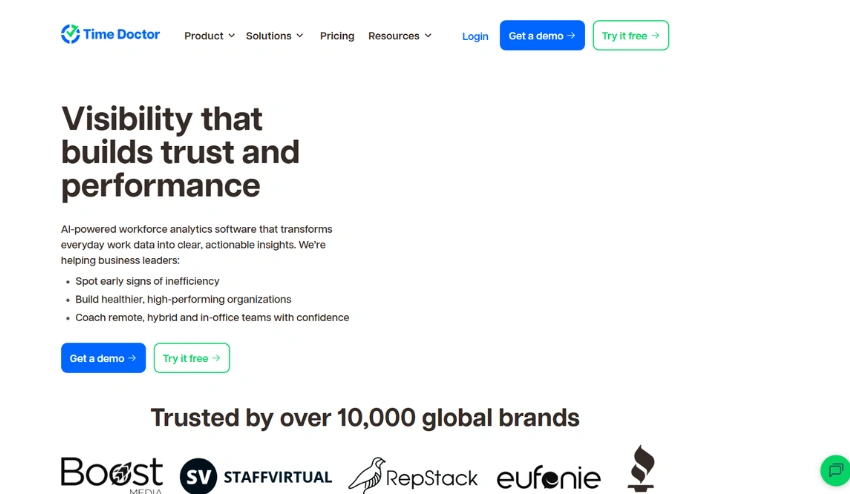
I have selected TimeDoctor since it is the best time tracking software for remote teams that extends further than time tracking to provide clearer productivity insights and workforce performance data. Being the person who evaluates tools for remote teams, I looked for software that would not only be able to track the time but also enable the teams to know where time is spent and how it could be made more productive. Time Doctor was always exceptional in this aspect.
TimeDoctor is an all-in-one remote employee time tracking software, distraction detection, project and task breakdowns, and reporting platform that scales from a small to an enterprise workforce. Its ability to offer individual to team-level insights makes it particularly useful to businesses that are interested in visibility, accountability, and performance optimization without compromising on ease of use. Whether it’s tracking billable hours for a client or understanding the productivity insights across various projects, TimeDoctor provides powerful features that can be used to make smarter decisions.
Standout Features & Integrations
- Distraction Alerts: Gently remind users when they’ve been idle or diverted to non-work tasks, increasing focus.
- Screenshots & Activity Monitoring: Optional screenshot capture and activity scores provide visibility into remote workflows.
Payroll & Billing Support: Generate timesheets that power invoicing, payroll, and client billing. - Project Management Tools Integration: Integrates with tools like HubSpot, Github, Jira, Notion for project-centered workflows.
Pros and Cons
| Pros | Cons |
| Deep productivity insights and distraction alerts | Activity monitoring features may feel intrusive for some teams |
| Flexible project and task time tracking | Advanced reporting features may require time to learn |
| Offline time tracking with syncing | Pricing can be higher for large teams |
| Robust integration ecosystem | Some users report occasional performance delays |
Want To Learn More About TimeDoctor:
4. Toggl Track
Why I Picked Toggl Track
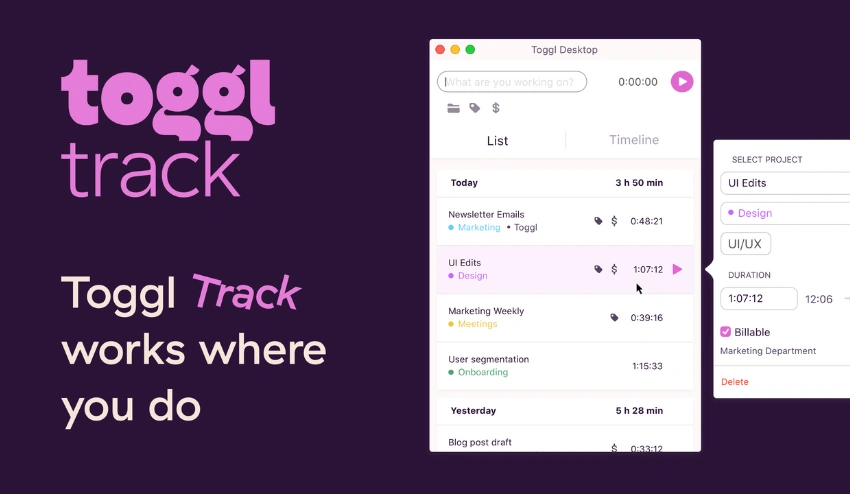
I have chosen Toggl Track as it is always among the most convenient and versatile time tracking software for remote teams. When evaluating the best employee time tracking software for remote teams, ease of use and quick adoption were high priorities, and Toggle Track has struck an excellent balance. From freelancers to large distributed teams, the simple interface ensures that anyone can begin tracking time with ease without the high learning curve.
The most impressive aspect of Toggl Track is that it is easy to use and has strong reporting and collaboration capabilities. It is meant to make it easy to capture time data, analyze time spent at work, and make decisions based on data, which enhances productivity in remote teams. It doesn’t matter whether you are recording the billable hours of an individual project with your clients, managing a team, or connecting with project management software, Toggl Track has the consistent functionality at the scale you require.
Standout Features & Integrations
- One‑Click Time Tracking: Simple start/stop timer that works across devices to ensure accurate time logs.
- Idle Detection: Alerts teams when time isn’t actively being tracked to maintain clean data.
- Workspace & Team Views: Central dashboards for team overviews, shared projects, and visibility into allocations.
- Multi‑Platform Support: Native apps for web, desktop, and mobile make it easy for remote teams to track work anywhere.
- Tags & Labels: Organize tasks and projects using tags to refine reporting and analysis.
- Integration: Includes integrations with Asana, Trello, ClickUp, Basecamp, and Jira to align time tracking with tasks.
Pros and Cons
| Pros | Cons |
| Extremely easy to use with minimal setup needed | Some advanced features limited to higher pricing plans |
| Clean, customizable reporting for remote teams | |
| Works seamlessly across devices (web, desktop, mobile) | |
| Flexible integrations with project and productivity apps |
Want To Learn More About Toggl Track:
5. Clockify
Why I Picked Clockify
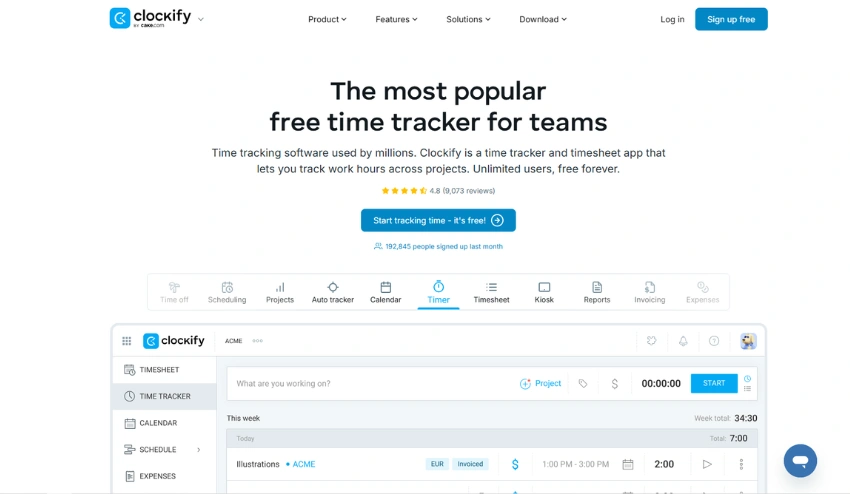
I have selected Clockify since it is among the most convenient and stable time tracking software for remote teams, offering powerful features without forcing teams into expensive subscriptions. In determining the tool to use in properly monitoring time spent at work by remote employees, cost-effectiveness and versatility were at the top of my list, and Clockify offers both without compromising its functionality.
Clockify is unique because it has a free plan that supports unlimited users and simple tracking capabilities, which is suitable in the case of small-sized teams, startups, and distributed teams with limited budgets. Clockify is free, but even in its free version, it has detailed reporting, project tracking, team management, and support with day-to-day productivity tools. This is why it is a good option when teams would like to have a time track that is reliable, yet the scalability and the view of the entire team are not sacrificed.
Standout Features & Integrations
- Unlimited Time Tracking: Track hours for free with no user limits, perfect for remote teams of any size.
- Detailed Reporting: Generate reports by user, project, client, or date range to analyze how time is spent.
- Team Dashboards: Central team overview helps managers see who’s working and what they’re working on.
- Timesheet Approvals: Approve timesheets for payroll and client billing workflows.
Pros and Cons
| Pros | Cons |
| Generous free plan with unlimited users | Advanced features (like workflow automation) require paid plans |
| Easy to set up and use for remote teams | Productivity monitoring features are basic |
| Detailed reporting with flexible filters | User interface can feel less modern compared to competitors |
| Strong integrations for project and communication tools | Support may be limited for free plan users |
Want To Learn More About Clockify:
6. Harvest
Why I Picked Harvest
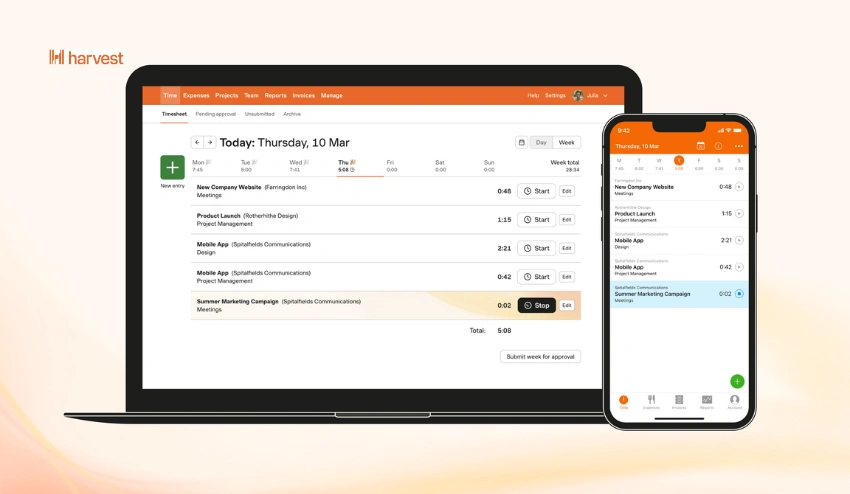
I chose Harvest due to its status as one of the most refined and multi-purpose time tracking software for remote teams available on the market, which specifically suits remote teams well, especially teams that require powerful project management and billing functionalities, as well as accurate time tracking. While considering a remote employee time tracking tool, I wanted to have a tool that not only records the number of hours but also assists the teams in estimating the cost of the projects, simplifying the invoices, and making predictions regarding the budget. Harvest is always reliable in delivering in these aspects with a refined interface and workflows.
The unique feature of Harvest is that it provides a smooth combination of time tracking, project planning, employee monitoring, and financial processes. It is particularly useful to agencies, consultants, and client-facing teams who bill hourly or require project profitability information at a granular level. By using Harvest, teams are able to track their time and costs, generate professional invoices out of the hours tracked, and receive visual reports that enhance decision-making and project success.
Standout Features & Integrations
- Visual Reporting: Access real‑time insights into team performance, project profitability, and budget health.
- Team Time Overview: See who is working on what and how much time has been logged across projects.
- Mobile & Desktop Apps: Track time from anywhere with apps for iOS, Android, Windows, and macOS.
- Developer Tools: Works with GitHub and other platforms that teams use to manage code, tasks, and workflows.
Pros and Cons
| Pros | Cons |
| Smooth integration between time tracking and invoicing | More expensive than basic time tracking tools |
| Excellent project budgeting and profitability insights | Limited advanced productivity monitoring features |
| Clean, intuitive interface that’s easy for remote teams | |
| Accurate time and expense tracking with visual reports |
Want To Learn More About Harvest:
- Visit getharvest.com
7. Everhour
Why I Picked Everhour
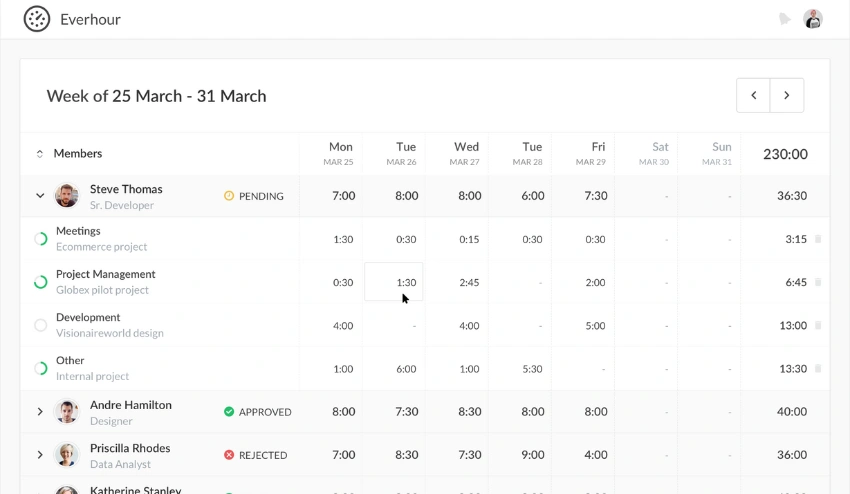
I have chosen Everhour since it balances well both the ability of time tracking and the ability to integrate with project management tools, and it is one of the best time tracking software for remote teams. While evaluating the tools for remote teams, my focus was on tools that have close integration with the tools already in use by the team, and Everhour has scored high in this aspect.
Compared to standalone timers, Everhour integrates time tracking directly with the project workflows, allowing teams to add time to task lists, see live dashboards, and review detailed reports. This integration-based model is useful to remove the context switching, and the time data is realistic to work with. Whether you’re managing client billing, team capacity planning, or project profitability, Everhour delivers reliable tracking with the added benefit of strong project visibility.
Standout Features & Integrations
- In‑App Time Tracking: Track hours directly inside project and task management interfaces without switching tools.
- Budget Alerts: Set project budgets and receive alerts when limits are approaching.
- Team Dashboard & Workload Views: Visualize team activity, availability, and resource allocation.
- Project Management Tools: Seamlessly integrates with Asana, Trello, Basecamp, Jira, and ClickUp to unify tasks and time tracking.
Pros and Cons
| Pros | Cons |
| Built‑in time tracking within project workflows | Not as strong in deep productivity monitoring |
| Excellent visibility into project budgets and estimates | May require setup time to configure effectively |
| Flexible reporting across projects and teams | |
| Integrates deeply with major project management tools |
Want To Learn More About Everhour:
- Visit everhour.com
8. TimeCamp
Why I Picked TimeCamp
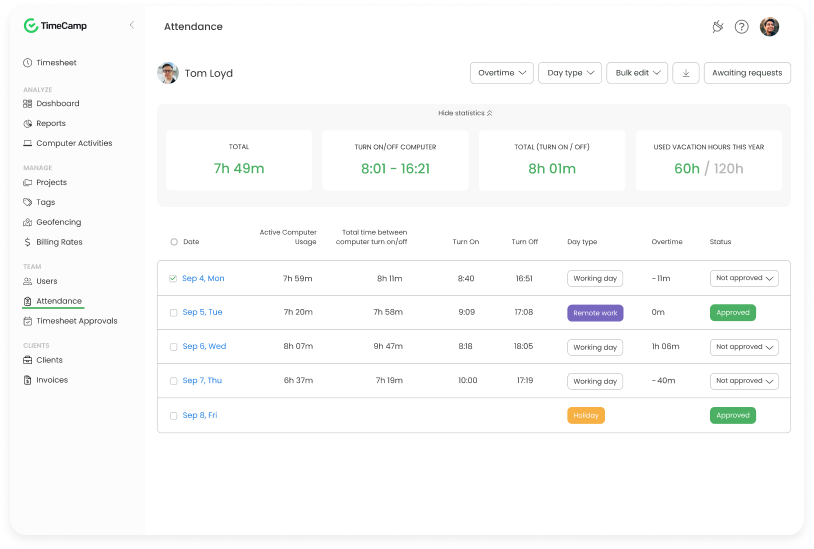
I chose TimeCamp since it is an all-purpose and data-driven time tracking software for remote teams, which integrates automatic time tracking with advanced reporting and productivity analytics. While searching remote employee time tracking tool, I looked for a solution that not only records hours accurately but also provides meaningful insights into how teams spend their time, and TimeCamp delivers both.
The advantage of TimeCamp is that it allows automatic time tracking and provides extensive analytical capabilities. It also assists teams to save time through the removal of manual entries and still provides managers with a clear picture of the performance trends, project costs, and employee activity. TimeCamp is a dependable and scalable solution to distributed teams of any size, be it with detailed timesheets, billing, hourly tracking for clients, or information on team productivity.
Standout Features & Integrations
- Project & Task Tracking: Breaks down time by project, task, or client to support detailed planning.
- Attendance & Absence Tracking: Monitor time off, absences, and attendance records across teams.
- Calendars: Integration with Google Calendar helps automate time entries from scheduled events.
- Browser Extensions: Available for Chrome and Edge to make time tracking quick and frictionless.
Pros and Cons
| Pros | Cons |
| Strong automatic time tracking with detailed analytics | Interface can feel dated compared to newer tools |
| Data‑rich reports and dashboards for remote team insights | Productivity monitoring may be basic for power users |
| Good integrations with project and communication tools |
Want To Learn More About TimeCamp:
9. Jibble
Why I Picked Jibble
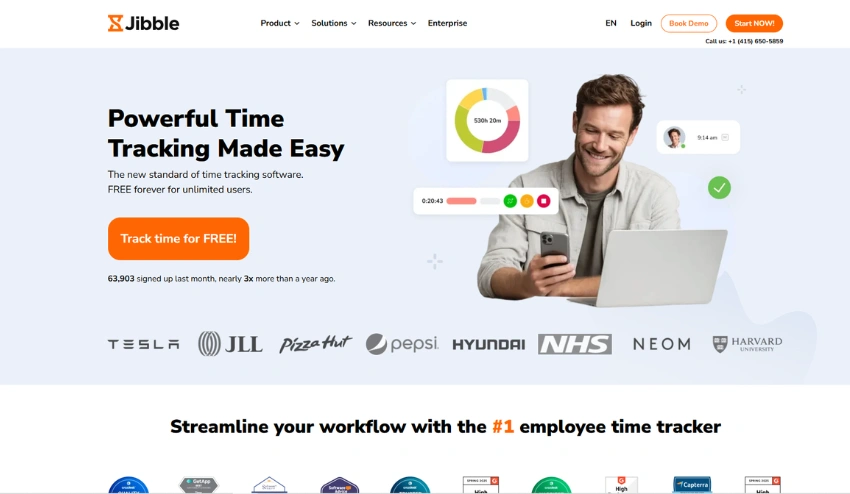
While finding the best time tracking software for remote teams, I wanted a software that is easy to use and, at the same time, has strong features in terms of attendance and productivity tracking. The first thing that caught my eye is that Jibble enables making time tracking very easy, and at the same time, to have a comprehensive overview of team activity and performance.
What drew my attention to me about Jibble is that it pays attention to real-time attendance, accurate clock-in/clock-out, and time sheets, which are essential to distributed teams. The user-friendly interface enables teams to begin monitoring time without the need to go down the steep learning curve, and optional features such as facial recognition and automated reporting provide additional accountability and transparency. In companies that require a fast and simple time tracking app without excessive complexity, Jibble provides a simple, user-friendly, and efficient time tracking app.
Standout Features & Integrations
- Biometric & Facial Recognition: Optional facial recognition ensures accurate check‑ins for remote or hybrid teams.
- Mobile & Web Apps: Track time from anywhere with robust mobile support and browser access.
- API Support: Offers API access for custom integrations with other business tools and workflows.
Pros and Cons
| Pros | Cons |
| Very easy to set up and use for remote teams | Advanced features can require paid plans |
| Built‑in attendance and timesheet management | Limited deep productivity tracking |
| Support for biometric and facial recognition | Integrations are more limited than larger platforms |
| Mobile apps make tracking on‑the‑go easy | Reporting is simpler compared to enterprise tools |
Want To Learn More About Jibble:
- Visit jibble.io
10. Monitask
Why I Picked Monitask
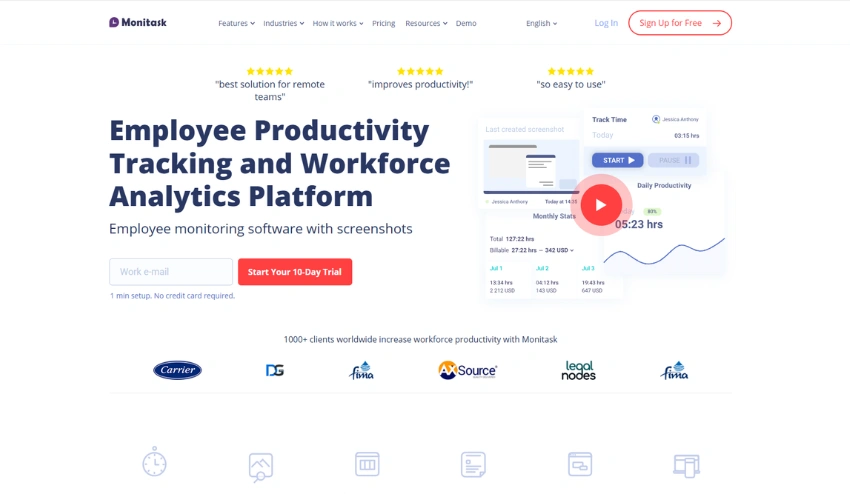
While selecting the tool to find the best time tracking software for remote teams, I wanted a platform that would offer effective time tracking and has inbuilt productivity metrics, and Monitask excelled in both. Monitask is also good at providing managers with insight into the way remote teams use their working hours, and at the same time, it makes the system easy and user-friendly for employees.
What drew me to Monitask is that it allows capturing the important metrics without subjecting the teams to complicated installations. It has incorporated time tracking, activity monitoring, and live screenshots with work logs into one dashboard that assists remote teams to remain focused, responsible, and productive. Regardless of whether you have to deal with freelancers, distributed employees, or hybrid workforces, Monitask provides the necessary services that are able to ensure that you can keep track of time and performance without compromising ease of use. Its time tracking capabilities, coupled with workforce management capabilities, make it a good competitor to businesses that require both time tracking and productivity visibility.
Standout Features & Integrations
- Screenshots & Screen Recording: Periodic screenshots and optional video capture help verify work progress.
- Detailed Work Logs: View comprehensive logs by team member, project, and time period for performance insights.
- API Access: Provides APIs for custom integration with other internal tools and systems.
Pros and Cons
| Pros | Cons |
| Combines time tracking and productivity monitoring in one platform | Screenshot monitoring can feel intrusive for some teams |
| Easy to set up and use for remote and hybrid teams | Less advanced reporting than some enterprise tools |
| Provides clear work logs and activity details | Some advanced features require higher pricing tiers |
| Works well for agencies, freelancers, and distributed workforces |
Want To Learn More About Monitask:
- Visit monitask.com
Costs & Pricing Comparison Table of Time Tracking Software for Remote Teams
| Software | Free Plan | Starting Paid Plan (per user/month) |
| Tivazo | ✔️ | $3 per month/user |
| Hubstaff | ✔️ (14‑day free trial) | $4 per month/user |
| Time Doctor | ✔️(14‑day free trial) | $6.67 per month/user |
| Toggl Track | ✔️ | $10 per month/user |
| Clockify | ✔️ | $3.99 per month/user |
| Harvest | ✔️ | $11 per seat/month |
| Everhour | ✔️ | $10 per month/seats |
| TimeCamp | ✔️ | $3.99 per month/user |
| Jibble | ✔️ | $4.99 per user/month |
| Monitask | ❌ | $7.99 per month/user |
Other Time Tracking Software for Remote Teams
1. Insightful
2. DeskTime
3. RescueTime
4. Timely
5. MyHours
Privacy, Security & Ethical Considerations for Remote Time Tracking Software
Using the best time tracking software for remote teams may significantly enhance productivity and accountability, yet it also provokes some significant concerns regarding privacy, security, and even ethics. Companies adopting such tools have to be keen to balance between control and trust without making employees feel disrespected, as the managers can acquire practical information.
1. Data Privacy
Remote time tracking software gathers personal data, including work time, use of applications, screenshots, and even geographic data. Companies should educate employees on what data is being gathered, how it is going to be utilized, and how it will be kept. Clear policies contribute to keeping trust and meeting privacy laws like GDPR or CCPA, based on your location.
2. Security Measures
Strong security measures are necessary in dealing with employee time and productivity information. Search for tools with end-to-end encryption, secure cloud storage, two-factor authentication, and periodic security audits. Any breach in data on time tracking may reveal sensitive project details, client data, and work habits of employees; therefore, there is no room to compromise on the use of software with established security measures.
3. Ethical Use of Monitoring
Although options such as live screenshots, activity tracking, and idle detection may be helpful, over-monitoring may cause stress, burnout, and mistrust among employees. Ethical use implies concentration on output and productivity as opposed to micromanagement of all activities. Organizations must not engage in ongoing monitoring, provide opt-out where possible, and utilize monitoring data to facilitate coaching and workflow enhancement instead of punishments.
4. Employee Consent and Communication
Time tracking should not be implemented without the knowledge of the employees, as it will destroy morale and create compliance problems. Always be transparent, clarify the purposes of tracking (to be fair and to manage workload), and seek permission when tracking more intrusive data, such as screenshots or GPS location data.
5. Regulatory Compliance
Firms should ensure that they remain abreast of labor regulations, such as the number of working hours, overtime, and the privacy of information. Compliance may be properly ensured with the help of properly configured time tracking tools that will automatically record the hours of work, breaks, and overtime, and save the data safely to be used by legal and auditing authorities.
6. Building Trust
Lastly, the best remote time tracking implementations include transparency, fairness, and empowerment of employees. Once employees know the reason why tracking is done and realize that it is done to enhance the processes, workloads, and equitable compensation, then the tool would be a shared resource instead of a cause of friction.
With privacy, security, and ethical concerns in mind, a business can use time tracking software to increase productivity and efficiency without undermining the trust of the employees or the legality of its operations.
Things To Consider While Choosing Time Tracking Software for Remote Teams
When selecting the best time tracking software for remote teams, it is not just about selecting the tool with a start and stop button. The most appropriate solution must be one that fits your team and workflow, compliance requirements, and long-term growth plan. The following are the considerations that should be made:
1. Accuracy & Ease of Use
Hour logging is the main objective of every remote employee time tracking software. Look for: automatic tracking, manual entry, smart timesheets. At the same time, the interface must be user-friendly to ensure that the workers embrace it within a short period without the need to train extensively.
2. Productivity & Reporting Features
Strong reporting capabilities assist managers in making decisions that are based on data. The ability to track performance, locate the bottlenecks and streamline workflows will enable you to track features such as activity monitoring, project tracking, productivity analytics and customizable reports.
3. Privacy & Monitoring Controls
In case the software has a screenshot monitoring feature, app tracking, or GPS tracking, it should have a flexible privacy configuration. Accountability among distributed teams is achieved through ethical and transparent monitoring, which creates trust.
4. Integrations With Existing Tools
Your time tracking system should integrate seamlessly with project management tools, payroll systems, accounting software, and communication platforms. Smooth integrations reduce manual data entry and improve operational efficiency.
5. Scalability
Choose a solution that can grow with your business. Whether you’re a startup or an enterprise, the platform should support team expansion, multiple departments, and evolving reporting needs.
6. Pricing & Value for Money
Consider free and paid plans. It is not only the cost per user, but also what each tier includes. The low price is not necessarily good when important features must be upgraded.
7. Compliance & Security
Ensure the software follows strong data security practices and complies with labor laws and privacy regulations. Secure cloud storage, encryption, and role-based access control are essential for protecting sensitive employee data.
By carefully evaluating these factors, you can select the best employee time tracking software for remote teams that improves productivity, ensures transparency, and supports sustainable growth without compromising trust or compliance.
Recent Trends in Time Tracking Software for Remote Teams
Together with remote and hybrid work becoming increasingly established as a reality in the business realm, time tracking software for remote teams is becoming more than just an hour tracker, more versatile, reliable, and intelligent work management software. These are the most prominent trends that are forming the space:
1. AI-Powered Time Categorization
Automatic classification of time based on AI is replacing traditional timers. Such systems have the ability to identify the nature of the work performed (e.g., meetings, coding, writing) without needing to be manually tagged, so tracking of time becomes more precise and unobtrusive to remote workers.
2. Focus on Outcomes, Not Minutes
There is an increasing trend of not micromanaging hours, but instead of that, productivity and outputs are being measured. The current solutions are integrating project advancement indicators, task accomplishment, and performance dashboards, which compensate outcomes as opposed to continuous clock monitoring.
3. Ethical and Privacy-First Tracking
As privacy concerns also grow among remote workers, privacy-oriented features such as blur or optional screenshots, anonymous activity overviews, and easy-to-understand data retention controls are also being introduced by tools. This assists the companies in striking a balance between supervision and trust of employees.
4. Deeper Integrations With Work Management Ecosystems
Time tracking is no longer an independent feature. Project management software, communication software, HR software, payroll software, and billing software are now being integrated together with software, and this integration has led to a single unified workflow with less context switching and less administrative effort.
5. Mobile and Hybrid Workforce Support
As field work and hybrid schedules become common, time tracking tools are optimizing mobile apps, GPS tracking, offline time capture, and geofencing. This ensures accurate clock-in/out regardless of location or connectivity.
By understanding and leveraging these trends, businesses can choose time tracking software that not only captures hours but also supports productivity insights, employee trust, operational efficiency, and long-term scalability.
What is Time Tracking Software for Remote Teams?
Time tracking software for remote teams is a digital tool that helps businesses monitor, record, and analyze how employees spend their work hours while working outside a traditional office environment. It enables organizations to track time spent on tasks, projects, and client work in real time, ensuring accurate timesheets, payroll processing, and productivity insights.
Unlike basic clock-in and clock-out systems, current remote employee time tracking software typically has advanced capabilities like auto time capture, activity tracking, project-based tracking, productivity analytics, attendance tracking, and detailed reporting dashboards. The tools enable managers to have insight into the performance of these distributed teams and employees to have a systematic method of recording their work.
Features of the Best Time Tracking Software for Remote Teams
1. Accurate Time Capture
A remote time tracking app enables employees to do time recording automatically to record their work time. The ability to have auto-start timers, detect activity, and make manual changes is useful in keeping accurate, clean timesheets.
2. Project & Task Tracking
These characteristics disaggregate the work hours by project, client, or a particular task. It now becomes simpler to assess time on deliverables, compare estimates with actuals, and prepare elaborate client billing.
3. Real-Time Dashboard
A dashboard in the center gives the managers a real-time view of who is working, idle, or offline. Live data makes leaders make decisions more quickly and comprehend team activity in a distant setting.
4. Timesheets & Approvals
Automatically generated timesheets simplify payroll, billing, and reporting workflows. Managers can review, edit, and approve timesheets before processing payroll or exporting data.
5. Productivity Monitoring
Certain tools provide optional productivity solutions like activity levels, tracking app and web usage, and focus metrics. These assist teams in gauging engagement and also defining productivity trends.
6. Reporting & Analytics
The detailed feedback on hours logged, productivity patterns, project expenses, billable/unbillable hours, and performance of the team is provided in detailed reports (daily, weekly, monthly, etc.). Filtering can be customized according to the business’s needs.
7. Attendance & Absence Tracking
In-built attendance modules track working hours, breaks, leave requests, and time off, providing a single perspective on the availability of the team along with the time that has been tracked.
8. Billing & Invoicing Support
Time tracked against clients or projects can generate accurate invoices. Tools with billing features help businesses reduce administrative work and improve revenue recognition.
9. Integrations
Work at distance teams usually imply the use of a variety of tools – time trackers can be connected to project management, communication, payroll, and accounting apps (e.g., Slack, Asana, QuickBooks) to facilitate workflows.
10. Mobile & Multi-Device Support
With remote work happening anywhere, mobile apps ensure employees can log time on the go, while desktop apps provide robust tracking for primary workstations.
11. Security & Compliance
Such functions as role-based access control, encryption of data, audit logging, and compliance settings are useful in safeguarding sensitive information and addressing the labor laws and privacy mandates of the region.
All these aspects render time tracking software a vital aspect of effective management of remote teams. These tools will enable companies to enhance productivity, fair compensation, and operational optimization in distributed work settings by ensuring that they capture the right work data and provide people with actionable insights.
Benefits of Time Tracking Software for Remote Teams
1. Improves Productivity and Performance Visibility
One of the biggest advantages of using time tracking software for remote teams is improved visibility into how work hours are spent. The time allocation among projects, tasks, and clients can be well observed by the managers, and it helps to measure the productivity tendencies and workflow bottlenecks. Businesses can also obtain valid, data-driven insights into the day-to-day operations instead of making guesses about time passing.
Remote employee time tracking software is built with built-in reporting and productivity analytics to help teams concentrate on high-impact activities and minimize time wastage. In the long-run, this visibility results in smarter planning, improved workload allocation, and performance that is quantifiable across distributed teams.
2. Ensures Accurate Payroll and Client Billing
Proper time records are required in order to pay correctly and invoice clients clearly. Time tracking software automatically captures billable and non-billable hours and thus helps to eliminate errors incurred due to manual timesheets. This would make employees receive the right payment at the right time.
In the case of agencies, freelancers, and service-oriented businesses, remote time tracking software makes client billing easier through the creation of detailed reports that are associated with particular projects. This enhances financial accuracy, client trust, and dispels the conflicts of recorded hours.
3. Enhances Accountability and Transparency
A distributed workforce needs to be managed with trust and accountability. Best time tracking software for remote teams establishes a transparent environment within which employees and managers can access transparent time records. This eliminates the misconception of workloads, deadlines, and work expectations.
With organized timesheets and project-based tracking, a culture of responsibility and not micromanagement is established. The employees know their time is important to the team’s objectives, and the managers can trust remote operations without being under close supervision.
4. Supports Better Project Management and Resource Planning
The remote employee time tracking software gives in-depth information regarding the time spent on tasks and projects to complete. This enables managers to compare the estimated schedule with the actual performance figures, resulting in more precise project predictions.
By having transparent information on the capacity and availability of teams, companies would be able to distribute resources effectively and avoid burnout. In the long term, this will enhance delivery schedules of the project, improve teamwork, and foster the long-term development of remote teams.
5. Strengthens Compliance and Workforce Management
Remote and hybrid teams may find it challenging to deal with labor laws, overtime regulations, and attendance policies. Time tracking software assists organizations in remaining compliant as it automatically logs the work hours, breaks, and overtime.
Data security and compliance are also improved with the help of secure cloud storage, role-based permissions, and detailed audit logs. With a centralized attendance, productivity tracking, and reporting system, businesses are able to make a stable workforce management structure, which contributes to long-term operational stability.
Track Remote Team Time Accurately for Maximum Efficiency with Tivazo
Tivazo empowers businesses to manage distributed teams with precision and confidence through powerful, easy-to-use time tracking software for remote teams. With automatic time tracking, real-time dashboards, smart timesheets, and detailed productivity analytics, Tivazo provides complete visibility into work hours, project progress, and team performance. It eliminates manual errors, simplifies payroll and billing, and helps managers make data-driven decisions to optimize workflows. Designed for startups, agencies, and growing enterprises, Tivazo delivers the accuracy, transparency, and scalability needed to maximize efficiency in today’s remote work environment.