After watching a few demos, a new startup founder signs up for a time tracking platform. The charges seemed fair. The dashboard was nice and shiny. Half the team still does not remember to use it after 6 months; payroll preparation is still hours long every Friday and results in inconsistent reporting.
It really does happen more often than software vendors would like.
When picking the best time tracking software, it’s not simply a matter of checking the features. The wrong tool causes problems, slows down payroll, drives your staff crazy, and is simply set aside after the first couple of weeks.
This guide is more of the opposite.
Rather than listing 25 tools and ranking them, you’ll learn what features actually matter, which ones are mostly marketing speak, and how to assess software according to your actual workflow.
If you already know the fundamentals of time tracking, this guide is for the next time you do; you’ll make a smarter decision.
What Does Time Tracking Software Actually Do?
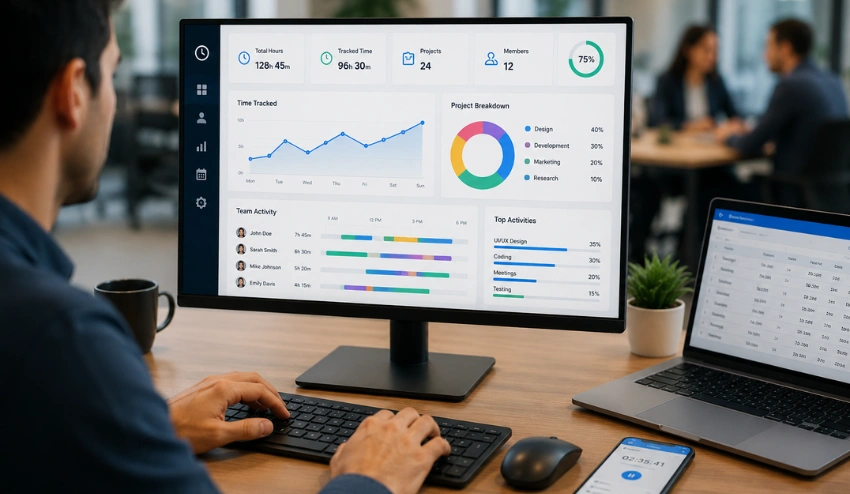
At a basic level, time tracking software records how long work takes.
But modern systems go far beyond that.
Most tools handle:
- Time logging through timers, manual entry, or automatic tracking
- Project and task allocation so time is tied to work, not just hours
- Timesheets that compile data into structured reports
- Payroll and billing preparation through exportable formats
- Manager visibility into team activity and workload distribution
Some tools also include monitoring layers such as idle detection, activity tracking, and screenshots. Others focus purely on clean time logging without oversight features.
Reporting is a major part of the system. Platforms like timesheets and reports turn raw time entries into payroll-ready summaries and client billing reports.
Over the last few years, time tracking has evolved from a stopwatch tool into a workforce system. It now sits between productivity management, payroll processing, and team accountability.
Teams that benefit most include:
- Freelancers tracking billable hours
- Agencies managing multiple client projects
- Remote and hybrid teams need visibility
- Small businesses tracking labor costs
- Distributed teams working across locations
Why the Wrong Tool Costs You More Than the Subscription?

The subscription fee is not the real cost of the wrong time tracking tool. The real cost is the hours your team wastes fighting a clunky interface, the payroll errors caused by missing entries, and the credibility problems that appear when invoices are inaccurate.
- Low adoption kills ROI immediately: If your team finds the software frustrating or confusing, usage drops fast. A tool nobody uses creates more administrative work than no tool at all.
- Payroll errors multiply with scale: One missed clock-in per employee may seem minor. Across 20 or 30 employees, those small errors become serious payroll discrepancies.
- Wrong integrations create double work: A time tracker without native payroll or project management integrations forces manual exports and spreadsheet cleanup every pay cycle.
- Feature mismatch frustrates everyone: A freelance designer does not need enterprise monitoring software. A 100-person remote company probably needs more than a basic timer app.
- Switching costs are high: Migrating historical data, retraining staff, and rebuilding workflows take time. Choosing carefully upfront prevents painful transitions later.
That is why this guide focuses on evaluation first and tool recommendations second.
5 Questions to Ask Before Choosing Any Time Tracking Software
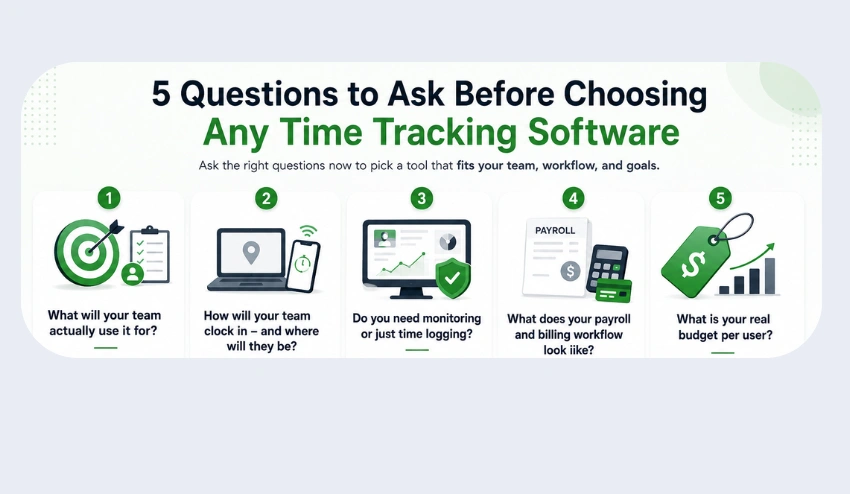
1. What does your team plan to do with it?
The most salient question.
Different teams need different systems.
- Freelancers require easy timers and invoicing.
- Agencies require client- and project-level breakdowns.
- For remote teams, it’s important to have visibility and accountability.
- The field teams might require location-aware tracking
- Small businesses value payroll accuracy
If it is not clear here, then all the tools will appear “almost right.”
2. How will you be clocked in (and will you be at your desk)?
It’s not just about the features; it’s about the environment.
- Mobile teams: mobile apps work well
- With remote teams, background tracking boosts accuracy.
- Whether you’re fielding teams, implementing mobile-first tools, or both, they are essential.
Flexibility is very important if your team is moving from one environment to another.
3. Monitoring or time logging?
That’s where the tools really start to differ.
Some systems only record the time. Some add layers of visibility.
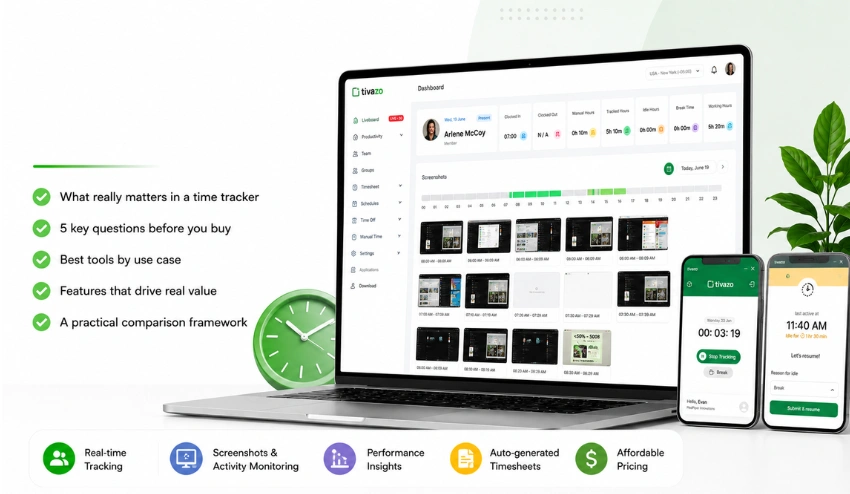
For example, Tivazo includes the following:
- Automatic real-time tracking
- Idle time detection and alerts
- Performance dashboards
- Manager visibility tools
- Activity Insights between teams
This visibility can be a substitute for the supervision that is needed in the same office for remote or hybrid teams.
4. How is your payroll and billing process?
The tool should be compatible with your system.
Ask:
- Is your payroll software QuickBooks, Gusto, or ADP?
- Do you bill hourly or by a fixed price?
- Approvals before payroll?
If it’s not integrated, time tracking is manual administration.
5. How much money do you have per user to spend?
Pricing varies widely. The price of most tools is from $3 to $18 per user/month.
Tivazo
starts at $3/user/month.
However, the number to look at is cost/return on time saved. If a tool can save you hours of payroll work per week, it will pay for itself in no time.
Key Features to Look For in the Best Time Tracking Software
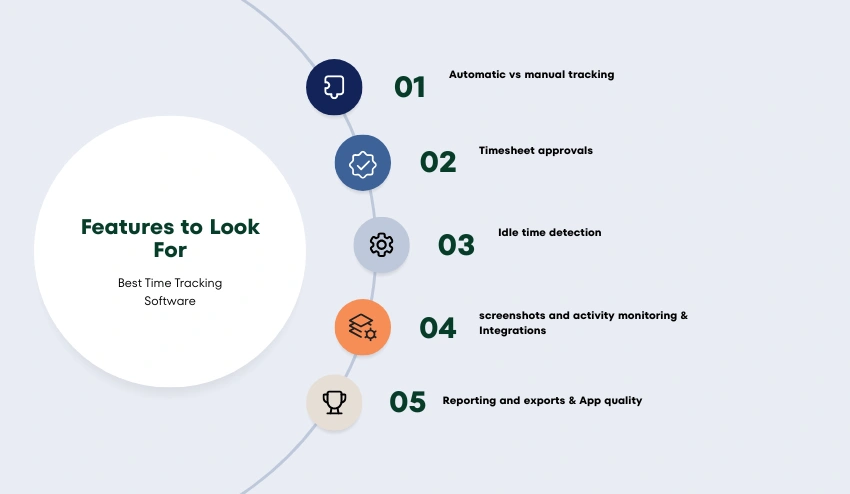
Feature lists are often designed to impress, not guide decisions.
These are the features that actually matter:
Automatic vs manual tracking
Tracking is performed automatically in the background. Manual tracking relies on the user’s input. Every one of them is used in different workflows.
Timesheet approvals
Before payroll managers should be able to view and accept entries. This reduces errors.
Idle time detection
Automatically detects inactive periods while working and marks them as such.
screenshots and activity monitoring
Activity monitoring and screenshots. Great for teams that are working remotely and require transparency.
Support all work in progress, but not micromanagement.
Reporting and exports
Reporting is a key part of payroll and analytics. timesheets and reports guarantee a well-formed output data set.
App quality
Ideal for remote workgroups.
Integrations
Payroll and project management connections minimize manual labor.
6 Best Time Tracking Software Based on The Use Case
Popularity is the most popular basis for choosing most teams. That results in low adoption rates.
The following is a more realistic breakdown.
1. Best for Remote and Hybrid Teams: Tivazo
Tivazo is designed for distributed teams that require visibility. It includes:
- Real-time automatic tracking
- Idle time detection
- Live screenshot monitoring
- Performance dashboards
- Export-ready timesheets
It also covers systematic employee monitoring. To provide managers with an insight into the actual work activity. This is particularly beneficial if there’s no physical presence between teams.
2. Best for Freelancers and Solopreneurs -Toggle Track
Toggl Track focuses on simplicity.
- One-click timers
- Clean project tagging
- Easy reporting for invoices
No monitoring. No complexity.
3. Best for Agencies and Client Billing – Harvest
Harvest is built around billing workflows.
- Time tracking tied to invoices
- Client payment integration
- Profitability reporting
It works best for agencies managing billable hours.
4. Best for Construction and Field Teams – ClockShark
ClockShark is designed for fieldwork.
- Job-based tracking
- Crew scheduling
- Job costing tools
It fits physical, location-based work environments.
5. Best Free Option for Small Teams – Clockify
Clockify offers a free plan with unlimited users.
- Basic tracking
- Project tagging
- Standard reporting
Good for early-stage teams.
6. Best for Service Teams – TMetric
TMetric is built around billable work.
- Billable hours tracking
- Timesheets
- Client billing and invoicing
- Budget and profitability monitoring
- Expense management
It suits agencies, consultancies, and any team that bills by the hour.
How to Compare Time Tracking Software? – A Practical Framework
Once you know your needs, evaluation becomes structured.
Step 1: Define non-negotiables: List 3–5 must-have features.
Step 2: Validate real integrations: Check documentation, not marketing pages.
Step 3: Test mobile usage: Install on real team devices.
Step 4: Run a real work trial: Use it for actual work, not sample data.
Step 5: Calculate total cost: Include scaling and admin time savings.
Common Time Tracking Mistakes Teams Make
- Overbuying enterprise tools for small teams
- Not involving actual users in selection
- Ignoring approval workflows
- Skipping payroll export tests
- Treating tracking as surveillance instead of a structure
Time Tracking Software and Payroll – What to Know?
Time tracking directly affects payroll accuracy.
- Auto-generated timesheets reduce manual work
- Overtime tracking helps avoid surprises. Use an overtime calculator for validation
- Weekly audits become faster with a time card calculator
- Export formats reduce admin load
- Digital logs simplify disputes
Better input leads to better payroll output.
Conclusion
When selecting the optimal time tracking software, one’s focus should be less on the lists of features each platform boasts and more on its ability to adapt to your team’s day-to-day work environment.
Nearly every software program promises increased accuracy, better visibility, and cleaner payroll, but these benefits will never manifest if the software is not utilized properly and consistently.
If your team finds it difficult or cumbersome to use, abandonment rates will soar, rendering even the most comprehensive software entirely ineffectual.
Beyond the data itself, the benefits derived from a time tracking system should become readily apparent, namely, cleaner timesheets, reliable reporting, and more manageable workflows, which make payroll and project management significantly less time-consuming.
Software that not only tracks time but also has features designed to generate reports based on tracked time, such as time tracking applications, is essential to enabling organizations to transition beyond merely recording time to actually achieving organizational clarity.
For remote or hybrid teams, this translates to greater visibility beyond simple time spent on the job, with systems that allow managers to observe workflows without resorting to assumptions. For instance, software like Tivazo brings together tracking, monitoring, and reporting, enabling teams to monitor performance without relying on guesswork.
In summary, when exploring different solutions to your time tracking needs, it is far more effective to look at long-term practicalities rather than comparing the superficial attributes of features.
Instead of a simple comparison chart of Clockify, TimeCamp, or Toggl, organizations should identify which tool performs best in real-world use cases. You can explore more detailed comparisons to understand the differences in depth.
After all, the “best” time-tracking software is the software your team will still be utilizing months after the initial implementation and the solution that ultimately offers you real utility in managing your work.