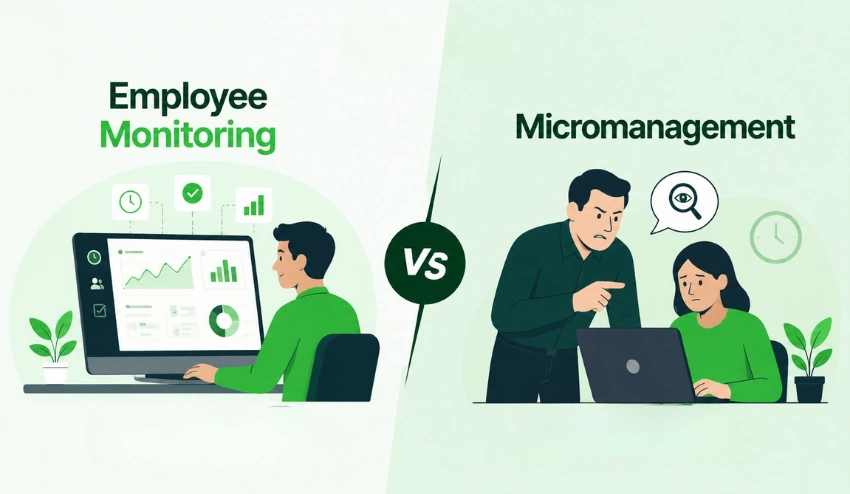
You have a deadline in four hours. Three team members are remote. One has gone quiet on Slack for the past two hours.
Are they deep in focus mode? Stuck on a blocker? Or have they drifted off-task entirely?
Most managers either over-correct by sending check-in messages that break concentration or under-correct, assuming everything is fine until it isn’t. Neither is good management. Both are symptoms of the same problem: a visibility gap that communication tools were never designed to close.
👉 Watch how Tivazo solves this in action: Tivazo — Real-Time Screenshot Monitoring for Modern Teams
Screenshot monitoring fills that gap. But not all screenshot monitoring is built the same. The difference between a tool that empowers managers and one that poisons team culture comes down to how it was designed and what it was designed for.
Tivazo’s Live Screenshot Monitoring feature was built to answer one question: how do you give managers the visibility they need without making employees feel watched?
What Makes Tivazo’s Approach Different
Most screenshot tools were built as evidence-collection systems. Their underlying assumption is that employees need to be caught, and managers are investigators compiling a case file.
Tivazo was built on the opposite assumption: that managers and employees both benefit from transparency, and that the right monitoring tool makes both sides more effective, not more adversarial.
That philosophy shows up in three concrete product decisions.
Feature One: Flexible On/Off Settings
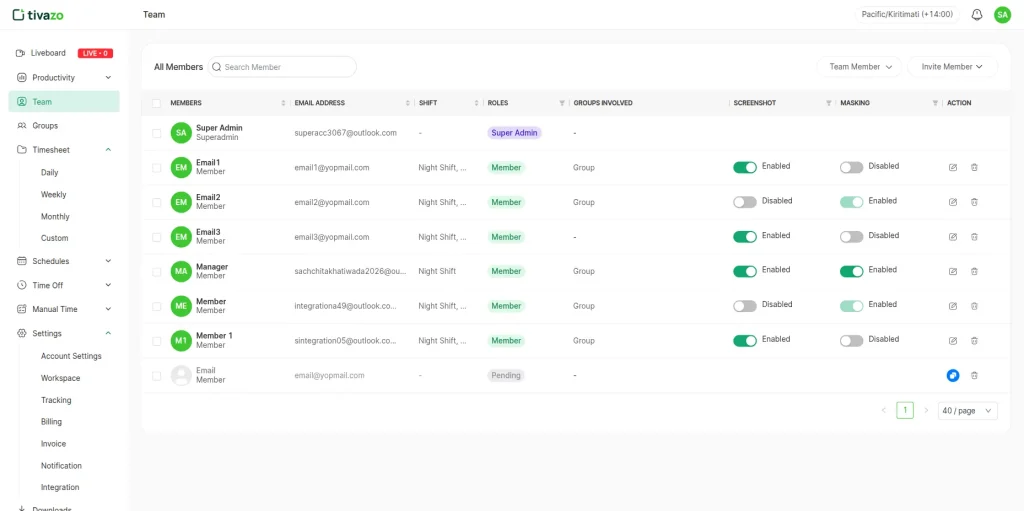
Tivazo live screenshot monitoring is not an always-on, mandatory feature. It can be turned on and off at your discretion directly from your dashboard settings.
This flexibility is critical because:
- Building trust: When you onboard a new team, you can choose to hold off on monitoring until processes and habits are established.
- Project-based implementation: Toggle it on during busy delivery phases and off during periods where less work is being done.
- Staff sanity: It allows your team to breathe during downtime when a high degree of observation is unnecessary.
- Compliance windows: Enable monitoring when needed and during specific periods when audit trails need to be generated.
This level of control reflects Tivazo’s foundational principles, emphasizing that monitoring should be an intentional management decision, not a perpetual surveillance process. When you switch it on, it’s clear to your team why.
Feature Two: Real-time transparency
Live, Not Retrospective
The fundamental aspect of Tivazo’s screenshot function is its reliance on the word ‘live’.
Most monitoring tools operate retrospectively, storing screenshots for later review, and making a manager who reviews 12 hours’ worth of snapshots at 6 pm, a reviewer, not a manager.
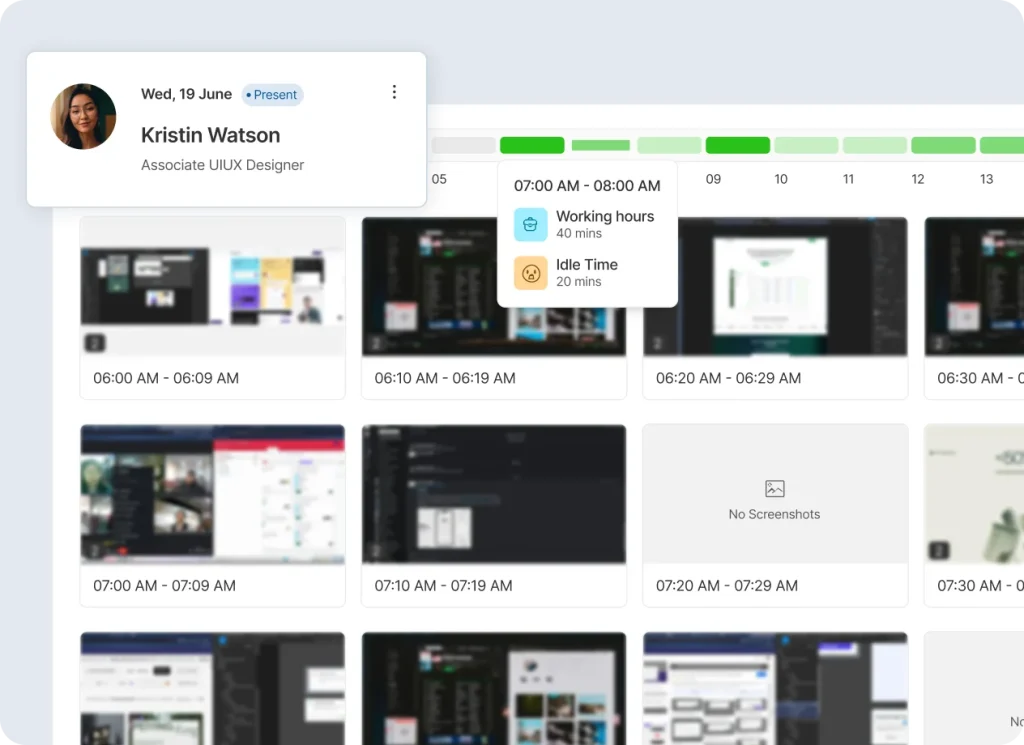
Tivazo provides a real-time snapshot of everything happening with your team at once in a central dashboard.
Why Live Visibility Changes Everything
When monitoring is live, it stops being about catching people and starts being about staying informed. A manager glancing at a live dashboard isn’t reviewing evidence; they’re doing their job.
Here’s what real-time visibility practically enables:
- Spot an idle team member and check in once, meaningfully, instead of guessing from silence
- Confirm the right work is happening before a client call, without interrupting anyone
- Identify when a task is running long and offer support before the deadline is at risk
- Make performance conversations specific and evidence-based, not impression-based
The shift from retrospective to real-time isn’t a minor UX improvement. It changes what monitoring is fundamentally for.
Feature Three: Privacy-First Controls
The Problem With Capturing Everything
Screenshot monitoring captures whatever is on screen. In a typical workday, that includes customer data, financial records, personal messages, login credentials, and confidential files, none of which belong in a monitoring dashboard.
Organizations that ignore this face two risks:
- Legal risk: Under GDPR, CCPA, and HIPAA, capturing sensitive personal data without controls is a compliance violation with real financial consequences
- Cultural risk: Employees who know their full screen is being captured, including personal information, respond with exactly the anxiety and disengagement that monitoring is supposed to help solve
How Tivazo’s Masking Works
Tivazo’s customizable masking lets administrators define which data types are obscured before a screenshot is ever stored or displayed.
Payment details, email addresses, personally identifiable data, and confidential documents are blurred or blocked entirely. What appears in the dashboard shows activity and workflow patterns, without exposing the underlying sensitive content.
This isn’t an add-on. It is Tivazo’s default orientation.
Built for GDPR From Day One
Tivazo’s baseline configuration is designed to meet GDPR’s core requirements: data minimization, purpose limitation, and storage limitation out of the box.
Organizations under other frameworks can adjust masking rules accordingly. And as regulations evolve, rules can be updated without rebuilding the system from scratch.
The Trust Dividend
Employees who know their sensitive data is protected respond very differently to monitoring than those who feel their entire screen is under a microscope.
Communicating clearly about what’s captured and what’s not transforms the psychological experience of being monitored. It moves the dynamic from “the company is watching everything” to “the company can see whether I’m working, not my personal emails or my client’s payment details.”
That difference produces real outcomes in trust, engagement, and morale.
Feature Four: A Three-Step Setup Built for Speed
Why Setup Friction Is a Real Problem
Implementation friction is one of the main reasons organizations deploy monitoring tools poorly. When rollout requires weeks of IT work and legal review, tools get rushed through without proper configuration, or they stall in procurement until the problem they were meant to solve has already caused damage.
Tivazo’s setup was designed for how operational and HR teams actually work.
Step One: Configure Monitoring to Fit Your Team
Before any monitoring begins, administrators set the parameters.
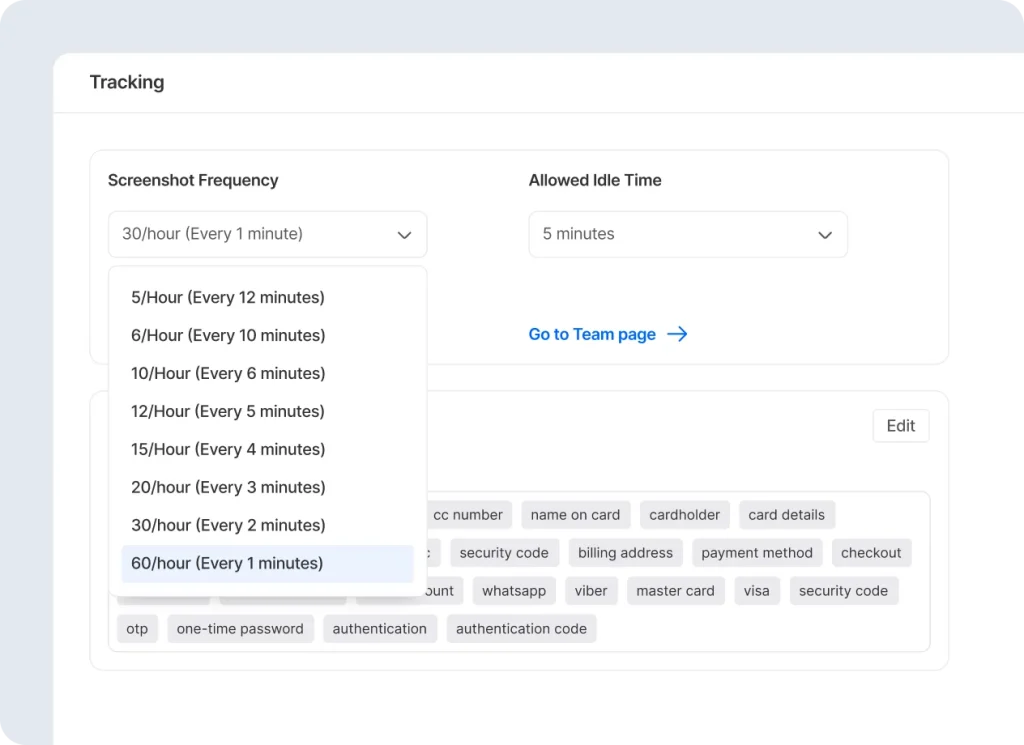
Capture intervals can be adjusted to match the nature of the work. A fast-moving, high-volume team may need more frequent captures. A team doing deep creative or analytical work may need longer intervals to avoid creating a sense of constant surveillance.
Privacy masks are configured here at the start, so sensitive data protection is baked in before a single screenshot is taken.
This step matters because it signals intent. A thoughtfully configured system tells employees that monitoring is being done with care, not carelessly.
Step Two: Access the Live Dashboard
Once configured, the centralized dashboard becomes the primary management interface.
Organized by team member, you can see who is currently active, when their last screenshot was taken, when it was taken, and whether they are active or idle. Managers can get an overview of the entire team or view individual team member timelines.
Periods of idleness are explicitly noted and separated from active work periods. The interface is designed to be glanceable and fast, a 30-second check between meetings, not a time-log audit.
Step Three: Review, Verify, and Refine
Monitoring isn’t something you set once and forget.
The third step is a continuing loop: review masked data, confirm privacy standards are holding, solicit feedback from both team leaders and employees, and revise the settings based on what you find.
Capture intervals may need to be reset or adapted from the original ones used upon launch after the first month of use. Masking rules will need to be broadened as new data types surface in the workflow.
This iterative step is what keeps the system accurate, trusted, and sustainable, turning monitoring from a static policy into a living practice.
What Managers Actually See: A Real Scenario
It’s Monday morning. A project is due on Wednesday. You open Tivazo’s dashboard and see this across your five-person remote team:
- Two members are actively working on the design and project management tools you’d expect at this stage
- One member shows research tabs and a document editor clearly in preparation mode
- One member’s last capture was fifteen minutes ago, status shows idle
That last data point is actionable, not as a “gotcha,” but as a signal. You send one message: “Hey, saw you’ve been quiet, everything okay? Need anything from me on Wednesday’s deliverable?”
Maybe they stepped away for a legitimate reason. Maybe they’re stuck. Either way, you found out on Monday morning, not Tuesday afternoon.
That’s live monitoring done right. It doesn’t replace human judgment. It informs it.
Who Gets the Most From Tivazo’s Screenshot Feature
Distributed and Fully Remote Teams
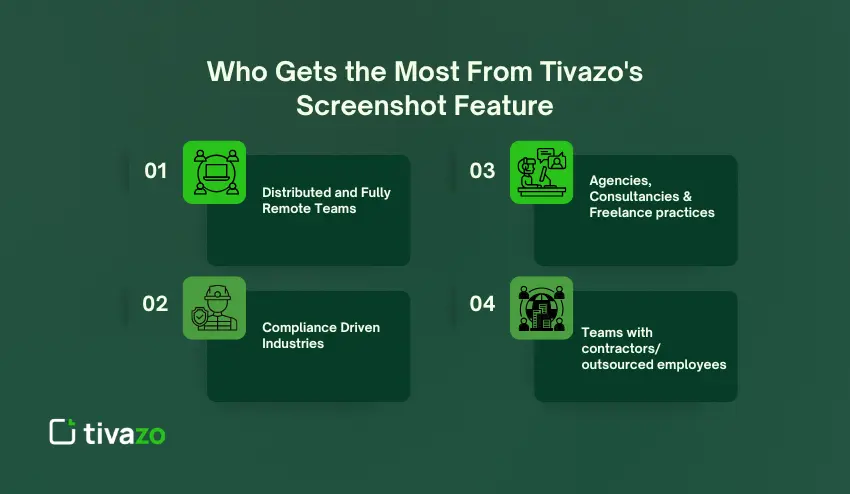
Face-to-face oversight is impossible, and communication overhead is high. Tivazo replaces the ambient awareness of a shared office with structured digital visibility without requiring constant check-ins.
Agencies, Consultancies & Freelance practices
You have to track billable hours, and the client must trust the invoice. Live screenshots provide an audit trail on how time was allocated, help in client reports, and quick Invoice approvals.
Compliance Driven Industries
Industries such as financial services, healthcare, and legal services, where data is handled, are regulated, and log trails serve as audit evidence. With Tivazo’s masking capabilities, you can have the logs without actually capturing the regulated data.
Teams with contractors/ outsourced employees
When managers cannot oversee work as closely because it is outsourced or accountability is hard to build with only culture in an organization, the answer is structured monitoring.
Getting the Human Side Right
No monitoring tool succeeds if it’s deployed without attention to the people using it.
Tivazo’s features provide the technical foundation for ethical, effective monitoring. But the conditions that make monitoring work are set by how leaders introduce it.
What Employees Need to Know
Employees who understand the why, the what, and the how of monitoring respond very differently from those who discover it through rumor or assumption.
The former group finds monitoring an unremarkable background feature of work. The latter group finds it threatening, regardless of how the tool is actually configured.
The Practical Recommendation
Before activating monitoring, communicate clearly:
- What tool is being used
- What it captures and what it doesn’t
- What masking is in place
- Who has access to screenshots
- How the data will and won’t be used
Invite questions. Address concerns directly. The transparency Tivazo is built around should extend to how you introduce it.
The Bottom Line
It’s important to note that screenshot monitoring isn’t inherently intrusive or unethical, nor vice versa. The effect of screenshot monitoring depends on its design and implementation.
Tivazo’s Live Screenshot falls on the correct side of that dividing line:
- It’s live without being overbearing, giving you the visibility you need.
- It uses robust privacy controls to shield your most sensitive information, before it’s even revealed.
- The setup process makes it the easiest way to deploy your tool thoughtfully.
- It has a dashboard that emphasizes insights over surveillance.
The result? A monitoring tool that gives you the management visibility you require for distributed team management, while guaranteeing that your team is visible but that you respect their privacy.
Tivazo doesn’t just show you what your team is doing. It helps you manage in real time, support proactively, and build trust at scale. That’s what modern remote management actually requires. This is harder to come by than it should be.