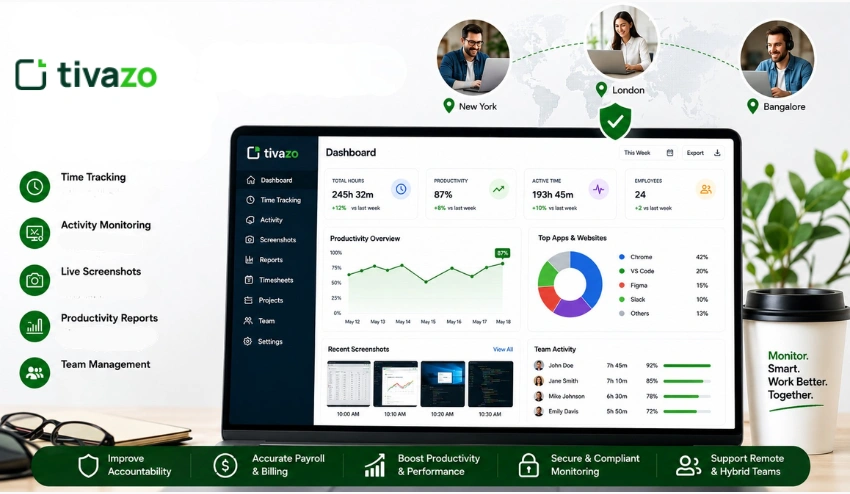
Employee monitoring software enables businesses to monitor employee activity, productivity, attendance, and time spent on their projects. It provides managers with a clear view of how teams are operating, rather than with educated speculation.
In 2026, employee monitoring is no longer just about tracking hours. It is a tool that businesses leverage to facilitate remote work, enhance accountability, level workloads, and make informed business decisions.
Today, time tracking, productivity analytics, attendance tracking, workforce monitoring, and reporting are all integrated into one system. With proper use, employee monitoring software can assist teams in being organized but not in micromanaging.
With the rise of remote and hybrid work, companies are using features such as Employee Monitoring and Time Tracking as tools they use daily.
What Is Employee Monitoring Software?
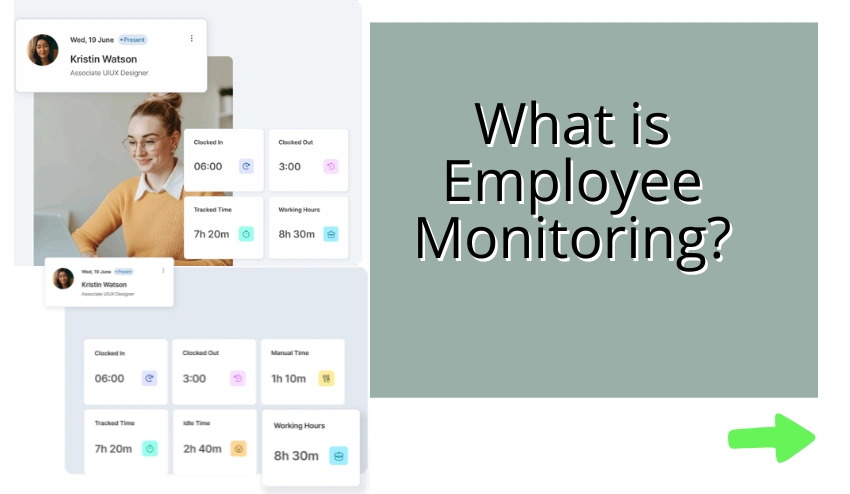
Employee monitoring software is a digital solution that allows businesses to track and analyze employee time spent at work. It can track activity metrics, including the number of hours worked, apps used, internet sites accessed, productivity, etc., and display them in a user-friendly report format and dashboard.
The primary goal is not to watch the clock. To provide managers and business owners with the visibility they need to help their teams, spot bottlenecks, and make better decisions regarding load and performance.
Who uses it? Pretty much everyone:
• Remote-first companies managing distributed teams
• Hybrid offices tracking in-office and work-from-home productivity
• Agencies billing clients based on hours worked
• BPOs and call centres managing large staff volumes
• Startups wanting accurate payroll without manual timesheets
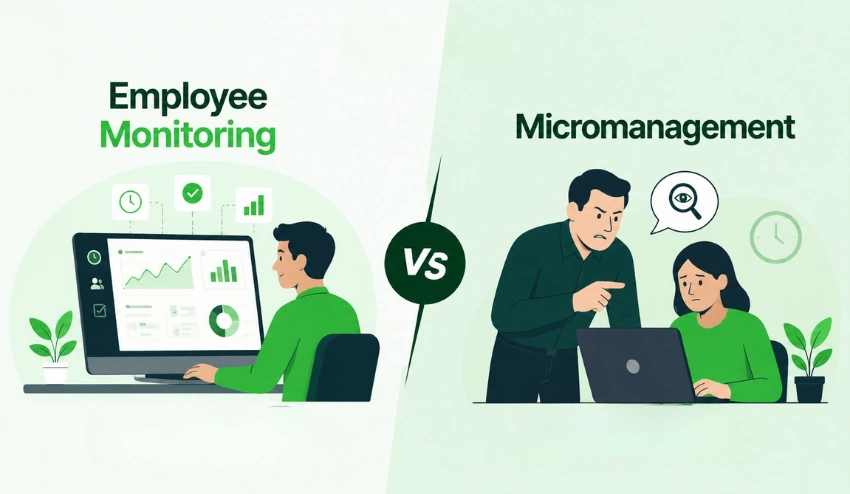
What’s the difference between Monitoring and micromanagement? Monitoring provides you with information.
Micromanagement is telling people how to do each of their smallest things. But when done properly, employee monitoring will provide your team with more autonomy, as results prove.
How Does Employee Monitoring Software Work?
After the software is installed on an employee’s device, it runs in the background and gathers data during the employee’s workday. These are the typical things that are monitored:
- Time tracking: Records when employees log in, breaks, and log out
- Track active and idle time during the day with activity monitoring
- App and website usage: Tracks the apps and websites used and how long they are used for
- Screenshots: Snapshots the screen periodically to check work activity
- Productivity analytics: Classifies applications as “productive,” “neutral,” or “unproductive.
- Attendance tracking: A system that records attendance and daily presence.
- Reporting Dashboards: Provides all information in the visual managers’ dashboards
All this information is visible on a central dashboard that managers can use to identify trends and high performers and to highlight potential issues at an early stage
It’s all consolidated in one place with Tools such as Time Tracking, Performance Insights, Timesheets, and Reports that make payroll so much easier.
Key Features of Employee Monitoring Software
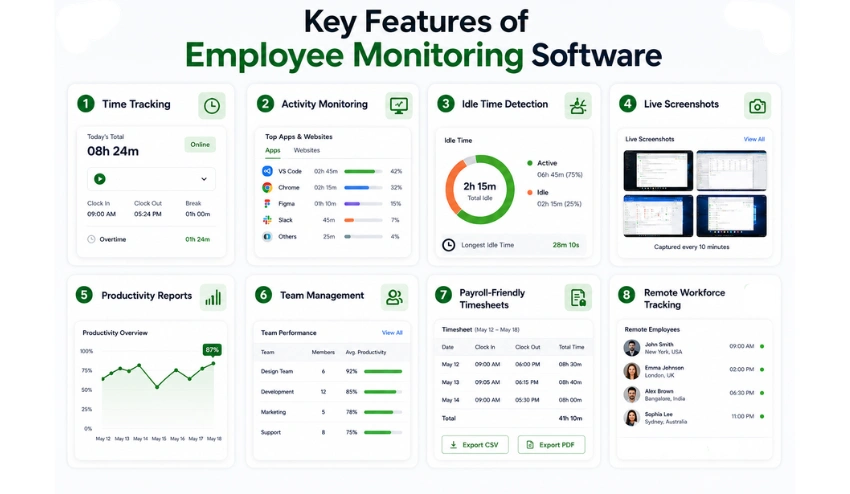
All monitoring tools are not created equal. Here are the must-have capabilities and why each is important.
1. Time Tracking
Is the base of any monitoring tool. Work hours, breaks, and overtime are automatically tracked with no manual logging required.
This goes straight to your payroll & project billing. Time tracking does this for you, so your team doesn’t have to manually enter time sheets.
2. Activity Monitoring
Monitors what applications and websites employees access during their work time. This feature is particularly helpful for employees who work remotely from the company, as the manager cannot see what is displayed on their screens. Activity data enables you to identify time wasters and distractions throughout the team.
3. Idle Time Detection
Indicates periods of device inactivity during working hours. It’s not a matter of being mean and putting someone on the spot for taking a coffee break; it’s a matter of recognizing the real productivity gaps that are crying out for attention. Idle Time Tracking is an easy and efficient solution to enhance workforce accountability.
4. Live Screenshots
Shot screen of the employee as stipulated by the time interval. One of the most transparent ways to monitor users work activity is for employees to know that the computer is being monitored, so they will naturally focus. Check out the live screenshots feature in action.
5. Productivity Reports
Real-time reporting of individual and team productivity, hours logged, activity breakdowns, and more, automatically. These productivity analytics reports can save hours of data gathering for managers and aid in evidence-based decision-making.
6. Team Management
Enables managers to structure staff in teams or departments, allocate projects, and compare performance between teams. The entire team can be easily organized using team management tools.
7. Payroll-Friendly Timesheets
Accurate, auditable, and easily exportable automatic timesheets. This eliminates any human incorrectness and any disagreement about hours. Learn more about the timesheet and reporting features.
8. Remote Workforce Tracking
Timezone support, remote clock-in, tracking activities across distributed locations, etc., are purpose-built for Remote and Hybrid teams.
One of the greatest motivating factors for businesses to implement employee monitoring software is remote work management.
Feature Comparison at a Glance
| Feature | Why It Matters | Best For |
| Time Tracking | Accurate hours, no manual entry | All businesses |
| Activity Monitoring | Spot productive vs unproductive time | Remote & hybrid teams |
| Idle Time Detection | Identify real productivity gaps | Large teams |
| Live Screenshots | Transparent work verification | Agencies, BPOs |
| Productivity Reports | Data-driven performance insights | Managers, HR |
| Attendance Tracking | Monitor punctuality and presence | Offices, BPOs |
| Payroll Timesheets | Error-free payroll processing | SMBs, Enterprises |
| Team Management | Organize and compare teams | Multi-department orgs |
Benefits of Employee Monitoring Software
Workforce monitoring is a business decision that makes sense, particularly in an era where remote/hybrid work is the norm. The real advantages you get are:
- Greater accountability: Workers know they are being monitored, and this inspires concentration and working professionally.
- Accurate payroll: No more timesheet disputes. Automation verification of hours.
- Productivity visibility: know exactly how time is being spent by your team, whether on apps, projects, or project hours.
- Minimize time theft: No buddy punching, overbilling, or off-duty time.
- Enhanced project management: Update actual hours based on project estimates and dynamically reconfigure workloads.
- Improved workload distribution: Easily find out which team members are overworked or who have space for additional work.
- Decisions based on data eliminate the need for “gut feel” management and embrace true productivity data & performance tracking.
The benefits apply to all types of businesses. Teams can now see what they have never been able to see before when working remotely. More accurate billing for agencies.
Scale without management overhead in a startup. Enterprises are able to measure performance against multiple departments.
Common Concerns about Employee Monitoring
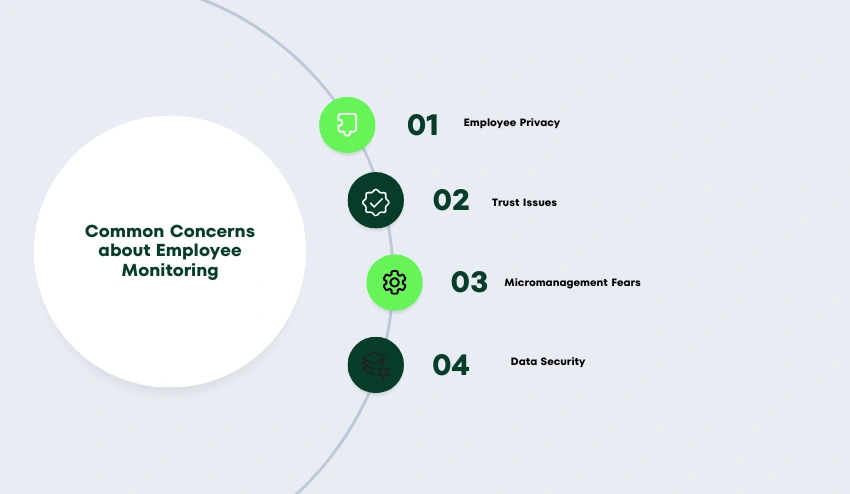
It’s not like monitoring employees is a popular pastime. Below are the most common worries that employees have, and effective ideas on what to say about them thoughtfully.
1. Employee Privacy
The biggest concern. No one wants to feel spied upon all day, every day. The important thing is to only watch work activity while it is in work time and not personal time.
Most modern tools, such as Tivazo, will allow employees to take breaks from monitoring without touching their personal activity.
The security provides specific information about the data they collect and how it is stored.
2. Trust Issues
When monitoring is inadequately introduced, it can be an expression of distrust. Communication is the key to the solution; explain to your team what you are tracking, why you are tracking it, and how you plan to use the data (as well as what you plan not to). Monitoring becomes a fairness tool when transparency takes place.
3. Micromanagement Fears
You can’t have visibility without control. The purpose of employee monitoring is to create patterns and give your employees support, rather than to scrutinize the 5-minute gaps in activity. Think of it as a way to be more productive, not a punishment.
4. Data Security
The information of employees needs to be kept safe. Investigate tools that employ encrypted data storage, robust access restrictions, and routine security inspections. Read the FAQs to see how common data handling questions are answered.
Is Employee Monitoring Software Legal?
The short answer: yes, in most cases, but how you do it is very important!
The law differs from country to country and by region. Employer monitoring is generally legal in the US, but there are some states that have notification requirements.
In the EU, GDPR compliance is a must; employees need to be aware of what data is collected, how long the data is stored, and who has access to it. The Data Protection Act is in force in the UK.
Here are the compliance steps you need to take:
- Before you turn on the monitoring software, be sure to let employees know.
- Obtain written consent as necessary; this can be part of the employment contract or in an Employee Handbook.
- Only gather information that is relevant and proportional in relation to work.
- Provide access to employees’ data when requested.
- Securely store data and grant access only to approved users.
Ethical monitoring isn’t only about compliance with laws. It’s about fostering a culture of transparency so that you and your employees know why you are using the tool. Monitoring is much more effective when people feel informed and respected.
Who Should Use Employee Monitoring Software?
Most businesses with more than a handful of employees can benefit from it. But some use cases are particularly strong:
| Team Type | Primary Use Case |
| Remote teams | Activity tracking, time verification, productivity visibility |
| Hybrid offices | Consistent monitoring across in-office and remote workers |
| Freelancers & contractors | Accurate billing and project hour tracking |
| Agencies | Client billing, project profitability, team utilisation |
| BPOs & call centres | Attendance, idle time, performance benchmarking |
| Customer support teams | Response time tracking, workload monitoring |
| Development teams | App usage, focus time, sprint hour tracking |
| Small businesses | App usage, focus time, and sprint hour tracking |
How to Choose the Best Employee Monitoring Software?
For any of you who can choose from dozens of tools, you can lose yourself. Follow this checklist when considering a solution:
- Ease of use: Can your team get started without a week of onboarding? Check the Installation Guide
- Quality of reports: Are the productivity reports clear, actionable, and exportable?
- Privacy controls: Can employees pause tracking? Is data access appropriately restricted?
- Integrations: Does it connect with your payroll, project management, or HR tools?
- Pricing: Is it transparent and scalable as your team grows?
- Scalability: Will it still work when your team is three times bigger?
- Customer support: Is help available when you need it? Check the Knowledge Base.
- Real-time insights: Does it show live data or just historical reports?
- Compliance features: Does it support GDPR, consent management, and data retention settings?
- Product updates: Is the software actively maintained and improving? See Product Updates.
Before committing, always try a free trial and involve your team in the evaluation. Monitoring software works best when employees understand it and feel it’s being used fairly.
Why Do Businesses Use Tivazo for Employee Monitoring?
Tivazo is built to address the needs of today’s workforce: remote, hybrid, or in the office. Combines the key monitoring capabilities into a single, user-friendly solution.
Here are some reasons it’s convenient for everyday workforce management:
Simple setup: Your entire team can be up and running in minutes with the installation guide.
Time tracking that works: automatically, accurately, and seamlessly integrated with timesheets and payroll.
Live screenshots: No intrusive way to view work activity.
Productivity reports: Performance insights that assist the manager in supporting the team rather than just monitoring them.
Team organization: Team management has all the tools made for easy and convenient comparison and organization of teams.
Payroll-ready timesheets: Automatic timesheets and reports reduce admin and errors.
Tivazo can also be compared to the most popular tools
Employee Monitoring Trends in 2026
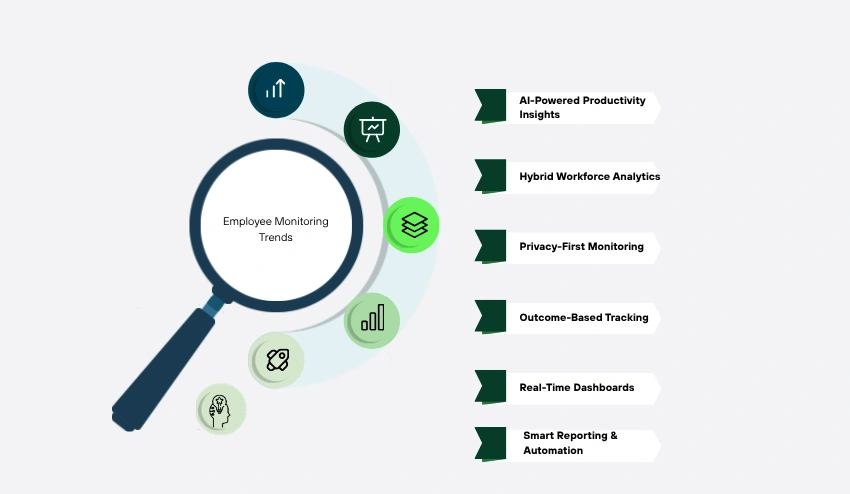
The Workforce Monitoring Space is rapidly changing. Here are the trends in tracking and managing productivity in businesses this year.
1. AI-Powered Productivity Insights
AI-enabled modern tools utilize patterns, anomalies, and recommendations, going beyond simple data. AI can not only identify that productivity decreased today, but it can also suggest the reasons why and propose solutions.
2. Hybrid Workforce Analytics
With remote and in-office working becoming the norm, monitoring tools are becoming more intelligent at fairly comparing the two and considering time zones and flexible work arrangements.
3. Privacy-First Monitoring
Increasingly, there’s a push for monitoring that takes into account employee privacy by design. That means tracking work activity only, not personal browsing, personal devices, or browsing outside of work hours, and providing full transparency of what is being collected for employees.
4. Outcome-Based Tracking
Smart companies are moving away from time tracking and toward results. There are some changes to the monitoring software to accommodate this. Beyond tracking keyboard activity, there’s the tracking of goal completion and project milestones.
5. Real-Time Dashboards
Managers prefer to see what is happening now, this instant. Real-time workforce analytics dashboards are no longer an add-on but a regular expectation.
6. Smart Reporting and Automation
Managers spend less time pulling data and more time on smart action, thanks to automated weekly reports, scheduled exports, and smart alerts. This type of functionality is taken one step further through tools such as Overtime Calculator and Time Card Calculator, which are workforce planning tools.
Conclusion
Employee monitoring software is no longer just about time tracking. By 2026, the best tools will provide you with true workforce intelligence: who is working on what, for how long, and how productively?
Companies that are using these tools effectively aren’t catching people off-guard for their laziness. They are using them to help their teams perform better, to bill clients accurately and effectively, to streamline administration, and to foster a culture where everyone’s contribution is recognized and valued.
Transparency is always the key. Monitoring is a tool for fairness, not friction, when your team knows what’s being monitored and why.