What is Time Blocking?
Time blocking is a productivity strategy in which you put certain blocks of time on your calendar to do certain tasks, projects, or activities. It is important to allocate special time slots to focus on important work, minimize distractions, and manage your day more effectively through this. This approach tends to involve tools of a digital nature, including the best time blocking app, task scheduling apps, or calendar integration tools.
In contrast to the traditional to-do lists, time blocking is based on the time when you will accomplish something instead of what to accomplish. It assists in prioritizing tasks, minimizes multitasking, and promotes such strategies as Pomodoro time management or batching tasks. Time blocking is simplified through many productivity apps, daily planner apps, and AI scheduling tools that will show your tasks and feed them into your calendar, remind you, and monitor your focus. Time blocking can help people and teams to enhance productivity, establish a timetabled working day, and make sure that the most important tasks are given the attention they require.
What is a Time Blocking App?
A time blocking app is an online application that can be used to organize your day, set time blocks that are allocated to tasks, projects, and activities. These applications are a combination of calendars, notes, and reminders that will help you to follow your schedule, minimize distractions, and be more productive. Best time blocking apps usually provide such features as drag-and-drop scheduling, AI-assisted prioritization of tasks, and visual planners, and thus, it becomes easier to enable people and teams to manage workflow efficiently.
What Makes the Best Time Blocking App?
There are a lot of productivity apps in the market, and it is easy to find one that has a nice look but not one that can actually help you to get more work done. The following are the true requirements when selecting a time blocking application:
Calendar sync: It ought to be compatible with the calendar that you are already using. In case you are forced to have two separate schedules, you will not keep up with them.
Simplified rescheduling: Click and drag a block, drop it in a new location, and it’s complete. In case rescheduling appears to be a burden, the entire system collapses as soon as your day backfires.
One place to work: The most useful apps allow creating a task and scheduling it without switching between apps. Reduced switching translates to reduced cracks falling through.
Focus aid: Pomodoro timers, focus mode, and idle detectors. It is not half the battle to plan your day. The app must also assist you in the actual implementation of it.
Cross-platform: Your work should be with you on your laptop and on your cell phone without any human intervention.
Team capabilities (when you require them): Team calendars, team availability, and meeting coordination. These are important when you are managing individuals or when you are collaborating very tightly with others.
Good pricing: An excellent application must include sufficient features on a free or cheap plan to allow you to determine whether it is worth paying for. When the only features that are valuable are covered by a high paywall, it is a warning.
How We Evaluate and Test Apps
We did not simply go through the websites of each application and paste the list of features. All the tools in this list were, in fact, applied to real work tasks, scheduling, time blocking, and calendar control over a minimum of one complete working week.
The following is what we particularly considered:
Practical real life: We put both the free and paying levels into practice in actual real-world work procedures, not merely on a brief demo.
Checking features: When an item is being promoted, we go and see it and do we see if it is doing the job it is being touted to do; is it conveniently located?
Integration testing: We connected with Google Calendar, Outlook, Slack, Trello, Asana, and others to check the extent to which this connection is as reliable as it can be.
User-friendliness: How long does it take to get from signing up to actually blocking your first task? An excellent app will not need a tutorial to use.
Pricing accuracy: The prices were all verified on their respective official websites of the apps at the point of writing. A subscription is never the same; it is always good to see twice.
Value for money: we made comparisons of what each plan provides versus the cost and how it compares to competitors on the same cost.
None of the apps on this list was paid to be there. The rankings are based on sincere direct appraisal.
Best Time Blocking App Quick Look
- Tivazo
- Motion
- Sunsama
- TickTick
- Todoist
- Planyway
- Clockwise
Quick Comparison: Best Time Blocking Apps at a Glance
| App | Best For | Free Plan | Standout Feature |
| Tivazo | Remote & hybrid teams | Trial available | Time tracking + employee monitoring |
| Motion | AI auto-scheduling | Trial available | Builds your daily schedule automatically |
| Sunsama | Intentional daily planning | 14-day trial | Guided daily planning ritual |
| TickTick | Budget-friendly individuals | Free plan | Built-in Pomodoro timer |
| Todoist | Task management + light blocking | Free plan | Clean interface with powerful filters |
| Planyway | Trello & Jira teams | Up to 10 users | Visual timeline on top of existing tools |
| Clockwise | Team calendar optimization | Free for individuals | Auto-schedules focus time for teams |
Benefits of using the best time blocking app
The best time blocking app can change your day-to-day schedule and make you organized, focused, and productive. These apps can enable you to schedule, prioritize, and reduce distractions, making each minute of your day count.
1. Improved Productivity
The best time blocking app can assist you in increasing productivity by assigning a certain time to each task. Planning your day beforehand means that you will have less multitasking and will be able to focus on those tasks that are of high priority.
The best time blocking apps are also easier to use since they have built-in features such as reminders, calendar synchronization, and tasks organization, among others, which help to keep you on schedule. The digital planners, AI scheduling applications, and task scheduling applications are all useful in enhancing efficient workflows, which allow one to achieve more within a shorter time.
2. Better Time Management
The best time blocking app can be used to manage your time in an efficient way by visualising your whole day or week. You have the ability to prioritize what to do, schedule buffer time, and not overload your schedule.
With a specific time blocking application, you can integrate calendar integration tools with daily planners. Such methods as task batching and Pomodoro time management are easier to adopt, and each of the tasks has its own slot in your day.
3. Reduced Stress
The best time blocking app makes life less stressful by giving you a roadmap of what to accomplish in your day. Being aware of the timely work on every task will assist in avoiding the last-minute rush and heavy backlogs.
Task scheduling apps or productivity apps, reminders, or notifications, such as drag-and-drop scheduling, will help you stay on schedule. By being able to divide tasks into easily manageable blocks, you have power over your working process and establish a more balanced, focused working day.
4. Enhanced Focus
The best time blocking app helps to enhance concentration by reducing distractions and promoting one task at a time. When work is assigned a given space of time, it will be easy to focus and work effectively.
You can keep track of the focus time and prevent distractions with the help of such tools as AI scheduling software, digital planners, and calendar integration. The given method can assist you in staying engaged in profound working sessions, achieving faster completion of tasks, and increasing your overall productivity.
5. Streamlined Planning
The best time blocking app are the ones that make planning easier as they merge tasks, events, and deadlines on a single interface. You are able to visualize your week, spend and re-spend priorities, and re-organize blocks at short notice.
These apps and productivity strategies, such as day theming and task batching, make sure that planning is proactive and not reactive. Being integrated with task management apps and AI tools, it is possible to reschedule effortlessly and maintain your workflow.
The best time blocking app will transform your daily routine and will make you more productive, focused, and time-organized. With the help of correct digital tools, AI scheduling applications, and integration of a calendar, you will be able to control the day and achieve more with a minimum of stress.
Does time-blocking actually work?
Yes, time blocking is real and one of the most effective strategies for being productive enough to manage tasks, minimize distractions, and focus better. With the allocation of specific time to work, breaks, and priorities, people and groups can achieve a lot within a shorter period of time. This method is even more effective with the help of the best time blocking app or the task scheduling apps with the calendar integration, Pomodoro time management, and the AI scheduling features. Time-blocking aids task batching, daily theming, and systematic workflows, and assists users in engaging in intense focus, enhancing time management, and becoming consistent with their daily objectives.
How Much Do Time-Blocking Apps Cost?
The best time blocking app can be very expensive and costly, based on features, platform, and other features like personal or team usage. Most of the most popular time blocking software have basic features including task scheduling, integration with a calendar and reminders, but higher features such as AI scheduling, multiple calendar sync, drag-and-drop planners, and collaboration tools with a team start at $4 to $20 per month. There are free and premium versions of popular productivity apps, digital planners, and AI scheduling applications, and it is not difficult to find a time-blocking application that would suit your workflow and budget.
What is the best app for time blocking my day? (7 Best Time Blocking Apps)
Here are the top 7 best time blocking apps that can help you manage tasks, boost productivity, and organize your day effectively. Each app includes features and pricing details to help you choose the one that fits your workflow.
1. Tivazo
Tivazo is an all-in-one time tracking and employee monitoring solution that improves productivity and facilitates operations of both the remote and on-site teams to operate more effectively. It provides live tracking, live screenshots, performance, and in-depth reporting capabilities, which allow companies to track work hours, spot time wastage, and produce correct payroll statements. Intuitive user interface and strong functionality of Tivazo make it an important tool to be used by teams that want to optimize their workflow and have their time management done efficiently.
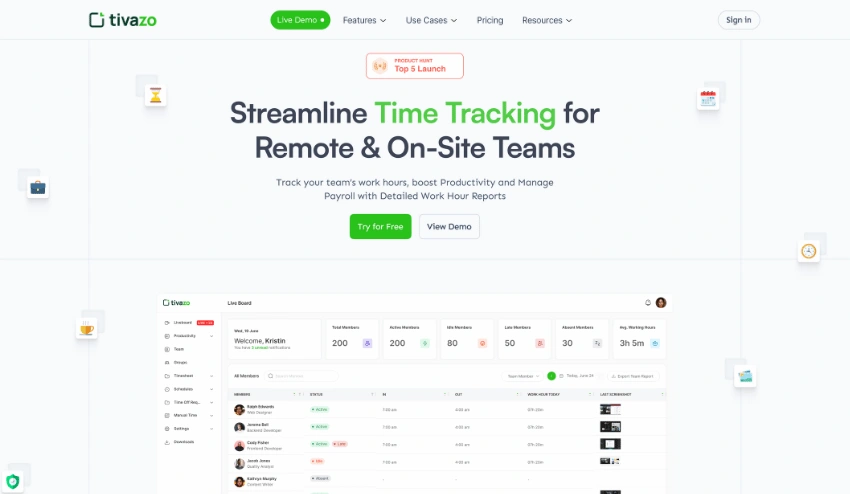
Features:
- Timesheets & Reporting
- Time Tracking
- Idle Time Detection
- Privacy Controls
- Time Blocking
Pricing:
- Free trial available
- Paid plans start at $3/month for individuals
2. Motion
Motion is an AI-based productivity product that aims to simplify work by combining tasks, projects, and communication into one workspace, where time blocking is highly emphasized. It provides such functions as AI-based task management, smart time-blocked scheduling, and real-time collaboration features, which allow teams to automate workflows and increase efficiency. The advanced algorithms in Motion keep tasks on priority, set a timeline, and allocate a specific and dedicated block of time to each of the activities, enabling the user to concentrate on the high-impact work and minimise manual planning and interruptions. Motion could help an individual and a team to maximize the time they have every day and improve productivity by integrating time blocking and AI automation.
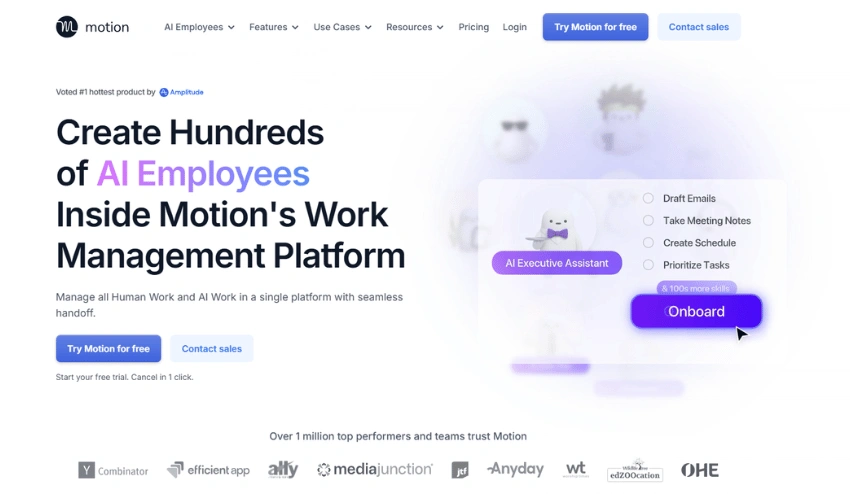
Features:
- AI task manager
- AI meeting assistance
- AI chat
- Meeting Notetaker
Pricing:
- Free trial available
- Paid plans start at $148/month
3. Sunsama
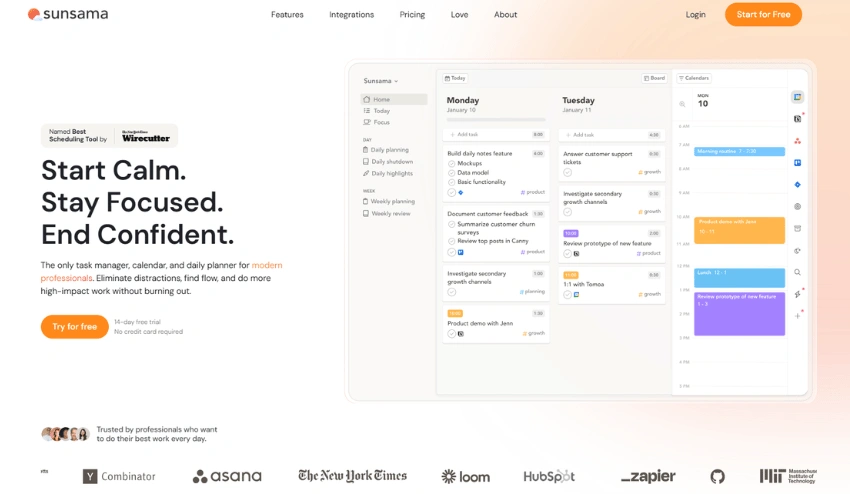
Sunsama is a productivity platform that allows professionals to plan their day purposefully and intentionally. It incorporates tasks, meetings, and projects within one calendar, with the option for the user to view the day and dedicate particular periods of time to each activity. Sunsama allows users to focus on the most important work, reduce distractions, and feel accomplished at the end of the day through task management and time blocking.
Features:
- Drag-and-drop task scheduling
- Integrates with Gmail, Slack, Trello, and Asana
- Daily planning rituals
- Cross-platform support
Pricing:
- Free 14-day trial
- Paid plan: $20/month
4. TickTick
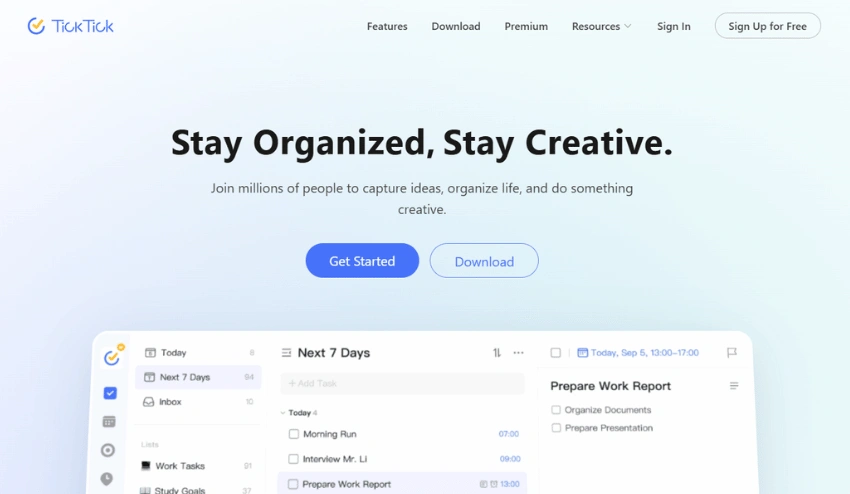
TickTick is a complete productivity software, incorporating both task management and time blocking capabilities to assist a person in planning their schedules appropriately. Its in-built calendar enables one to set a time period to use in its tasks, encouraging one to work in a focused period and reducing distractions. Allowing personalized views, color marking of tasks, and automatic syncing between platforms, TickTick gives people the opportunity to plan their day effectively and balance their working process. TickTick provides an all-encompassing tool for time and task management, whether in the hands of an individual or a group of people.
Features:
- Calendar view with drag-and-drop tasks
- Priority levels and reminders
- Pomodoro timer
- Multi-device sync
Pricing:
- Free basic plan
- Premium: $2.79/month or $27.99/year
5. Todoist
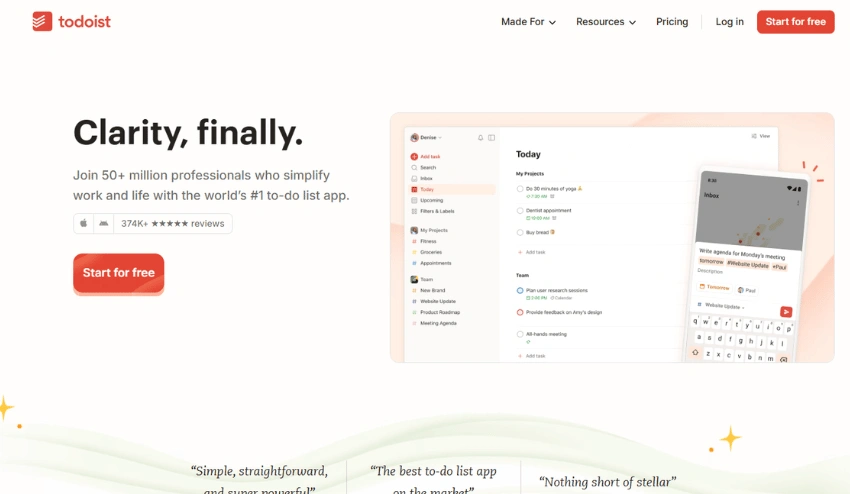
Todoist is a task management software that incorporates time blocking facilities so that the user can schedule his or her schedules. It has an inbuilt calendar where users can set aside some time to work on a certain task and ensure that they focus on the task at hand, and reduce distractions. Todoist allows people to organize their day and balance the working process thanks to customizable views, color-coded tasks, and the ability to synchronize their work across devices. Todoist provides an effective and all-encompassing solution to task and time management, be it at the individual level or in a team.
Features:
- Labels and filters for tasks
- Priority settings and recurring tasks
- Calendar integrations
- Cross-platform access
Pricing:
- Free basic plan
- Premium: $4/month
6. Planyway
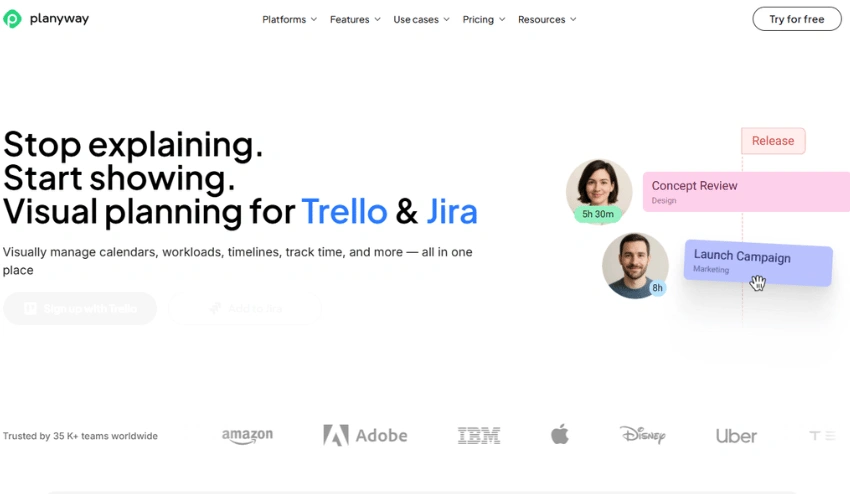
Planyway is a full-fledged visual planning application that can help you become more productive by blocking time. Combined with Trello, Jira, it provides a single system of task management, scheduling, and collaboration between teams. Tasks can be easily dragged and dropped, so users can assign certain time slots to a calendar or timeline to enable them to work on a specific task and eliminate distractions. The platform allows categorizing of tasks by color-coded labels, integrates with third-party calendars such as Google and Outlook, and incorporates time tracking to track the duration of the tasks.
Features:
- Timeline and calendar views
- Two-way sync with Trello and Google Calendar
- Team collaboration tools
- Drag-and-drop scheduling
Pricing:
- For Jira: Free up to 10 users
- Paid: $4/user/month
7. Clockwise
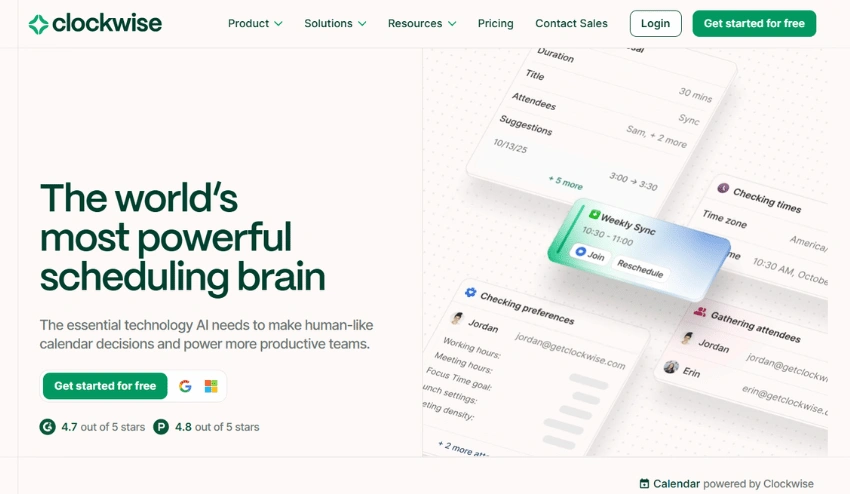
Clockwise is an artificial intelligence-based time management and time optimization app that assists teams and individuals in organizing their schedules more effectively. Clockwise has a productive calendar, with such features as automatic meeting scheduling, focus time blocking, and conflict resolution, so your calendar never wastes any time. Clockwise will be integrated with the popular calendar apps, allowing the company to get up-to-date and insights on the availability of its staff, becoming an inseparable addition to any business.
Features:
- Automated focus time scheduling
- Meeting optimization
- Google Calendar sync
- Team insights
Pricing:
- Free for individuals
- Teams: $6.75/user/month
How to Start Time Blocking
You do not have to completely change your schedule on the first day. And here is an easy method to begin with:
Step 1: Monitor your time management.
Take a day or two to write what you actually do and at which time before you get yourself into any type of schedule. The fact that a significant amount of time is just lost without any sound is startling to most. You seek patterns in your best days, in that state of drifting when you are sharpest, and in the places where there is the most obvious gap.
Step 2: Brain dump your tasks
List all of the things that you must accomplish this week. And then prioritize it: what should be done, what can be done and what can be postponed. Honest to God, majority of people attempt to cram five days of work in three days.
Step 3: Determine your best times of the day.
Each person has that window when he or she is most alert in; most of the time it is two or three hours a day. Set aside that window to the best work you have. Schedule emails, administration, and meetings during less active times.
Step 4: Construct three or five blocks tomorrow.
Make no attempt to plan out the time. Start small. Block time as one of your top priority tasks, a communication window, and a buffer against the things that get out of hand. Adding specificity to the label, “write intro to client proposal” will win over write intro to client proposal beats “work on project” at any given time.
Step 5: Check-in at the conclusion of each day.
Take five minutes to look backward. What did you finish? What got pushed? Why? It is this reflection that occurs on a daily basis that transforms time blocking into an experiment that does not just end with the experiment.
Common Mistakes in Time Blocking
The main reason why most people fail at time blocking is that the technique does not work: people just commit a few common pitfalls that can be easily avoided:
- Booking on an hourly basis: It is best to make sure that 2030 percent of your day is free so that when something unexpected happens, you have time.
- General block labels: Work does not mean anything, finish slides 36 is something to do.
- Disregarding your energy levels: Plan on doing your most difficult jobs when you are at your best, not when you are at your worst.
- No blocks in between: Have 15-minute breaks between activities so you do not have to sprint through your day.
- The schedule is fixed: When the plans vary, reschedule the block, rather than give up on it.
- Starting with too much difficulty: Starting with 3-5 blocks per day and only increasing the complexity after the habit has formed.
- Never reviewing your day: Five minutes at the end of every day, asking yourself: what worked, what did you do wrong, and otherwise makes your schedule smarter each week.
Selecting the Right App for You
The number of good apps available is still seven. Here’s the short version:
- Tivazo is the preferred choice when time tracking and employee monitoring are required, along with time blocking, particularly when working with remote or hybrid teams.
- Select Motion in case you prefer AI to create and maintain your schedule automatically. Ideal when people have unpredictable schedules and keep changing priorities.
- Sunsama is the option that you should go with when you desire more conscious and deliberate daily planning, but not automation.
- Select TickTick when you desire a solid all-in-one application on a small budget. Very cheap, solid calendar view, Great Pomodoro timer.
- Select Todoist when you are already using it to do tasks, and do not want to learn a new tool to time block, and have to learn how to use it first.
- Select Planyway when your team already uses Trello or Jira, and you do not want to replace the tools, and include visual planning.
- Select Clockwise in case your primary problem is securing focus time within a team. It is automatic to make focus blocks and optimize the meeting location.
Any one of these will be preferable to no system. Select the one that suits you at the moment and not the one with the most features.
Conclusion
The identification of the best time blocking app can help you change how you spend your day, become organized, focused, and productive. Using applications such as Tivazo, Motion, Sunsama, TickTick, Todoist, Planyway, and Clockwise, you will be able to schedule time blocks for such tasks, have fewer distractions, and streamline your work process. These apps combine the functions of AI scheduling, calendar sync, prioritization of tasks, and Pomodoro time management, so it becomes much easier to organize your day efficiently and focus on the depth.
Regardless of whether you are a single person on a quest to manage your time more effectively or a group eager to centralize teamwork, a time blocking app is a sure way to ensure that urgent things receive the attention they deserve and minimize the level of stress, and improve work efficiency. With the help of the correct digital planner, task scheduling app, or AI-supportive productivity tool, you will be able to organize the schedule, finish more within less time, and establish a comfortable, focused workday that brings your productivity to the fullest your productivity.