Most offices have turned into a hybrid model, and many remote companies are returning to the office. Managing teams in this environment can be challenging, especially when employees split their time between home and the workplace.
A few years ago, I’d tell you that there were just a couple of options to help you manage desks and coordinate office attendance.
But now, there are tons of desk booking tools that range from simple desk reservations to fully-fledged workplace management platforms that help teams stay organized and productive in hybrid environments. Because of this, you now have to choose the right one for your business, which can be challenging depending on your use case.
That’s why I selected the 5 best desk booking software for different types of offices and team setups. Right below, you’ll find out why these stood out to me during my research, what I (and real users) like about them, as well as what can be improved and how much they’ll cost you.
How I Picked These
Instead of just listing the most popular options on the market, I researched 50 of the most used hot-desking software and selected 5 of these based on their:
- Ease of use
- Features
- Pricing models and value
- Customer support
I read hundreds of reviews about each of these tools and researched their product pages to fully understand what they offer. For each tool, I’ve mentioned both my (unbiased) opinion and reviews from real customers.
To help with ranking these, I consulted G2’s desk booking Grid, as well as reviews on platforms like G2 and Capterra. I basically did all the research, so you don’t have to.
Note: All prices listed are based on each tool’s annual plans and are in USD. Some of these don’t have publicly available pricing, so I used public estimates to give you an idea of what to expect.
What Makes a Good Desk Booking Software
The right platform should not only make it easy for employees to reserve desks, but also help managers organize workspace usage and give teams better visibility into who plans to work from the office.
Easy desk reservations
The one thing every desk booking software should have is an easy way for employees to reserve desks. Desk booking should be just a few clicks away, and the tool should allow employees to book both on their mobile and the web, as well as through their calendar apps.
On top of this, it’s also important for the software to support desk filters and update automatically. That way, employees can choose a desk with specific amenities or at a specific location/day, and the booking is automatically registered to avoid double bookings.
Customizable, interactive floor plans
Another feature to note is the interactive floor plans. These make booking more intuitive, as your employees can see exactly where they’ll be sitting and who’s nearby.
On the admin side, good desk booking software allows you to upload your floor plans, create zones and neighborhoods for specific teams, and easily update the layout.
Employee lookup
One feature that’s particularly helpful for hybrid teams is the employee lookup. This allows your employees to see when someone else is working from home or in the office, as well as set their own status.
Much like the interactive floor plans, this can help make sure that teams come into the office together, without having to message each other on Slack (or, worse, email).
The Best Desk Booking Software At a Glance
| Tool Name | Starting Price | Best For | G2 Rating |
| Archie | $2.80/desk/month | Mid-to-large offices wanting an all-in-one system | 4.9/5 |
| deskbird | $3.75/user/month | Small to mid-sized teams wanting a modern, easy tool | 4.5/5 |
| Skedda | $99/month (15 spaces) | Organizations with complex booking rules | 4.8/5 |
| Tactic | $3/workspace/month | Enterprises wanting AI-powered desk suggestions | 4.6/5 |
| Officely | $2.50/user/month | Small, Slack-first hybrid teams | 4.6/5 |
Comparing The Best Desk Booking Tools
Different offices have different needs, and that’s why different desk booking software is the best fit for different use cases. Let’s break each one down.
1. Archie
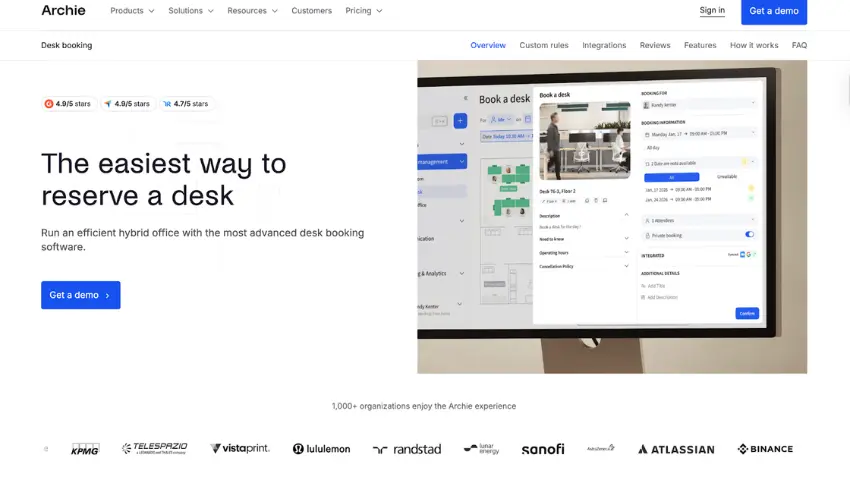
Archie is a smart workspace technology platform that offers desk booking software as well as room scheduling, visitor management, and analytics. It’s particularly great for mid-sized and large offices, as it includes intuitive admin tools and per-desk pricing, which scales better than per-user.
Why I picked Archie
Archie combines all of its modules well, giving teams a complete workplace platform that helps managers coordinate office space while employees can easily reserve desks. Plus, in terms of just desk booking, it gives admins great control over bookings, while also offering employees an easy booking experience and plenty of integrations with the tools they’re already using.
Where it falls short
Archie has a fixed minimum price for desk booking, so small teams with 20–30 desks might pay more than expected, even though the per-desk rate is competitive. It’s also not the best value if you only need a simple desk booking. The platform does a lot, so you’re paying for capabilities you might not use.
A couple of reviews mention that setup took a bit of time, though from my research, that doesn’t seem to be the case; Archie is usually implemented in 2–3 weeks.
How much does Archie cost?
Archie uses per-desk and per-room pricing.
- Starter: $2.80 per desk/month and $8 per room/month, with a $159/month minimum
- Pro: $3.50 per desk/month and $12 per room/month, with a $249/month minimum
Enterprise pricing is available for larger deployments.
2. Deskbird
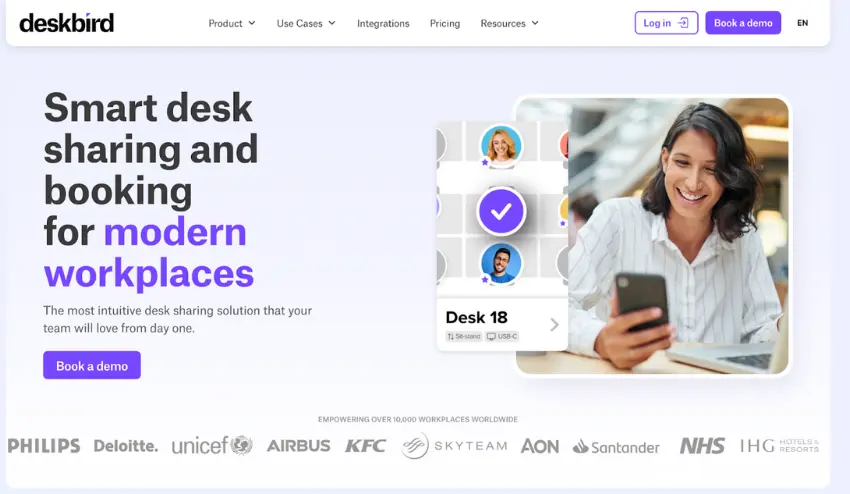
Deskbird is another complete platform, offering resource booking, visitor management, and analytics. It’s a modern option that is very easy to use, making it a great fit for small to mid-sized teams that want simple desk scheduling that’s implemented quickly.
Why I picked DeskBird
Deskbird was built to make booking desks and rooms feel quick and natural, with a clean interface people actually like using. For many teams, that alone helps a lot with adoption. It’s a strong choice if you want a simple, friendly desk booking tool for a growing team. And it comes with AI functionalities, which can make booking a desk even more intuitive.
Where it falls short
The biggest shortcoming of Deskbird, in my opinion, is its per-user pricing. While it offers a great set of features, costs grow fast in hybrid setups where many employees share a desk throughout the week.
Also, I found that analytics are a bit limited. One user, for example, said: “The reporting features and analytics could use some improvement. I would appreciate having the ability to view the exact times when staff check in.” Some users on G2 mention recurring bugs and calendar syncing issues that can affect the day-to-day experience.
How much does Deskbird cost?
Deskbird uses per-user pricing, not per desk, so the actual costs increase as your team grows.
- Free: up to 15 users and 1 office
- Business: $3.75/user/month
- Professional: $4.75/user/month
3. Skedda
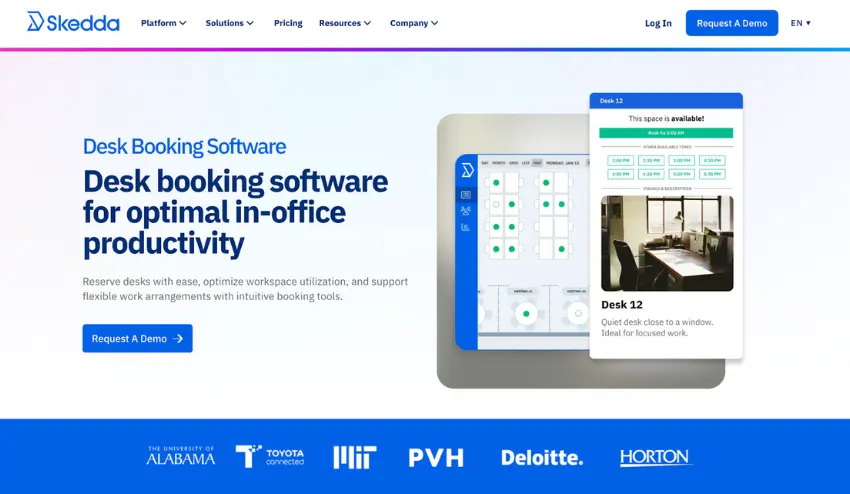
Skedda is simple desk booking software with a quick, easy setup and an intuitive, easy-to-use UI for employees. It’s usually a good fit for smaller organizations that primarily need desk and room booking, such as SMBs and universities.
Why I picked Skedda
Skedda is great for teams that want simple, reliable booking with quick setup. The rules engine is flexible enough for most common use cases, and the interface is clean enough that teams usually adopt it quickly with little training.
Where it falls short
The main issue with Skedda is its tiered pricing. Every bookable item (desks, lockers, parking spots) counts toward your plan limit, so costs can jump as you grow. Also, based on my research, features like assigned desks and branding are locked behind higher tiers, which makes the entry plans feel restrictive once you’re past the basics.
And, while the booking experience is solid for employees, admin-level configuration has received some complaints, with one reviewer saying: “We’d also like to decide which rules booking admins can override.”
How much does Skedda cost?
Skedda’s pricing is based on the “spaces” (desks or resources) you use, with unlimited users.
- Starter: $99/month, 15 spaces included
- Plus: $149/month, 20 spaces included
- Premier: $199/month, 25 spaces included
4. Tactic
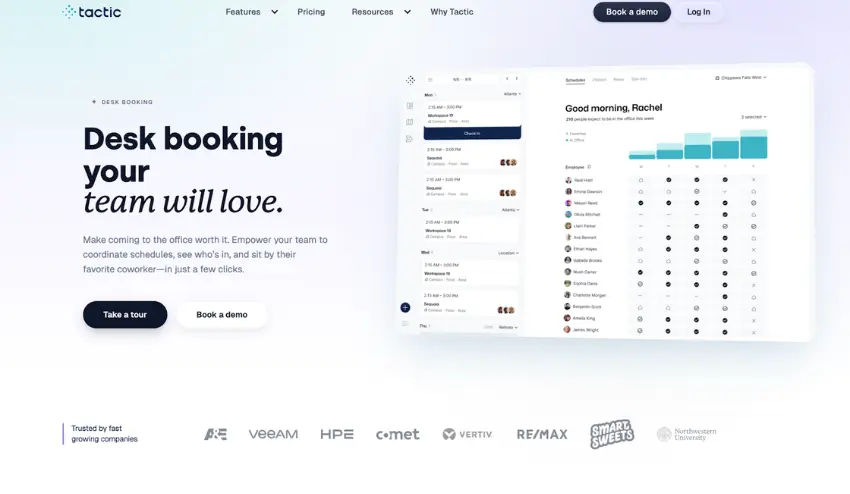
Tactic is a workplace management platform that mostly targets larger companies that want desk and room booking, along with modules like visitor management and workplace requests. It’s also another tool that leans into AI, with Tessa AI offering employees desk suggestions based on the amenities they need.
Why I picked Tactic
Tactic offers a lot of features that enterprises will appreciate, like custom deployment, AI features, and a strong customer support team. Most reviews across Capterra and G2 also mention that booking a desk is very easy.
Where it falls short
Tactic starts at $3/resource/month, which can be too much for smaller teams. On the usability side, some users report that the booking experience can glitch out, while others note that performance is inconsistent, with occasional slow loading times.
How much does Tactic cost?
Tactic recently revamped its pricing, moving from a quote-based model to public, per-workspace pricing:
- Core: $3/workspace/month. Includes desk and room booking, calendar integrations, analytics, check-ins, and a mobile app.
- Pro: $4/workspace/month. Adds visitor management, workplace requests, SSO and directory sync, Tessa AI, event and multi-room booking, and advanced booking rules.
- Enterprise: Custom pricing for large organizations with advanced security, custom integrations, and dedicated support.
5. Officely
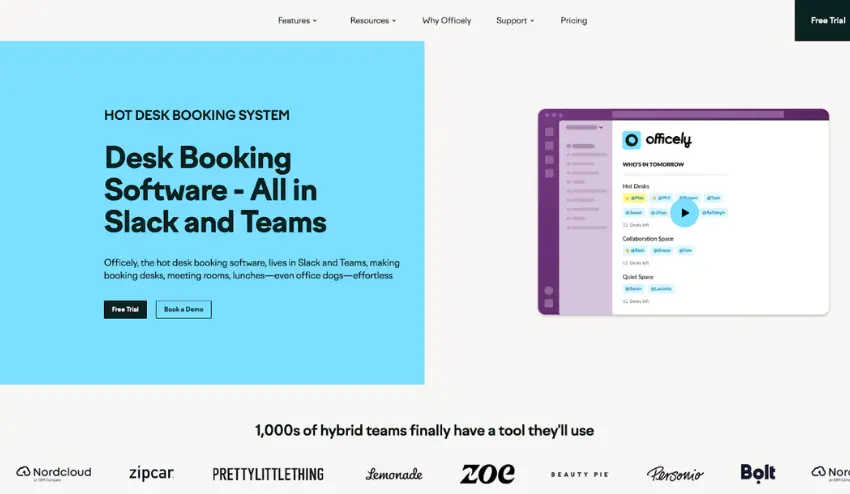
Officely takes a different approach to desk booking. Where most tools offer complete platforms, Officely works as an integration for Slack or Microsoft Teams, turning tools your team already uses into a simple desk booking system. This is why it’s great for smaller teams that just need simple desk booking.
Why I picked Officely
Officely is a tool that’s much easier to implement than most. Since it “lives” on Slack or Microsoft Teams, it’s much easier for your team to pick it up and actually use it, and the setup itself is quick and easy, according to reviews. The great thing is that, despite being a simpler tool, it still has all of the main features you’ll need for desk booking, like resource filtering, neighborhoods, and some basic analytics, alongside a very helpful customer support team.
Where it falls short
The simplicity of Officely comes with some drawbacks. In my opinion, the main issue is that the Microsoft Teams version has fewer features than Slack. And it’s not just some advanced features; if you use MS Teams, you won’t get access to Office check-ins and an internal office chat, or be able to integrate with Google Calendar or Outlook.
Besides that, growing or larger teams will likely outgrow Officely’s features. Booking rules and interactive floor plans aren’t available, which can affect both the admin and employee experience. And, companies that need visitor management will need to look for a different tool.
How much does Officely cost?
Officely charges per user, with every plan including desk booking on Slack or MS Teams.
- Free for up to 5 users
- Basic: $2.50/user/month
- Premium: $3.50/user/month
There’s also Enterprise (custom pricing) for larger teams requiring more support and security.
The Verdict
If I had to pick a single desk booking tool that I think most modern workplaces could benefit from, I’d suggest Archie. I think they’ve got a great balance of ease of use and functionality.
The platform includes desk and room booking, visitor management, workplace analytics, and strong integrations with Microsoft and Google tools.
Of course, every team is unique, so I know what you’re thinking: “We’re a Slack-first company, do we really need a desk booking tool?” Well, if so, then Officely might be a great lightweight solution for you. Alternatively, if you’re a startup/SMB looking for a desk booking solution on a budget, then Skedda is a great solution with a lot of bang for your buck.