Every moment spent on client accounts that goes untracked is revenue lost. That brief client call you forgot to log, or that reconciliation task you completed in less than an hour, which then slipped your mind to track, the financial impact can add up quicker than you anticipate. Over weeks and months, these time ‘leakages’ translate to lost hours of billable time.
It’s exactly because of this revenue loss that Time Tracking Software for Accountants has become a necessity. Many accountants unknowingly lose billable time each week, and the impact on revenue is significant, without a system to capture it efficiently.
This article looks at the 10 time tracking solutions that can meet the specific needs of accountants. These are more than simply timers- they offer accounting clients an organization of billable time, project management, reporting tools, and payroll functionality to streamline billing. When accounting firms look to boost profitability with increased billing accuracy, these are the tools that make that happen.
Why Time Tracking Software is Necessary for Accountants
If accuracy is a defining principle of accounting, it stands to reason that precision in time tracking should follow suit. But unlike many other professions that may have a single main client for a period of time, accountants continually navigate changing client requirements, deadlines, and tasks.
One hour is spent on payroll and tax services, then suddenly it’s time to prepare financial statements and meet with clients to review their financial position.
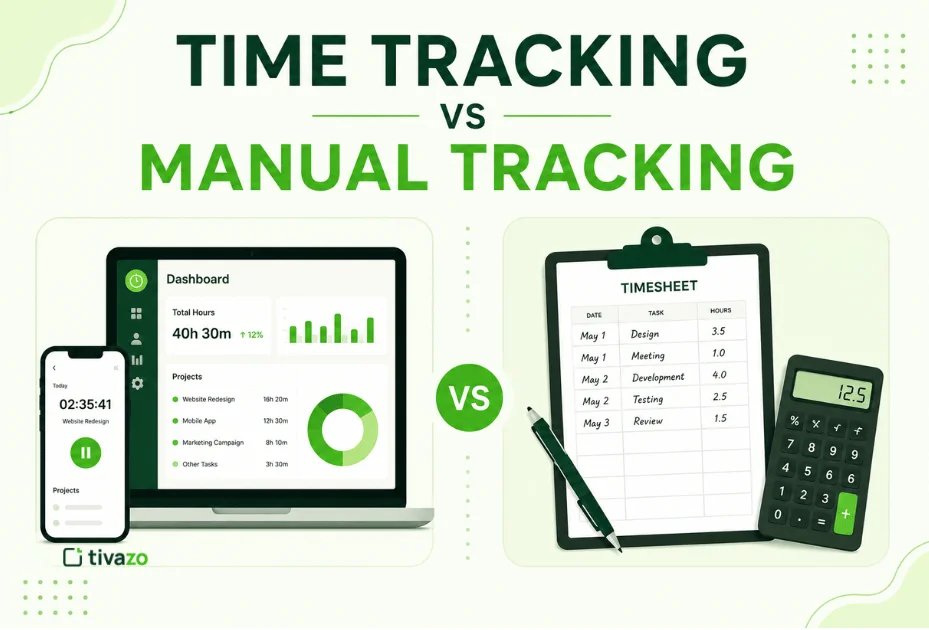
Manual time tracking using methods like spreadsheets or after-the-fact data entry at the end of the day has therefore become unreliable.
Time leakage is almost a given as accountants fail to track specific client minutes or round time off in favor of simplicity. Over months and years, time leakage could equate to 10-15% of potential revenue.
The biggest issue, however, is the lack of transparency regarding clients, tasks, profitability, and business processes and workflow efficiency.
This is precisely the function of automated timesheets, time spent by accountants working on different clients and projects is captured in real-time and consolidated into reports, then fed directly into invoicing and payroll processes. More than saving accountant time and creating revenue, they enable proactive business decisions based on actual data.
To understand how it could work, view an example of an automated timesheet & reporting reducing manual billing entry.
Key Considerations When Selecting Accountant Time Tracking Software
Your time tracking system should serve as a natural extension of your existing workflow rather than a tool that requires extra administration.
You need something to track billable hours for each client and project without getting in the way of workflow, and you need a system that allows for rapid switching between tasks, especially during tax season or other peak times.
Automation plays a critical role; tools should capture time as it’s spent, but also permit manual correction.
Integration is of critical importance and should connect directly to your invoicing and payroll system for seamless transmission of tracked hours. Functionality should be designed to enable generating a payroll-ready report of hours worked by the accountant directly from the time tracking system.
This type of report is essential in creating paychecks quickly and accurately. The system should provide detailed, exportable time reports by client, project, and employee (if applicable).
Performance and employee monitoring features are relevant for firms with multiple employees and provide the highest level of accountability.
User-friendliness can significantly determine your time tracking success. A complex system will cause your time tracking adherence to falter and result in inaccurate data.
Ensure the pricing plan scales affordably as you grow and your time tracking needs expand. Consider the need for supplemental tools, such as an hourly timecard calculator or an Hourly-to-salary converter, to verify figures rapidly.
Tivazo is created for teams requiring accuracy, billable-hour precision rather than generic time tracking. Tivazo is built for businesses where accurate time data means directly correlated revenue, thus being perfect for accounting firms.
Top 10 Time Tracking Software for Accountants
You can use our list of top 10 time-tracking apps for accountants to keep track of each employee’s daily work hours and calculate their salary and office expenses.
1. Tivazo– Best Overall for Accounting Teams

Tivazo is an all-in-one time tracking, productivity measurement, and billing software for small to large organizations.
It is applicable for accountants to manage the budget and resources. It also keeps the record of the project’s overall expenses and provides the deadline notification of a project so that you can complete it on time.
An online timesheet feature helps record employees’ attendance, clock-in and clock-out time, the record of a break during work hours, etc.
As an accountant, you should not waste time calculating each employee’s billable and non-billable hours.
Tivazo automatically generates the payment for every employee by calculating total work hours, including overtime work.
One of the best features is the Pomodoro technique that reminds you to break for refreshment when you work for a long time. 1. Tivazo– Best Overall for Accounting Teams
Combining all functionalities like Time tracking, timesheet structure, employee monitoring, performance insights, live screenshots, and team management into one tool.
Allowing accounting employees to track time, record billable time per client on a real-time basis, and instantly transform that into reports, ready for payroll and customer billing.
Custom date ranges are particularly effective for the month-end close and the tax season.
Tivazo’s uniqueness lies in translating time-related data into actionable intelligence. A firm can analyze inefficiencies and identify productivity loopholes prior to these being evident and impacting delivery.
It can be easily demonstrated by the data analysis that Tivazo performance insights help accounting firms pinpoint productivity gaps before smarter time tracking, and data becomes the key to decision-making.
It works perfectly for both freelancers and small CPA firms, helping avoid the loss of revenue by tracking every second of billable work. The use of the Pomodoro Timer for focused working hours could help an accountant’s ability to concentrate for the long hours needed for complex tasks.
Flexibility in Tivazo can be found through the team-based pricing structure. This makes it available for a variety of firms, from the sole practitioner up to the large accounting practice.
The only possible downside could be that its functionality level seems over a basic tracker, but that precisely gives it power.
Available for: Windows, Linux, Mac, iOS, Web, Android.
Features of Tivazo
- Employees’ clock-in and clock-out data are stored online.
- Track time offline and sync data once your computer is online.
- Pomodoro timer
- Billing and non-billing hours are calculated.
- 50+ tools integrated, like Asana, GitLab, Gmail, WordPress, and Jira.
- Provides an optional screenshot at a few time intervals to track the apps and URLs.
Pricing of Tivazo
Trivazo is completely free. It offers:
- Free plan with all premium features for unlimited users and no time limit.
- No credit cards required.
Benefits of Tivazo To Accountants
- It helps to enhance the productivity of your employees.
- Send an alert when you stay idle for a long time.
- Concerning privacy, it allows you to take private time and break when you have some urgent work.
2. TimeCamp
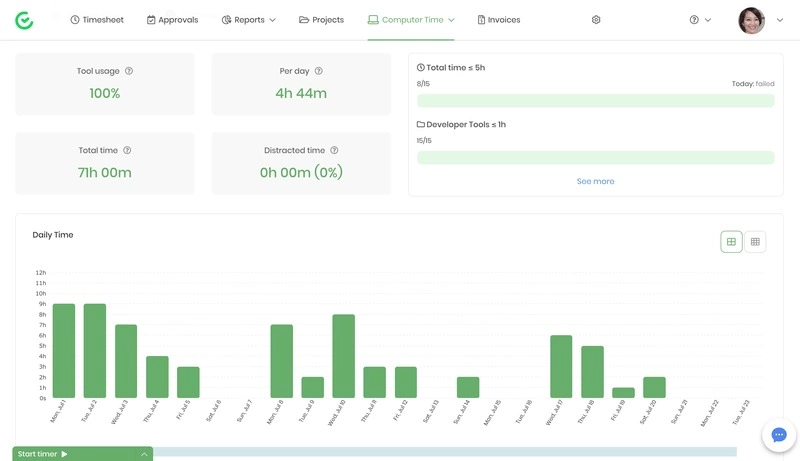
Timecamp is a free time tracking software that helps you monitor employees’ activities and enhance productivity.
It is essential for accountants as it is also an expense and budget management software. It has an integration with more than 100 apps and work tools.
The app is essential for increasing projects’ profitability and enhancing productivity by tracking time and expenses.
It provides an automatic notification if the project expenses exceed the estimated budget and manages the resources required to complete a project.
There is a payroll management feature through which you can generate employees’ payments and send payments through PayPal or Payoneer.
Available for: Android, Linux, Mac, iOS, Window.
Features of Timecamp
- Tracks time automatically and measures the productivity of employees.
- Sends an automatic notification if the project expenses reach the limit from the estimated budget.
- Generates employees’ payments through payroll management and sends payments through Paypal or Payoneer.
- Sends a random screenshot in a few time intervals to track the apps running in employees’ computers during work hours.
- 100 apps are integrated with it, including Slack, Trello, Asana, and Google Calendar.
Pricing of TimeCamp
The pricing plan of TimeCamp includes:
- The solo plan is free of cost for freelancers.
- The basic plan costs $5.25 per user per month.
- The business pro plan costs $7.50 per user per month.
- The enterprise plan has custom pricing. You can quickly contact the vendor for its pricing if you have a larger team and want this subscription.
Drawbacks
- It is pretty expensive to use the subscription.
3. Harvest
Harvest is an automatic time tracking and billing software for freelancers, accountants, and small to large business organizations. It is time tracking software, expense tracking, and billing software.
The app saves more time by creating invoices based on billable hours, sending them to the client, and getting paid online. The PayPal integration lets the client send invoices in just a few seconds.
It tracks employees’ time offline and syncs data once connected to the internet. It sends you a notification when your project expenses reach the estimated budget limit.
Once you install the app, it tracks time from your devices with desktop and mobile apps. You can start and stop the timer while starting and ending the work.
Available for: Windows, Linux, Mac, iOS, Android, Browser Extension.
Features of Harvest
- Tracks time once you log in to the app and monitors all the activities that you use on your computer.
- Turn billable time and expenses into invoices and send them to the client.
- Calculate overtime work and bill employees accordingly.
- Integrations with third-party apps include Slack, Asana, GitHub, Gitlab, Gmail, and more.
- It monitors keyboard and mouse activities.
Pricing of Harvest
- Harvest is free to use for one person with two projects.
- The pro plan of harvest costs $12 per person per month, which allows unlimited users and projects.
Drawbacks
- Less customizable.
4. TSheets
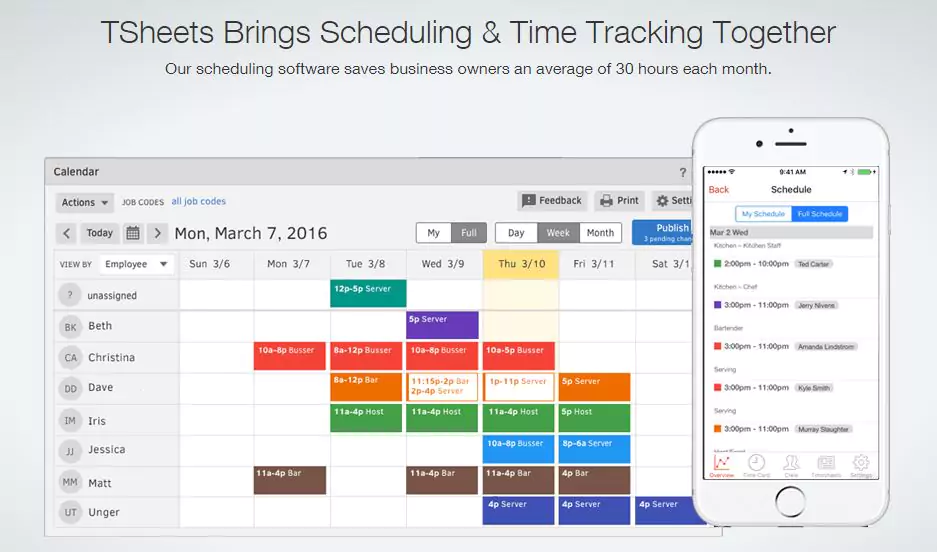
TSheets is a time tracking tool for creating, editing, and scheduling work. It is a typical time tracking and project management software for accountants.
Employees can clock in and out, add timesheet details, and change job codes with a single click. It runs on web and mobile applications to log in from wherever you are located.
One of the essential features of this app is its integration with QuickBooks, and the time tracked syncs automatically with your QuickBooks account.
Whether all your employees are at a central location or some employees are out in the field, the app effortlessly tracks your employees.
It is used by different industries such as manufacturing, construction, IT, restaurant and food service, health care, etc.
Available for: Windows, Mac, iOS, Web, Android.
Features of TSheets
- GPS tracking to know the employees’ movement and the location of the worksite.
- Tracks project profitability and cost.
- Allows employees to add timesheet details.
- Reduce the time that it takes to run payroll.
- It allows a timecard option for entering and approving employees’ time.
- It provides a clock-in reminder with email notification.
Pricing of TSheet
- The premium package costs $8 per user per month, including a $20 base fee per month. It provides a free trial for two weeks.
- The Elite package costs $10 per user per month, including a $40 base fee per month. You can use it for free for 14 days to complete the trial.
Drawbacks
- It is more expensive.
5. ClickTime
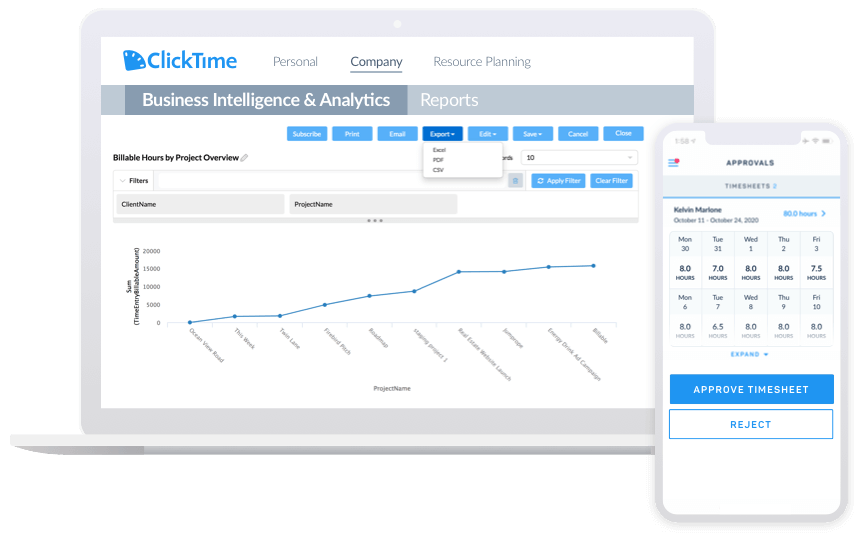
ClickTime is a time tracking and timesheet software used for tracking time and expenses. The app makes it easy to track, manage, and plan employees’ time.
It generates an online timesheet and exports timesheet data to your payroll, accounting, and client invoicing system.
It tracks everything in one place, i.e., billable hours, non-billable time, and makes clients’ payments accordingly.
If you want to bill more hours, enhance productivity, and make your staff smarter, Clicktime is one of the great options for you and your project.
It answers all your queries and manages the project within budget. It also sends a notification to hire employees if you have a smaller workforce and cannot complete the project within the estimated time.
Available for: Windows, Linux, Mac, iOS, Web, Android.
Features of ClickTime
- It calculates projects’ profitability and expenses.
- Track time using a stopwatch timer to start and stop the clock.
- Export data to XML files.
- Review and approve employees’ timesheets.
- It offers integration with maximum apps like Trello, Asana, Github, Slack, and many more.
Pricing of ClickTime
It offers four pricing plans:
- The starter plan costs $9 per user per month.
- The team plan costs $12 per user per month.
- The premier plan costs $24 per user per month.
- The enterprise plan has custom pricing. You can contact the vendor for pricing.
Drawbacks
- A frequent update is necessary.
6. Hubstaff
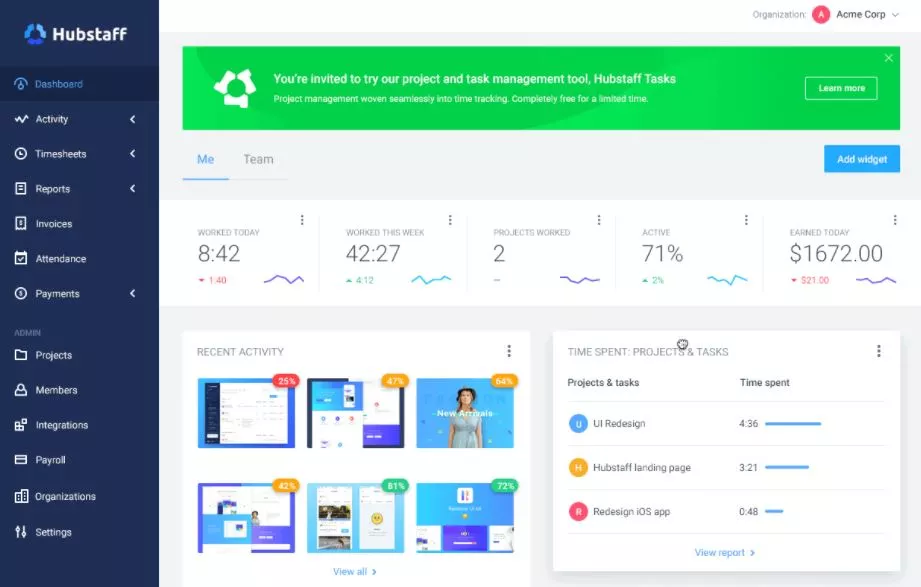
Hubstaff is an automatic time tracking and billing software for accountants. It is a simple tool for tracking the expenses and budget of a project.
You can spend more time concentrating on your client by minimizing the time to calculate the billable hours. The report can be viewed directly from Android or iOS devices.
The online timesheet makes it easier to set pay rates and automatically run payroll using payment integrations. The PDF and email reports are exported to clients after completing the project.
You can track time with a push of a button, add projects and tasks for each client, and set hours and project limits for CPAs within a dashboard.
Time tracking is more accessible with Hubstaff; you need to clock in and out with a single click. It operates in the background and tracks all the activities on your computer.
Available for: Android, Web, Chrome, iOS, Linux, Windows
Features of Hubstaff
- Online timesheet features provide a detailed report of the work and attendance of employees.
- Allows you to create a budget plan for a project until you reach the limit.
- Tracks employees’ locations using GPS tracking.
- Sends time cards daily to know a summary of clients and projects.
- It has integrated with more than 30 different business apps such as FreshBooks, QuickBooks, Slack, and many more.
Pricing of Hubstaff
It is free for a single user.
- The basic package costs $7 per user per month.
- The premium package costs $10 per user per month.
- The enterprise package costs $20 per user per month. It is for large businesses that are seeking more features.
Drawbacks
- Fewer integrations.
7. TaxDome
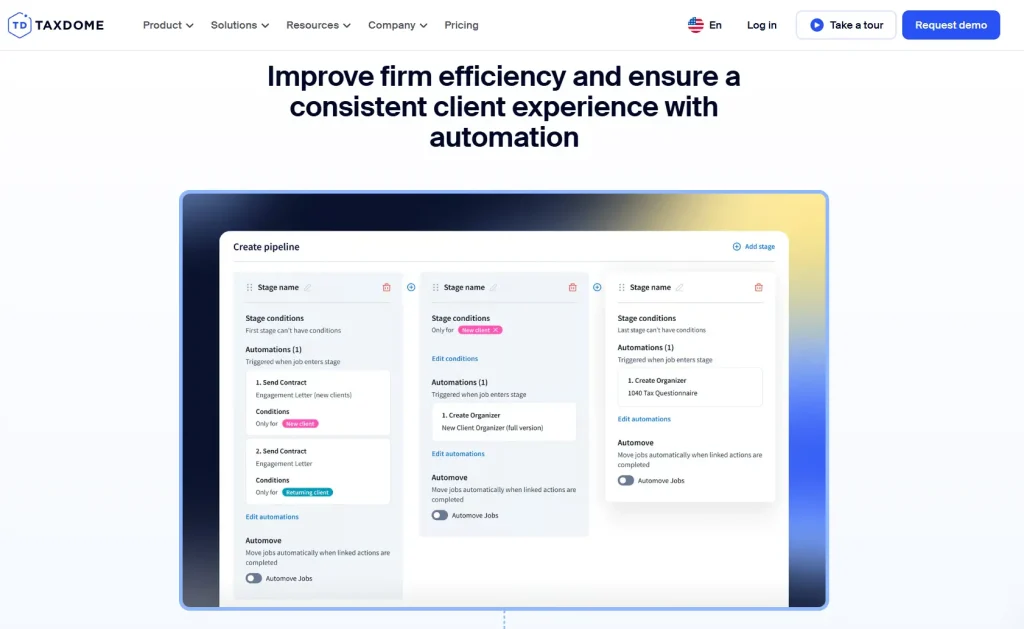
TaxDome is a practice management platform with built-in time-tracking functionality, so you’re not adding another standalone tool to your tech stack. That means your team can log hours directly inside jobs, ensuring nothing billable slips through.
With TaxDome, it’s easier to ensure billable work turns into collected revenue, since you can generate invoices from tracked time, lock documents to invoices, and set different hourly rates by service. You also gain a clearer view of team capacity and workload distribution.
That same visibility helps you keep engagements within budget by comparing planned time to actual hours spent and making adjustments early. But this is only one piece of the system, which supports your firm’s operations end to end from internal processes to client delivery.
Features of TaxDome
- Team and project management with task dashboards, deadline tracking, @mentions, shared inboxes, and built-in time tracking
- Structured workflow stages with automated triggers based on completed actions, reflecting your firm’s actual processes
- Accounting CRM with centralized client records, custom tags, bulk messaging, and shortcode-based personalization
- Secure client portal and mobile app with e-signatures, document upload, invoice payments, chat, and real-time job status
- End-to-end tax intake and delivery with smart organizers, automated data entry into tax software, and secure return delivery
Pricing of TaxDome
- TaxDome uses flat per-user pricing, so your costs stay consistent as your client base grows.
- Essentials starts at $700 per user annually (about $58/month)
- Pro starts at $900 per user annually (about $75/month)
- Business starts at $1,100 per user annually (about $90/month)
- Pricing reflects a three-year agreement.
Drawbacks
- TaxDome may be more comprehensive than necessary for firms seeking only basic time tracking.
8. TimeLogger
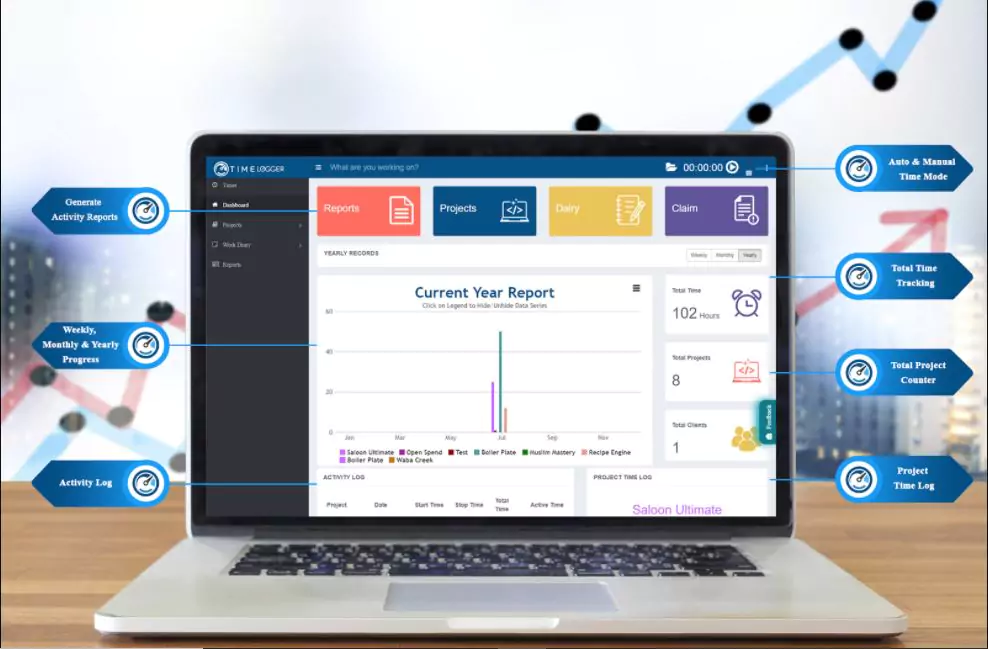
TimeLogger is an accurate time tracking software that increases the productivity of your team and organization.
The report will provide detailed insight into the websites you visit and how long you stay during work hours by tracking the time.
The files in the server are encrypted by SSL encryption to provide security for all data. It tracks time even when you are not connected and restores data after getting the internet connection.
It has a payroll feature that processes payments for employees, saving calculations for an accountant.
The app tracks the budget invoices and manages resources for a project. As soon as you log in to the website, it does not give access to distracting websites and helps you focus on work.
Available for: Android, iPhone, iPad, Linux, Mac, Chrome, Desktop
Features of TimeLogger
- Tracks time even in offline mode.
- It provides backup of data manually or through iCloud.
- Sends an automatic screenshot to monitor users’ activities during work hours.
- It can export detailed reports of the project on CSV and PDF files to the clients.
- Provides alerts when your employees use distracting websites.
Pricing of TimeLogger
- The Mini Package is free for up to two users.
- The small package costs $5 per user for up to three users.
- The medium package costs $15 per month for up to five users.
- A large package costs $25 per month for up to seven users.
Drawbacks
- There are limited characteristics in the free version.
9. BigTime
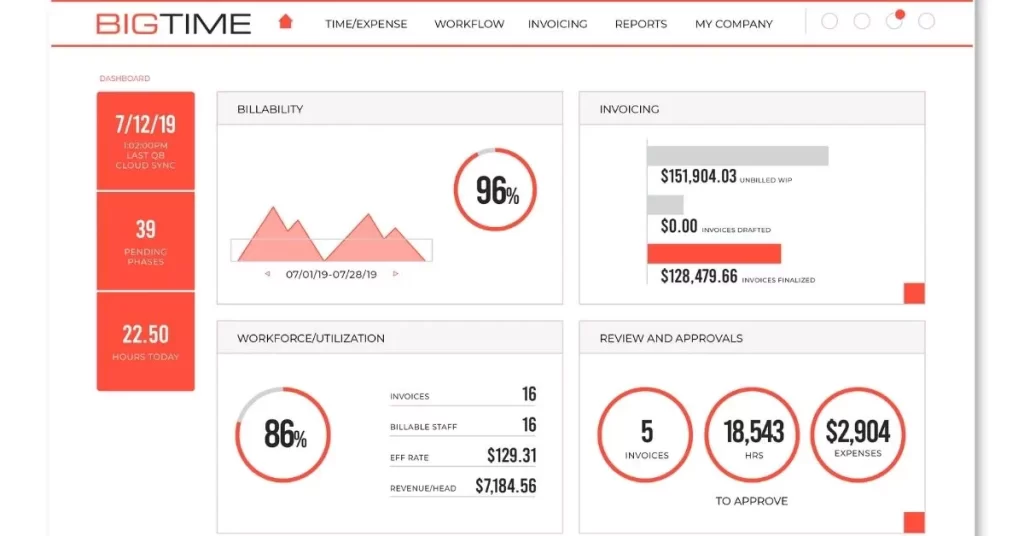
BigTime is one of the time tracking and billing software for accountants. It is easy to use and navigate, which provides faster payments to the clients.
The app is handy for increasing productivity, calculating billable hours, syncing the QuickBooks data with a single click, and managing the project.
It tracks the time and work of employees and calculates productivity. It sends automatic reminders through email and keeps your employees focused on work by monitoring all computer activities during work hours.
One of the essential features is that you need not switch between invoicing and payment software, as it provides all the professional services you require.
It can be used to track expenses, project management, budget management, resources management, tracking job sites, invoicing, and time reporting to manage your business effectively.
Available for: Android, iOS, Laptop, Desktop, Chrome, Mac.
Features of BigTime
- Enables employees to view their invoices, pay open invoices, and save payment methods.
- It manages the budget, expenses, and resources of a project.
- Generates a timesheet to keep a record of the employee’s attendance and overtime work.
- It offers billing rate management by using payroll software.
- Provides automatic reminders and email notifications if you forget to log in to the app.
Pricing of BigTime
It offers three pricing plans:
- The express plan costs $10 per user per month, billed annually.
- The pro plan costs $30 per user per month, billed annually.
- The premier costs $40 per user per month, billed annually.
Drawbacks
- The free version does not have more features.
10. PurelyTracking
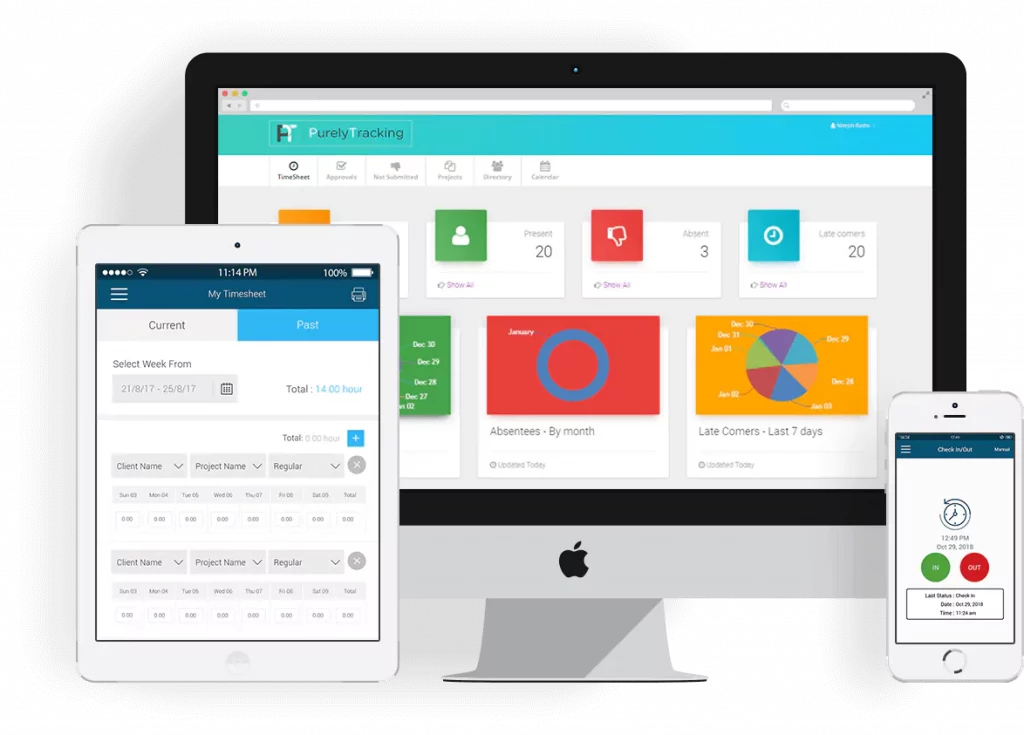
PurelyTracking is a time and attendance tracking software that an accountant uses.
It has unique features such as time tracking, attendance management, leave management, timesheets, payroll, face recognition, and benefits management.
There is a timesheet management feature from which employees can enter the hours worked, and overtime work is also calculated for making a payment.
Once you log into PurelyTracking, it tracks the time even when your internet disconnects, and the data syncs automatically after connecting to the internet.
Available for: Android, iOS, Web, and Kiosks.
Features of PurelyTracking
- Tracks the time and easily records work hours even in offline mode.
- It has payroll integrations that calculate the payment of employees.
- It supports real-time visibility of the workforce through a project dashboard.
- Uses GPS tracking to keep track of who has clocked in from which location.
- The time off feature enables employees to request a day off with a single click.
Pricing of PurelyTracking
The pricing plan is categorized into four different sectors:
- Time and attendance: The Silver plan costs $3 per user, billed annually.
- Project management: The Elite plan costs $8 per user, billed annually.
- Visitor management has four different pricing plans:
- The basic plan costs $24 per month per location.
- The premium plan costs $49 per month per location.
- The pro plan costs $99 per month per location.
- The enterprise plan costs $199 per month per location.
- HRO (Human Resource Outsourcing) service has three different pricing plans:
- The silver plan costs $4 per month per employee, billed annually.
- The gold plan costs $15 per month per employee, billed annually.
- The platinum plan costs $25 per employee per month, billed annually.
Drawbacks
- It is pretty expensive for large enterprises.
11. FreshBooks
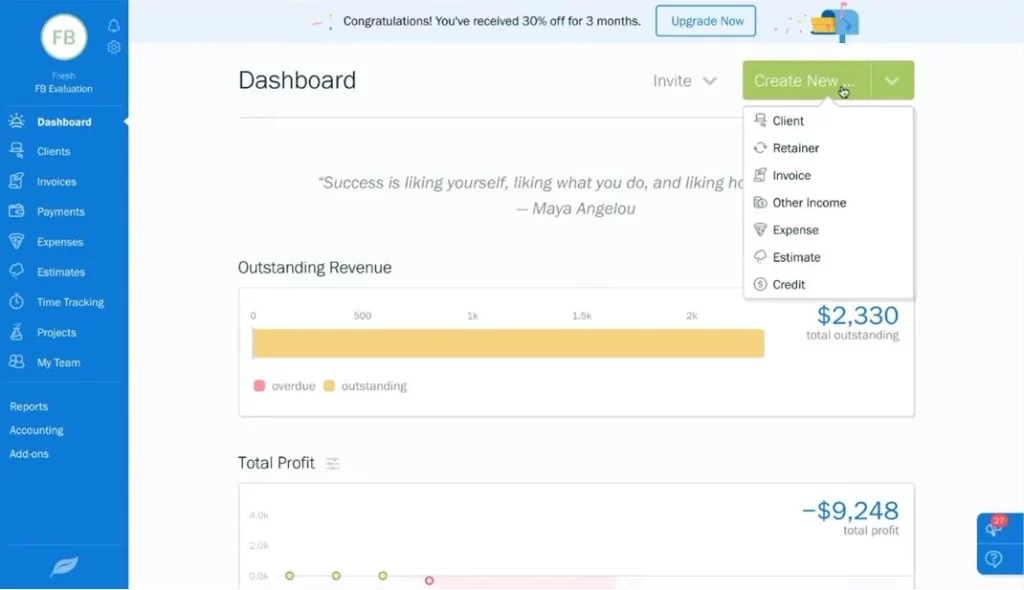
FreshBooks is a time tracking and accounting software for small to medium-sized organizations.
It supports freelancers, self-employed professionals, companies with employees, and businesses with contractors.
The app helps track the total expenses automatically and sends late payment reminders.
It makes invoicing more accessible and straightforward, and creates professional-looking invoices within a second.
The app also generates easy-to-understand financial reports by using double-entry accounting tools.
It accepts all credit cards and makes payments more comfortable and faster; you need not worry about waiting in the bank line.
Available for: Android, Web, Chrome, iOS, Linux, Windows
Features of FreshBooks
- Tracks time as well as billable and non-billable hours of employees.
- Helps to brand the invoices, accept online payment, and set auto-payment reminders.
- Key features include invoicing, expense tracking, reporting, and payment management.
- Access anywhere on iOS and Android and run accounting reports.
- It allows integrations with PayPal, Mailchimp, Zenpayroll, Basecamp, etc.
Pricing of FreshBooks
FreshBooks offers four different pricing plans:
- The lite plan costs $4.50 per month for professionals with basic needs, useful for five billable clients.
- The plus plan costs $7.50 per month for owners with 50 billable clients.
- The premium plan costs $15 per month for growing businesses with 500 billable clients.
- There is a select plan with custom pricing for businesses with complex needs.
Drawbacks
- It does not have essential features for accountants in the free version.
How Accountants Can Get the Most Out of Time Tracking Software
The real benefits of Time Tracking Software can only be unlocked when it’s used regularly. Effective accountants track their time as the work is done rather than reconstructing their day at the end of the week.
Recording hours retrospectively inevitably means there are missed details, and your billing can suffer as a result.
Category clarity is also crucial. Categorising your work as either billable or non-billable as soon as it begins to be done will ensure your reports remain meaningful.
Over time, it will become obvious which clients and which tasks require the most unbilled effort, which will help you keep your billing practices consistent.
Reviewing timesheets weekly will also help with the accuracy of your records. As the end of the week approaches, simply flicking through timesheets will help you spot any errors before they feed into your invoices or payroll and provide a picture of your workload.
More advanced firms have been seen to use Time Tracking Software as a tool to assist with decisions regarding workload, client capacity, etc., by extracting the time tracking to transform workplace productivity and applying it to decisions.
To further aid with timesheets when carrying out your payroll review, you could try using something like an overtime calculator.
Conclusion
The Time Tracking Software available for Accountants will protect revenue, make payroll simple, improve customer service, and make decision-making much simpler when you can log accurate times accurately.
Every tool on this list will suit a particular purpose, but depending on the size of your firm and working habits, you will either be better served by simple or complex software.
For individual accountants, it’s very likely that lightweight software would be ideal for ease of use.
The Tivazo system has shown itself to be the complete package for accounting firms, from the capturing of the time through to time monitoring, reports, and payroll-ready data, making the whole process streamlined.
If you want to look more into refining your workflow, you can further consult the Time Tracking guides and team management guides for accountants