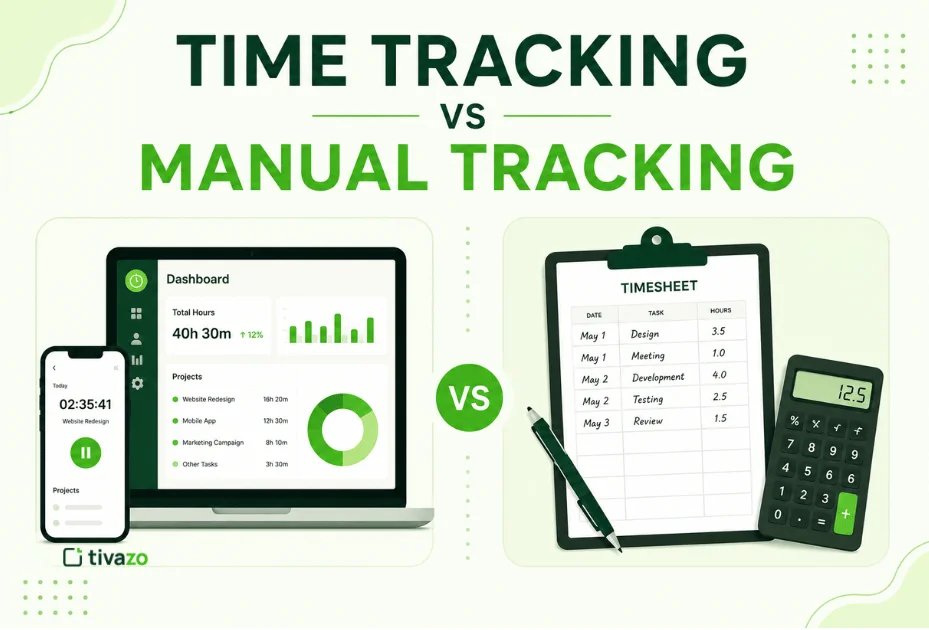
In the eternal battle of time tracking vs. Manual tracking, the major distinction is how worker hours are tracked. Manual tracking involves staff members looking up their hours on a paper sheet or spreadsheet, whereas time tracking software automatically logs hours for you and produces reports on the fly.
Automated time tracking is likely to be the best option for 9 out of 10 fast-growing businesses as it offers much greater accuracy, minimizes admin costs, and gives you the ability to identify key productivity indicators about your workforce. Manual tools may be preferable for freelancers with limited budgets.
The decision you make impacts more than just timesheets. It impacts wage payments, projects’ bottom lines, suppliers, sales, profits, costs, schedules, resource planning, business efficiency, and not just different hourly rates.
This article will walk you through the fundamental distinctions between manual and automated time tracking, the benefits and drawbacks of each, and selecting the right option for your business.
Time tracking software has many advantages over manual time tracking. The software automatically records your working hours and avoids human error, keeps your payroll more accurate, and saves you time by providing instant productivity statistics. Manual time tracking is cheap and very easy to implement; however, it’s more susceptible to human error and is harder to manage as your business.
Key Takeaways
- Manual: recording times by paper, Excel, or manual timesheets.
- Automated time tracking: Automatically detects hours and generates reports.
- Enhances Payroll Accuracy, Reporting, and Project Management.
- Time tracking software keeps payroll accurate and simplifies reporting and project management.
- It might be okay for a freelancer or maybe a small business, but it is not scalable for a larger team.
- Automated time tracking is particularly useful for companies with remote, hybrid, and/or project teams.
- Identify and use a tracking method that fits your team size, workflow, and future 1 year & 3 years goals.
- This introduction designed on first few lines answering the main query.
- While the term keywords is predominantly used in the first few lines to make it exactly worth reading.
What Is Time Tracking?

Time tracking is the measurement of the time employees or individuals spend on work-related tasks, projects, or activities. Companies use time tracking to increase productivity, accurately pay employees, track project costs, and get a better idea of how work time is allocated.
Today, you can measure the hours worked either ‘by hand’, by filling out paper timesheets, with spreadsheets, or automatically, with a computerized time tracking software.
Time tracking produces useful insights for fully remote, hybrid, and office-based teams.
The Experts Speak: Hours tracking isn’t about watching workers 24/7-It’s about figuring out how work happens so that teams can avoid wasting time on low-value tasks.
What Is Manual Time Tracking?
Manual time tracking involves recording the hours worked. Usually, an employee will record his or her:
- Paper timesheets
- Excel spreadsheets
- Google Sheets
- Clock-in notebooks
- Manual payroll forms
Manual tracking indeed costs no immediate additional costs, but after a work time, the deadline passed, those who were there, what they did, and the time to enter the data in a system… Therefore, it is much more prone to mistakes, lost data, and payroll discrepancies.
While managing the tracking manually may be effective for freelancers or teams of less than 2 people, it is the other login process that is most painful.
Time Tracking vs. Manual Tracking: What’s the Difference?
Although both methods aim to record employee work hours, they differ significantly in accuracy, efficiency, and scalability.
| Feature | Manual Tracking | Time Tracking Software |
| Accuracy | Moderate to Low | High |
| Human Errors | Common | Minimal |
| Payroll Processing | Time-consuming | Automated |
| Reporting | Manual | Instant |
| Productivity Insights | Limited | Detailed |
| Project Tracking | Difficult | Built-In |
| Remote Team Support | Poor | Excellent |
| Scalability | Limited | Excellent |
The biggest difference is automation. Manual tracking depends on employees entering information themselves, while time tracking software captures data automatically, reducing mistakes and saving administrative time.
Why Do Businesses Still Use Manual Time Tracking?
Despite improvements in workforce management software, there are still several reasons why
- Has very minimal upfront capital requirements.
- Everyone already knows how to handle spreadsheets.
- Complex features are not necessarily required for small teams.
- Certain businesses record hours only from time to time,
- They are C-R-U-S-H-E-D in changing processes already underway.
But quickly, those benefits are eroded by long-term cost disadvantages. And this is where things get tough!
Manual tracking, especially for expanding businesses, is every accountant’s nightmare, causing inaccuracies in payroll, overlooked billable hours, potential non-compliance issues, and time-consuming administration.
What Are the Benefits of Automated Time Tracking?
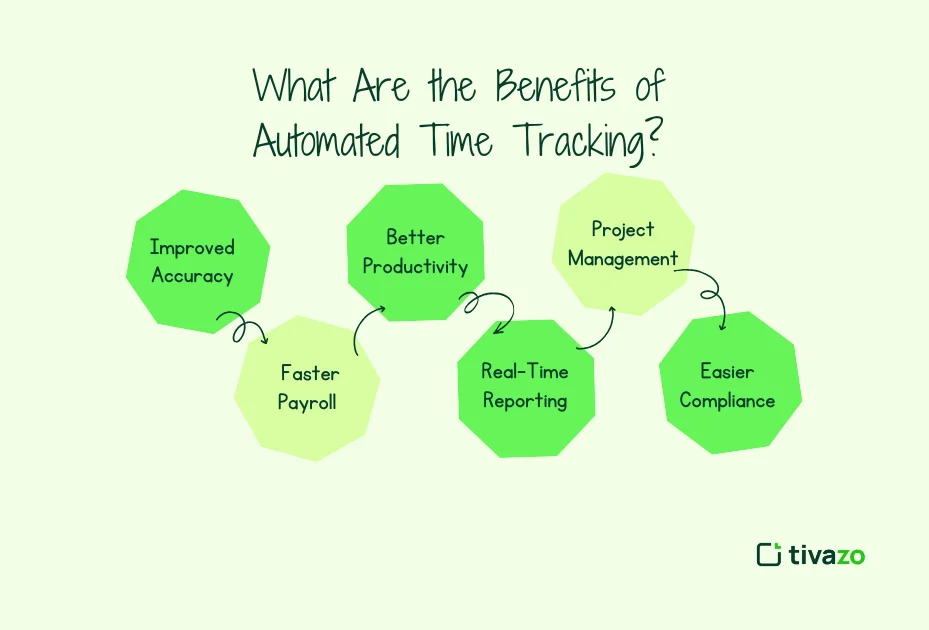
Automated time tracking has made administering the workforce much easier because it is no longer a painful task to locate and record hours worked per employee.
Key benefits include:
1. Improved Accuracy
Auto tracker in the blogs minimizes oversight and errors committed by humans.
2. Faster Payroll
Automatically considering work hours, fewer administrative hours are needed.
3. Better Productivity Insights
Managers can see where time is going and identify waste.
4. Real-Time Reporting
No spreadsheets. Reports are produced on the fly instead.
5. Better Project Management
Track project progress, predict capacity needs, and control budgets more successfully.
6. Easier Compliance
Digital records assist companies in keeping proper records for labor laws and audits.
Manual Time Tracking vs. Automated Time Tracking: Pros and Cons
Manual Time Tracking
Pros
- Low cost
- Easy to start
- No software required
- Suitable for freelancers
Cons
- Human errors
- Time theft
- Difficult reporting
- Slow payroll
- Poor scalability
- Limited productivity insights
Automated Time Tracking
Pros
- Highly accurate
- Saves administrative time
- Supports remote work
- Real-time reporting
- Better payroll accuracy
- Integrates with business tools
Cons
- Monthly subscription cost
- Initial setup and training
- Employee adoption may take time
Is Manual Time Tracking Accurate?
It’s possible to be quite precise with manual time tracking with a single person or a very small group, but not as much as the team gets larger.
Common issues include:
- Forgotten clock-in or clock-out times
- Rounded work hours
- Data entry mistakes
- Duplicate entries
- Lost paper records
- Spreadsheet formula errors
These slight errors can add up over time, impacting payroll, project budgets, and manpower planning.
For companies with several employees and/or projects in play, automated time tracking should be able to cut down on these risks a lot
How Time Tracking Software Improves Employee Productivity
Time tracking tools tell you how work is done; they don’t just provide hours worked.

Businesses can:
- Same things over and over; figure this out.
- Distribute work evenly among teams.
- In your blog: Ease administration.
- Enhance the way projects are planned.
- Keep track of billable hours.
- Identify points where your workflow is slow.
- Decide who gets hired based on stats.
When used transparently, time tracking promotes accountability and allows employees to focus on impactful activities rather than low-value ones.
How to Choose the Best Time Tracking Method for Your Business

Which answer is correct: the one that involves hand-copying data into accounting or spreadsheet files, or the other that auto-exports data directly into tables? Well, it mostly depends on your ownership business, workflow sophistication, and future expansion ideas.
Choose manual time tracking if you:
- Keep your staff to a minimum, ideally less than five.
- Monitor hours from time to time.
- Require basic payroll features.
- Work as a freelancer.
- Choose time tracking software if you:
- Managing remote or hybrid teams.
- Update the payroll consistently.
- Track several projects.
- Productivity reports needed.
- Looking to minimize labor.
The larger your organization is, the more time you will save by investing in automation.
Why More Businesses Are Switching to Automated Time Tracking
With remote work teams, the hybrid working trend, and always data driven decision, manual logging methods are not helpful anymore.
Modern time tracking solutions like Tivazo help businesses:
- Automatically record work hours
- Generate real-time productivity reports
- Simplify payroll calculations
- Track project time
- Monitor attendance
- Improve workforce visibility
Managers can spend less time on maintaining spreadsheets. Get the daily messages right and spend more time coaching teams, streamlining processes, and delivering to business targets.
In business, time is no longer just money-it’s a key to growing your company faster. For expanding organizations, time tracking automation is no longer just cool-it’s critical.
Conclusion
Manual time tracking still has a place-it’s suitable for individual freelancers and very small businesses with straightforward processes. But for growing teams and intricate projects, manual entry tends to result in excessive admin, errors in payroll, and a lack of transparency over productivity.
Automated time tracking increases accuracy, provides today’s most timely reportssupporting smarter business decisions and insight, saving your business time and money, helping to eliminate repetitive admin work, and providing a more reliable source of workforce data.
If you want to be a more efficient business-saving time, reduce mistakes, and scale up, automated time tracking is probably the wisest long term approach.