Payroll problems rarely begin on payday.
They usually start earlier, when an employee forgets to clock in, a manager approves overtime late, or someone enters the wrong number into a spreadsheet. One small mistake can move through the entire payroll process and eventually appear in an employee’s paycheck.
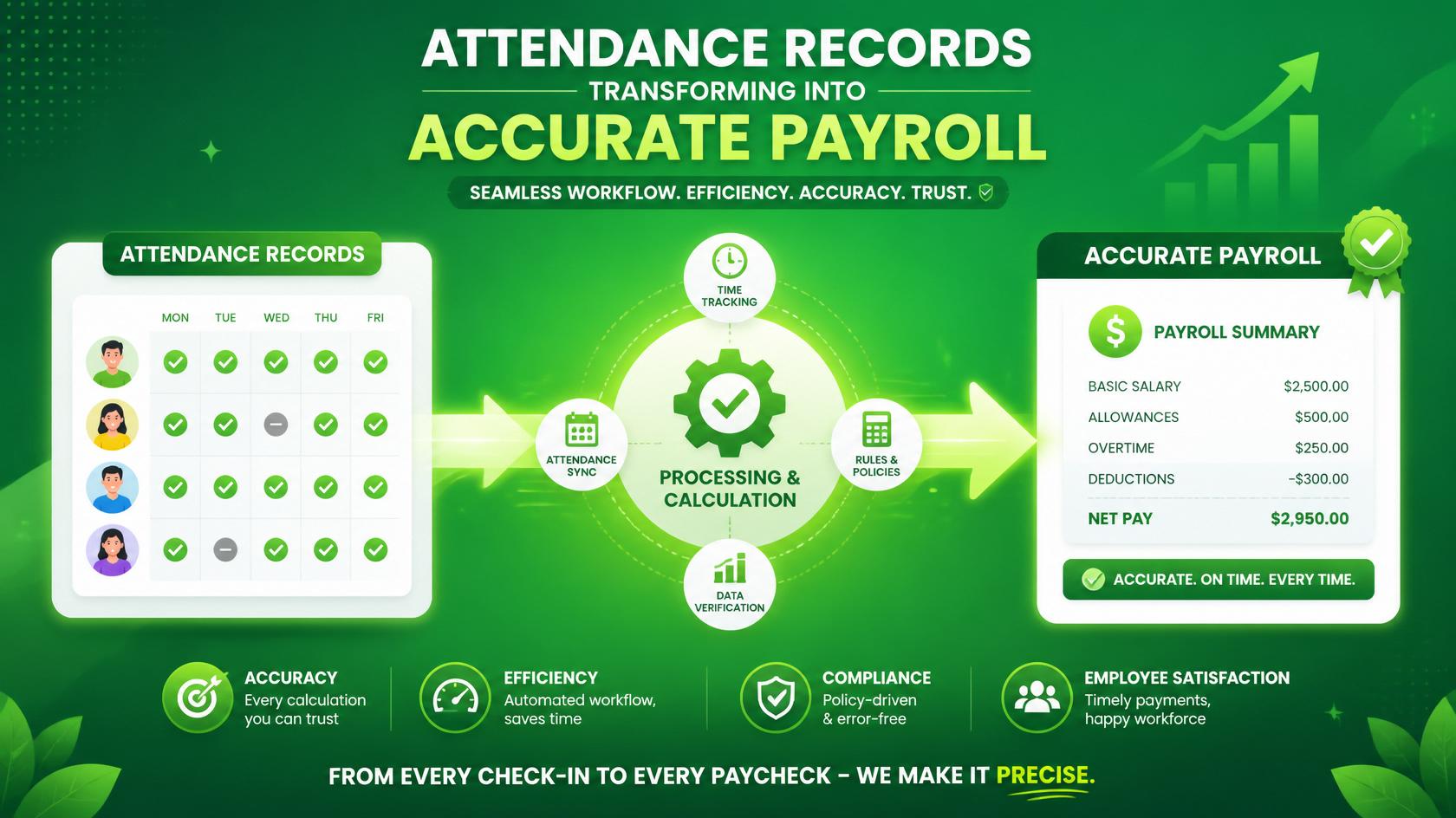
That is why accurate payroll depends on more than calculating wages. It starts with reliable attendance records and a clear process for reviewing them.
When attendance tracking and payroll work together, businesses can reduce mistakes, save time, and give employees confidence that their pay is being handled correctly. The goal is not to create a complicated system. It is to build a workflow that people can follow consistently.
Attendance Records Are the Starting Point
Attendance records show more than who came to work. They may include regular hours, overtime, breaks, paid leave, sick days, and unpaid absences. Each detail can affect an employee’s final pay.
For hourly employees, the connection is easy to see. If someone worked 42 hours but only 40 were recorded, their paycheck may be missing overtime. If a break was entered incorrectly, the employee could be paid too much or too little.
Salaried employees can also be affected. Leave balances, unpaid time off, bonuses, and other adjustments often depend on accurate records.
A missing hour may seem minor when you first notice it. But what happens when the same mistake affects several employees across multiple pay periods?
Suddenly, the problem is much bigger.
Payroll errors also affect trust. Employees expect their pay to be correct and delivered on time. When mistakes happen repeatedly, they may begin to question the entire process.
Where Attendance and Payroll Often Lose Connection
Many businesses use more than one method to track time. Some employees use a time clock, while others submit spreadsheets or send updates through email. Remote workers may report hours in a separate platform, and managers may keep their own records.
This can create confusion quickly.
When information is spread across different systems, payroll staff have to collect, compare, and reenter it. Every manual step creates another chance for something to go wrong.
Late submissions cause similar problems. An employee may forget to submit a timesheet. A supervisor may approve overtime after the payroll deadline. A leave request may be accepted but never added to the attendance record.
Then payroll becomes a rush to gather missing information.
Manual data entry adds another layer of risk. A misplaced decimal, a duplicated row, or a simple typing error can change an employee’s pay. These mistakes are often easy to make and difficult to notice until someone raises a concern.
A dependable workflow reduces these gaps by creating one clear path from recorded attendance to final payment.
Start With a Clear Attendance Policy
Before choosing software or building spreadsheets, make sure everyone understands the rules.
A useful attendance policy should explain when employees are expected to work, how they record their time, when breaks should be taken, and how overtime is approved. It should also cover leave requests, missed clock-ins, schedule changes, and corrections.
Keep the policy simple enough that employees can follow it without needing constant help.
Responsibilities should also be clear. Employees need to know when to submit their hours. Managers should understand what they are responsible for reviewing. Payroll staff need a defined deadline for receiving approved records.
When people know what is expected, the quality of attendance data usually improves.
Use One Consistent Time-Tracking Process
Consistency matters more than complexity.
Whenever possible, use one main system for recording attendance. This could be a digital time clock, an online platform, or a standardized timesheet. The right choice depends on the size and needs of the business.
What matters is that employees use the same process every day.
Time should also be recorded as it happens. Asking employees to rebuild an entire week from memory often leads to missing or estimated hours. It is much easier to record a start time, break, or shift change in the moment.
Different types of employees may need slightly different options. A remote employee may log time online, while someone working on-site may use a shared clock. Still, the information should eventually move into the same central system.
Build an Approval Step Into the Workflow
Attendance records should not move directly into payroll without review.
Managers or supervisors should confirm regular hours, overtime, leave, and any unusual changes. This gives the business a chance to catch mistakes before they affect wages.
Set clear cutoff dates for employees and managers. For example, employees may need to submit their hours by Monday morning, while managers must approve them by Monday afternoon.
Payroll staff then have time to investigate missing entries or unclear information.
Without a cutoff, every pay period can turn into a last-minute scramble. With one, the process becomes more predictable.
Check the Data Before Processing Payroll
Once attendance records are approved, review them for anything that looks unusual.
Compare scheduled hours with recorded hours. Look for missing clock-ins, unexpected overtime, duplicate entries, or unusually long shifts. Make sure approved leave has been placed in the correct category.
Employee details should also be checked. Confirm that pay rates, job classifications, and employment status are current. A clean attendance record can still produce the wrong paycheck if the employee’s hourly rate has not been updated.
This review does not need to take hours. A simple checklist can help payroll staff focus on the most common problem areas.
The important thing is to pause before finalizing anything.
Transfer Approved Information Carefully
After attendance data has been reviewed, it can move into the payroll system.
Automation can make this step easier. If the time-tracking and payroll platforms connect, approved hours may transfer automatically. This reduces manual entry and saves time.
When an integration is not available, use a standardized template. Keep the format consistent from one pay period to the next, and avoid copying information between multiple files.
Even with automation, human review is still important. Software can transfer data accurately, but it cannot always tell whether the original information makes sense.
Review Payroll Before Payments Go Out
Before payroll is finalized, compare the current totals with previous pay periods.
A large change may have a reasonable explanation. Perhaps employees worked extra hours during a busy week, or several people received bonuses. Still, unusual totals should be checked.
Review individual employee records as well. Confirm gross pay, deductions, taxes, reimbursements, and net pay. Pay close attention to new hires, departing employees, and anyone whose compensation recently changed.
Employees should also receive clear documentation that explains how their pay was calculated. For businesses handling a manual payment or correcting an isolated payroll issue, it may be useful to generate your pay stubs using the verified wage and deduction details.
Clear records make it easier for employees to understand their pay and raise questions when something does not look right.
Keep Payroll and Attendance Records Organized
Good recordkeeping protects both the business and its employees.
Store timesheets, approvals, payroll reports, and correction notes in a secure location. Use consistent file names and label everything by pay period. Access should be limited to people who genuinely need the information.
When a question comes up later, organized records make it easier to understand what happened.
They also help identify patterns. If the same department repeatedly submits late hours, the issue may not be payroll. It may be unclear instructions, poor training, or a manager who needs additional support.
Create a Clear Process for Corrections
Even strong systems are not perfect. Mistakes will sometimes happen.
Employees should know how to report a payroll concern and who to contact. The business should then review the original attendance record, approval history, and payroll calculation.
Corrections should be handled quickly and explained clearly. Employees should understand what went wrong, how it was fixed, and when they will receive any missing pay.
Do not just correct the number and move on. Ask why the error happened.
Was the timesheet submitted late? Did the manager miss an approval? Was information entered twice? Finding the cause helps prevent the same issue from returning.
Improve the Workflow Over Time
A payroll workflow should not remain unchanged forever.
Review recurring problems every few months. Look for patterns involving missing hours, overtime disputes, late approvals, or repeated corrections. These patterns can show where the process needs improvement.
Training may help. Employees might need a quick reminder about recording breaks, while managers may need clearer guidance on approving overtime.
Automation can also reduce repetitive work, especially when attendance, scheduling, and payroll systems can share information.
But technology is only part of the answer. The best workflow combines useful tools with clear responsibilities and regular human review.
Reliable Payroll Begins Before Payday
Accurate payroll is not created during one final calculation. It is built step by step.
Employees record their time. Managers review it. Payroll staff check the details. Approved information moves into the payroll system, and the final numbers are reviewed before payments are released.
Each step supports the next.
When this workflow is clear and consistent, payroll becomes less stressful. Errors are easier to catch, records are easier to manage, and employees are more likely to trust the process.
That is the real value of connecting attendance records to payroll. It creates a system that is not only accurate, but dependable.