
Every hour you work is either billable or non-billable. Distinguishing between the two is not merely about time management. What’s at stake is your money and your business.
Many professionals work long hours but face issues of profitability. It is not that one works little, but rather one works on issues that are not profitable for a long time. If you are not able to discern between profitable and unprofitable times, then you cannot improve your business.
This guide explains billable vs non-billable hours, how you calculate your utilization rates, and ways in which you can increase revenues.
Quick Answer: Billable vs Non-Billable Hours
Billable hours are hours that are directly spent working on client work that you can bill the client for. These hours are billable and revenue-generating for the clients.
Non-billable hours are hours spent on internal business activities like meetings, training, administration, marketing, and business development. These jobs may not be billable to clients, but they are essential to the success of the business.
Tracking both types of hours helps businesses:
- Increase profitability
- Improve project pricing
- Measure employee utilization
- Reduce revenue leakage
- Allocate resources more effectively
Key Takeaways
- Billable hours are client work that generates revenue.
- Non-billable hours support business operations but cannot be invoiced.
- A healthy billable utilization rate is typically 70–80%.
- Tracking both hour types improves profitability and project planning.
- Reducing unnecessary non-billable work increases revenue without increasing working hours.
- Time tracking software helps categorize work automatically and improve billing accuracy.
What Are Billable Hours?
Billable hours are time spent servicing a project or task that is billable to a client. This is also your revenue-generating time. Every hour you are billing your client is essentially generating money for you.
Tasks such as those involved in a contract or project scope definition are deemed to be billable since they add value to the client. Keeping track of the number of hours worked assists you in billing the client for the total hours spent working on the project.
Common billable activities include:
- Project Deliverables: Coding, Designs, Writing, Consulting
- Client meetings and consultations
- Client-Specific Research
- Revisions and Edits Requested by the Client
- Project-related calls and emails
- Time spent on billable work done directly for client projects
Billable hours can significantly influence revenue, cash flow, and the overall sustainability of a business. In fact, the number of billable hours you track each week is what influences business profitability.
Who Uses Billable Hours?
Billable hours are commonly used by service-based businesses that charge clients based on the time spent delivering work.
Industries that rely on billable hours include:
- Law firms
- Accounting firms
- Consulting companies
- Marketing agencies
- Software development companies
- Freelancers
- Creative agencies
- Architecture and engineering firms
These businesses use billable hours to invoice clients accurately, measure team productivity, forecast revenue, and evaluate project profitability.
What Does Billable Mean?
Billable means any work, service, or expense that you can charge directly to a client. Billable hours are hours they spend doing something in the scope of the agreed project.
For example:
- A lawyer preparing legal documents
- A software developer writing client code
- A consultant advising a client
- A designer creating website mockups
What are Non-Billable Hours?
Non-billable hours represent the time spent on tasks that will not be charged to the client, although they are essential for the business. These are hours spent on tasks that do not generate direct revenues and will not be included in client invoices.
Although non-billable work does not go into the invoice, it plays a key part in helping you sustain and increase your business. Non-billable work hours impact the overall utilization rate of your business.
Common non-billable activities include:
- Internal meetings
- Administrative tasks and administrative work
- Proposal writing and Sales Outreach
- Business development and networking
- Marketing and social media management
- Employee Training and Development
- Accounting and bookkeeping
- General internal communication
- Time spent on non-billable activities that support operations
Non-billable hours are costs of operation. Its management is vital to the profitable operation of the business and the proper balance to be struck.
What Does Non-Billable Mean?
Non-billable work is work that supports business operations but is not billable to a client. These activities do not generate revenue immediately but help companies to grow, manage employees, and improve processes.
Common non-billable activities include:
- Internal meetings
- Employee training
- Marketing campaigns
- Administrative work
- Proposal writing
- Recruitment Business planning
The Difference between Billable and Non-Billable Hours
This difference between billable and non-billable hours is important for every part of your business, including how much money you make and the level of satisfaction in your work team. Distinguish between billable and non-billable work properly.
| Factor | Billable Hours | Non-Billable Hours |
| Revenue Impact | Direct income generation | No direct revenue |
| Client Invoice | Appears on invoice | Does not appear on the invoice |
| Primary Purpose | Client deliverables | Business operations |
| Examples | Project work, consultations | Meetings, admin tasks |
| Measurement | Tracked for billing | Tracked for cost analysis |
| Business Role | Growth driver | Support function |
The fundamental difference is simple: Billable hours make money, non-billable hours cost you money. Both are necessary. It’s the ratio of the two hours that counts. There must be a balance.
Billable vs Non-Billable Hours Examples
| Billable Hours | Non-Billable Hours |
| Client meetings | Team meetings |
| Coding for clients | Staff training |
| Legal drafting | Marketing |
| Client consulting | Recruitment |
| Graphic design | Administration |
| Client research | Internal documentation |
Both are important, but only billable hours generate income. Monitoring both types of hours enables organizations to gain insight into productivity, improve resource allocation, and increase profitability.
What Is Billable Utilization Rate? (Formula & Benchmarks)
Your billable utilization rate indicates how much of your total hours worked will generate revenue. This measure will indicate your true productivity and profitability by showing you how much time is spent generating just those billable hours.
The Formula:
Billable Utilization Rate = (Billable Hours ÷ Total Work Hours) × 100
For instance, you work for 40 hours a week, and out of those hours, you work 28 hours on billable work. To find out the percentage, you will perform the calculation: (28/40) *
Industry benchmarks for billable utilization rates:
- 70-80%: Healthy levels for most agencies and consultancies
- 60-70%: Acceptable for businesses with significant internal projects
- 80-90%: High level of performance, but with risk
- Less than 60%: Efficiency or price issues
- Above 90%: Unsustainable long-term, team exhaustion likely
The percentage utilization rate that you should target depends on your own model. For service businesses, a range of 70% to 80% is appropriate because that is the right level that balances both sustainability and productivity. If you go beyond that, you end up with short-term gains but long-term problems.
What Is a Billable Ratio?
Many businesses see the terms “billable ratio” and “billable utilization rate” as synonymous. A billable ratio is a measure of what percentage of total working hours is spent on billable work.
Formula:
Billable Ratio = Billable Hours ÷ Total Hours Worked × 100
For example:
- Total hours = 160
- Billable = 120
Billable Ratio = 75%
Most agencies and consulting firms aim for a billable ratio between 70% and 80%.
Why Tracking Billable and Non-Billable Hours Matters?
Billable hours and non-billable hours offer businesses insights into the productivity of their teams and the financial impact of their work.
Inaccurate time tracking can lead to companies over- or under-charging projects, lost billable time, and poor pricing decisions.
By tracking both types of hours, businesses can:
- Increase profitability
- Improve project estimates
- Reduce revenue leakage
- Optimize employee workloads
- Improve resource allocation
- Discover how to make better pricing decisions.
Benefits of Tracking Billable Hours
Tracking billable hours offers benefits beyond accurate invoicing. It gives businesses better visibility into how time is spent and helps improve financial performance.
Some key benefits include:
- More accurate client invoices
- Higher profitability
- Better project budgeting
- Improved utilization rates
- Easier payroll and contractor payments
- Stronger client trust through transparent billing
- Better forecasting of team capacity
- Data-driven pricing decisions
When combined with automated time tracking, businesses can identify inefficiencies before they affect revenue.
Utilization vs Billability
Although they are closely related, utilization and billability are not the same.
| Utilization | Billability |
| Measures productive work | Measures revenue-generating work |
| Includes all work | Includes only billable work |
| Used for productivity | Used for profitability |
High utilization rate does not equal high profitability. Businesses need to balance productive work with revenue-generating work to stay healthy.
Why Teams Feel Busy But Aren’t Profitable
Many firms are facing a frustrating situation in which their employees are essentially working around the clock, yet the firms themselves are not making significant profits.
The problem, in most cases, lies in how the time is being spent on billable and non-billable tasks.
Common Causes of Low Billable Ratio
Meeting overload: Having too many internal meetings throughout the day can break up the day and waste hours of productivity, hours that could be spent generating more revenue. When you’re too busy with internal meetings, you’re left with shorter days for client-related business.
Poorly estimated projects: The underestimated scope of the project results in monetary overruns. You find yourself paying more hours than you initially estimated, thereby turning billable hours into overtime.
Administrative creep: You spend time on small administrative tasks, and they add up throughout the day. Checking your email or updating software programs, for example, is not billable time.
Inefficient Processes: Manual operations of workflows, such as tasks that may be automated with automation tools, lead to inefficient processes. Every hour spent on inefficient processes is an hour that may never be recorded for billable work.
Unclear Priorities: Because everything matters equally, the team is switching from task to task. This breeds a false sense of productivity while creating a decrease in actual billable hours.
The answer is not more hours, but protecting those billable hours and making non-billable hours more efficient through better time management.
Billable Employees vs Non-Billable Employees
We have some general ways of defining whether an employee’s job generates revenue.
Billable Employees
- Consultants
- Lawyers
- Developers
- Designers
- Accountants
Non-Billable Employees
- HR
- Finance
- Marketing
- Recruiters
- IT Support
- Operations
They both serve the same function in the sense that the billable time can’t get work done without the non-billable teams.
The Hidden Cost of Excess Non-Billable Hours
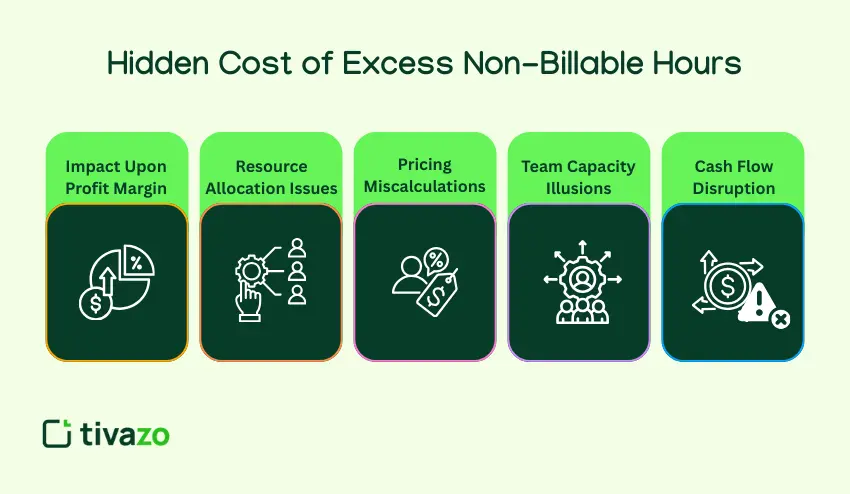
Non-billable hours are more than the loss of revenue opportunities; they have multiplying effects that impact the profitability of your business in many ways.
Impact upon profit margin: For every non-billable hour, you are increasing your cost per client project. For example, you estimate every project will take 20 billable hours, and then you add 10 non-billable hours.
Resource allocation issues: Due to high non-billable time, you have limited time for client projects, thereby requiring you either to decline new projects or hire more staff members to work on the existing ones.
Pricing miscalculations: Not tracking data on both billable and non-billable hours may result in incorrect pricing. It is possible to price the services based on available hours and ignore the non-billable hours.
Team capacity illusions: A team may look busy but not necessarily have a high billable output. This is what makes the question of whether you need more people or better processes to optimize your complex workflow.
Cash flow disruption: With more non-billable hours, generating new revenues is delayed. Even when operating at maximum capacity, delayed billability will negatively affect cash flow.
For a remote or distributed team, measuring non-billable working hours is even more essential to overcome coordination issues, time zone problems, and communication difficulties. Understanding the cost is essential to solving these problems better by improving time management.
Billable vs Non-Billable Expenses
Billable expenses are business costs that can be passed on to clients as part of an invoice.
Examples include:
- Travel expenses
- Third-party software purchased for clients
- Printing costs
- Filing fees
Non-billable expenses are costs that businesses absorb themselves.
Examples include:
- Office rent
- Employee salaries
- Internet
- Marketing
- Office supplies
Tracking both expenses and hours provides a more accurate picture of business profitability.
Who should track billable vs non-billable hours?
Anyone in a service business really, really should track billable and non-billable time. You know, how people are spending their time. This is because time is the engine of your business, and the data gives you insight to increase profit margins and prices and forecast better.
Here are just some service businesses that track billable time:
- Law Firms
- Accounting Practices
- Marketing Agencies
- Software Companies
- Consulting Services
- Freelancers
- Creative Agencies
- Architecture & Engineering
Even companies who don’t have a ton of billable projects should at least be tracking non-billable work to see where there are efficiency and productivity issues.
Billable vs Non-Billable Hours by Industry
Law Firm
Billable
- Court appearances
- Legal drafting
- Client consultations
Non-Billable
- Staff meetings
- Internal legal research
- Business development
Software Company
Billable
- Client development
- QA testing
- Client meetings
Non-Billable
- Sprint planning
- Documentation
- Employee training
Marketing Agency
Billable
- SEO
- Content writing
- Campaign management
Non-Billable
- Team meetings
- Proposal writing
- Internal marketing
When Non-Billable Work Actually Increases Profitability
Of course, not all non-billable time needs to be classified as waste. Some investments in non-billable activities result in long-term dividends that will help increase your billable potential and business acumen.
Professional Development and Training: Learning more skills is directly correlated to your billable rates because the more your team members are trained, the higher their billable rates will be.
Business development: Networking or writing proposals and making sales doesn’t necessarily translate into real-time income. The activity, however, gives you an opportunity to bill clients for more work.
Process improvement: The hours spent documenting processes and creating templates are not billable in the future. Improved processes increase the speed of project completion and reduce errors, thereby increasing your utilization rate.
Team collaboration: Strategic planning involves team sessions. When team members understand the plans and strategies for a particular aspect of the business, collaborating becomes more efficient.
Client relationship building: Non-billable check-ins with clients are occasionally useful for a stronger working relationship. Clients will exhibit loyalty by returning for further work and referring others, resulting in future billable work.
The key is selecting non-billable tasks that will give you the best returns. The unfocused non-billable tasks will do no good but drain you and reduce the number of hours you have available.
How to Track Billable vs Non-Billable Hours Effectively
Accurate tracking is the key to understanding and improving your billable ratio. Without accurate numbers on billable and non-billable time, you are essentially guessing where your time goes and how to improve it.
Categorize All the Work: Make sure you categorize your work into billable and non-billable work. Educate your team members on how to categorize work into billable and non-billable work while working, and not at the end of the day.
Use time tracking software: Manual time tracking may lead to forgetting hours or inaccurate records. Time tracking software may efficiently track time, and time categorization will be easy for time billing tracking.
Track in Real-Time: Start timers when you begin your task and stop them when you switch to another task. Real-time tracking will give you accurate information as you are tracking actual time spent, not just estimating it.
Review reports weekly: Performing regular analyses helps identify patterns in time allocation between billable and non-billable activities.
Set utilization targets: Establish billable-hour targets for team members based on their roles. The project management team may target 60% billable, while the programming team targets 80% utilization.
Businesses that regularly track employee hours can identify productivity trends, reduce administrative work, and improve billing accuracy.
Many organizations also use timesheets and reports to review utilization rates and monitor employee productivity.
How to Increase Billable Hours Without Increasing Work Hours
Increasing billable hours does not mean increasing the work hours. Increasing billable hours means protecting time spent on billable hours and improving non-billable work to achieve a balance between billable and non-billable work.
Batch non-billable tasks: Instead of checking and processing emails all day, allocate a particular period of the day for non-billable tasks. For instance, check and attend to all emails within two 30-minute breaks only, rather than checking and processing emails while engaging in billable tasks throughout the day.
Reduce meetings: Hold a monthly audit on your meetings. Stop recurring meetings if they are not contributing much. Shorten meetings, making them focused and eliminating non-billable time.
Automate administrative work: Leverage tools and templates such as proposal tools, contract tools, and report tools. Automated invoicing and time tracking help you eliminate data entry work.
Set Non-billable Hour Limit: Set limits on non-billable hours to keep them between 20-30% of the total hours worked. In case of reaching this limit, defer non-essential work to keep the target percentage.
Enhance Project Scoping: More accurate estimates help reduce unbilled overtime spent on projects. Estimates have to be provided with buffer time to accommodate any changes.
Outsource/delegate appropriately: Delegating administrative tasks to those on the team who are lower in cost. Allowing the Seniors to bill high-value work to maximize their rate of billability.
Block Focus Time: Schedule your day for focused, billable work. This means disabling all notifications and declining meeting invites during that period of the day so you can use the time fully for the said purpose.
Outsource if Practical: Consider outsourcing your firm’s bookkeeping, IT support, and other non-billable tasks. This frees internal resources to pursue billable work and allows you to increase billable hours without increasing your headcount.
Small changes can accumulate and make a major difference over time. In fact, an increase of just 10% in billable time worked, for instance, can mean an additional 15% of revenue growth without increasing staff levels or working hours. It might assist in monitoring both billable and non-billable time worked.
Best Software for Tracking Billable Hours
Billing mistakes, lost revenue… these issues often crop up when businesses manually track their billable hours. Thankfully, modern billing hour tracking software solutions simplify the process. They automate time tracking, create invoices, and generate utilization reports.
Does your team spend a lot of time tracking billable hours? Explore billable hour tracking software to automatically differentiate between billable and non-billable activities.
Common Mistakes That Reduce Billable Utilization
Even companies that grasp the billable vs non-billable concept make easily avoidable mistakes that drain profitability and shrink the amount of billable hours available to charge.
Time tracking from memory: Writing down the number of hours worked at the end of the day or week results in underreporting. The short tasks are forgotten, and hours spent on complex work are underestimated; thus, it is impossible to track billable hours precisely.
Poor categorization of time: Marking internal project work as billable or client revisions as non-billable will set the data on the wrong course. This will skew your utilization calculations and pricing decisions on how you bill your clients.
Neglecting the small non-billable activities: Five minutes here, ten minutes there, add up to hours per week. Time everything, even brief interruptions, in order to provide perspective on the total billable and non-billable hours.
Overworking to hit billable targets: Driving utilization above 85-90% on a consistent basis burns out team members. Burned-out teams make more mistakes and produce lower-quality work that impacts client project delivery.
Not communicating with clients: If there is scope creep, not keeping the client informed about changes will result in your project being affected negatively by the additional work, and you’ll be losing scope by not being able to bill the clients afterwards.
Lack of review of utilization data: Collecting information on billable or non-billable hours, though useful, is not meaningful if it is not reviewed and acted on. Utilization data is reviewed monthly.
Industry Benchmarks for Billable Hours
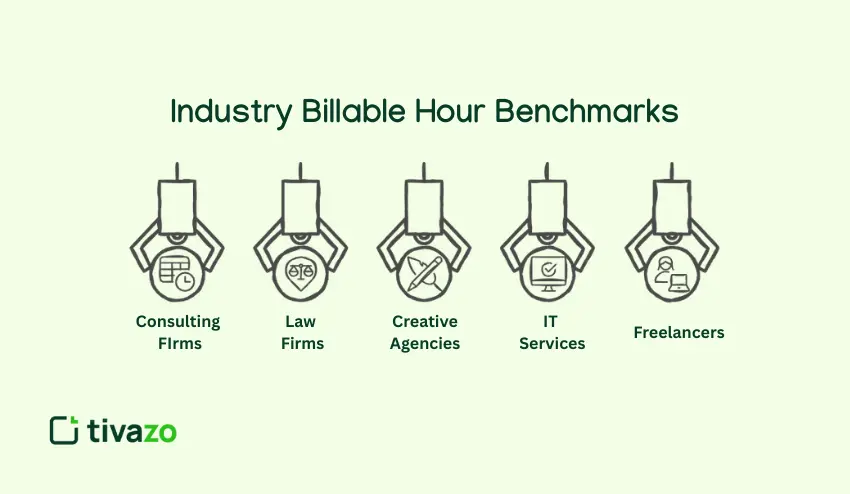
The ratio of billable to non-billable hours varies across industries, depending on the industry’s overall model. This information helps you set realistic targets for your team.
Consulting Firms: These firms aim to reach 70-75% utilization. For partners, this number may be lower (around 50-60%) since there are business development activities and internal meetings.
Law Firms: Expect 75 to 85 percent of billable hours. However, such lofty expectations raise quality and ethical problems.
Creative Agencies: Generally target 70-80% for designers and developers. Account managers may have a lower target, typically 50-65%, due to relationship work.
IT Services: Typically range between 60-75%, depending on whether they are more focused on projects or supporting work generated by the client.
Freelancers: Freelancers have been known to only get 50-60% of billable time early on. For experienced freelancers, while they might get 70-75% through better tracking of billable and non-billable hours
These benchmarks are mere guidelines, and the ideal ratio for you will depend on your business model, team, and the level at which you are currently operating. Simply monitor your non-billable and billable hours.
Final Thoughts: Balance Drives Profitability
Understanding billable vs non-billable hours is only the first step. The actual benefit lies in correctly recording each hour your staff works.
The proper time tracking solution can help you maximize revenues, ensure billable utilization, and inform better business decisions.
When time tracking software is not being used, you can try to set up a dedicated one to track billable hours, create detailed reports, and boost profitability.