If you’ve ever finished a long week and wondered whether your paycheck actually matched the hours you put in, you’re not alone. To calculate hours worked sounds straightforward, but between different start times, varying break lengths, and days that don’t follow a clean 9-to-5 pattern, the math can get messy fast.
The good news is the core formula never changes. Once you understand it, you can accurately calculate your hours for any shift, any schedule, and any week, in minutes. This guide walks you through exactly how to do it, with real examples you can follow along with.
The Formula to Calculate Hours Worked Accurately
Everything starts here:
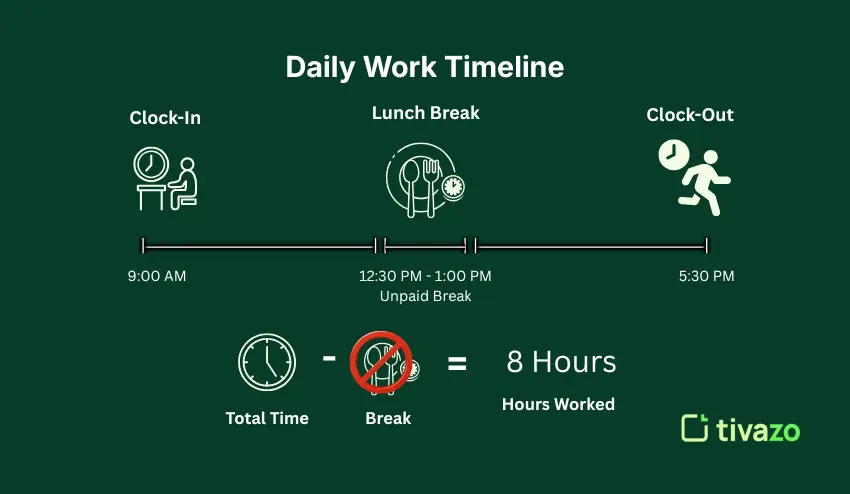
Total Hours Worked = (Time Out − Time In) − Break Time
You need three numbers: when you clocked in, when you clocked out, and how long your unpaid breaks were. Subtract the break from the total time span, and you have your hours worked for that day.
Simple in theory. The examples below show how it plays out in real situations.
The Formula in Practice
| Example | Time In | Time Out | Break | Total Time | Calculation | Hours Worked |
| Standard Day | 9:00 AM | 5:30 PM | 30 min | 8.5 hours | 8.5 − 0.5 | 8.0 hours |
| Early Shift | 7:00 AM | 3:45 PM | 45 min | 8.75 hours | 8.75 − 0.75 | 8.0 hours |
| Part-Time | 10:30 AM | 4:00 PM | 0 | 5.5 hours | 5.5 − 0 | 5.5 hours |
| Irregular Day | 8:15 AM | 6:00 PM | 30 min | 9.75 hours | 9.75 − 0.5 | 9.25 hours |
| Overnight Shift | 10:00 PM | 6:00 AM | 30 min | 8.0 hrs | 8.0 − 0.5 | 7.5 hrs |
The formula is the same every time. The numbers just change.
Paid vs. Unpaid Breaks: What Actually Gets Deducted
This is where a lot of people get it wrong.
Only unpaid breaks are deducted from your total. If your employer pays you through a 10-minute rest break, that time still counts as hours worked; don’t subtract it. The only break time you deduct is unpaid, typically a 30- or 60-minute lunch break.
When using a timecard calculator with break support, you enter only the unpaid portion. The calculator then deducts it automatically before showing your daily total. A timecard calculator with break functionality handles this in seconds, no separate calculation needed.
Converting Minutes to Decimal Hours
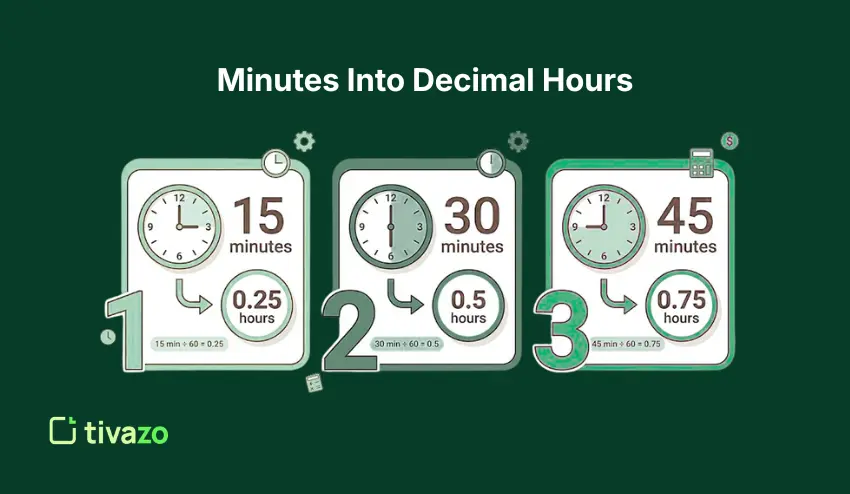
Timesheets and payroll systems use decimal hours rather than hours and minutes. If your shift ends at an odd time, you’ll need to convert the minutes before adding them up.
Here’s the conversion:
15 minutes = 0.25 30 minutes = 0.50 45 minutes = 0.75
So on your timesheet:
- 7 hours and 45 minutes becomes 7.75 hours
- 8 hours and 15 minutes becomes 8.25.
Get this wrong, and your weekly total will be off, which means your pay could be off too.
A timesheet calculator handles this conversion automatically, so there’s no mental math involved.
Calculating Your Weekly Total
Once you have your daily totals, add them across the week. Most full-time schedules are 40 hours per week. Anything beyond that is typically overtime.
Example week:
| Day | Hours Worked |
| Monday | 8.0 hrs |
| Tuesday | 8.5 hrs |
| Wednesday | 7.5 hrs |
| Thursday | 9.0 hrs |
| Friday | 8.0 hrs |
| Total | 41.0 hrs |
In this case, 40 hours are regular time and 1 hour is overtime. In most places, overtime is paid at 1.5 times your regular hourly rate, sometimes called time-and-a-half.
A timecard calculator with break support tracks all of this across the full week, not just day by day. Enter each day’s clock-in, clock-out, and break time, and it shows you both your daily totals and your running weekly figure.
Common Mistakes When Calculating Work Hours
Even though the formula is simple, small mistakes can easily lead to incorrect totals and ultimately affect how much you get paid. Here are the most important ones to watch out for:
- Forgetting to subtract unpaid breaks: This is one of the most common errors. Only unpaid time should be deducted; failing to do so can inflate your total hours.
- Subtracting paid breaks: Short breaks are part of your working hours. Subtracting paid breaks will incorrectly reduce your actual payable hours.
- Converting minutes incorrectly (e.g., 20 min ≠ 0.20): Minutes need to be converted into decimals correctly. If minutes are converted to decimals incorrectly, it may significantly affect your calculations.
- Mixing hours and minutes instead of a decimal format: Payroll systems use decimals, not hour-minute combinations. Mixing formats leads to calculation errors.
- Not taking overnight shifts into account: Shifts that cross midnight need to be considered separately, or you might lose a few hours.
- Overtime calculation: If you don’t track regular and overtime hours separately, you might be underpaid if you go over 40 hours a week.
- Reliance on manual calculations: You might make a few mistakes in your calculations, and if you’re working for a few days, they might add up and affect your final calculation for the week.
Doing This by Hand Gets Old Fast
The formula is simple enough for a single day. But over five or six days, with different start times, break lengths, and the minute-level precision required for manual payroll calculations, errors become a real issue.
Using a free timecard calculator eliminates this. You simply enter your times, and the calculator handles the rest. There’s no need for a spreadsheet or any mental math calculations.
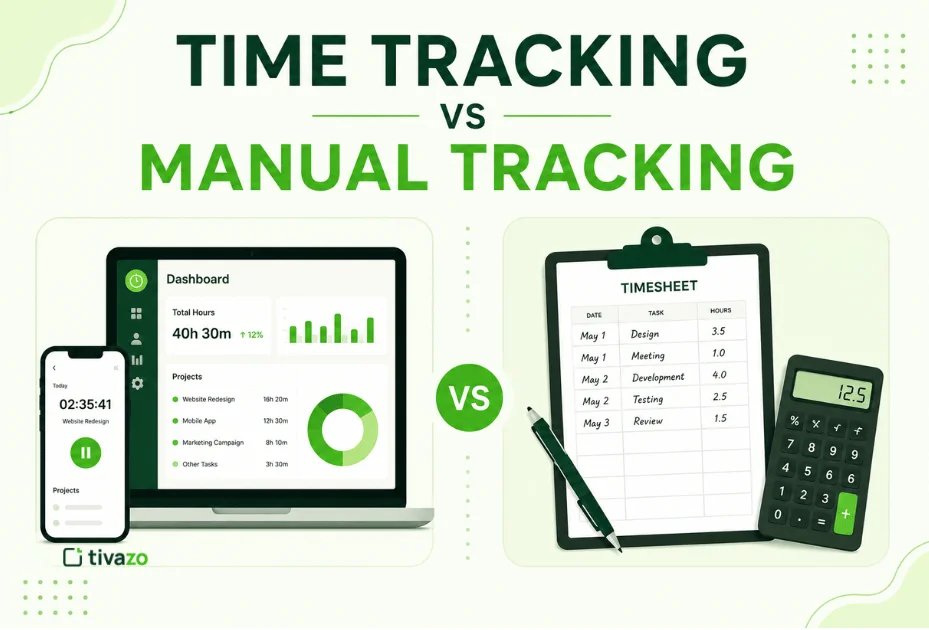
Manual vs Timecard Calculator
| Task | Manual Calculation | Timecard Calculator |
| Daily hour calculation | Takes time | Instant |
| Break deduction | Easy to forget | Automatic |
| Minute → decimal conversion | Error-prone | Automatic |
| Weekly totals | Needs manual addition | Real-time total |
| Overtime calculation | Manual tracking | Auto-calculated |
| Accuracy | Prone to small errors | Highly accurate |
| Effort | Repetitive | Minimal |
Tivazo’s free timecard calculator is built for this. It supports daily and weekly totals, break deductions, and works with any schedule, full-time, part-time, shift work, or freelance hours, no sign-up, no download, free to use.
Try the Free Timecard Calculator
Instead of calculating everything manually, you can use Tivazo’s free timecard calculator to get accurate results instantly.
- Track daily and weekly hours.
- Automatically deduct unpaid breaks.
- Convert minutes to decimals instantly
Wrapping Up
Calculating hours worked isn’t complicated once you know the formula, but getting it right consistently, across every day and every week, is where most people run into trouble. Missed break deductions, wrong decimal conversions, and simple addition errors all add up over time and can affect your pay.
Using a free timecard calculator takes that risk off the table. It handles the math exactly every time so that you can focus on your work instead of your timesheet.
If you have not, you should try Tivazo’s free timecard calculator and see just how much easier time tracking really is.