Most productivity systems die within two weeks. The team tries it for a few days. Then half of them stop updating it. A month later, everyone is back to doing things however they want. And the system sits there… empty. The tool itself is almost never the real problem. It is the way it got introduced.
That is exactly what we are fixing here. You will see 9 strategies for building classic productivity systems people will actually keep using, plus four reasons why your last attempt probably failed. If your team is also bleeding hours on low-value work, fixing the system is how you get those hours back.
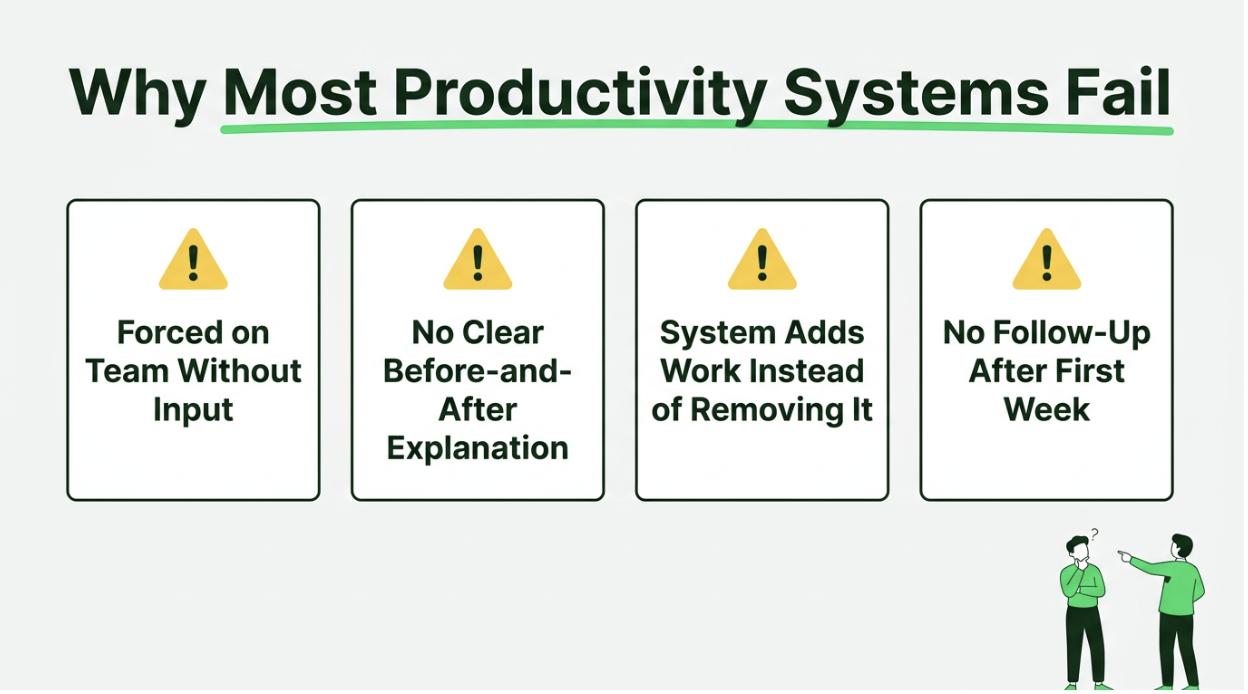
Why Even The Best Productivity Systems Fail Within a Month: 4 Key Reasons
Before you build something new, let’s figure out why the last one didn’t work. Here are 4 problems that come up in almost every failed rollout.
1. The System Was Chosen by One Person and Forced on Everyone Else
A manager sees a demo, gets excited, and drops a new productivity tool on the team Monday morning. Nobody asked the team what they needed. Nobody looked at how people actually work. The whole thing was a top-down decision made by someone who won’t even be the primary user.
That is a terrible starting point. People don’t push back on new tools because they are difficult. They push back because nobody asked them. A robust system that the entire team helped pick gets used. A system that appeared in their inbox doesn’t.
2. Nobody Explained What the System Replaces or Why It Is Better
“We are switching to Asana.” Great. But nobody said what Asana replaces. Nobody told the team whether the spreadsheet is dead or whether Slack threads still count as daily task updates.
Without a clear answer, people just keep doing what they were doing before, AND now they have Asana to update too. That is not a replacement. That is an addition. And additions get dropped fast.
3. The System Adds Work Instead of Removing It
If your team is spending 20 minutes a day logging tasks they used to just do, that is overhead. The entire point of building productivity systems is to take work off people’s hands. Employee engagement fell to 20% globally in 2025 – that decline cost $10 trillion.
Systems that add unnecessary work don’t fix disengagement. They make it worse. If using the system feels like more than it should, people will quietly abandon it within a week. They won’t tell you. They will just stop.
4. There Is No Accountability After the First Week
Launch week gets all the energy. Kickoff meeting. Slack announcement. Maybe even a Loom walkthrough. Everyone is in. By day five, nobody is following up. Nobody is checking whether people are still updating the board. Two weeks later, half the team abandoned the system. And it failed because nobody kept it alive after the excitement wore off.
How to Build Productivity Systems Your Team Can Use Every Day: 9 Proven Strategies
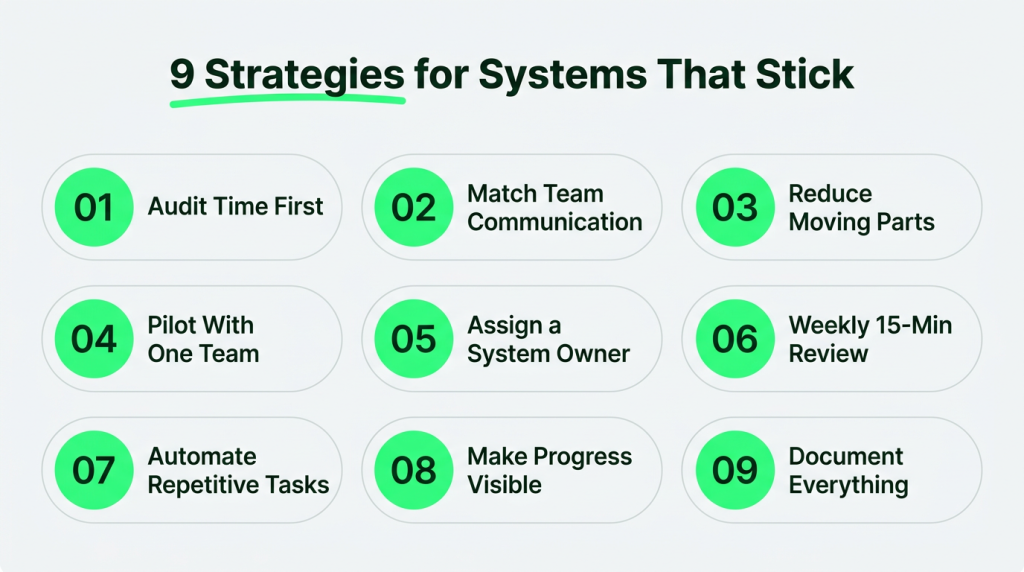
The trusted external system you pick matters way less than how you roll it out. Nine strategies, in the order you should do them.
1. Audit Which Important Tasks Take Up Your Team’s Time Before Choosing Anything
You need data before you pick anything. Not intuition. Not what people say in standups. Actual numbers on where hours are wasted every week.
Most teams have no idea, and stress levels rise because nothing is organized. They think meetings are where most of their time goes. But the real killer is the 45 minutes of context-switching between tasks that never show up on any calendar. That data changes which productivity gaps you target first.
- Have everyone track their time for one full week with a simple tool like Tivazo. No categories or judgments. Just honest logging of what they did and for how long.
- Group the results into two buckets: actual output work and everything else (meetings, messages, admin). The ratio tells you where the real problem is.
- Find the top two or three time sinks that a system could actually fix. You need fewer meetings if 40% of the week goes to coordination.
- Share the raw audit results with the team. When they see their own data, they understand it. You don’t have to sell them on the problem.
2. Choose a System That Matches Your Team’s Communication Style
Kanban boards are great for visual learners who like seeing everything laid out visually. Terrible for teams that spend all day in Slack and never open a task management app. The system has to match existing habits and work style; otherwise, even the most popular productivity systems won’t work.
If your people are in email all day, the tool needs email integration, or it is dead on arrival. If everyone is in Slack, the tool better push updates there. Going against how people already work and building habits from scratch is a losing bet. Choosing the right system is about team collaboration.
- Write down where your team spends most of their communication time — Slack and email are usually the top two.
- Trial two options for one week each with a small group. Their gut reaction (“this one felt easier”) matters more than any feature comparison spreadsheet.
- Avoid anything that requires learning a completely new interface. The closer it looks to something they already use, the less resistance you will get.
- Make sure it works on mobile. A desktop-only tool probably won’t get much use if half your team is remote or in the field.
3. Strip the System Down to the Fewest Moving Parts Possible
Notion has like 40 features. Asana has project views you never noticed. Monday.com will let you build automations on top of automations. Turn all of that off. Seriously. Every feature you enable is something your team has to learn.
The best productivity systems start with just basic project management elements. A task list. A status column. Due dates. That is it. Some teams even start with sticky notes and pen and paper before moving into digital tools.
Every team member should always know just one task they need to move forward with in the upcoming week. You can always add things later once the basics are second nature. You can’t rescue a system people have already given up on because it was like learning a new job.
- Launch with three elements only: tasks, statuses (to-do list/doing/done), and due dates. Add new features only when someone on the team specifically requests one.
- Turn off every notification except specific task assignments and approaching deadlines. Too many notifications, and people will mute the entire tool before long.
- Delete the sample projects and demo boards that come pre-loaded. A clean workspace is manageable.
- Write a one-page document on how we actually use this. The system is too complicated to launch if you can’t explain it on one page.
4. Roll It Out to One Team First and Let Results Spread Organically
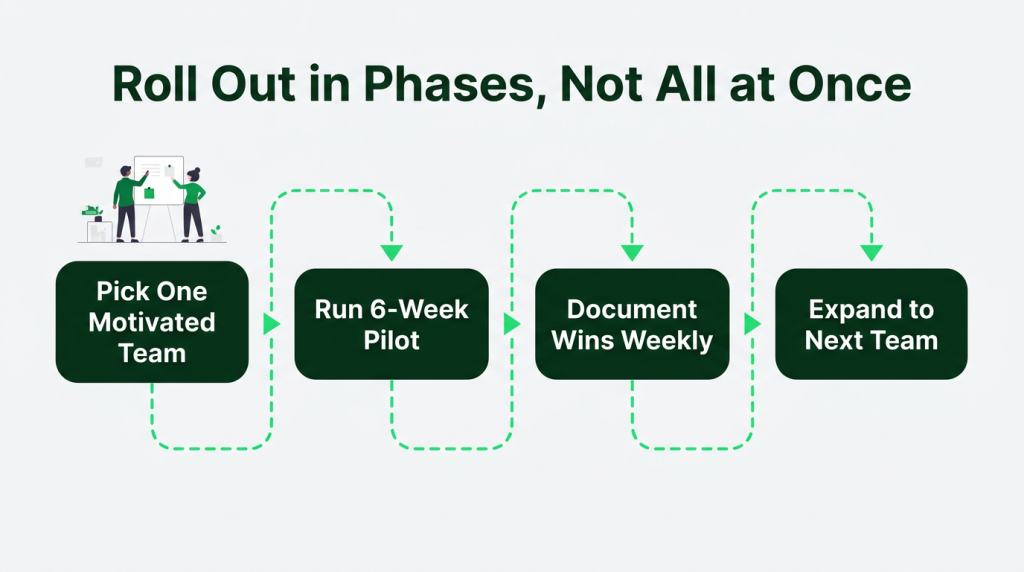
Don’t do a company-wide launch. Too many people, too many different workflows – all hitting the system at once. Start with one team. Ideally, a team that is already complaining about their current setup. Let them use it for 6-8 weeks.
When they start shipping complex projects faster and cancelling unnecessary meetings, other teams will notice. That organic pull beats any all-hands announcement. New habits take a median of 59–66 days to form. Your pilot team needs that time before you expand.
- Pick 4-8 people who are already vocal about wanting something better. Volunteers adopt faster than people who got voluntold.
- Give them 6 weeks before you judge the results. Anything sooner just measures the learning curve.
- Use the OKRs Tool to create a pilot-team scorecard before launch. Set one objective tied to productivity improvement and track 3-4 measurable key results during the 6-week trial to give the team a clear benchmark.
- Let the pilot team run onboarding for the next group. Peer-led training gets way more buy-in than a manager reading off a slide deck.
5. Assign One Person to Own the System and Keep It Running
Every system needs someone whose job it is to keep things clean. Not a committee. One task manager. Without that, boards get out of control. Stale tasks build up. Team roles get confusing. Within a month, the system is such a mess that nobody trusts the data in it.
The owner doesn’t have to be a manager. They just have to care about organization and have enough authority to push people when updates are late.
- Name one person per team as the system owner. Their daily job: scan the board, archive finished tasks, flag anything stuck or overdue.
- Give them 30 minutes of protected time per week for maintenance. A little time blocking goes a long way here. It won’t happen if it is not in their schedule.
- Make them the go-to for “how do I do this?” questions, or people will start doing it their own way.
- Rotate ownership every quarter. Keeps it from becoming a burden and makes sure more than one person understands how the whole thing works.
6. Set a Weekly 15-Minute Review So the System Stays Current
Productivity systems go stale incredibly fast. Monday’s priorities are irrelevant by Thursday. New tasks come in. Old ones get done, but nobody marks them complete. Within two weeks, the board doesn’t match reality. And knowledge workers stop checking it once that happens.
A 15-minute weekly review prevents all of that and helps teams stay focused. Same time every week. Everyone looks at the board together and cleans it up. It is where the team comes together to prioritize tasks for the week ahead. That single habit does more for system longevity than any feature or tool choice and helps the team maintain focus through changing priorities.
- Schedule it for Monday morning or Friday afternoon. Monday for planning the week. Friday for clearing the backlog. Pick one and protect that slot.
- Each person spends 2-3 minutes updating their own tasks live. Move statuses. Add new items. Archive completed tasks. That is the whole thing.
- Use the review to bring blockers into the open. Something stuck at “in progress” for two weeks is a red flag. The review is where it gets caught.
- Keep a future log of system improvement ideas that come up during reviews. Batch those changes monthly.
7. Automate the Repetitive Parts So Nobody Has to Remember Them
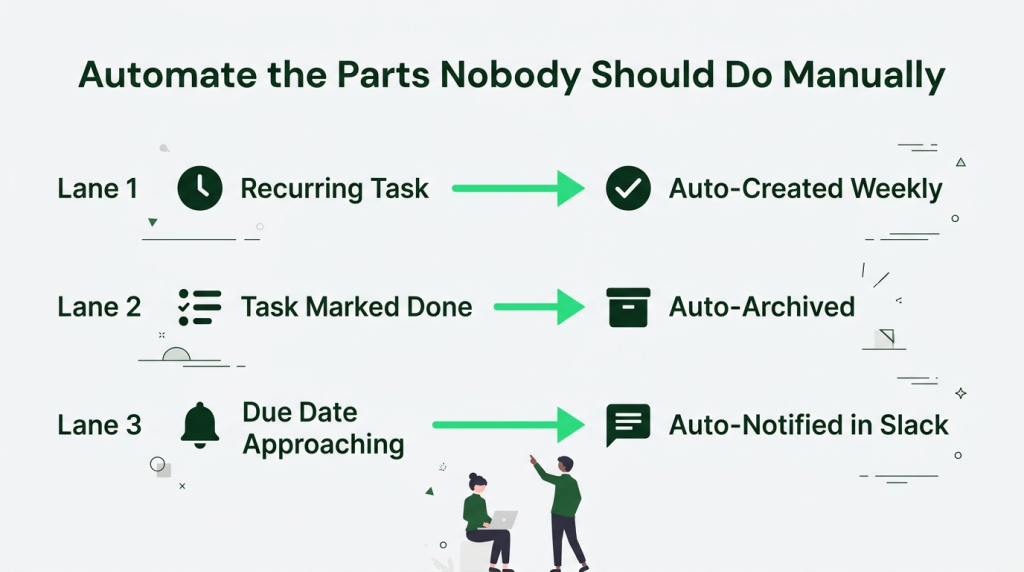
The more your system depends on humans remembering things, the faster it breaks. Recurring tasks should create themselves. Status changes should trigger the right notifications. Done tasks should be archived automatically. Some advanced tools even use natural language processing to turn messages into tasks automatically.
Every manual step you eliminate is one less thing that gets skipped. Teams that use automatic tracking as core infrastructure get better results from their productivity systems.
- Set up repetitive tasks for anything on a regular schedule . Weekly reports and monthly logs should show up in the system on their own.
- Build automation rules that move urgent tasks between columns based on conditions. “Review complete” should auto-move to “ready for launch.”
- Connect the system to Slack or Google Calendar for daily task assignments and deadline reminders.
- Automate time logging instead of making people fill out timesheets. Manual time entry is inaccurate on a good day and deeply resented on a bad one. Good systems respect energy patterns.
8. Make Progress Visible So the System Proves Its Own Value
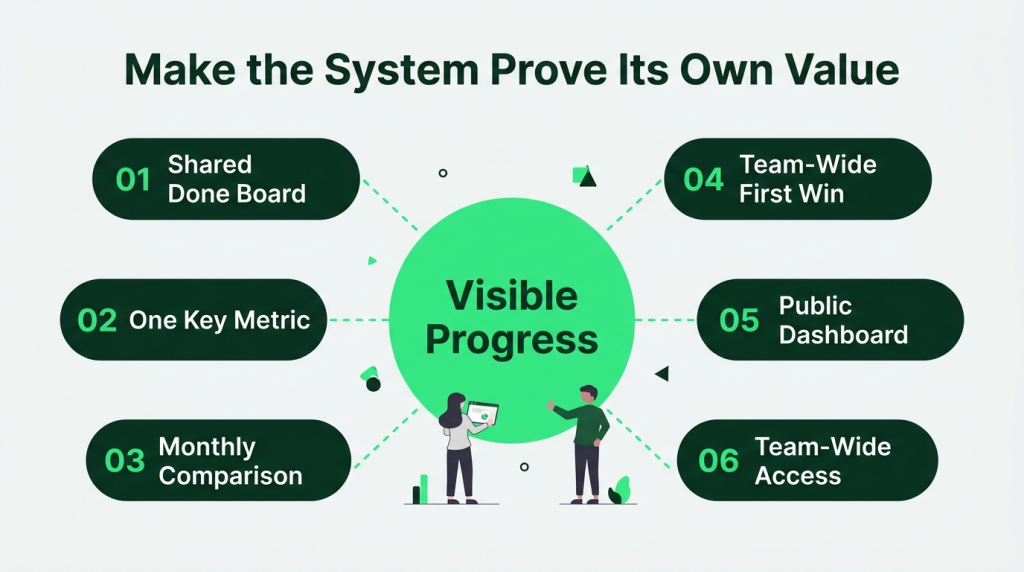
If the only person seeing the data is a manager on a dashboard, nobody else has a reason to care. Progress needs to be visible to everyone. A “completed” feed where finished work piles up. One metric – just one – that shows whether things are getting better can make a huge difference. “We shipped 14 projects on time this month versus 9 last month.” That is it.
- Create a shared “done” board that the whole team can see. Watching completed tasks accumulate is more motivating than most people expect.
- Pick one metric and make it visible. Tasks done this week. Average days from assignment to completion. Personal projects delivered on time. A shared Google Sheets OKR template is a simple way to keep that metric in front of the team, with the objective at the top and the two or three key results updating in plain view as the week moves.
- Share a one-paragraph monthly comparison. “We hit 14 deadlines this month versus 9 last month” – that sentence is more persuasive than any tool demo you will ever give.
- Call out the first big win publicly. A project that finished ahead of schedule. A recurring meeting that got permanently removed.
9. Document the System in One Place So New Hires Can Follow It Immediately
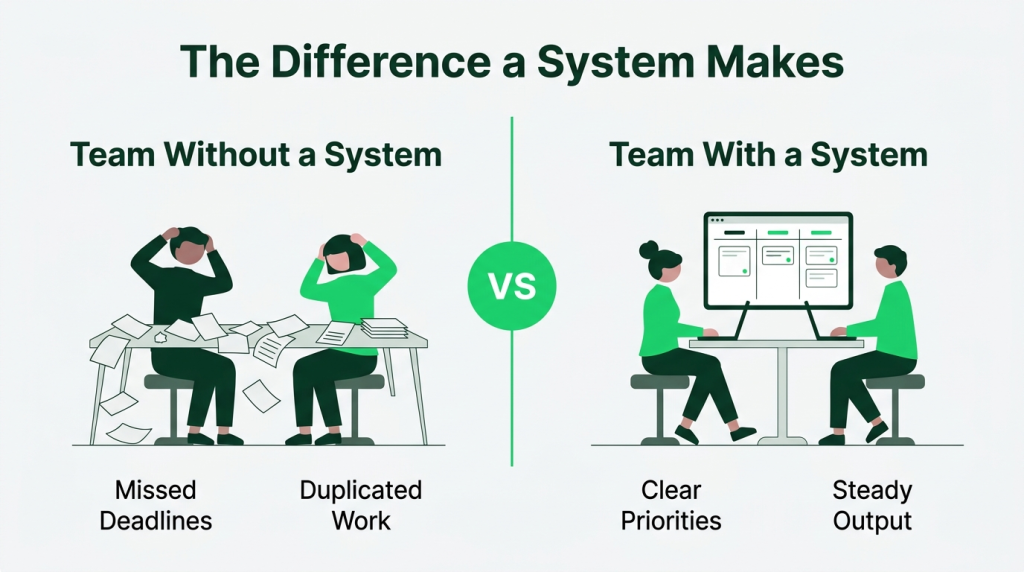
A system that is only in people’s heads breaks every time someone leaves. Or every time a new person joins and has to piece it together from five different teammates giving five different answers.
One short document. Updated quarterly. Covers what the digital tool is and how the team uses it. Also covers what each person is responsible for. That turns a fragile habit into permanent team infrastructure.
- Write a one-page guide with four sections. What tool you use. How tasks get created. How statuses work. What happens in the weekly review.
- Use SharePoint templates to build a dedicated productivity hub where your system guide, onboarding resources, weekly review process, and SOPs are in one place. It makes it easier for new hires to understand how the system works.
- Update it once a quarter. An outdated system guide is worse than not having one because it actively teaches people the wrong process.
- Make reading the guide part of the new hire onboarding. Have them shadow the system owner for one day during their first week, so they see it working.
What These 3 Businesses Can Teach You About Productivity Systems That Hold Up Under Pressure
The next 3 businesses built productivity systems that kept working when pressure hit, and there is a lot to learn from how they did it.
1. Nootropics Depot

One of the biggest reasons productivity systems collapse under pressure is that teams start operating on assumptions. What makes Nootropics Depot interesting is that they built much of their operation around verification instead of trust-based handoffs.
The company became known for extensive testing, quality control, and analytical validation processes because leadership saw firsthand how unreliable supplement supply chains could become when businesses simply accepted claims at face value.
For internal productivity systems, that approach is worth studying. Many companies create productivity workflows that focus on speed. Nootropics Depot’s operational philosophy highlights something different.
Before a process advances, there are verification checkpoints. That matters because fixing an error at the end of a workflow consumes far more time than catching it early.
Customer service teams can require documented resolution notes before tickets close. Procurement teams can require supplier verification records before purchase approvals. Content teams can require source validation before publication.
The reason this holds up under pressure is simple. When the workload doubles, the memory gets weaker. Verification systems keep working because they reduce dependence on memory and individual judgment.
2. Spotminders

Spotminders operates in a completely different reality. The productivity system here is about tracking individual physical units that need to remain identifiable after leaving the warehouse.
The passport tracker product shows how their internal systems are structured around traceability rather than volume. Each unit is tied to a unique identifier that connects physical product movement with digital tracking logic. That means internal teams are not managing inventory as bulk stock alone. They are managing item-level identity.
This creates a workflow where production, packaging, and post-shipment tracking are linked through a single continuity chain. Operational tasks follow a strict sequence:
- Each product unit is assigned a unique trackable identity before distribution
- Packaging steps include verification of identity linkage
- Post-shipment status updates are tied back to individual unit records
Instead of teams spending time resolving “where is batch X” questions, the system reduces ambiguity by pushing identity down to the unit level. Customer support, logistics, operations – they all pull from the same trace layer. That removes back-and-forth between teams when issues arise because every unit already carries its own movement history.
When pressure hits, teams pull it from the tracking structure already attached to the product. This reduces coordination overhead during disruption-heavy periods, especially in cross-border fulfillment scenarios where uncertainty usually slows teams down.
3. Mesothelioma.net

Mesothelioma.net operates in a high-stakes information environment where accuracy and consistency matter more than publishing speed alone. Their productivity system is built around controlled content production pipelines rather than open-ended editorial output.
Pages like their guide on peritoneal mesothelioma content show a structured approach to how medical information is produced and maintained. It follows layered validation before anything goes live or gets updated. The workflow is built around staged responsibilities:
- Draft creation based on structured medical topic outlines
- Medical review for factual alignment and terminology accuracy
- Editorial refinement focused on clarity and search intent alignment
- Scheduled revalidation to keep medical information current
Each layer operates as a checkpoint rather than a suggestion point. Work doesn’t move forward unless the previous step is cleared.
Pressure in this context comes from two directions: content volume demands and accuracy expectations. The system handles both by separating creation speed from approval speed.
Writers can continue producing drafts without waiting for approval cycles to finish. Review teams operate on a queued system where priority is assigned based on content type and update urgency. That separation prevents bottlenecks from collapsing the entire pipeline.
There is also a structured update cadence. Existing pages are not treated as finished assets. They re-enter review cycles based on time sensitivity and topic relevance. That keeps the content base from stagnating while still protecting accuracy standards.
Conclusion
If you take one lesson from this guide, make it this: build effective productivity systems that survive busy weeks. Anyone can follow a process when workloads are light. What matters most is consistency and how the team chooses to make systems work in real daily use. The systems worth keeping are the ones people still use when deadlines stack up and the pressure is on.
At Tivazo, our time-tracking software helps teams stay productive by letting them see how time is really being spent without adding more steps to the day. You can track work hours, monitor personal productivity trends, manage timesheets, and understand workload distribution from a single platform.
The goal is simple – fewer status meetings, fewer spreadsheets, more time spent on meaningful work. Try Tivazo for free and see how it fits into the way your team already works.