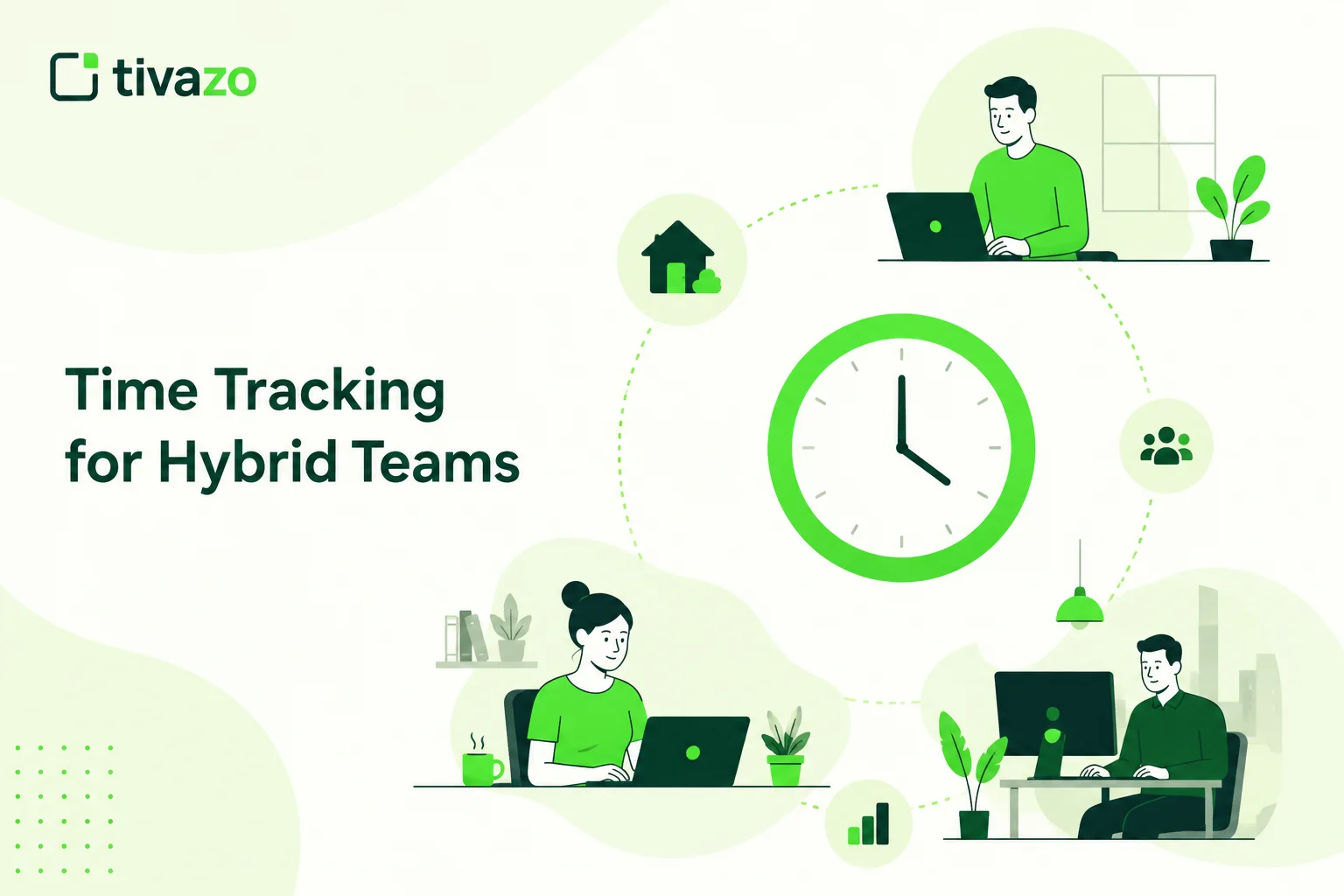
The traditional office culture has shifted as the workday has undergone significant evolution in the recent past. Instead of being confined to one place, such as the traditional office every day, employees are now increasingly using a combination of both home and office to carry out their work activities. Time tracking for hybrid teams where work arrangements make it easier for the organization to cut costs and hire the best employees, thanks to the evolved work practices. But this newly derived work setup presents numerous challenges for managers to keep their productivity, collaboration, and accountability.
Challenges with visibility. With teams working remotely, how do managers keep up-to-date on work progress? Managers could show up at the office and review a project, check on busy and light workloads, and sit down with their teams as needed. But in a hybrid model, if they’re not doing it virtually, things get much tougher to get done.
So accounting for time has become a critically important aspect of managing hybrid teams today.
Modern time tracking systems are so much more than just tracking how many hours an employee has worked. Today, they can offer companies an insight into things such as project progress, overall team performance, attendance records, distribution of several tasks, and resource management. This way, businesses are able to make informed choices based on current data, rather than estimates or manually written timesheets; all the while providing staff the freedom to work from wherever they work best.
For employees, it is an eye-opening experience. Time tracking allows employees to have a clearer picture of where their time is going, identify unnecessary leisure time, take control of time wasters and distractions, better plan their schedules, and get more work/life balance. For managers, it provides increased transparency without having to constantly check on everyone.
No matter if you’re a start-up navigating a small hybrid team or an expanding organization with multiple sites and distributed teams, adopting a time tracking approach can support your business’s collaboration, operational efficiency, and future growth.
This blog will provide you with an overview of time tracking for hybrid teams, how and why it is important, its greatest advantages, best practices, tools to use, and real-world techniques to boost the productivity of your remote and office employees.
Quick Answer
Time tracking for hybrid teams is the practice of monitoring employees’ work hours regardless of whether they work from home or from the office. It enables the organization to monitor and enhance productivity, supervise work across various projects, maintain a balance of working hours, automate the payroll system, and facilitate data-driven decision-making.
Key Insight
What is hybrid time tracking?
Time tracking of the working hours & productivity of employees working either remotely & from the office.
What does this mean?
Performance increases visibility, accountability, and better Project Management.
Why do you need it?
Companies that have hybrid, remote, or distributed teams.
Key benefits: Increased efficiency, top-notch payroll, no workload imbalance, and instant reports.
What’s the best solution?
Fully automated time tracking software. Works together with reporting & analytics.
What Is Time Tracking for Hybrid Teams?
Hybrid team time tracking is the practice of capturing, controlling, and analyzing how the company’s remote and onsite staff members spend their working hours. While time management systems of the past only explained when, where, and how employees signed in and out of their workstations, contemporary time tracking has moved its emphasis to productivity indicators.
As hybrid work becomes the new normal, companies require enhanced transparency into how work takes place across various settings. Employees might work together from home, the corporate office, coworking spaces, or on the road. Time tracking software provides a single source of truth for companies to address this flexibility without sacrificing control.
Contemporary time tracking tools log the length of each working day automatically, record how much time each project takes up, produce a virtual timesheet daily, and generate data for productivity reports. This information enables managers to see what is happening in every department, identify bottlenecks, deploy resources more efficiently, use facts instead of instinct in their decision-making process, and, ultimately, be more profitable.
What Does Hybrid Time Tracking Include?
For a true hybrid time tracking application, you will want, at a minimum:
Feature Purpose
| Feature | Purpose |
| Automatic Time Tracking | Records work hours without manual input. |
| Project Time Tracking | Tracks time spent on projects and tasks. |
| Digital Timesheets | Simplifies payroll and attendance management |
| Productivity Reports | Provides insights into employee and team performance. |
| Attendance Tracking | Monitors attendance across remote and office locations. |
| Team Dashboards | Offers a centralized view of ongoing work and team activity. |
Example: Time Tracking in a Hybrid Workplace
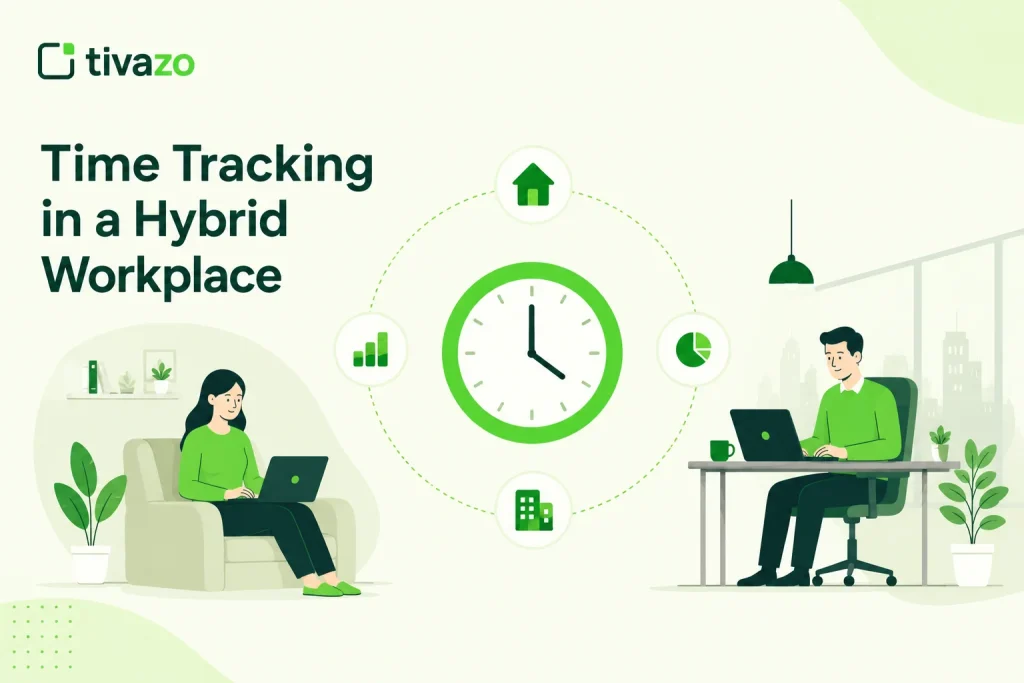
Let’s picture a digital marketing company of 40 people. Twenty of them are working in the office three days a week, and the rest are working from home full-time.
Without the use of a time tracking system, project managers are forced to use spreadsheets, make manual updates, and schedule numerous meetings to get the current status of the project. Once the business begins to grow, it becomes a challenge to determine who is overburdened, where the projects are at, and how to distribute resources.
With a time tracking solution, managers now have instant dashboards displaying project hours, people’s availability, productivity trends, and workload allocations. No more asking how long projects are taking and where the bottlenecks are; now they can correct them.
The benefit of time tracking in this sense is that it is not a means of constant employee monitoring but a way of empowering managers and teams to succeed.
Why Time Tracking Matters in a Hybrid Workplace
A hybrid workforce is managed differently than a traditional team of workers working in a common location. Businesses operating a hybrid team need to track progress, facilitate collaboration, and keep work on track across a variety of remote locations.
Time tracking delivers the visibility that allows you to support flexibility without losing productivity.
Improves Visibility Across Remote and Office Teams
One of the most daunting aspects of working in a hybrid environment is staying visible. Managers don’t have the convenience of just approaching a co-worker’s workstation to receive an update, but depending on the nature of meetings, they can’t often afford the time for regular meetings.
Time Management Software can provide a live dashboard on project status, how many hours work, and whether the team is available. You don’t need to constantly keep asking your employees.
Promotes Accountability Without Micromanaging
Most employees fear that time tracking is some sort of reprisal and using some sort of bulletproof data-tracking system. However, technology has made systems easier to encourage good practices rather than to track every second of the working day.
In a high-expectations environment, where performance is objectively measured by effective reporting, employees can be trusted to get the job done, and managers can find out what they need to take the burden off the worker.
Supports Better Project Planning
Time data from the past allows businesses to predict deadlines for future projects more reliably.
Since it will be recorded how many hours software development projects (in general) take, managers are able to put the information, e.g., into the planning of the development of a new program. For instance, in the future, it will be known that past programs took about 200 hours. From that, managers can derive guidelines for the following.
Companies use data that can be quantified, rather than using speculation.
Balances Team Workloads
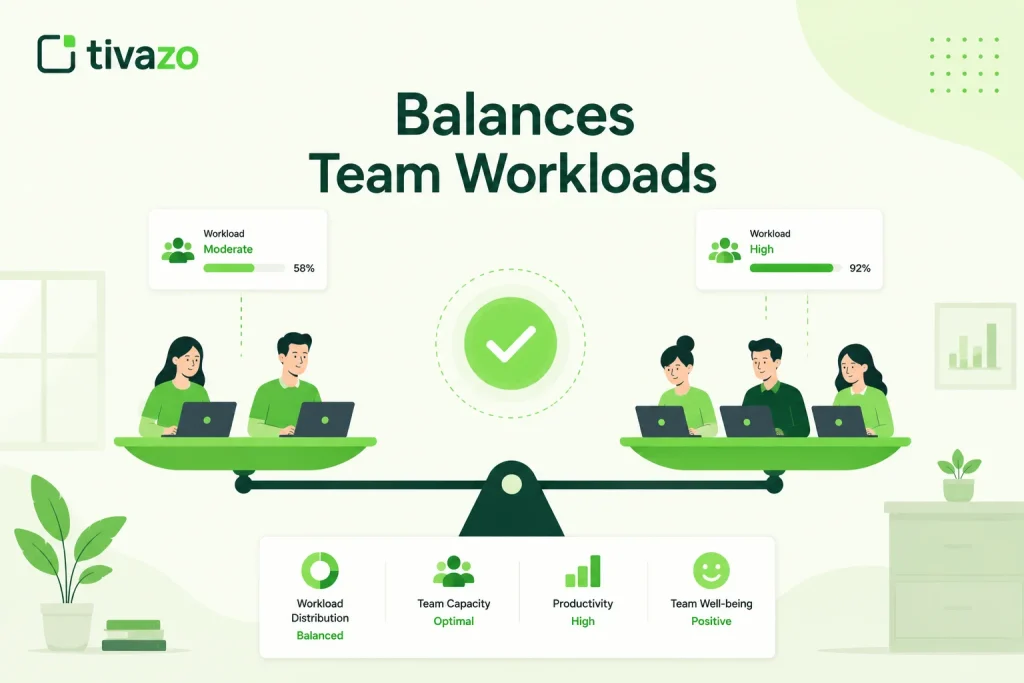
With a hybrid, some don’t take advantage
This can happen in a hybrid model where some colleagues may get overburdened.
- Employees approaching burnout
- Underutilized team members
- Project bottlenecks
- Resource shortages
- Opportunities to redistribute work fairly
This ensures a happy, healthier, and more productive workplace
Improves Payroll Accuracy and Compliance
Data in the timesheets, which are mostly executed manually, are many a times erroneous, more so if the employees can count their working shifts in days and also work at more than 1 place.
Automated time tracking makes payroll easier. Tracking time automatically records the hours worked, eases administration for payroll, and helps observe policies and labor laws.
Generates Actionable Productivity Insights
Today’s flexible time tracking software converts hours worked into helpful insights for companies aiming to be more efficient.
Managers can analyze:
- Peak productivity hours
- Time spent on projects
- Meeting versus focused work
- Team capacity
- Resource utilization
- Performance trends
These provide better working strategies, allowing businesses to keep refining their processes.
Time tracking can make your hybrid work unit more productive, transparent, and successful when you provide managers with improved visibility and employees with a higher level of flexibility.
Benefits of Time Tracking for Hybrid Teams
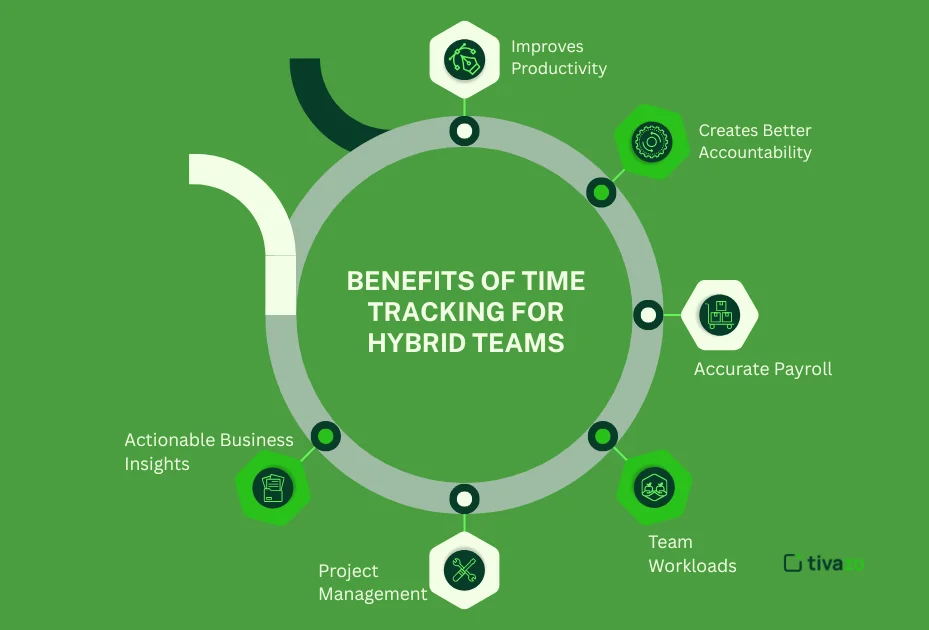
Hybrid working is not limited to savvy organizations offering flexible practices. Hybrid team time tracking is a tool providing vital insight into what is happening in the workplace of a hybrid company.
Use live data- By utilizing live data rather than working on assumptions or making manual updates, businesses can boost productivity, enhance collaboration, and, most importantly, enable their users to make better decisions.
1. Improves Productivity
The number one benefit of time tracking is discovering how that time was used.
Managers can identify:
- High-value tasks
- Time-consuming activities
- Workflow bottlenecks
- Unproductive processes
Example: For instance, if reports reveal a marketing team spends 12 hours a week in meetings, managers can eliminate unneeded meetings and free up more time for individual tasks.
2. Creates Better Accountability
Hybrid work ultimately demands trust from all parties involved, a trust that transparency only contributes to.
Bill maintains that ‘The use of a time management system allows employees to take responsibility for their work, and provides managers with regular, accurate updates on progress.’ Instead of requesting status updates, managers can go to the dashboards and project reports.
This builds accountability without enabling micromanagement
3. Supports Accurate Payroll
It is very easy to make an error when tracking hours of work by hand. For companies with more flexible work hours, this can be even more difficult.
Automated time tracking:
- Reduces payroll errors
- Simplifies overtime calculations
- Generates digital timesheets
- Saves HR teams valuable time
For those who have hourly employees or contractors, it is important to have accurate time sheets for pay purposes.
4. Balances Team Workloads
Too little visibility co-exists with multiple overburdened and underutilized employees.
Time tracking helps managers:
- Identify workload imbalances
- Reassign projects fairly
- Prevent employee burnout
- Improve resource planning
Equilibrium workloads encourage more stable project delivery and creates healthies teams.
5. Improves Project Management
To meet deadlines, project managers require reliable forecasts for the amount of work to be completed.
Time tracking software reveals:
- How long tasks actually take
- Project progress
- Budget utilization
- Team capacity
The further you use historical data, the better you estimate future projects.
6. Provides Actionable Business Insights
Today’s time tracking software produces reports that business owners want to know:
- Which projects consume the most time?
- Which teams are the most productive?
- Are deadlines realistic?
- Where are workflow bottlenecks?
How can I spell resolution? Everything will tremble carelessly before me, being avenged on all my enemies? However, before the resolution, the managers can is datas.
Benefits at a glance
| Benefit | Business Impact |
| Higher Productivity | Higher Productivity |
| Greater Accountability | Transparent workflows |
| Accurate Payroll | Fewer payroll disputes |
| Balanced Workloads | Reduced burnout |
| Better Project Planning | Improved deadline accuracy |
| Actionable Insights | Smarter business decisions |
How to Track Time in a Hybrid Workplace
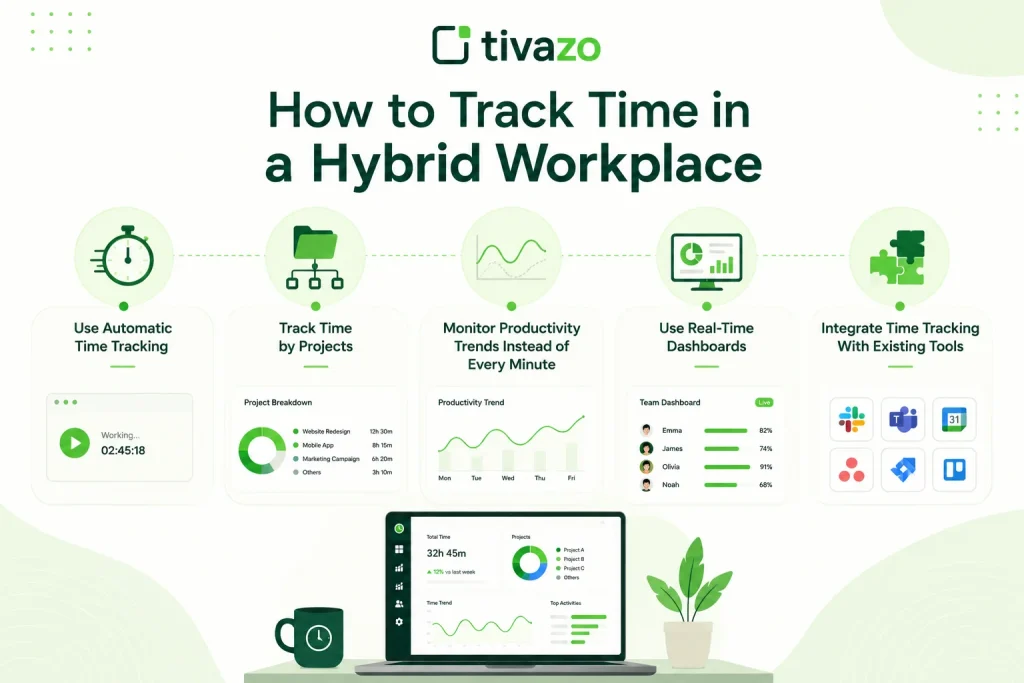
With most employees working flexible schedules or in a hybrid capacity, employers need a standardized way to monitor the time of their employees working both from home or office.
The following are a few best practices for doing time tracking in a hybrid office:
1. Use Automatic Time Tracking
Manual timesheets are inaccurate. They are filled out at the end of each week from memory, leading to imprecise recording.
Live time tracking logs the working hours as they happen, providing your business with more accurate data and saving admin.
This frees up people from having to update the spreadsheet to get back to work.
2. Track Time by Projects
While keeping track of total hours worked is helpful, knowing what you are doing with those hours is more valuable.
Project-based tracking helps businesses:
- Estimate future projects
- Measure profitability
- Allocate resources
- Monitor project budgets
This allows agencies and software teams to have more insight into their billable vs. Non-billable work.
3. Monitor Productivity Trends Instead of Every Minute
Effective hybrid organizations pay attention to productivity trends over hours/days/weeks rather than seconds/minutes.
Instead of asking:
Did an employee stay active every single second of the day?
Ask:
- Are projects being completed?
- Are deadlines being met?
- Are workloads balanced?
- This allows you to gain confidence and still discuss performance issues.
4. Use Real-Time Dashboards
Real-time dashboards provide managers with instant visibility into:
- Team availability
- Active projects
- Logged work hours
- Productivity trends
- Attendance
Instead of requesting more updates, managers may make decisions using live data.
5. Integrate Time Tracking With Existing Tools
While many time tracking tools can work as stand-alone solutions, the best time tracking software integrates with other collaboration and project management tools.
Popular integrations include:
- Slack
- Microsoft Teams
- Google Calendar
- Jira
- Trello
- Asana
Integrations like these eliminate the need for constant reentering. They help to keep everything related to a project working together.
Best Practices Checklist
| Best Practice | Why It Matters |
| Automate tracking | Improves accuracy |
| Track projects | Better resource planning |
| Review reports weekly | Identify trends early |
| Use dashboards | Improve visibility |
| Integrate tools | Increase efficiency |
| Focus on outcomes | Build employee trust |
Best Time Tracking Software for Hybrid Teams
Selecting the appropriate software is undoubtedly one of the most crucial decisions when managing a hybrid office. A best-fit software package needs to offer more than just tracking hours worked, giving a clear view of productivity, project status, attendance, and team performance, and be user-friendly for all staff, whether they work from home or are in the office.
When evaluating time tracking software, consider the following features:
- Automatic time tracking
- Project and task tracking
- Productivity reports
- Attendance management
- Digital timesheets
- Team dashboards
- Integrations with workplace tools
- Payroll support
- Mobile and desktop apps
Comparison of Popular Time Tracking Software
| Software | Automatic Tracking | Productivity Reports | Timesheets | Best For |
| Tivazo | ✔ | ✔ | ✔ | Hybrid teams and growing businesses |
| Toggl Track | ✔ | Basic | ✔ | Freelancers and consultants |
| Clockify | ✔ | Basic | ✔ | Small businesses |
| Hubstaff | ✔ | Advanced | ✔ | Remote workforce management |
| Time Doctor | ✔ | Advanced | ✔ | Enterprise teams |
What Makes Tivazo a Strong Choice for Hybrid Teams?
Hybrid organizations demand more than just a timer. They need a platform that can give visibility into their remote workforce as well as in-office employees, and assist managers in making operational decisions.
Tivazo combines:
- Automatic time tracking
- Employee attendance management
- Productivity insights
- Project tracking
- Team dashboards
- Performance reporting
- Easy-to-use timesheets
Much easier for an organization to administrate all the aspects of the hybrid workforce in a single platform rather than toggling between different platforms.
How to Choose the Right Time Tracking Software
Before investing in any solution, ask these questions:
Does it support both remote and office employees?
- Can it automate timesheets?
- Does it provide actionable productivity reports?
- Is it easy for employees to adopt?
- Does it integrate with our existing workflow?
- Can it scale as the business grows?
The most robust software isn’t always the most functional. Development spikes, advanced functionalities, anything over the top; the most effective solution is the one that fits your business processes best by expanding and clarifying the practices your company already implements, not adding ‘bells and whistles.’
Best Practices for Time Tracking in Hybrid Teams
Running effective time tracking is not so much about oversight or lots of needless controls, but rather about establishing transparency, enhancing productivity, and assisting your employees. Use the following tips to ensure your time tracking efforts are as productive and efficient as possible.
1. Set Clear Time Tracking Policies
Inform everyone why you will be tracking time, what form the data will take, and for what purpose it will be used. Transparent policies foster trust and ease employee worries.
2. Use Automatic Time Tracking
Make use of timer applications instead of handling manual timesheets. This will not only save the administrative effort involved but will also bring in the benefit of accurate timings, in-time project progress reports, etc.
3. Focus on Outcomes, Not Activity
Focus on what matters, use results-driven words, on completed work, achievement of project Milestones, accomplishment of business objectives, instead of the time they spend surfing.
4. Track Time by Projects and Tasks
Breaking down the time spent into project helps managers know how most of their resources are being used, etc. It also helps towards establishing a cost estimate for similar future work and allows the continuing improvement of processes.
5. Review Productivity Reports Regularly
The weekly or monthly (or quarterly, biannual, and annual) reports will help you recognize productivity trends, find potential uneven workload distribution, and evaluate the possibilities to enhance your team’s productivity.
6. Balance Employee Workloads
Time tracking data also helps you to assign work more evenly, helps avoid burnout, and gives people the bandwidth to deliver on quality.
7. Integrate With Existing Tools
Find a time tracking tool that can easily be integrated with your collaboration tools and application management tools like Slack, Microsoft Teams, Jira, TrElLo, Asana, etc. For a smooth workflow.
8. Respect Employee Privacy
Gather only what is needed for productivity, and be open to how that data will be used. A privacy-led design will bring adoption and reassurance to employees.
Conclusion
Hybrid work offers the flexibility that businesses desire, but it also presents the challenge of gaining visibility into how work is being done by hybrid teams, both remote and in the office. A time tracking for hybrid teams approach enables companies to increase efficiency, streamline payroll, optimize allocations, and drive smarter decisions using live metrics.
World’s leading organizations leverage time tracking not as a monitoring tool but as a powerful management tool. With an eye on increasing transparency, ensuring accountability, and gaining valuable insight into productivity, a business can foster a working environment in which employees feel empowered and trusted, while managers have a clear picture of what is going on and how they can help.
Regardless of whether you are running a small hybrid team or a large distributed workforce, looking at the right time tracking solution for your business can really make your life a lot easier. Investment in a tool such as Tivazo, which provides automated time tracking, productivity analytics, and workforce management features, can enable businesses to create a more productive and engaged hybrid workplace.