Powerful Time Tracking,
Built for Linux Teams
Tivazo's Linux app brings the same real-time activity tracking, team visibility, and productivity intelligence to Ubuntu and Debian-based systems with full offline sync support.
Ubuntu, Debian & DentOS
deb Package - Easy Install
Agencies & On-Site Teams
Free to Start
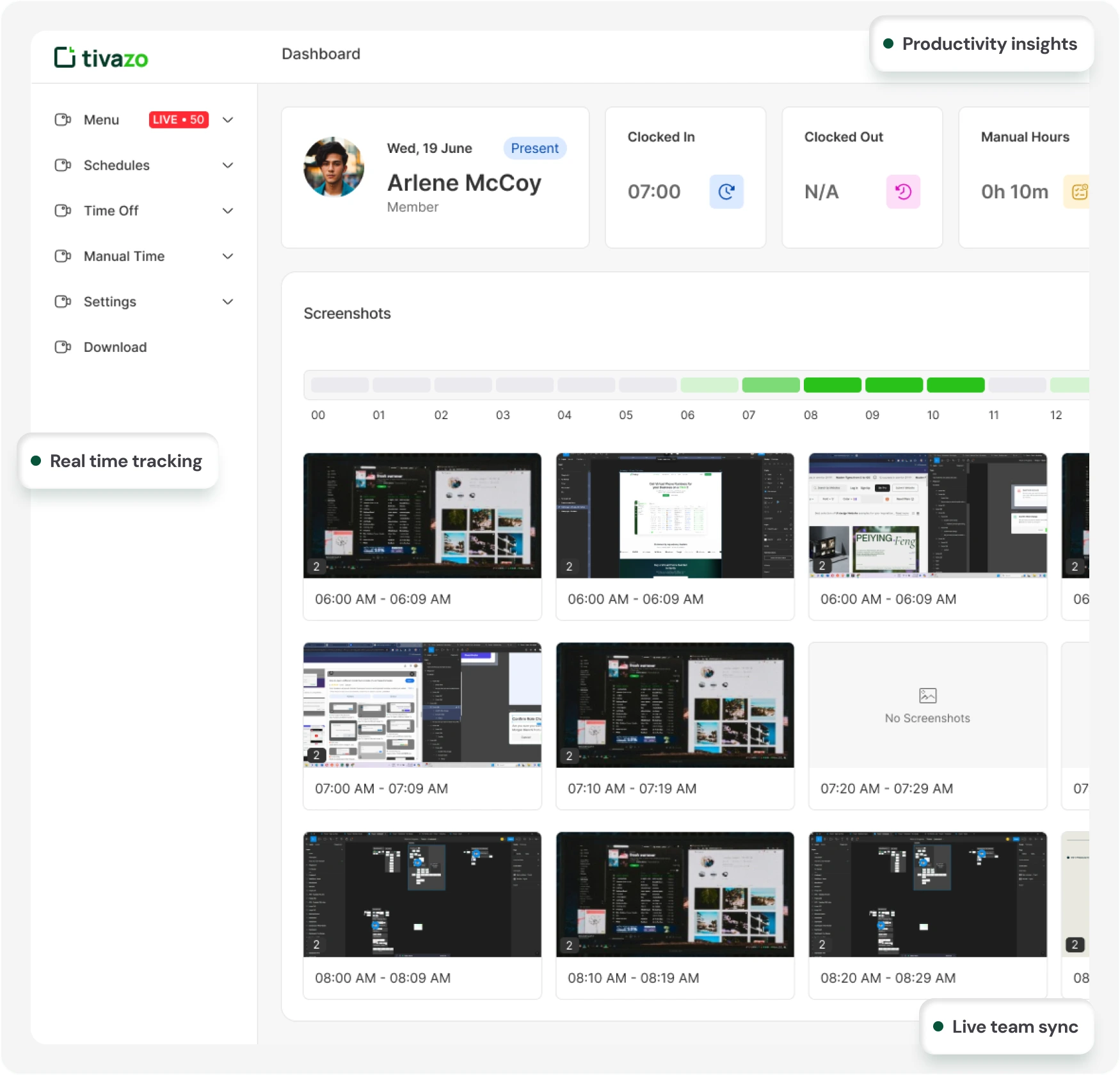
See Tivazo In Action
.deb Package Installer
Simple one-file installation download, open in App Center, and install
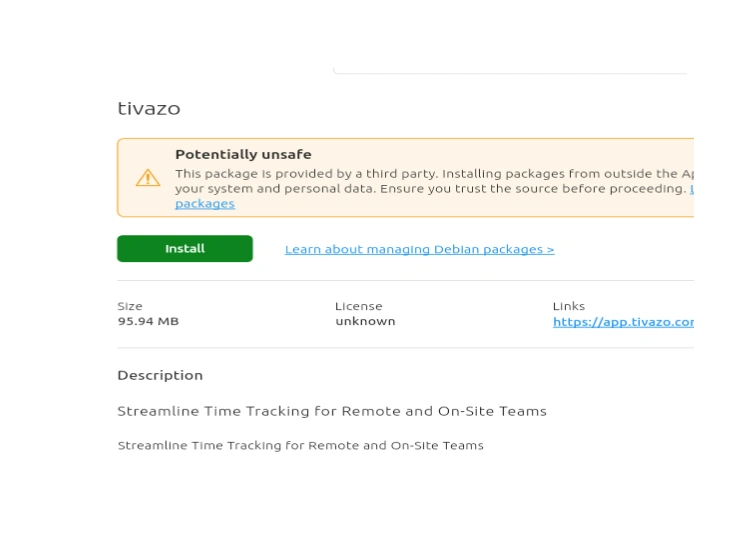
Linux App Center
Tivazo installs in under a minute, 300 MB, no terminal commands needed.
Everything Your Team Needs Nothing You Don’t.
Smart Time Tracking
Start tracking with one click from the desktop tray. Time runs silently in the background, so your team stays focused on work, not admin.
One-click timer start
Background tracking
Auto offline sync
Activity Capture
Tivazo automatically detects which apps and websites are in use and converts that activity into accurate, structured time logs.
App and website detection
Converts activity into time logs
Zero manual entry needed
Live Team Visibility
See every team member's live status, current task, and workload balance from a single unified dashboard in real time.
Live activity feed
Workload tracking
Bottleneck alerts
Productivity Intelligence
Go beyond raw hours. Tivazo scores productive vs unproductive time, surfaces trends, and highlights focus patterns over time.
Productive vs idle time
Behavioural trends
Focus pattern reports
Attendance Automation
Clock-in and clock-out are handled the moment the desktop app launches. Shift tracking, overtime, and absence detection are fully automated.
Auto check-in and check-out
Shift and overtime tracking
Leave and absence logs
Smart Reports
Auto-generated reports show project profitability, team efficiency, time breakdowns, and payroll-ready hours export in one click.
Project profitability reports
Time breakdown by task
Payroll-ready exports
From Download to Tracking in 5 Steps on linux
No terminal commands. No technical setup needed. Here is exactly what the install experience looks like on Ubuntu.
Download the .deb file from your respective folder
Locate the correct package for your system (e.g., 64-bit) and download the .deb file from the designated folder or source.
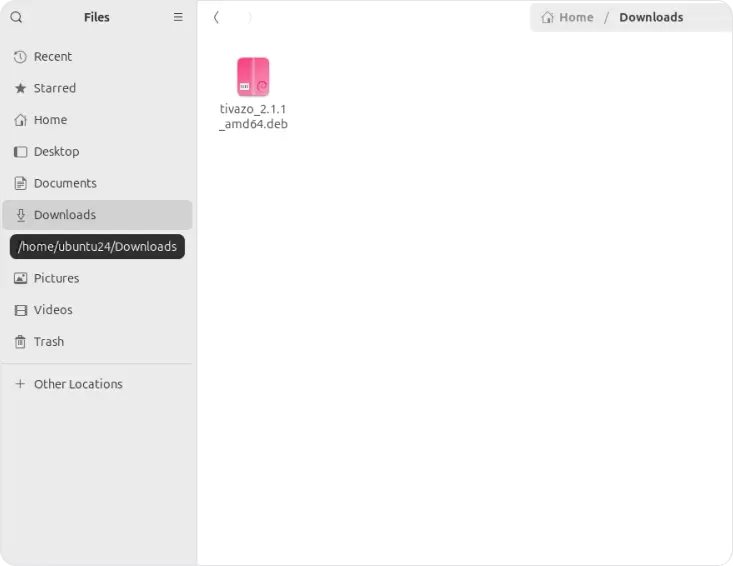
Click for installation
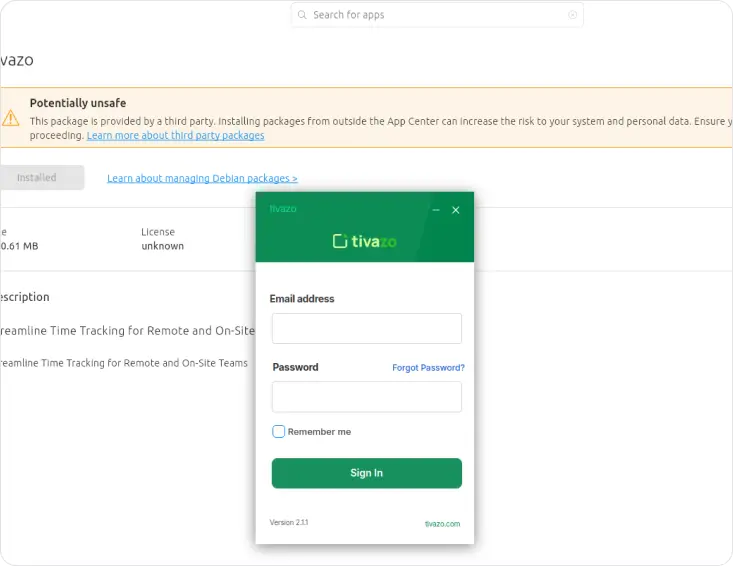
Open the downloaded .deb file. This will launch the default package installer on your system.
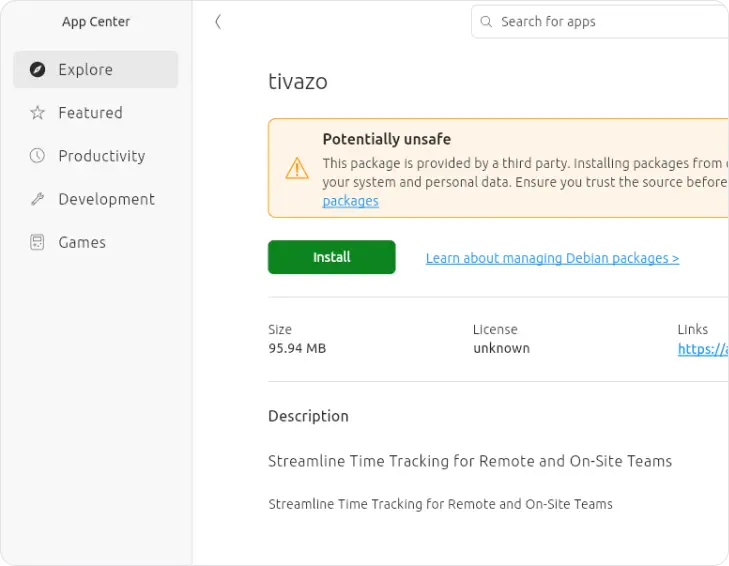
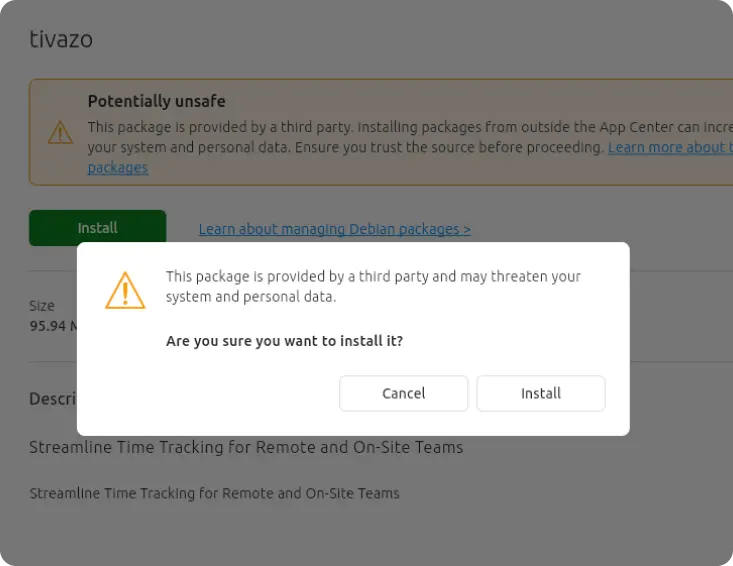
Confirm your installation
Click the “Install” button and enter your system password when prompted to authorize the installation
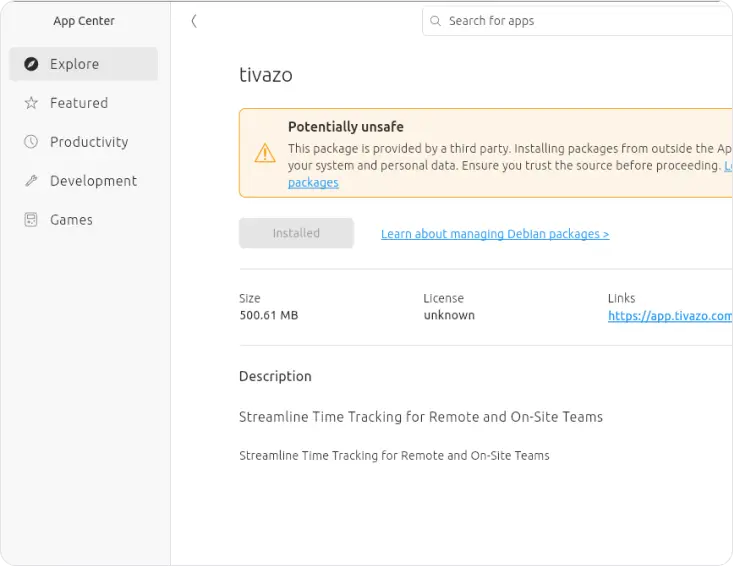
Installation Complete
Once the process finishes, the application is installed and ready to use. You can launch it from your applications menu.
Sign in & Start
Once installed, open Tivazo. The login window will appear. Enter your email address and password, then click Sign In. Your time tracking begins immediately.
For Installation via Linux Terminal
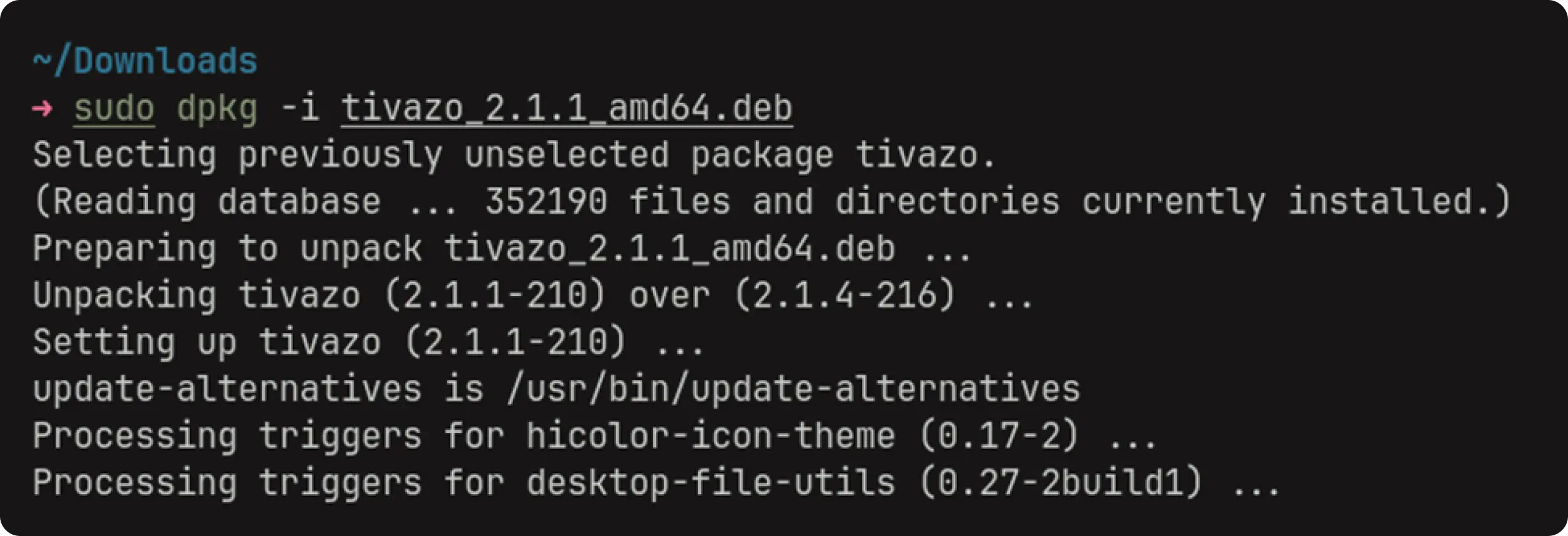
Sudo dpkg -i tivazo_2.1.1_amd64.deb
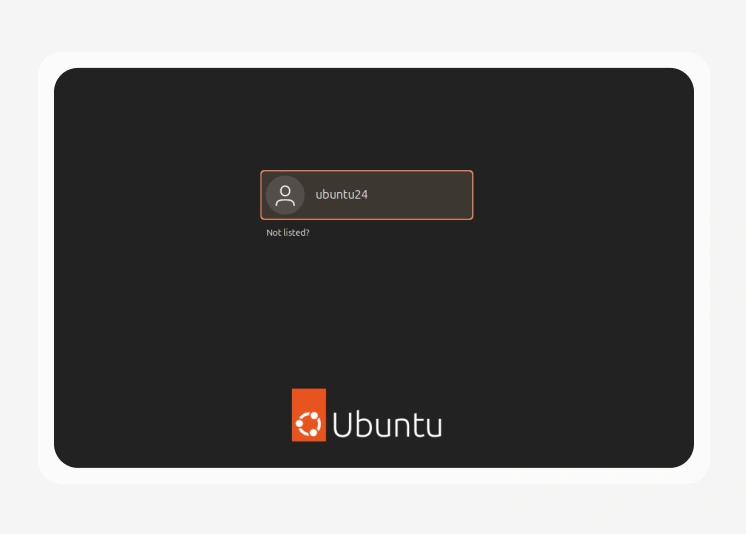
For Best Compatibility Switch to Xorg on Ubuntu
This applies to Ubuntu 24.04 (LTS). If you are on an older Ubuntu version or a Debian-based system that already uses Xorg, no changes are needed. Tivazo will work out of the box.

One-time setup only. Your Xorg session choice is remembered the next time you log in on the same machine. You only need to do this once.
Start Tracking Smarter with Tivazo for Linux
Join thousands of teams who have replaced guesswork with data. Download the .deb package for free. No credit card required. Supports Ubuntu 18.04, Debian, and DentOS.
Free for upto 10 Users Forever
No credit card required
Trusted by teams
