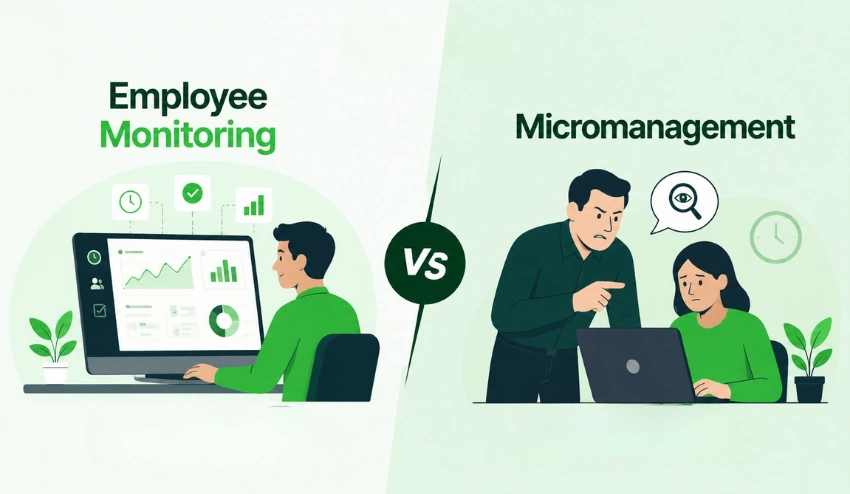
Managers need visibility. Employees need trust. Most monitoring setups break one of those.
I’ve seen teams swing too far in both directions.
There’s zero visibility, and deadlines slip quietly, or there’s heavy surveillance, and people start disengaging. Neither works for long. The challenge is building a system that shows what’s happening without making your team feel watched every second.
The stakes are real. MIT found that 80% of companies are already monitoring remote or hybrid workers (MIT, 2024). That means your team has likely experienced it before, good or bad.
This guide walks you through what employee monitoring tools actually do, the different types available, where they help (and where they don’t), and how to set them up without damaging trust. You’ll also get practical ways to evaluate tools and avoid common mistakes.
If you’re already thinking about tracking employee work hours accurately, tools like tracking employee work hours accurately are often where most teams start.
By the end, you’ll know exactly what to implement, and just as importantly, what to avoid.
What Are Employee Monitoring Tools?

Employee monitoring tools are software systems that track how, when, and sometimes where work gets done.
In practice, they’re not as abstract as they sound. They sit quietly in the background and log things like when someone starts work, which apps they use, and how long tasks take. Managers don’t stare at dashboards all day, but when something feels off, the data is there.
You’ll usually see them used by:
- HR managers are trying to standardize processes
- Operations leads managing workloads
- Remote team managers who can’t rely on in-person visibility
What they track typically includes:
- Work hours and attendance
- App and website usage
- Screenshots or screen activity
- Location (for field teams)
- Task or project performance
Adoption has surged for a reason. The employee monitoring software market is projected to grow from $648.8 million in 2025 to $1.46 billion by 2032 (G2, 2025). That’s not hype—it’s a response to how work has changed.
The simplest way to understand these tools: they replace guesswork with data you can actually use.
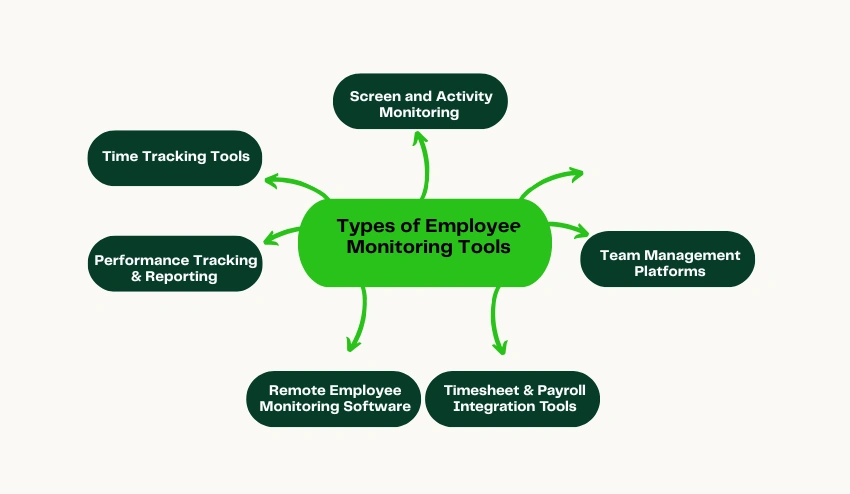
6 Types of Employee Monitoring Tools
1. Time Tracking Tools
Time tracking tools focus on one thing: accurately recording when work starts, stops, and pauses.
That sounds basic, but it’s the backbone of payroll, project billing, and capacity planning. Without clean time data, everything downstream gets messy: client invoices, overtime calculations, and even team utilization.
These tools are especially useful for:
- Agencies billing clients hourly
- Professional services firms
- Construction or field teams logging shifts
Modern systems go beyond manual timesheets. Features like automated time tracking with idle detection help capture real working time without constant input.
If your payroll or billing feels inconsistent, start here first.
2. Screen and Activity Monitoring
This is where most people get nervous, and for good reason.
Screen and activity monitoring tools capture data such as screenshots, app usage, and active vs. idle time. But the goal isn’t surveillance. It’s about understanding whether paid work time is actually being used for work.
Good tools let you:
- Adjust screenshot frequency
- Blur sensitive data
- Focus on patterns instead of micromanaging
For example, setups like how live screenshot monitoring supports productivity show trends without turning into constant oversight.
Used correctly, this isn’t about watching people; it’s about spotting gaps before they become problems.
3. Performance Tracking and Reporting
Raw data is useless unless it tells you something.
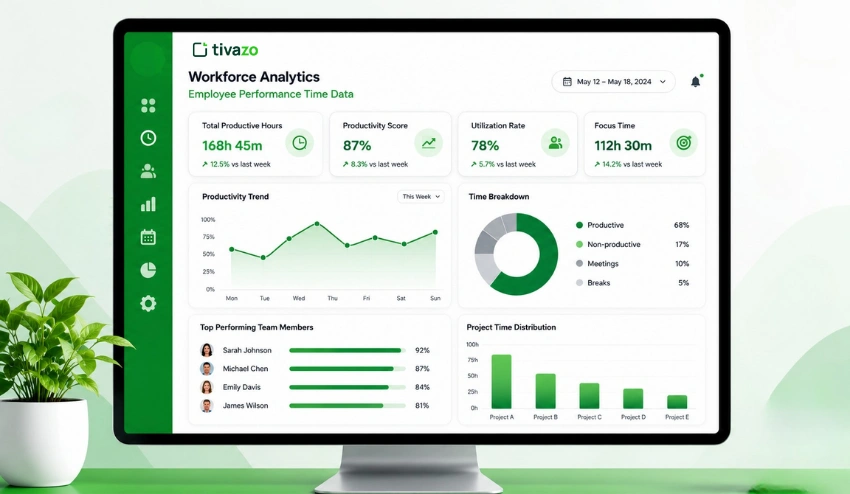
Performance tracking tools take activity data and turn it into insights, things like productivity trends, workload distribution, and time spent vs. estimates.
You’ll often see:
- Heatmaps showing peak productivity hours
- Project time vs. planned time comparisons
- Individual and team-level trends
Tools offering performance insights and activity trend reports help you catch bottlenecks early.
If you’ve ever wondered why deadlines slip even when everyone seems “busy,” this is the category that answers it.
4. Team Management Platforms
These aren’t pure monitoring tools, but they matter more than people expect.
Team management platforms organize your workforce: roles, groups, permissions, and reporting structures. That structure gives context to your monitoring data.
Typical features include:
- Role-based access controls
- Team grouping and hierarchy
- Shift and schedule assignments
Systems like team management make it easier to see who’s overloaded and who has capacity.
If your team structure is unclear, monitoring data alone won’t fix it.
5. Remote Employee Monitoring Software
Remote teams introduce a different problem: you can’t see what’s happening day to day.
That’s where remote employee monitoring software comes in. It bridges the visibility gap without requiring constant check-ins or status updates.
These tools help you:
- Understand work patterns across time zones
- Track output instead of just hours
- Reduce unnecessary meetings
The best setups focus on outcomes, not presence. You don’t need to know someone is online—you need to know the work is getting done.
If your team lives in Slack and Zoom, this category reduces that constant “just checking in” pressure.
6. Timesheet and Payroll Integration Tools
Manual timesheets are where errors creep in.
Timesheet and payroll integration tools automate the process, and time logs flow directly into payroll systems, reducing mistakes and disputes.
Why this matters:
- Eliminates manual entry errors
- Creates audit-ready records
- Speeds up payroll cycles
The American Payroll Association estimates that buddy punching alone costs U.S. businesses $373 million annually. That’s not a small leak.
Tools that support generating payroll-ready timesheets and reports remove that friction completely.
If payroll disputes happen more than once a quarter, this is worth fixing immediately.
Key Benefits of Employee Monitoring Tools

The benefits of employee monitoring tools aren’t theoretical you see them quickly when implemented well.
1. improves with visibility
When people know their time is being tracked, they naturally stay more focused. It’s not about pressure, it’s about awareness. According to the American Society of Employers, 20% of every dollar earned is lost to employee time theft in the U.S. (American Society of Employers).
2. Compliance becomes easier to prove
Labor laws, overtime rules, and data regulations aren’t optional. Monitoring tools create a clear record of hours worked, breaks taken, and system activity. GDPR fines alone can reach €20 million or 4% of global annual turnover (GDPR).
3. Remote team management gets less stressful
The biggest complaint from managers isn’t laziness, it’s lack of visibility. Owl Labs’ 2025 State of Hybrid Work Report found that 27% of managers cite reduced visibility as their top challenge (Owl Labs, 2025). The right setup removes that uncertainty.
4. Payroll accuracy improves immediately
When time data is automated, disputes drop fast. You’re no longer relying on memory or manual logs. This is especially critical if you bill clients hourly or manage shift-based teams.
Pick one benefit that solves your biggest current pain point and prioritize tools that directly address it.
Employee Monitoring Best Practices
Getting the tool right matters. But how you implement it matters more.
Write your policy before you deploy anything
If employees discover monitoring after the fact, you’ve already lost trust.
Document what’s being tracked, why it’s necessary, and who can access the data. Keep it simple and readable. This isn’t a legal document for lawyers, it’s for your team.
Draft a one-page monitoring policy this week and have legal review it before deployment
Tell your team what you’re tracking and why
Transparency isn’t optional anymore.
86% of employees believe employers should be legally required to disclose monitoring (Worklytics, 2025). If you’re not clear upfront, people assume the worst.
Hold a 15-minute team call to walk through your monitoring setup before it goes live
Track outputs, not just hours
Hours logged don’t equal results.
If someone logs eight hours but delivers nothing, the system failed. Focus on measurable outputs: tasks completed, deliverables shipped, client work done.
Define 3 measurable output metrics for your team before configuring any monitoring tool
Use the data for coaching, not catching
This is where most teams get it wrong.
Monitoring data should start conversations, not build cases. If someone’s productivity drops, that’s a signal, not a verdict.
In your next 1:1s, bring one insight from your monitoring dashboard as a conversation starter
Review your setup every 6 months
What works for 10 people won’t work for 50.
As your team grows, your monitoring approach needs to evolve. Otherwise, it starts feeling heavy or outdated.
Put a recurring 6-month calendar reminder to review monitoring settings and get team feedback
How to Choose the Right Tool

The honest answer is: there’s no single “best” tool, only the right fit for your team.
Start by looking at how your team actually works.
Remote-first teams
You need visibility into activity and output. Clock-ins matter less than understanding what people are working on.
Hybrid teams
You need a mix of presence tracking for office days and productivity tracking for remote days.
Field or construction teams
GPS tracking and mobile clock-ins are essential. Desktop monitoring won’t help you here.
Agencies billing by the hour
Time tracking tied to specific clients and projects is non-negotiable. Everything else supports that.
A tool that works across all four scenarios needs to combine time tracking, activity monitoring, reporting, and team management in one place. That’s where platforms like Tivazo’s employee monitoring and productivity features come in, they’re built to handle different team setups without forcing you into separate systems.
If you want a deeper look at how that plays out in real workflows, how Tivazo delivers smarter time tracking for teams breaks it down clearly.
Start by mapping your team type, then choose a tool that solves your biggest gap first.