✨ TL;DR :
- Time tracking is the process of recording time spent on tasks or projects
- It helps improve productivity, accountability, and efficiency
- You can track time manually or using time tracking software
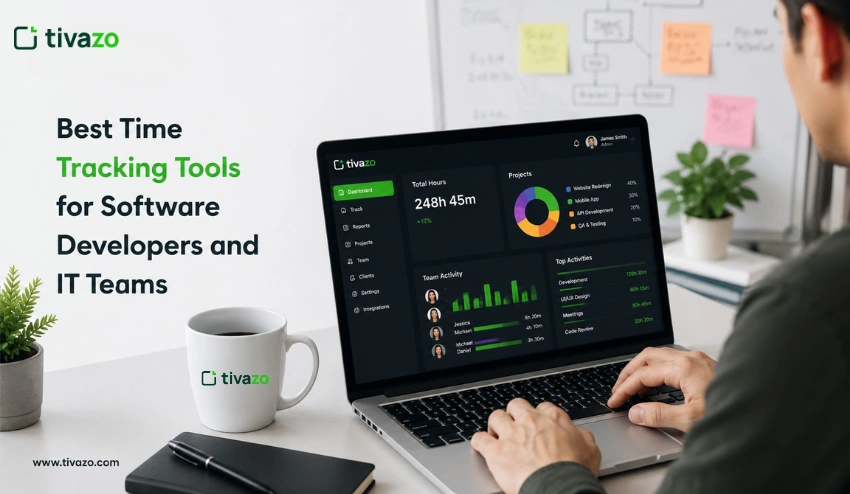
- The best time tracking software is Tivazo, which helps teams and individuals track work time accurately and improve productivity
- Businesses use it for project management, billing, and performance analysis
- When used correctly, it supports productivity, not micromanagement
What Is Time Tracking?
Time tracking is the process of recording how much time you spend on tasks, projects, or activities. It helps individuals and businesses understand where their time goes, improve productivity, and manage work more efficiently.
In simple terms, time tracking enables you to track your work hours while you assess your productivity and determine how to allocate your time effectively.
By tracking how time is allocated across different tasks, time tracker allows you to see how much time you spend on each task, which helps you find your main work activities and detect time-wasting situations.
This system enables organizations to achieve better productivity results while they organize their work tasks and streamline their everyday business operations.
How Does Time Tracking Work?
The process of time tracking involves the systematic documentation of the amount of time you spend on different tasks or projects while using either manual or software-based tracking methods. With a time tracker, you can monitor how long you work, become more productive, and gain insight into how you use your time on a daily basis.
Step-by-Step Process of Time Tracking
1. Identify Tasks or Projects
One way to begin tracking your time is to define your job duties by working on several tasks, projects, or activities. By doing this, you create a clear and structured way to accurately keep track of time. This also provides clarification on the activities that were completed throughout your workday.
For companies, this step is critical for accurately managing projects and assisting teams in understanding which projects require the most time.
2. Start Tracking Time (Timer or Manual Entry)
Once you define the task, you can start tracking your time by either using a timer or manually entering your time. Many professionals will utilize a time tracking software (in real-time) to automatically record all of their work that is accomplished.
By doing this, you will be tracking the amount of time you are working accurately and eliminating the need to estimate it for projects.
3. Assign or Categorize Time Entries
After time has been recorded, it is assigned to either client names, project names, or task types. Categorizing time entries by these elements helps provide organization to work data and will also allow for easier analysis of employee performance later.
4. Monitor Work Hours in Real Time
Modern time tracking solutions allow users to monitor their working hours while they are being recorded. Working in real time gives employees the opportunity to stay focused while they are working, and also transforms workplace productivity measurements accurate for employees throughout each workday.
5. Review Reports and Performance Data
After completing time tracking, organizations can generate detailed reports of their employees by measuring productivity levels, efficiency levels, and utilization of time while completing their work.
These types of reports will help an organization discover areas of their business that generate too much time on a task or produce times where employees do not perform at their highest.
6. Optimize Work Based on Insights
The final step is using the insights from time tracking reports to make better decisions. This may include adjusting workflows, reallocating resources, or improving task prioritization.
Over time, this process leads to better productivity, improved time management, and more efficient use of resources across teams and projects.
Why Is Time Tracking Important?
There are several importance of time tracking because it provides insights into the time spent on activities, projects, and tasks.
It can be done using time tracking tools, and this helps individuals and businesses understand the activities being carried out. It turns unstructured work hours into measurable data that can be used to improve team performance and workflow efficiency.

Key Benefits of Time Tracking
1. Improves Productivity and Focus
Time tracking enables individuals to become more productive and focused. As people track their time, they automatically eliminate distractions and remain focused on the task at hand. Ultimately, this enables them to develop productive work habits.
2. Enhances Project Planning and Management
In the context of business and organizational operations, time tracking is paramount to project management. Time tracker enables project managers to plan the project timeline effectively. As such, this eliminates the chances of project delays, thus enabling the completion of projects on time.
3. Enables Accurate Billing and Cost Tracking
Time tracking is paramount to freelancers and business operations. As such, it enables businesses to track the cost associated with the project. Ultimately, this enables them to eliminate the chances of losing revenue.
4. Provides Data-Driven Performance Insights
One of the advantages of using time tracking is it’s abilty to provide in-depth reports and data analysis, which provide a clear overview of how time is spent on particular activities, helping to identify areas where there are inefficiencies, productivity gaps, and areas where there are high levels of activity.
5. Improves Time Management and Prioritization
Time tracking helps individuals identify which activities are taking up most of their time, hence improving their prioritization capabilities.
6. Increases Accountability and Work Transparency
Time tracking in a team-based environment helps to increase a culture of accountability, where individuals and management are aware of work hours, hence improving work transparency and reducing any potential confusion or mistrust.
What Are the Different Types of Time Tracking Methods
There are different types of time tracking methods based on the style of handling work hours and productivity tracking for different individuals and businesses. Each of these methods provides a different approach to tracking time. The approaches include fully manual methods and those based on time tracking software. The choice of method is based on the style of work and the level of accuracy required to use different tips to use time tracking for productivity and work activities.
Knowing these methods will help improve time management and eliminate inefficiencies in handling work activities.
1. Manual Time Tracking
Manual time tracking is a time tracking method in which a person uses a spreadsheet or a digital tool called a timesheet to record time spent working. It is one of the most basic time tracking methods and is mostly used by freelancers or people working in a team. Though simple and straightforward, there is a possibility of inaccuracy in time tracking.
2. Automatic Time Tracking
Automatic time tracking is a time tracking method in which a person uses a time tracking tool to track time spent working. A time tracking tool is a computer program designed to track time spent on a task or a set of tasks. It is one of the most popular time tracking methods in modern time tracking tools.
3. Time Blocking Method
Time blocking is a time management tool in which a person divides a day into blocks of time allocated to a task or a set of tasks. It is a time management tool in which a person blocks time in advance rather than tracking time spent working. It is a great tool for time management.
4. Pomodoro Technique
Pomodoro is a time management tool in which a person works in focused intervals of 25 minutes followed by a short break. It is a time management tool in which a person can increase focus and avoid burnout by working in intervals and taking short breaks in between. It is a great tool for people who want to increase focus and avoid burnout.
What Is Time Tracking Software?
Time tracking software can be defined as a software application that can automatically track, monitor, and report time usage. It can help an individual or a business track time in an efficient manner, monitor productivity, and gain proper insights into time usage.
Time tracking software can be distinguished from other time tracking techniques in that it offers real-time data, reports, and productivity insights, which can help in proper time management and decision-making.
Time tracking software has become an essential application in today’s world, and most freelancers, remote teams, and businesses utilize it to track time in an efficient manner. It can automatically track time, and this can help in increasing the accuracy of time usage.
Features of Time Tracking Software
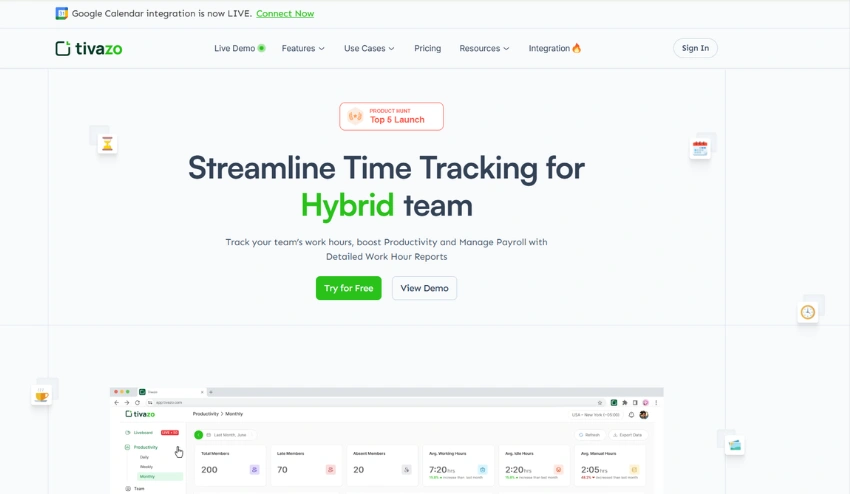
- Automated Tracking: Time tracking software provides for automatic time tracking on various tasks without interference from the employees. This eliminates any chance of human error in all work hours and guarantees complete accuracy. Automating this task greatly makes it efficient and less time-consuming by eliminating the administrative hassle of tracking manually.
- Detailed Reporting: One of the major advantages of any time tracking software is that it provides very detailed reports. These may be instructive on the progress of projects, the productivity of employees, and the efficiency of tasks, which can motivate employees to track time. This would, in turn, help any business study its performance to find scope for improvement or evaluate the time spent on projects or tasks.
- Integration with Other Tools: Most time-tracking tools integrate with other business software, such as project management systems like Slack and Outlook, payroll software, and CRM systems. This makes the flow of data smooth and easy, and the business has an all-in-one solution for tracking, managing, and analyzing time across multiple platforms.
Time Tracking Software vs Manual Tracking
| Time Tracking Software | Manual Tracking |
| High accuracy with real-time automatic tracking | Prone to human error and missed entries |
| Automatic or one-click timers for recording time | Requires manual entry of hours |
| Saves time by reducing administrative work | Time-consuming due to manual updates |
| Provides detailed productivity insights and analytics | Limited visibility into productivity patterns |
| Generates automated, detailed reports | Reports must be created manually |
| Helps manage multiple projects easily | Difficult to manage complex projects |
| Suitable for freelancers, teams, and large businesses | Better for individuals or very small teams |
| Offers advanced analytics and performance tracking | Minimal or no data insights |
| Low error rate due to automation | Higher risk of inaccuracies |
| Easy to use with dashboards and integrations | Simple but repetitive and manual |
Why Businesses Use Time Tracking Software
1. Better Accuracy
- Manual time tracking is full of places where errors could happen the human handwriting to employees’ self-reporting. These methods can lead to several issues further down the line with payroll, slowing projects, and resources not being utilized properly.
- Automated time tracking software offers accurate, real-time views of hours worked, projects, and productivity of employees. Thus, payroll, customer billing, and performance insights are more precise than before.
2. Easier Reporting
- This is the kind of report that, if done manually, would take so much time in entry and analysis. It requires a great deal of time and also tends to provide an avenue for errors.
- A facilitator-like time tracking software replaces all that by automatically creating such detailed reports that one can customize: everything from employee hours and project costs to productivity analysis, and so the things that keep the decision-making, budgeting, and performance tracking process smooth and fluid.
3. Better Team Collaboration
- Team collaboration may be at stake in a manual time tracking environment; the visibility is limited, and therefore, communication about the progress being made is restricted. Misconceptions pop up related to workload or project status.
- Tracking software provides transparency, accountability, and managers and members of the team will be able to view in real-time the information about project progress, completed tasks, and resource utilization. This, in turn, fosters collaboration, heightens communication, and reduces those conflicts related to mismanagement or misunderstanding of responsibilities.
4. Scalability and Flexibility
- The larger the company, the less efficient it becomes to track time through a manual method. Chances of errors grow as the number of team members starts expanding, and managing huge amounts of data is like an uphill task manually.
- Time tracking software is flexible and scalable. It’s pretty easy for it to grow with your business, new team members, projects, and complex reporting. Unlike manual systems, which often require additional staff or resources to manage, these software solutions easily integrate with other tools, making processes seamless.
5. Real-Life Benefits
- Moreover, with the software, Trello was able to note an increase in productivity by a ratio of 15% more productivity. This is because, while using time tracking software, recording progress helps one to further plan or take utilization of resources required thereafter, accordingly.
- Time tracking software has reduced time theft by up to 20% in the shortest amount of time, helped Tivazo bill their clients with great efficiency, and kept employees responsible while taking less opportunity for misuse of work hours.
- These examples very clearly outline the benefits realized by companies when migrating to time tracking software, from gains in productivity to protection of company resources.
6. Smarter Project Management
- The tracking system in timesheet software is generally designed to provide an overview of project management in support of the business, as needed, to enhance time deadlines, resource allocation, and project milestones. This, therefore, empowers teams to focus on priorities with live progress data, in addition to managing resources well.
- It can also ultimately enable businesses to make sure teams are working toward set goals, projects are completed on time and within budget, adding value for future improvements by adding time tracking in project management software.
Common Challenges in Time Tracking and How To Overcome Them

When businesses ask, “What is time tracking?”, the answer often comes with the realization that transitioning from manual methods to time tracking tools is a process entailing a set of challenges in its own right! Most businesses face some very common barriers while making this transition; however, with some strategized approach, most of these obstacles can easily be overcome.
The most common challenges of time tracking and actionable steps to successful implementation are outlined below.
1. Employee Resistance to Change
Challenge: The resistance of workers to the change from manual timekeeping to time tracking software could be due to increased surveillance or other issues with new technology.
Solution:
- Engage Employees Early: Include employees in the transition process by explaining to them how time tracking software will bring accuracy, efficiency, and reduced manual work.
- Provide Training: One of the most important things is to properly train employees with the new system. Let them be comfortable enough to ask any questions and be there for them as support during their adaptation.
- Highlight benefits: Describe how time tracking software will reduce time theft, increase transparency, and manage the workload of employees more effectively to create a better work-life balance.
2. Software Adoption and Integration
Challenge: For some companies, time tracking software can be very difficult to implement, especially when the system does not work well with existing tools or is hard for employees to work with.
Solution:
- Phase-in: Don’t switch completely; use a tag-team approach whereby teams get used to the software piece by piece. In this way, it gives them ample time to adapt and reduces the learning curve.
- Choose the right software: it has to be integrated well with other tools your business is using today, including project management systems or payroll. Look for ease of use and interfaces with your team’s needs.
3. Ensuring Accuracy and Consistency
Challenge: If no guidance is given, sometimes employees have a hard time with consistent time keeping, which may end up giving incorrect data and a waste of resources.
Solution:
- Set clear expectations: For any given activity, set clear expectations as to how employees track time when logging hours, and what types of activities are tracked.
- Use automation: Many automated capture features are part of time tracking software solutions that minimize manual errors and ensure that hours worked are tracked both accurately and consistently.
4. Data Management and Reporting
Challenge: Most businesses find it a little challenge in generating useful reports with time tracking software, especially if they are not conversant with data analytics or reporting capabilities within the software.
Solution:
- Train teams on reporting features: Ensure all employees in charge of managing reports understand how to use the time tracking software for reporting functions. Periodically go through the reports to make sure data is being tracked correctly.
- Customizable reports: Most time tracking software solutions also allow users to generate reports in formats that best fit the specific needs of their business. Use this to your advantage to gain insightful information regarding employee performance, project progress, and productivity trends.
5. Managing Transition Costs
Challenge: Most businesses are concerned about the initial costs of investment in time tracking software, which include the costs of subscription and training of the software.
Solution
- Look at the long-term value: While there could be some upfront investment, the long-term benefits that tracking software offers, like improved productivity, reduced time theft, and better project management, quickly offset the costs.
- Start small: Begin with a basic plan or trial version to test features and scalability before investing in a full-scale purchase. This can help manage costs in the initial implementation phase.
👉Learn More: USA Time Tracking Law
How to Find the Right Time Tracking Tool for Your Business
With any business, time means money, and it becomes important to manage work hours effectively to enhance overall productivity. Here’s how you can make sure you get the best solution that will suit your needs by selecting the right time tracking software.
Key Aspects of Consideration
1. Scalability:
Look for a time tracking solution that will grow with the growth of your business and scale up more users, projects, or data over time.
2. Ease of Use:
Make sure user-friendly so that your team will adapt fast and need as little training as possible.
3. Integration Capabilities:
Look for something that will play nice with your current toolset-from project management systems to payroll software.
4. Industry-Specific Features:
Consider features specifically for consultants, distributed teams, and creative agencies working with outside clients.
5. Cost vs. Value:
Ponder cost against functionality to make sure it aligns with both budget and needs.
Is Time Tracking Micromanagement?
The first thing to address is that time tracking is often considered to be micromanagement, but in reality, time tracking is not micromanagement; it depends on how time tracking is done or implemented within a particular team or company. Thus, time tracking, when done or implemented appropriately, is not micromanagement; it is actually a tool to enhance productivity tracking.
Micromanagement is an approach that emphasizes excessive control and monitoring of an employee’s activities. This is not applicable to time tracking, as time tracking aims to provide insights into how work hours are being utilized, allowing teams to enhance their processes and decisions.
👉Learn More: Is Time Tracking Micromanagement?
When Time Keeping Feels Like Micromanagement
Time tracking can feel like micromanagement if:
- It is used to monitor every minute of an employee’s activity
- There is a lack of trust between managers and team members
- Data is used to criticize rather than improve performance
- Employees are not informed about why time tracking is implemented
When Time Tracking Supports Productivity
Time tracking becomes a positive and effective tool when:
- It is used to improve time management and workflow efficiency
- Employees understand its purpose and benefits
- The focus is on outcomes, not just hours worked
- It helps teams plan better and reduce workload stress
Employee Time Tracking Myths
Employee time tracking is often misunderstood due to common myths that create confusion about its purpose and impact. In reality, modern time tracking and time tracking software are designed to improve productivity tracking, transparency, and efficient project management, not to control employees.
Some common myths include:
- Time tracking reduces trust – In reality, it improves accountability and transparency
- It’s only for large companies – Small teams and freelancers benefit just as much
- Time tracking is time-consuming – Modern tools automate the process
- It lowers productivity – It actually helps improve focus and time management
Understanding these misconceptions helps businesses and teams use time keeping more effectively.
👉 Explore the full guide on employee time tracking myths to learn the truth behind these common beliefs.
Best Practices for Effective Time Tracking
To derive maximum benefits from time tracking, it is important to keep in mind some best practices that will enable accurate and consistent time tracking. By employing a suitable methodology, along with time tracking tools, it is possible to boost productivity tracking, time management, and efficiency in workflows.
Some key best practices include:
- Track time consistently to maintain accurate records of work hours
- Use clear task categories for better organization and reporting
- Avoid over-tracking every minor activity to stay focused on meaningful work
- Review time reports regularly to identify patterns and improve productivity
- Choose the right time tracking software that fits your workflow
The best practices will enable time tracking to be utilized as a valuable tool to boost performance.
👉 Explore the detailed guide on time tracking best practices to maximize productivity and efficiency.
Time Tracking Policy for Employees
A time tracking policy is a collection of guidelines that explain to employees how they are required to record their work hours. It aids in promoting consistency, increased productivity tracking, and efficient project management through the utilization of accurate information provided by time tracking software. An efficient time tracking policy will explain to employees what needs to be recorded, how to record their time, and when to record their time.
The utilization of a time tracking policy aids in promoting consistency and eliminating confusion, as it helps ensure that time tracking is conducted in a manner that promotes efficient time management, increased transparency, and efficient decision-making processes within an organization.
👉You May Also Like: Time Tracking For Compliance and Regulatory Reporting
Conclusion
Understanding what time tracking is and what it can achieve is very important for any business that desires to thrive in the competitive landscape. Time tracking software is a modern solution to the inefficiencies and inaccuracies of manual methods. With features including automated tracking, real-time insight, and seamless integration, this tool will be indispensable to amplify productivity, reduce errors, and align work to the intended business outcome.
Now it’s high time to reflect on your present time management system. The time tracking software is surely going to revolutionize the inner workings of your team, having things run just as smoothly as silk. So now, take that first step by exploring a time tracking software demo today, or download an informative guide on just how to find the perfect solution for your business. It’s time to leap into the future, where time management is concerned.