Forget those old punch clocks! In our world of remote, hybrid, and super flexible work schedules, accurately keeping track of when employees are putting in their hours is no longer just a simple “in-and-out” matter.
It’s vital information needed to get your teams productive, your payroll on time, your projects running smoothly, and to make sure nobody gets in hot water with regulations.
But let’s face it, relying on those dusty time sheets or clunky spreadsheets is a surefire way to get headaches. Hours go missing, overtime gets fudged, paydays are delayed, and you have no clue who’s actually got their hands full. Neither employers nor employees win.
This is where employee time tracking software really shines! Modern-day tools automatically track when your employees work, keep tabs on project timelines, spit out killer reports, and play nice with your payroll and project management systems.
And many even come with additional perks like productivity dashboards, attendance trackers, and employee monitoring so your managers aren’t just guessing anymore.
We want to make finding the right solution a breeze! So, we tested out the top contenders in employee time tracking software.
We looked at how user-friendly they were, how well they report, what employee monitoring features they offer, the apps they integrate with, how they price their plans, what customers are saying, how they scale up, and basically what overall bang you get for your buck for teams both large and small.
So, if you’re the boss of a scrappy startup, an agency on the rise, or a massive enterprise organization, this guide is for you. We’ve rounded up the 10 best employee time tracking software solutions available, so you’re sure to find one that’s a perfect match for your team.
Key Takeaways
If you don’t have the time to read through this whole post, this is what you should know:
Tivazo is an all-in-one software that provides the tracking and monitoring of employee hours, productivity reports, and auto-generated reporting. If your business is looking for everything time-related in one software, then Tivazo may be the software for you.
Clockify offers an outstanding free plan for businesses that plan to utilize their service. The program allows you to have an unlimited amount of users on the app!
If you are a freelancer and a small team that loves simple designs, then Toggl Track is the right software for you.
Hubstaff is best suited for remote and field teams that require GPS tracking and workforce management.
Harvest stands out for agencies and consultants that need accurate billable hour tracking and invoicing.
The right software should improve payroll accuracy, project visibility, and workforce productivity—not just record employee hours.
What Is Employee Time Tracking Software?
It’s a system to log hours your team is working, track what they work on, and create precise timesheets to be used to prepare for payroll, billing clients, and tracking productivity.
In contrast to spreadsheets or paper timesheets of the past, employee time tracking software digitizes your timesheet. It allows you to track hours on desktops, mobile devices, and web browsers.
Managers gain real-time insight into your workforce’s presence, projects in progress, overtime, and team efficiency.
Some systems allow you to analyze productivity and project progress, approve timesheets, track billable time, and calculate payroll and labor costs.
These systems can help companies to analyze where work hours are being spent on each project and make more efficient staffing decisions.
Most companies of all sizes, from startups to multinational corporations, use employee time tracking software to automate administrative tasks, reduce payroll errors and increase workforce productivity.
If you’re new to digitally tracking your employees hours, knowing to track employee hours will likely make you familiar with how automated time tracking simplifies timesheet and payroll processing as well as planning for the future of your work force.
Why Employee Time Tracking Software Matters in 2026
So how can we be more accurate and reliable, especially these days when things like working remotely or a hybrid model have become pretty common? Manual time tracking just doesn’t cut it anymore.
Organizations need reliable workforce data for things like payroll, project management, compliance, budgeting, and measuring employee productivity.
Enter modern employee time management software. Here’s how these systems benefit organizations:
- Minimize payroll errors by ensuring accurate time records.
- Create more realistic project budgets with actual labor costs at any point.
- Measure employee productivity without the constant nudging of paper timesheets.
- Keep track of billable and non-billable hours by client and project.
- Track overtime and attendance in one central dashboard.
- Provide managers, HR professionals and leaders with rich data through detailed reports.
- Manage both remote and hybrid employees by offering cloud-based tracking.
Companies that adopt an effective employee time tracking tool spend less time fixing payroll problems and more time optimizing other areas of business operations.
With a growing need for flexible workplaces, the adoption of the appropriate software will continue to rise as we move forward.
It is crucial to understand why time tracking software is essential for employees
The shift to remote and hybrid work isn’t coming to an end. As teams get more spread out, tracking hours the old-fashioned way just won’t do. Spreadsheets break. People forget. Payroll gets messy.
The proof is in the numbers, as good workforce management software can actually address real workplace issues.
Employee time tracking software helps businesses avoid billing conflicts, better estimate project completion time, and save time tracking down hours at the end of the month.
Let’s look at what the right tool does for you:
Payroll accuracy: Hours get automatically entered into payroll without having to manually calculate overtime or get into a dispute with your time sheeters.
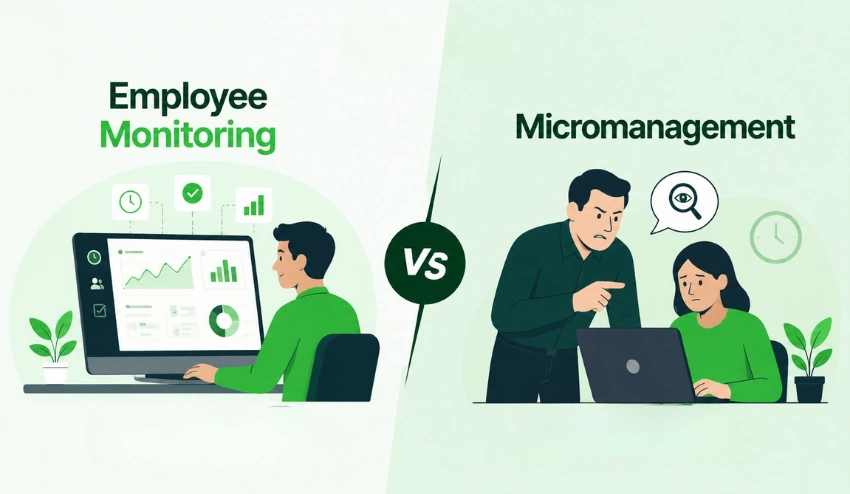
Employee remote monitoring: Be aware of what’s happening with the distributed team without being a micromanager of every Slack message
Productivity visibility: Identify bottlenecks and understand which projects consume the most time. Track billable hours with accuracy and support every bill with data.
Client billing: Not only record billable hours with accuracy, but also support every bill with data.
Any agency with 5 employees or a 500-person company will find that a solid productivity tracking program is a fast payback program.
When choosing employee time tracking software, there are several key features to consider
Not all tools are created equal. When thinking about an investment, ask yourself to see if it has these attributes:
Ease of use: If the employees don’t like to use it, they won’t. In order to find the right clean interfaces and one-click timers, it is advisable to look for websites that offer these features.
Integrations: Integrates with your existing payroll, project management, and HR tools
Reporting: Detailed reports that make sense and aren’t just data dumps.
A mobile app: necessary for field personnel and remote employees.
Pricing: Clear pricing and a free plan/trial to try before you buy.
Employee monitoring features: Screenshots, activity levels, and app usage tracking for accountability
How We Tested and Ranked These Tools?
To create this list we compared leading employee time tracking platforms based on factors that matter most to businesses in 2026.
We evaluated:
- Ease of use
- Time tracking accuracy
- Employee monitoring features
- Reporting and analytics
- Payroll integrations
- Mobile app quality
- Pricing and overall value
- Scalability for growing teams
This process helps to ensure that the recommendations are based on real business needs and not on marketing claims.
10 Best Time Tracking Software for Employees
Quick Comparison Table
| Tool | Best For |
| Tivazo | All-in-one tracking & monitoring |
| Clockify | Free team tracking |
| Toggle Track | Freelancers & small teams |
| Hubstaff | Remote & field teams |
| Harvest | Agencies & billing |
| Timecamp | Automatic tracking |
| TMetric | Small development teams |
| Time Doctor | Deep productivity analytics |
| Clockodo | European SMBs |
| DeskTime | Hands-off productivity visibility |
1. Tivazo – The Best All-in-One Employee Time Tracking Platform
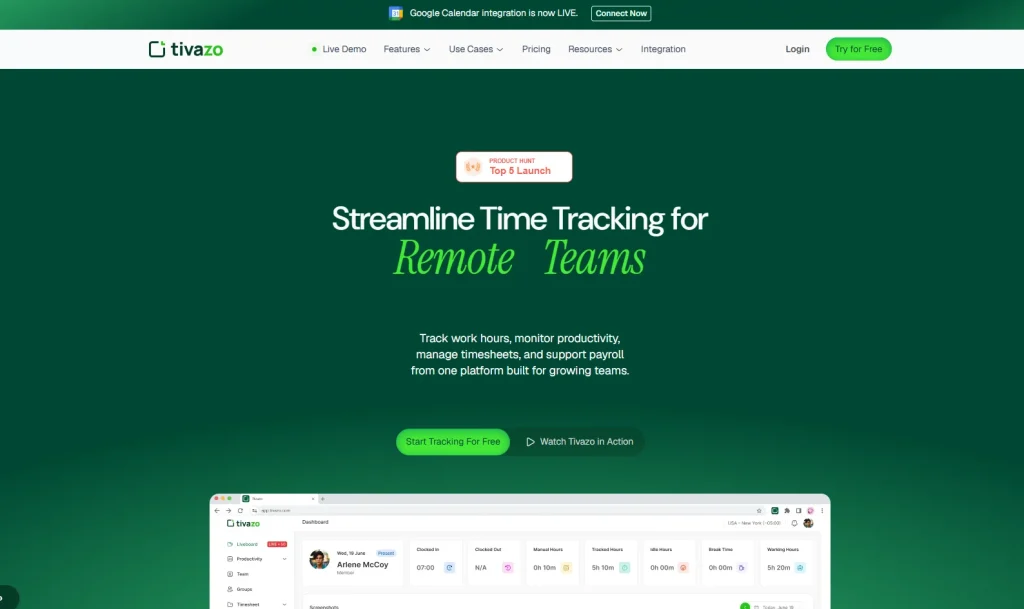
Tivazo is the most complete employee time tracking solution on this list. It’s built for teams that need more than just a start/stop timer; it gives you full visibility into how work gets done, without requiring you to hover over anyone’s shoulder.
At its core, Tivazo time tracking is simple and accurate. Employees clock in with a click, and managers get real-time data without chasing anyone down. But what sets Tivazo apart is the depth behind that simplicity.
The employee monitoring features are seriously robust. You get activity levels, app and URL usage, and live screenshots that let you see exactly what’s on an employee’s screen at any given time. This isn’t about distrust; it’s about having real data when you need it.
Performance insights help managers identify who’s overloaded, who’s underperforming, and where projects are getting stuck. Combined with automated timesheets and reports, you can run payroll with confidence and present clients with airtight billing records.
Team management features make it easy to organize employees by department, assign projects, and set permissions, all from one dashboard.
Tivazo works great for enterprises managing large workforces, agencies billing clients by the hour, and even freelancers who want clean records of their own work.
Key Features:
- Real-time time tracking with automatic idle detection
- Live screenshots and activity monitoring
- Automated timesheets with approval workflows
- Performance dashboards and productivity analytics
- Project and team management with role-based permissions
Why Businesses Choose Tivazo?
Tivazo is a single platform that combines Time Tracking, Employee Monitoring, Performance Insights, and Timesheets and Report.
With Live Screenshots, managers can see productivity, monitor project hours, approve timesheets and manage teams without switching between tools.
That’s why Tivazo is especially helpful for remote teams, agencies and growing businesses that need accountability and operational visibility.
Best For: Teams of all sizes that need deep visibility into employee productivity and time usage
Pricing: Free plan available; paid plans start at competitive rates. Check Tivazo pricing for current details
2. Toggl Track is a simple and popular time tracking tool for freelancers
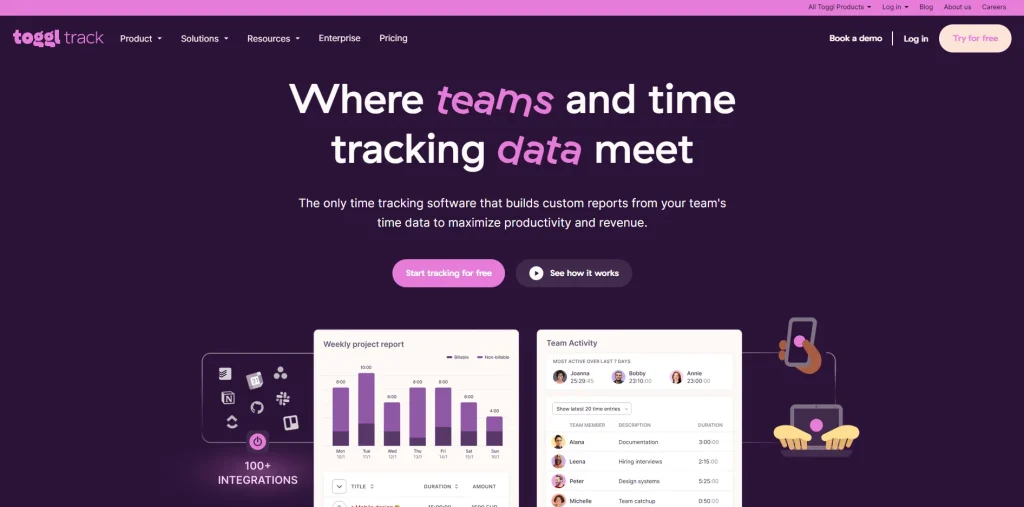
Toggl Track is a popular and simple time tracker for freelancers. There are lots of work hours tracking apps available out there, and Toggl Track is one of the most popular.
It is very easy to use: open the app, enter the work in progress, and press start. That’s it. No complex setup, no onboarding hassles.
It is a good time logging solution for small teams or individual operators who don’t need much paperwork and clutter.
The reporting is decent, and it integrates with several dozen project management software, such as Asana, Trello, and Jira.
However, Toggl Track doesn’t have much to offer regarding employee monitoring. No screenshots, no activity tracking, and no built-in payroll features. That’s okay if you’re a freelancer or a small creative company. If you’re a growing company where more supervision is needed, you will feel the restrictions soon.
If you are considering an alternative to Toggl Track, you might want to read through this comparison of Toggl Track alternatives to find out how Tivazo compares feature-by-feature.
Key Features:
- This is the one-click timer, which is also available as a browser extension.
- Real-time team dashboard. Real-time team dashboard.
- Project and client reports with detailed information.
- 100+ integrations
Ideal Use Case: Freelancers and small teams seeking easy, elegantly designed time tracking.
The pricing is Free plan is available, and the Paid plan starts at $9/user/month.
3. Clockify – The Best Free Time Tracker for Teams
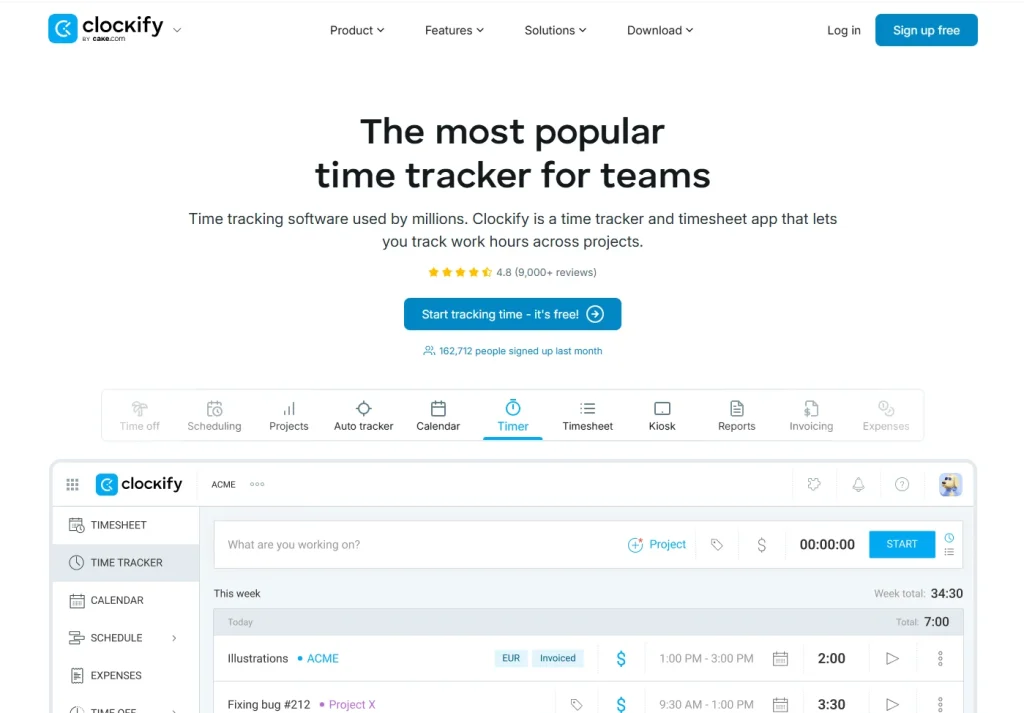
This is the best free time tracker for teams. Clockify is rightfully on this list because it’s actually free without the hidden catches of “free unless you need something useful.”
The free plan is actually pretty capable, even allowing unlimited users, projects, and time entries.
For budget-conscious teams, it’s a great choice of timesheet software. You will receive time tracking, basic reporting, and a calendar view that will ease scheduling. The interface is neat and simple.
The downside? The free version doesn’t have productivity tracking, screenshots, or advanced reporting.
If you want enterprise-level features, you’re going to be paying for one, and if so, there are better options.
To see how well they measure up, read through the Clockify alternative breakdown before you commit.
Key Features:
- As long as you want, the free plan allows you to use unlimited users and projects.
- The timesheet view and calendar view.
- Shared device teams can use the kiosk mode.
- Basic Reporting and export functions
Most suitable for: Startups and small teams with limited budgets
Support: Free plan available; paid plans start at $3.99/user/month
4. TimeCamp is the perfect time tracking solution.
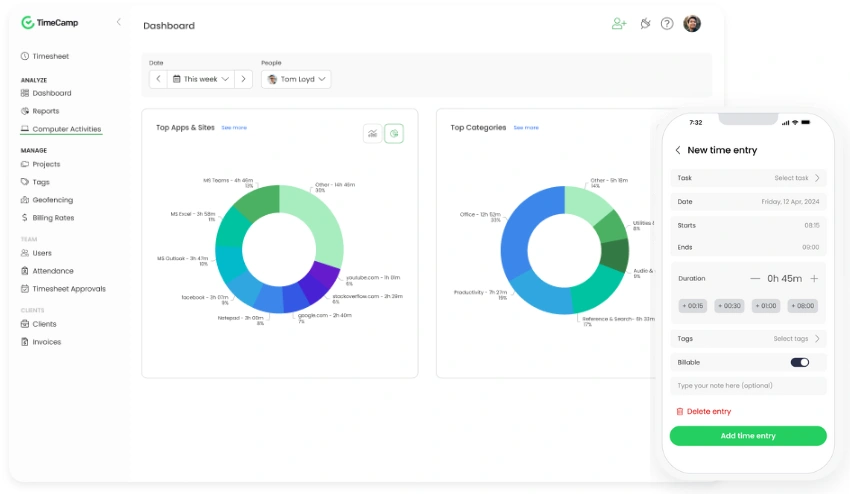
Unlike most of the tools on this list, TimeCamp does not do the same thing as this tool. It automatically tracks time in the background, without requiring an employee to manually start and stop a timer, depending on the apps and websites they use.
That translates to smoothness and precision. The timer is never forgotten. No one says more than their hours when they’re counting.
TimeCamp only records what really happened. It also comes with robust billing and invoicing capabilities, making it an excellent choice for service-oriented firms. The interface is a little tricky at first, but the automation is quite helpful.
For more feature-rich platforms, there is an alternative to TimeCamp that explains the differences.
Key Features:
- Use of app/URL-based automatic time tracking.
- An integrated invoicing/billing solution.
- Tracking and managing attendance and leave.
- GPS tracking of field teams.
Best For: Teams that prefer hands-off, automatic time tracking
Time tracking: Time tracking is included in all plans at no extra cost. Collaboration: Shared tasks, notes, and to-do lists are included in all plans.
5. TMetric is the clean and affordable option for small teams
TMetric is a simple time tracker that does the essentials without the frills, so to speak. It encompasses time entries, project tracking, pricing rates, and basic reporting, all presented in a clear, user-friendly interface.
An excellent starting point for teams with no experience with employee time tracking. It’s also helpful for dev teams because of its integration with tools such as GitHub, Jira, and Basecamp.
Lacks the depth when it comes to monitoring and analytics for employees, which can hinder its usefulness at scale. It’s adequate for smaller groups that only need basic time tracking.
If you are currently trying to compare these two, then check out this TMetric alternative comparison.
Key Features:
- Using time tracking with project and task breakdown.
- Time tracking with project breakdown and task breakdown.
- What is the cost of billing and keeping track of the budget?
- Integration with 50+ apps
- Browser extension for one-click tracking
Ideal For: Small Development Teams, Service Companies, tracking billable hours.
This is a free plan available, with paid plans beginning at $5/user/month.
6. Hubstaff – Remote Team Monitoring with GPS
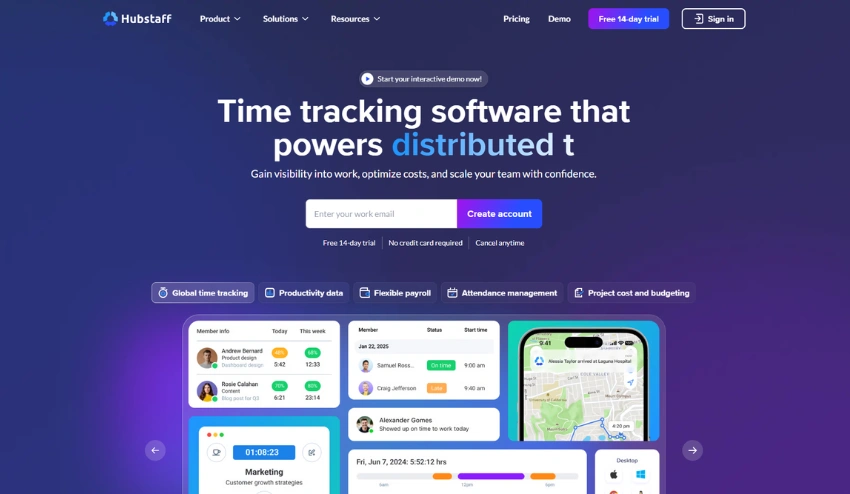
Hubstaff is designed with remote and field teams in mind. It’s not just about time tracking: You also have GPS location tracking, activity monitoring, screenshots, and payroll integrations at your fingertips.
It is especially well-suited for companies with mobile employees, such as contractors, delivery crews, and field service representatives. If you’re concerned about location responsibility, the GPS capabilities are actually helpful.
The interface may become overwhelming, and in some cases, the monitoring level is too high for some workers. However, if you require robust management of an outsourced team, then Hubstaff is for you.
Key Features:
- Mobile and field workers tracked by GPS.
- The ability to take screenshots and monitor activity.
- Automated payroll with payment integrations.
- Planning and shift control.
Ideal for: Businesses that operate remotely or in the field, such as construction and field service, or need to track their employees’ locations.
Usability: Intuitive, but may not be the most sophisticated.
Features: Intuitive, but not the most advanced.
7. Time Doctor – Deep Productivity Analytics
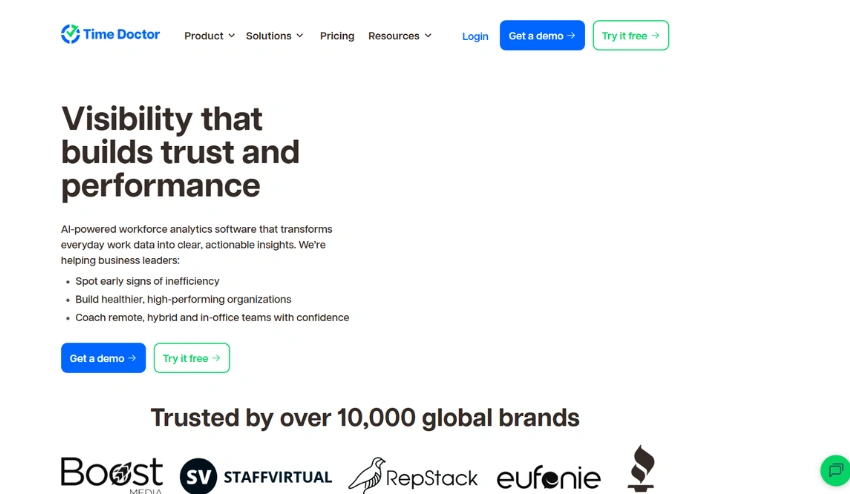
Time Doctor is on the more advanced end of monitoring. It records screenshots, websites, and apps, and even notifies employees about distractions.
It’s utilized by large outsourcing companies and call centers for a reason: it is comprehensive.
One of the best features is the reporting. You receive productivity scores, breakdowns of poor time usage, and comparisons with teams to make informed decisions based on the data. The amount of detail can seem daunting at first, but this is great for power users.
Key Features:
- The ability to capture screenshots at intervals of choice.
- Monitoring of the use of websites and apps.
- Tools for alerting overworked employees on work-life balance.
- Supports more than 60 PM tools
Ideal for: Large remote teams and outsourcing operations requiring more in-depth monitoring.
Billing: There is no free pricing; the plan starts at $7/user per month
8. Harvest is the best option for Project-Based Billing
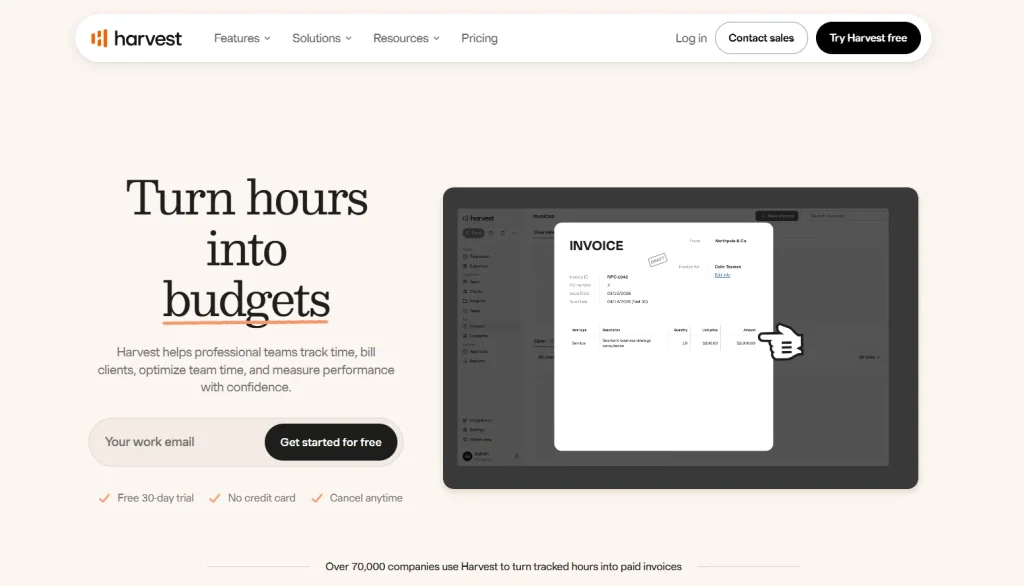
Harvest is a time tracking and consultant time tracking software solution agency that dates back to 2006, and is one of the most recognized programs out there. It’s all about billable hours: easy, precise, and quick invoicing for clients.
Project budgeting is really good. The hourly or fixed-fee budget, real-time tracking, and alerts for approaching budget limits. You can integrate with Stripe and PayPal and receive payment directly from the platform.
Key Features:
- Billable vs. non-billable hour separation
- Create budgets that alert to overages
- Online payment collection system, with invoices.
- The need to integrate with accounting systems such as QuickBooks deeply.
Best For: Agencies & consultants that charge their clients for hours worked
Storage: Free plan includes 1 user / 2 projects, paid plans start from $12/user/month.
9. Clockodo – German-Built Precision for SMBs
One of the lesser-known gems is Clockodo, which is a ton more popular with European businesses. A tidy, GDPR compliant time tracker that has no fluff and has robust absence management and overtime tracking capabilities.
The user interface is neat and user-friendly. Absence planning, tracking of sick days, and holiday management are more robust than in most of these tools. A wonderful option for organizations looking for compliance-oriented time tracking.
Key Features:
- Overtime and absence records.
- GDPR-compliant data handling
- Time allocation for customers and projects.
- Reporting with export functionalities
Ideal for: European SMBs and teams that require robust leave management functionality
Pricing: Starts at €3.50/user/month, no free plan.
10. DeskTime: Automatic Productivity Scoring
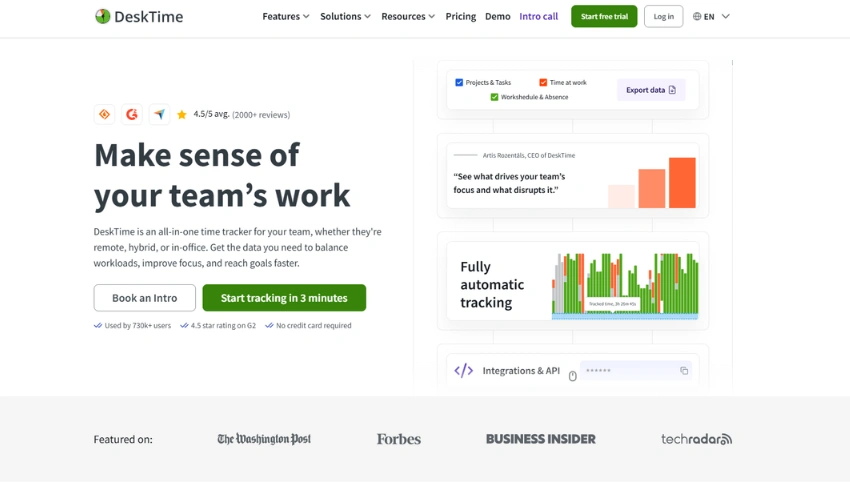
DeskTime is an automatic time tracking app that sorts all worker activity into productive, unproductive, and neutral stacks according to the apps and sites they use. It works silently behind the scenes, no timing required!
This is the unique feature named productivity scoring. Each day, managers receive a daily team productivity percentage, without having to trawl through raw data to see trends.
For managers looking for a daily overview without being a micromanager, this is a good choice.
Key Features:
- Categorize apps and URLs automatically.
- Daily productivity score per employee
- A calendar of absences and a shift schedule.
- Track and calculate project time, including costs.
Ideal For: Teams looking for hands-off productivity visibility.
Mobile App: available on all plans, starting at $7 per user per month
Which Employee Time Tracking Software Should You Choose?
| If you need… | Choose… |
| A complete business solution | Tivazo |
| A free team tracker | Clockify |
| A freelancer-friendly tool | Toggl Track |
| GPS tracking | Hubstaff |
| Billable hour invoicing | Harvest |
| Automatic background tracking | TimeCamp |
Quick Comparison Table – Best Time Tracking Software for Employees
| Tool | Best For | Free Plan | Starting Price | Standout Feature |
| Tivazo | All-in-one tracking & monitoring | Yes | Competitive | Live screenshots + performance insights |
| Toggl Track | Freelancers & small teams | Yes | $9/user/mo | Simplicity & integrations |
| Clockify | Budget teams | Yes | $3.99/user/mo | Unlimited users free |
| TimeCamp | Automatic tracking | Yes | $2.99/user/mo | Background auto-tracking |
| TMetric | Small dev teams | Yes | $5/user/mo | Clean UI + GitHub integration |
| Hubstaff | Field & remote teams | Yes | $4.99/user/mo | GPS location tracking |
| Time Doctor | Large remote teams | No | $7/user/mo | Deep productivity analytics |
| Harvest | Agencies & billing | Yes | $12/user/mo | Invoicing + budget alerts |
| Clockodo | European SMBs | No | €3.50/user/mo | GDPR + absence management |
| DeskTime | Hands-off monitoring | Yes | $7/user/mo | Auto productivity scoring |
How to Choose Employee Time Tracking Software?
When selecting a platform, focus on:
- Business size: Can it scale with your team?
- Payroll integration: Does it reduce manual payroll work?
- Reporting: Can managers quickly understand productivity?
- Employee monitoring: Is the level of monitoring appropriate for your culture?
- Automation: Does it support automatic time tracking?
- Mobile access: Can employees track time from anywhere?
Free Tools to Boost Your Time Management
These free tools add to your employee time tracking process. Overtime Calculator Check on overtime payments. Time Card Calculator Sum up manual timesheets.
Hourly Salary Converter hourly wages to approximate annual salaries. Pomodoro Timer Boost focus during intense work periods.
Types of time tracking software for employees
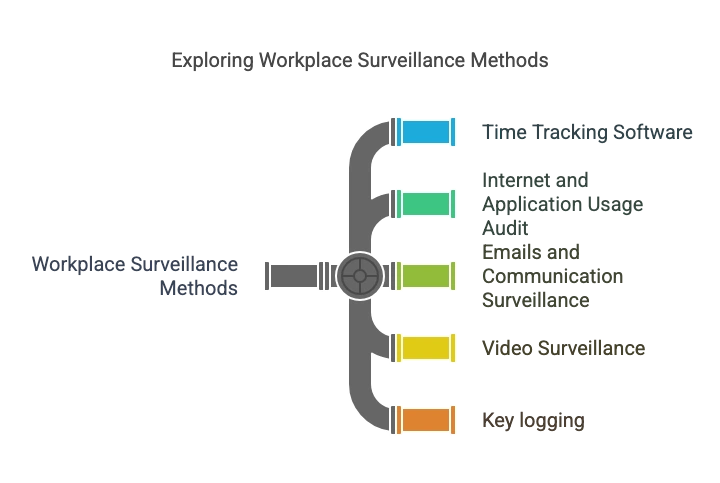
- Time Tracking Software: Measuring and monitoring tools include tracking the time spent by employees on given tasks or assignments, or the time consumed on projects, and then used in billing or payroll services.
- Internet and Application Usage Audit: This method monitors websites that you visited or applications you used during working time, so that you will not be diverted to other activities.
- Emails and Communication Surveillance: Supervision of email and chat can also resolve information leakage and maintain business-like communication.
- Video Surveillance: Workplace use of cameras assists in surveilling people’s movement within workplaces for reasons related to safety and security.
- Key logging: Keyboard logging utilities monitor what keys the computer user is pressing to identify security violations.
Advantages of using time tracking software for employees.
- Improved Accountability: Monitoring brings assurance and makes people conscious that they are being watched by others in the organization.
- Optimized Workflows: Such analysis would help organizations bring in improvements to the existing procedures and divide resources in a much better way.
- Enhanced Security Measures: It assists in tracking suspicious actions and decreases the possibility of being attacked by insiders or data breaches.
- Data-Driven Decision Making: There is a need to monitor employees since this delivers important statistical information for decision-making in the organization’s strategic plans for enhanced performance.
Challenges of time tracking software for employees
- Privacy Concerns: They can easily develop feelings that their privacy is being infringed upon, hence dissatisfaction or low morale. Some problems that may be faced because of poor utilization of the monitoring technique are legal problems, which may arise from infringement of the Privacy Act.
- Trust Issues: When the authorities monitor the subordinates too closely, they develop the wrong culture and do not trust their managers at work.
- Over-Reliance on Data: The schemes based only on the data obtained from the monitoring may omit qualitative characteristics of an employee, such as his or her creativity or ability to cooperate.
Common Mistakes When Choosing Employee Time Tracking Software
- Choosing the cheapest tool without checking features
- Ignoring payroll integrations
- Overlooking mobile access
- Using excessive employee monitoring
- Ignoring reporting capabilities
- Failing to plan for team growth
Avoiding these mistakes can save significant time and money during implementation.
Who Should Use Employee Time Tracking Software?
Employee time tracking software is especially valuable for:
- Remote and hybrid teams
- Agencies and consultants
- Time Tracking for Construction Companies
- time tracking software for law firms
- time tracking for software developers
- Healthcare organizations
- Field service businesses
6 Best Practices for time tracking software for employees
Another type of monitoring is focused on employees, and it can be considered a keystone of the contemporary approach to managing organizational work.
It allows for guaranteeing productivity, security, and compliance with the required standards. Nevertheless, the key performance indicators generated by time tracking software for employees must be met by adhering to clear and ethical norms to protect the employees’ trust and privacy.
The following provides six best practices of time tracking software for employees that organizations should adopt.

1. Establish Clear Policies
The first step necessary with time tracking software for employees is to have a documented and easily understood policy.
Employees need to know about what sort of monitoring is being done, for example, activity monitoring, keystroke logging, or geolocation tracking.
When implementing the policy, its objective, the information to be collected, and its use should be well stipulated.
Integrity creates trust, and Panda can communicate the extent to which employees can be monitored at work.
2. Employee Privacy
Managing the conflict between monitoring and privacy is important when each employee at the workplace must be accountable for his/her misconduct.
Some inventions should not be implemented but should be discouraged, for instance, in organizations, the use of video surveillance in a way that is not needed, or the unauthorized access of private communications.
Companies should keep monitoring their employees in the course of their work, but also ensure that the monitoring does not invade the employees’ privacy.
Reasonable protection of individuals’ rights also increases confidence in monitoring results, avoiding abuse of technologies.
3. Legal Compliance
The monitoring of employees must follow the state and federal laws and regulations. There are data protection laws and laws governing the industry, like the GDPR.
Employers should seek legal advice before implementing any procedures, as such practices are regulated by local and international laws.
Failure to adhere can have legal consequences and a negative impact on the organization’s reputation.
4. Monitoring practices
As is now well known, transparency will go a long way in fostering trust. Employers should ensure that they pass clear messages to their employees on how the monitoring data will be obtained, processed, and used.
Self-organized learning point-monitoring policies should be reviewed and updated frequently to meet new, emerging issues.
This way, there is a free flow of information on the time tracking software about employees activities and thus minimizes the possibilities of misunderstandings.
5. Monitoring Tools
As the term suggests, not all tools used in the surveillance of employees are of the same quality. It is vital to choose the right tools pointing at the goals of an organization and are nonintrusive with privacy.
For example, bandwidth utilization and control applications can enhance productivity without encroaching on personal privacy. Selecting the right tools effectively keeps the check and balance system, a focused method for improving the employees.
6. Observe Data
Any data collected in relation to the time tracking software for employees should then be audited, sometimes regarding its relevance and accuracy.
As critical as data input is, it is equally relevant to ensure that such input is adequately protected from diverse external threats like hacking. Sharing data decisions with employees makes them accountable and comfortable that monitoring is truthful and safe.
Final Thought – Which Time Tracking Software Is Best for Employees?
If your business needs a complete solution that integrates Time Tracking, Employee Monitoring, Performance Insights, and Timesheets and Report, then Tivazo has the most comprehensive all-in-one feature set on this list.
Budget is the priority? Choose Clockify. Simplicity is the priority? Choose Toggl Track. Do you bill your clients by the hour? Choose Harvest. Is GPS tracking important? Choose Hubstaff for remote or field teams.
The best employee time tracking software will be the one that fits your workflow, improves payroll accuracy, and gives your team visibility without adding unnecessary complexity.