There’s a real tension in modern workplaces, especially remote and hybrid ones. Managers want to know work is actually getting done. Employees want to feel trusted. And somewhere in the middle, most monitoring tools manage to make everyone unhappy, either by being too invasive to feel comfortable or too vague to be useful.
Tivazo’s employee monitoring sits in a different spot. It gives you genuine visibility into how your team works, without turning your workplace into a surveillance operation. Let’s talk about what that actually looks like in practice.
Why Employee Monitoring Gets a Bad Reputation
Be honest, when you hear “employee monitoring software,” what comes to mind? Probably something that feels a bit Big Brother-ish. Keystroke logging. Constant screenshot captures. Managers micromanaging from a dashboard. It’s the kind of thing that makes good employees feel like suspects.
That reputation isn’t entirely undeserved. A lot of monitoring tools were built with distrust baked into their design. They capture everything, flag constantly, and treat every idle minute like a cardinal sin.
The result? Employee morale tanks. Productivity often gets worse, not better, because people are anxious about being watched rather than focused on doing good work. And managers end up drowning in data that doesn’t actually tell them anything useful.
What teams actually need is visibility, not surveillance. There’s a meaningful difference between knowing how work is progressing and watching over someone’s shoulder every minute of the day. Tivazo is built around that distinction.
What Tivazo’s Employee Monitoring Actually Does
Tivazo’s monitoring tools are designed to answer one core question: Is work moving forward the way it should be? Not “is this person at their desk?” but “is this project on track, is my team focused, and where do I need to step in?”
Here’s how the platform delivers on that.
Screenshot Monitoring Visibility Without the Pressure
Screenshots are one of the most common features in monitoring tools, and also one of the most misused. When a tool is capturing your screen every 30 seconds and sending everything to management, it feels oppressive. Tivazo takes a more measured approach.
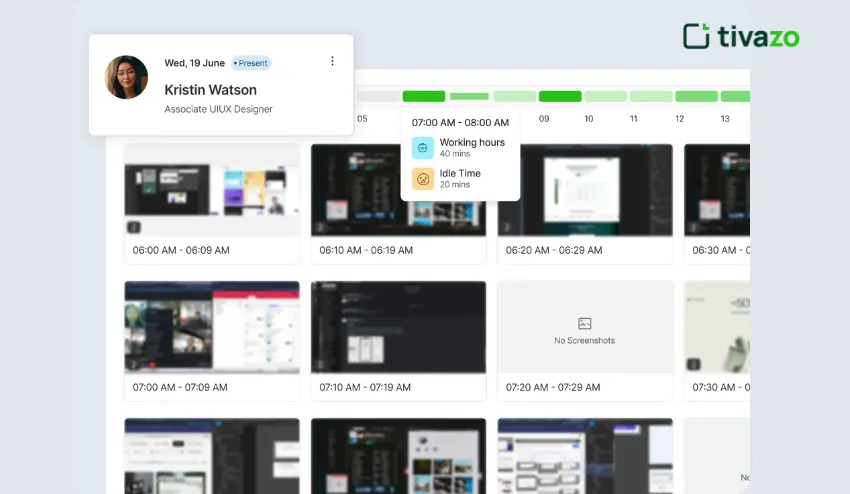
Screenshots in Tivazo are optional and configurable. They’re captured at regular intervals, not constantly, to give managers a window into ongoing work without interrupting the flow of the person doing it. Think of it less like surveillance footage and more like periodic check-ins that happen automatically.
What this actually helps with:
- Verifying that remote team members are engaged with the right tasks during work hours
- Getting a quick visual snapshot of project progress without sending a message asking “what are you working on?”
- Offering context when a time log seems inconsistent with what was delivered
- Building accountability in distributed teams where face-to-face check-ins aren’t possible
The key phrase here is respecting user privacy. Screenshots aren’t meant to catch people out, but they’re meant to keep work visible in environments where it otherwise wouldn’t be.
Idle and Active Time Tracking: Understanding the Rhythm of Work
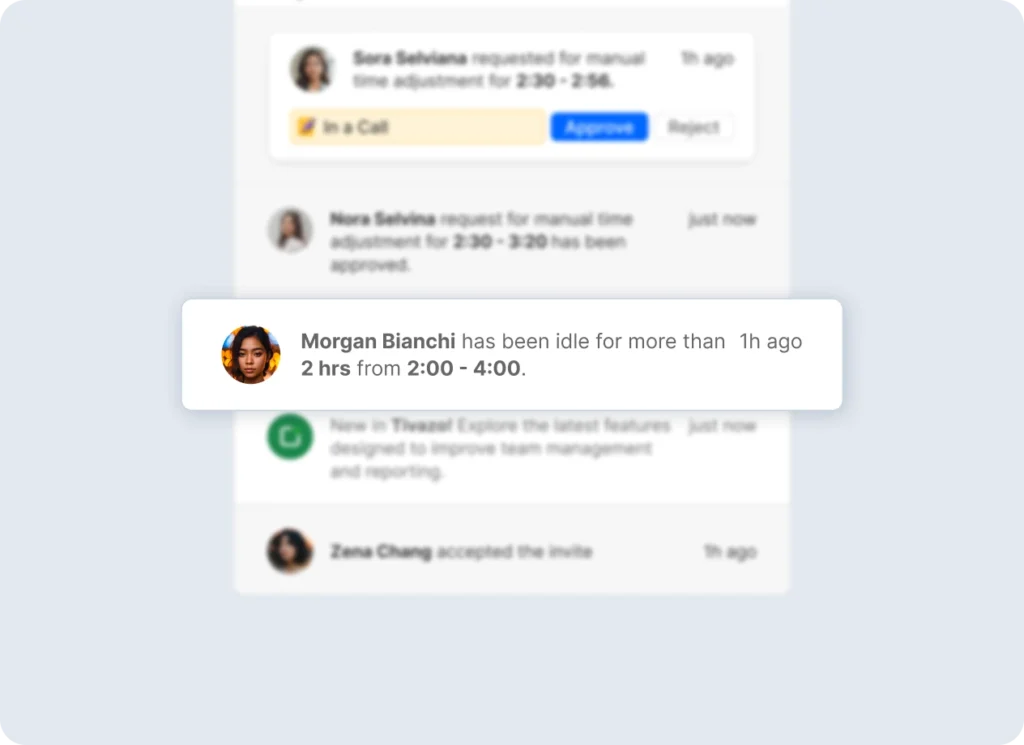
Every team has natural rhythms. People take breaks. They think. They get up to make coffee. That’s not a problem, it’s just how humans work. The issue is when idle time starts stretching well beyond what’s normal, and no one notices until it becomes a pattern.
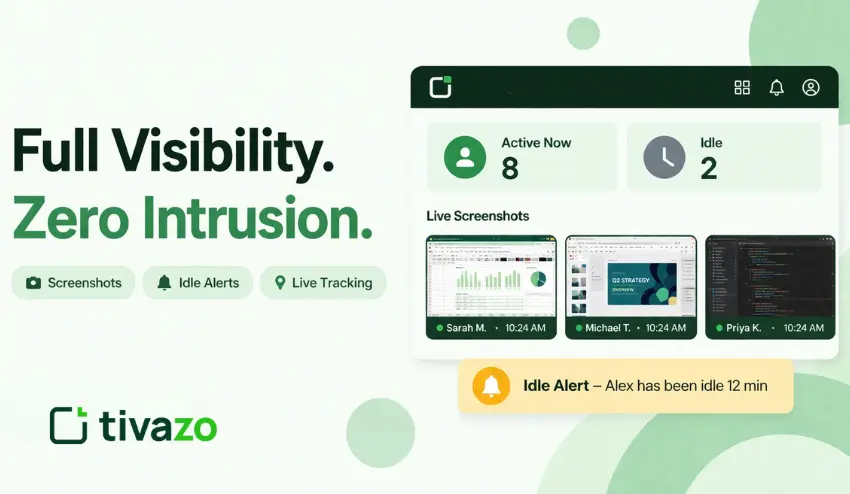
Tivazo monitors both idle and active time throughout the workday. When a team member has been idle for a significant period, the platform automatically detects it and sends a notification to the manager.
This is genuinely useful for a few reasons:
- It’s proactive, not reactive. You find out about potential issues as they’re happening, not after a deadline has been missed.
- It removes the awkwardness of a manager having to chase someone down and ask if everything’s okay.
- It surfaces patterns over time. One long idle period might be a coffee break. A pattern of them might indicate someone’s struggling, overwhelmed, or disengaged, all things worth a conversation.
The alerts aren’t punitive. They’re informational. The goal isn’t to ding someone for taking a break; it’s to give managers the information they need to manage well.
Real-Time Tracking and Insights Managing in the Moment
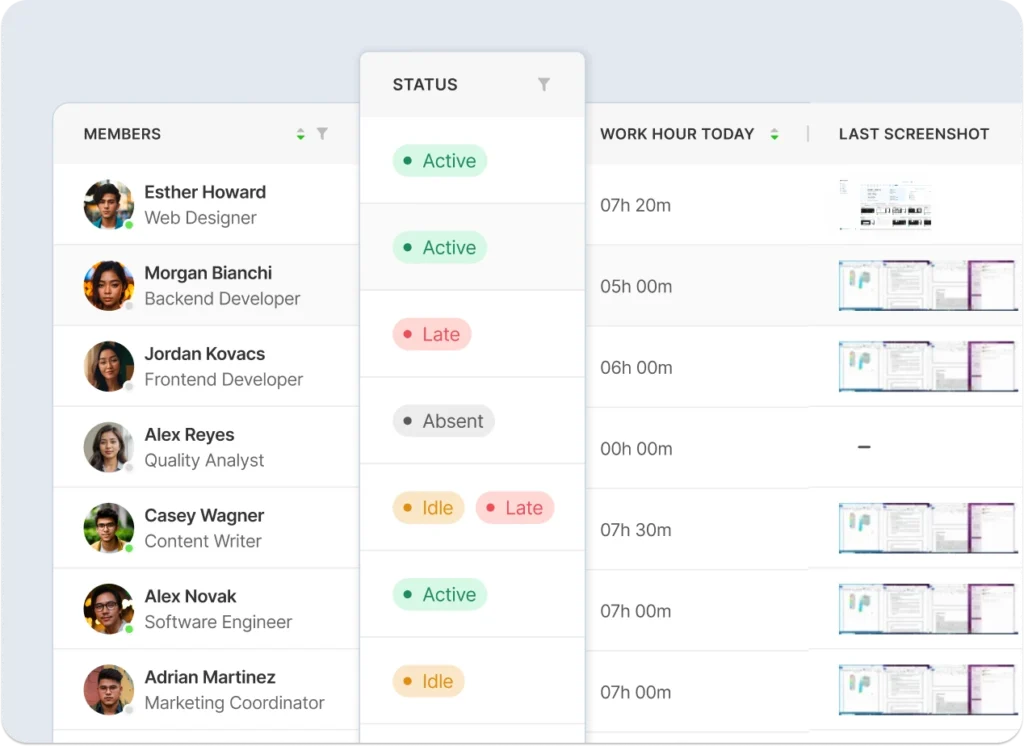
One of the biggest challenges in managing distributed teams is that you lose the ambient awareness you’d have in an office. In a physical workspace, you can glance up and get a rough sense of what’s happening. Online, you’re often working blind until someone sends you an update.
Tivazo’s real-time tracking changes that. Managers get a live dashboard showing:
- How time is being spent across the team right now, not just in yesterday’s report
- Task progress updates so you can see what’s moving and what isn’t
- Time logs that update as work happens, not just at the end of the day
- Potential bottlenecks before they turn into missed deadlines
This shifts management from a retrospective activity reviewing what happened last week to something much more dynamic. When you can see that a project is falling behind in real time, you can actually do something about it. You can reassign resources, check in with the team member who’s struggling, or adjust the timeline before it becomes a crisis.
That’s the real value of live monitoring: it makes managers more effective, not just more informed.
Why Employee Monitoring Software Matters for Remote Teams

For remote and hybrid teams, visibility is essential to productivity. Managers have no access to information about how work is progressing when employees are working remotely, where time is being spent, or where support is required.
To address this, Tivazo provides an easy-to-use solution for managers to keep an eye on work hours, activity, idle times, screenshots, and productivity trends. This assists businesses in making decisions without resorting to a constant barrage of employee updates.
An employee monitoring program can be beneficial in the following ways:
- Remote teams
- Hybrid workplaces
- Agencies and freelancers
- Customer support teams
- Project-based teams
- Hourly billing companies.
It’s not to monitor workers one-by-one. The aim is to increase responsibility, transparency, and planning of the work.
How Tivazo Supports Transparency Without Micromanagement

A problem with employee monitoring is micromanagement. If a worker believes that every click or break is being evaluated, he or she might feel uncomfortable. Tivazo provides businesses with a solution by prioritizing meaningful work insights over pressure.
Managers can get insights into work patterns with screenshots, tracking idle time, real-time dashboards, and productivity reports with Tivazo. These are features to be used as context, not as a basis for punishing employees.
For instance, a person who has been sitting around for a while isn’t necessarily unproductive. An employee is reading, taking a little break, or talking to someone off-camera. Managers need to observe trends and engage in supportive conversations as necessary.
For optimal transparency of monitoring, companies should ensure that they make the following clear:
- What Tivazo tracks
- Why the company is using it.The reasons for the company’s use of it.
- During a track (when it is switched on)
- Anyone can access the data. Data is accessible to all.
- How the data will be used
- This results in a fair and professional monitoring of the employees.
Key Benefits of Tivazo Employee Monitoring
Tivazo provides improved productivity, time tracking, and team performance management for businesses. This is particularly beneficial for businesses with remote staff or client-based work.
Some of the benefits are:
- Improved remote worker visibility.Improved remote worker visibility.
- Accurate time tracking is done more precisely. Accurate time tracking has improved.
- Clearer project progress
- Less unnecessary meeting time is being wasted. Less unnecessary meeting time is being wasted.
- Easier client billing
- Better identification of productivity gaps and quicker solutions.
- Enhanced team accountability.
- Managers can gain insight into where work is stuck and who they can assist with using Tivazo. They do not have to rely on guesswork to make decisions, but can do so with actual data.
There are also fewer murky expectations for employees. If the hours worked, activity, and progress of a project are properly recorded, there is a reduced amount of confusion about performance and responsibilities.
Workspace Transparency Keeping Meetings Accountable
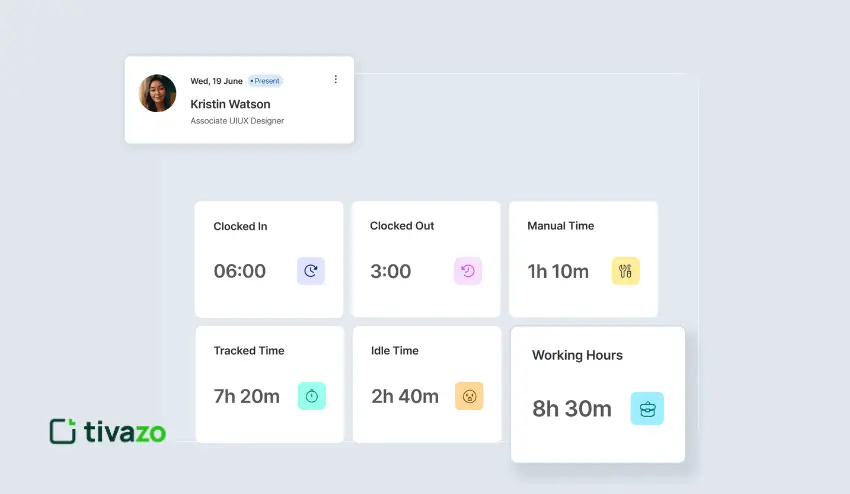
Here’s something most monitoring platforms ignore entirely: meetings. Most tools track time at a desk, but say nothing about how time in meetings is being spent.
Tivazo includes workspace transparency tools that let you track and record the duration of all meetings. For teams that bill clients by the hour, or for managers trying to get a handle on whether their organization has a “too many meetings” problem, this is genuinely valuable data.
Key benefits here:
- Accurate billing for client-facing work
- A clear record of where team hours are going
- A foundation for conversations about meeting efficiency
If you’ve ever suspected that a significant chunk of your team’s week is disappearing into meetings that could have been emails, this feature gives you the data to have that conversation with confidence.
Live Screenshots: A Closer Look When You Need It
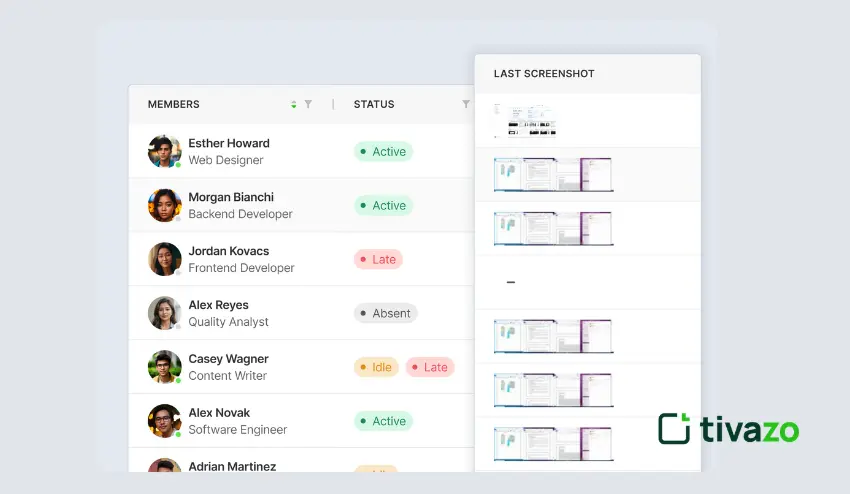
In addition to the scheduled interval screenshots, Tivazo also allows live screenshot capture, or viewing what another team member is actively looking at on their screen.
This feature lies on the more active side of the monitoring spectrum and is most effectively employed in a considered manner. The appropriate use case isn’t passive surveillance; it’s specific situations where a manager needs to understand what’s happening right now. Maybe a project is in a critical phase. Maybe someone has flagged a technical issue, and you want to see the problem directly. Maybe you’re onboarding a new team member and want to offer guidance based on what they’re actually working on.
Used that way, live screenshots are a powerful management tool. The platform is built with the understanding that visibility should serve the team, not undermine it, so the intent behind the feature matters as much as the feature itself.
The Bigger Picture: Why This Approach Actually Works
One might want to take a step back and contemplate why Tivazo’s design philosophy yields better results.
When the employees are aware that they are being checked by a system that is not only transparent but also fairly balanced, not the type of system that views every action they take as a cause to suspect them, the situation changes. It stops being “are you watching me?” and starts being “we all have visibility into how work is moving.” That’s a fundamentally healthier framing.
Accountability and autonomy aren’t opposites. You can trust your team and still have systems in place to make sure work is on track. In fact, good monitoring tools often increase trust, because they eliminate the ambiguity that breeds suspicion. A manager who can see that their team is engaged and productive doesn’t need to be anxious. An employee who knows their work is visible doesn’t need to worry about whether their efforts are being recognized.
Tivazo’s monitoring tools are built on that understanding. Visibility without intrusion. Data without distrust.
Who Benefits Most From Tivazo’s Monitoring Features?
These tools have wide applicability, but they’re especially valuable for:
- Remote-first teams where managers don’t have physical presence to rely on
- Client services firms that need accurate time records for billing
- Growing startups that need to build accountability into their culture before bad habits form
- Enterprises managing large distributed workforces where manual oversight simply isn’t scalable
- Project-heavy teams where real-time visibility into task progress directly affects delivery
If your team works across time zones, across offices, or just across a city, and you’ve ever wished you had clearer visibility into how the day is actually going, Tivazo is built for you.
Getting the Most Out of Tivazo’s Monitoring Tools
A few practical thoughts on using these features effectively:
- Be transparent with your team about what’s being monitored and why. Employees who understand the purpose of monitoring are far more comfortable with it and far less likely to feel surveilled.
- Use idle alerts as a starting point for conversation, not as evidence of wrongdoing. Someone who’s been idle for an hour might be stuck, sick, or dealing with something personal. The alert tells you to check in, not to assume the worst.
- Review screenshots for context, not compliance. If a screenshot shows someone browsing something off-task, the first question should be Is everything okay?”, not “Are they slacking?”
- Pay attention to the patterns, not individual data points. One unusual hour doesn’t tell you much. Consistent trends tell you everything.
Final Thoughts
Employee monitoring doesn’t have to be a dirty phrase. The reason it carries so much baggage is that most tools approach it from the wrong direction, starting with distrust and building from there. Tivazo flips that.
To managers, it translates to fewer blind spots and quicker decisions. To the employees, it implies that they are working in a setting where their efforts are felt and their time is actually appreciated.
These features are simple: optional screenshots, idle alerts, real-time dashboards, and meeting tracking. However, what is no less important than the features is the philosophy behind them. Visibility without intrusion. Accountability without anxiety.
When your team is distributed, remote, or even growing quicker than your current oversight tools can handle, Tivazo provides you with the insight to operate excellently without losing the trust that you have diligently earned.