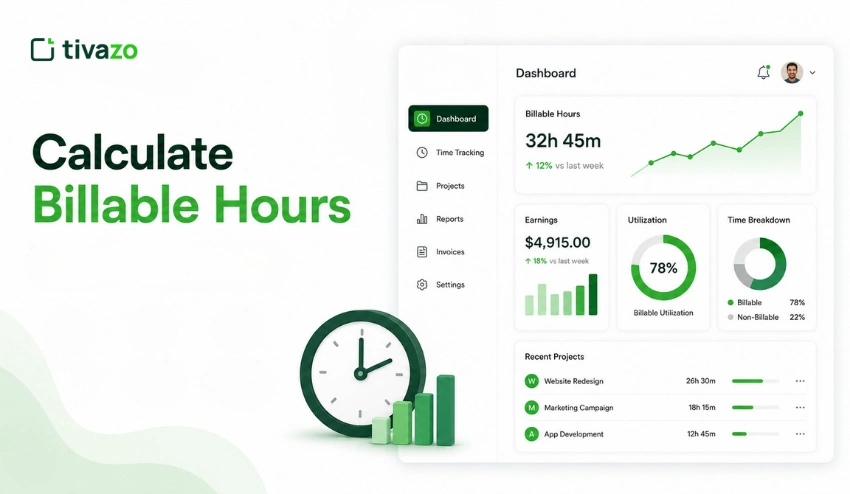
For freelancers, consultants, agencies, lawyers, accountants, and service-based businesses, it’s important to know how to calculate billable hours accurately. Accurate billable hour tracking allows you to invoice clients accurately, boost profitability, and prevent revenue leakage.
If you’re billing clients hourly or managing a team working on multiple projects, knowing what counts as billable time means you’ll be able to account for every minute you spend working for a client.
In this guide, you’ll learn how to calculate billable hours, avoid common tracking mistakes, and use the right tools to calculate billable hours more accurately.
So, what is a Billable Hour?
Billable hours are the hours spent working directly on a client project that can be charged to the client. For freelancers, consultants, agencies, and service businesses, billable hours form the foundation of revenue generation.
In other words, a billable hour is any hour that can be paid by the client for work performed. This can be anything from a report, a client call, adding a feature to a website, or even a contract review.
Not all working hours are created equal. Most admin tasks, internal meetings, or professional development activities are not billable to the client and are considered non-billable hours.
Understanding the difference between billable and non-billable hours ensures accurate invoicing and helps you get paid for all client work performed.
Billable vs Non-Billable Hours
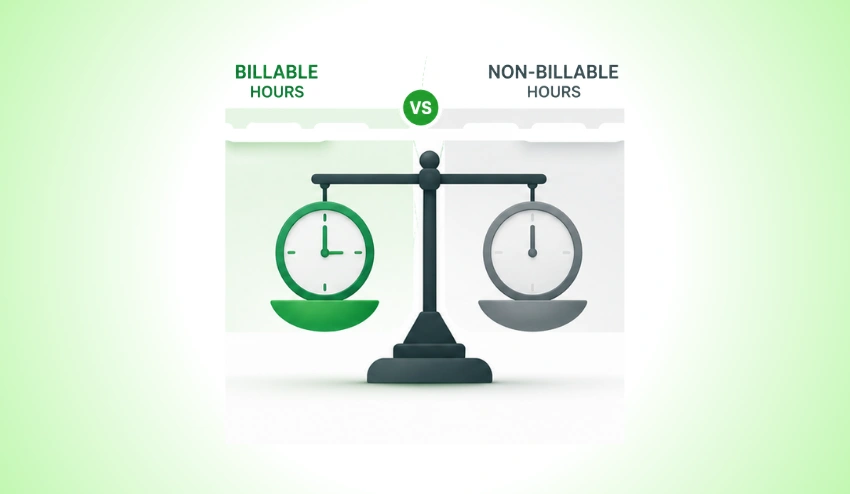
The divide between billable and non-billable hours isn’t always black and white, but nailing it safeguards your income and keeps your client relationships above board.
| Category | Billable Hours | Non-Billable Hours |
| Client Work | Direct project tasks, deliverables, and revisions | Internal research not tied to a project |
| Communication | Client calls, email responses to clients | Internal team Slack messages, staff meetings |
| Admin & Ops | Project-specific planning and reporting | General admin, payroll, HR tasks |
| Learning | Training required by the client or project | Personal skill development, conferences |
| Travel | Travel to client sites (if agreed) | Commuting to your own office |
| Project management | Status updates, milestone reviews | Internal process improvements |
Always agree with your client upfront on what counts as billable. Document it in your contract to avoid disputes down the line.
How to Calculate Billable Hours: Formula and Step-by-Step Process
The billable hours formula is straightforward:
Billable Hours = Total Working Hours – Non-Billable Hours
Once you know your billable hours, calculating your earnings is equally simple:
Earnings = Billable Hours × Hourly Rate
Learning how to calculate billable hours consistently helps businesses improve billing accuracy and maximize revenue.
Step-by-Step Process
- Record ALL your working hours: Track each hour of work on a timer, spreadsheet, or time tracking software.
- Categorise each hour: As you enter a time item, designate it as billable or non-billable. DO NOT do this at the end of the week.
- Summarize all of your billable hours: Add up all billable items for one billing period (daily, weekly, or monthly).
- Apply the formula: Add up all of your hours and deduct the non-billable time, then multiply by your rate.
- Generate your invoice: Create a final number to make an accurate invoice for your client.
Want to simplify time logging? A time card calculator can quickly total work hours before calculating billable time, while dedicated Time Tracking Software automatically records hours in real time and reduces manual effort.
How to Calculate Billable Hours Using Time Tracking Software?

Calculating billable hours manually can be time-consuming and prone to errors. Time tracking software is essential for many companies, as it can automate the process and enhance billing accuracy.
Step 1: Track All Work Hours
Document all tasks performed during the day, such as client work, meetings, research, and admin.
Step 2: Categorize Time Entries
Indicate for each time entry whether the occurrence is billable or non-billable. This assists in keeping work for clients away from the internal work.
Step 3: Review Billable Reports
Create reports that will display overall hours for all billable hours by project, client, or employee.
Step 4: Calculate Revenue
Multiply the total billable hours by the billable rate you have negotiated with them.
Step 5: Create Accurate Invoices
Create and print reports on exports and generate invoices with detailed time records for clients.
For companies that use time tracking software such as Tivazo, these steps can be automated and can drastically minimize billing mistakes.
Real-Life Examples
The best way to understand how to calculate billable hours is through practical examples.
Example 1: Freelance Designer
Sarah is a freelance graphic designer. Last week she worked 40 hours in total:
• Client logo project: 28 hours
• Invoicing and admin: 4 hours
• Learning new design tools: 3 hours
• Prospecting new clients: 5 hours
Billable Hours = 40 – 12 = 28 hours
Hourly Rate = $75
Earnings = 28 × $75 = $2,100
Example 2: Marketing Agency
A 3-person marketing agency tracks hours across client campaigns. In one week:
- Client A content work: 45 hours combined
- Internal strategy meeting: 6 hours
- Business development calls: 4 hours
- Client B reporting: 12 hours
Total hours = 67. Non-billable = 10. Billable = 57 hours.
At a blended agency rate of $120/hour:
57 × $120 = $6,840 billable revenue for the week
Example 3: In-House Employee
Employers also need to monitor billable time when employees work across client accounts. So, an HR manager using a tool to track employee hours will be able to see that a project manager logged 32 billable client hours and 8 internal hours in a week.
If you’re looking for context on what your hourly rate will amount to in a year, tools such as an hourly to salary converter or a glance at what $25 an hour means on an annual basis can be helpful.
Why Businesses Struggle to Calculate Billable Hours?

Poor tracking habits can cause many freelancers and service businesses to miss out on billable time each week.
Common reasons include:
- Forgetting to log small client tasks and quick emails.
- Tracking time at the end of the day instead of in real time.
- Mixing personal activities with project work.
- Using spreadsheets that require manual calculations.
- Managing multiple clients without a structured time-tracking process.
A few absences a day can add up to a lot of lost revenue for a month or a year. Precise time tracking ensures that businesses are able to record all billable hours and boost their profitability.
Common Mistakes in Tracking Billable Hours

Even if you know how to calculate billable hours, common tracking mistakes can still reduce profitability.
Logging hours at the end of the day (or week): Memory is not a reliable resource. Research has found that they may underestimate their work time by up to 25% when considering it in hindsight. Log in real time.
Not recording hours at the point of entry: It takes too long and can be inaccurate to go back later for the billable hours.
Letting minor tasks go: If you miss short emails to clients or a revision call, then it can add up to 10 minutes. Track everything.
Rounding inconsistently: Make a decision in advance if you round to the nearest 6, 10, or 15 minutes and stick to that.
Personal/ Project time: Mixing up personal and project time is easy when working from home. Set aside a specific timer or application for each project.
No Contract: If you don’t have a contract with specifics, then there are going to be disagreements. Write an agreement for the scope of the billable work.
If they are not working regular hours, an overtime calculator will help your team to track any overtime hours that are worked as well, especially when it comes to how overtime pay is calculated by employers.
Why Accurate Time Tracking Matters
Billable hour accuracy impacts more than just your billable hours; it impacts your business. What is at stake is:
- Revenue integrity: Only get paid what you bill. When tracking is inaccurate, it is lost income.
- Client trust: Your time is recorded in detail, so there’s no doubt about the amount you’re charging.
- Project profitability: If you’re aware of where hours are spent, you’ll be able to price future projects appropriately.
- Utilization rates: Managers can view utilization rates (how many hours have been spent billed out of the available hours) and make staffing decisions based on this.
- Payroll accuracy: If you have employees working on an hourly schedule, the time information is directly transferred to payroll. Clean time records are the basis for an hourly salary calculator.
- Legal compliance: In certain industries, detailed time logs may be necessary for compliance or auditing.
There are many compelling reasons to use time tracking software beyond just billing, from boosting team focus to improving project scoping accuracy.
According to the Project Management Institute (PMI), accurate project tracking helps organizations improve project performance and resource allocation.
How Tivazo Helps You Calculate Billable Hours Accurately?
One-to-one spreadsheet/memory-based logging works well for solopreneurs with one client but fails quickly as complexity increases. This is where specialized time tracking software can make a difference.
Many businesses use time tracking software to calculate billable hours automatically and reduce manual errors.
Tivazo is a time tracking and productivity platform created for freelancers, agencies, and businesses that require tracking billable and non-billable hours automatically—without the manual burden.
Let’s see how Tivazo can help you bill hours more accurately:
- Automatic time capture: Set a timer for each project or client – Tivazo keeps track of every second! Never again forget to track a short task.
- Billable/non-billable tagging: Tag every time entry with just a click. The reports are automatically split by category.
- Clean, itemized billing reports that can be exported to invoice format.
- Manual error reduction in payroll: With Tivazo payroll integration, accurate hour totals are fed directly into salary calculations, minimizing manual errors in payroll.
- Team visibility: Managers can keep track of utilization, identify inefficiencies, and confirm that appropriate hours are being billed.
If you’re evaluating different time tracking solutions, comparing features, reporting capabilities, payroll support, and automation options can help you choose the right platform for tracking billable hours efficiently.
Combining Tivazo with a clock-in clock-out app is the ideal solution for teams requiring an easy daily punch-in system where no hours will slip through the cracks.
Manual Tracking vs Tivazo
| Feature | Spreadsheet | Tivazo |
| Automatic Time Tracking | No | Yes |
| Billable Hour Reports | No | yes |
| Payroll Support | No | yes |
| Team Productivity Insights | No | Yes |
| Real-Time Tracking | No | Yes |
| Client Billing Accuracy | Limited | High |
How to Increase Billable Hours Without Working More?

Increasing billable hours translates to more days worked for many professionals. In practice, greater utilization of billable time by reducing administrative time is a very achievable goal.
A few effective strategies are:
- Automating repetitive administrative tasks.
- Using time tracking software to capture every billable minute.
- Reducing unnecessary meetings.
- Batching similar tasks together.
- Setting clear project scopes to avoid unpaid work.
This allows for greater profit but without the added burden of work.
Practices to Increase Billable Hours
The first step is to track accurately. The second step is to optimize your billable ratio. Here are some tips on maximizing your time each workday:
Set a utilization target: The average billable utilization rate is 70-80% for most agencies. Monitor and explore decreases over the week.
Perform similar jobs in batches: Put all client emails into one batch, all design work into another. Context switching is a productivity killer, and it leaves productivity holes.
Use “time blocking”: Set aside specific time for specific clients. This helps to avoid work that is billable and non-billable from mixing together.
Audit your non-billable time every month: If admin is using 30% of your week, it’s time to automate, delegate, and/or standardize.
Additional scope – anything outside of the scope of the brief should be pre-approved, not post-approved.
Educate your staff: All staff members should know the difference between billable and non-billable work and its significance.
There are productivity practices your team can employ to stay focused during billable work sessions, such as the Pomodoro technique or focus sprint. These can help minimize distractions and boost productivity per hour.
And if you are considering the hourly vs salary debate with your team, knowing your billable hours data will help you make an informed decision.
Calculate Billable Hours Faster with Tivazo
Knowing how to calculate billable hours accurately is essential for freelancers, agencies, consultants, and businesses that bill clients based on time worked.
Manual billable hour calculations can result in lost revenue, mistakes on invoices, and needless effort.
Tivazo does the work-hour tracking, billable/non-billable distinction, and reports everything you need to payroll and bill clients.
As a freelancer, consultant, agency, or expanding company, Tivazo helps you achieve more accurate billable hour calculations and maximize profit.
Start tracking billable hours with Tivazo today.
Tools to Help Calculate Billable Hours
Tracking billable hours manually can become difficult as projects grow. Businesses often use tools such as:
- Time tracking software
- Time card calculators
- Payroll software
- Project management tools
- Employee time tracking systems
Using the right tool makes it easier to calculate billable hours accurately, reduce administrative work, and improve billing transparency.
Conclusion
The ability to accurately estimate billable hours is a must-have skill for freelancers, consultants, agencies, and any business that provides services.
With efficient time tracking, clear distinction between billable and non-billable work, and accurate time tracking tools, you can boost billing precision, enhance profitability, and build trust among clients.
Tools such as Tivazo can help you to keep track of, calculate, and report billable hours for both yourself and your team without a lot of manual work.