Time is one of the most precious resources of any business, yet many organizations continue to have trouble tracking employee time accurately.
From a small staff to a growing start-up to a large company, the wrong time can cause payroll errors, compliance problems, productivity problems, and wasted time.
Manual timesheets and spreadsheets can be prone to errors. There is an increased risk of employees missing hours, managers wasting time reviewing timesheets, and payroll staff struggling to accurately report overtime and attendance.
With remote and hybrid work, employee hour tracking is crucial more than ever. In a multi-location, multi-shift team environment, it is important to have access to accurate and up-to-date employee time data while ensuring trust and accountability.
The good news is that today, employee time tracking solutions have evolved drastically, enabling businesses to track and manage employee time effectively.
Advanced software solutions can record employee working hours in real time, produce reports ready for payroll, monitor working hours, and assist businesses with compliance with labor laws.
This guide will cover the basics of employee hour tracking, why it is important, the most popular ways to track hours, and the best practices that businesses use to ensure accuracy and efficiency in 2026.
What Does It Mean to Track Employee Hours?
Employee hour tracking is the process of tracking, monitoring, and managing the hours an employee has spent at work.
These records enable businesses to determine gross pay, project management, and productivity and to ensure adherence to the labor laws.
Many people use the terms “attendance reporting” and “time tracking” interchangeably, but they are not synonymous:
| Attendance Tracking | Time Tracking |
| Records employee presence | Records actual work hours |
| Focuses on clock-ins and clock-outs | Measures the productive time spent working |
| Used mainly for attendance management | Used for payroll, productivity, and project tracking |
Organizations track employee hours for several reasons:
- Payroll processing
- Overtime calculation
- Project billing
- Workforce planning
- Productivity analysis
- Compliance documentation
Accurate employee hour tracking is essential for:
- Remote teams
- Hybrid workforces
- Field employees
- Contractors and freelancers
- Office-based teams
As businesses adopt flexible work arrangements, having a reliable system to record employee hours becomes increasingly important.
Why Accurately Tracking Employee Hours Matters?
Knowing when employees start and finish work is not the end of it when it comes to accurate employee time tracking. It directly affects a few key facets of your business.
1. Payroll Accuracy
All hours worked will impact an employee’s pay. Without the consistency of reporting and the effectiveness of shared manual records, it is easy for mistakes to be made. Employees can also be paid more, less, or not be paid for overtime.
The smallest discrepancy in payroll can have a negative impact on trust. Staff are entitled to receive wages for each hour of work, and the resulting lack of pay often causes staff to be frustrated and have poor morale.
2. Legal Compliance
Employers should keep accurate records of hours worked, including for non-exempt employees. The Fair Labor Standards Act (FLSA) requires employers to maintain accurate time and payroll records, making sure they comply with the FLSA’s requirements regarding wages and hours.
Inaccurate record keeping can result in audits, fines, and lawsuits. The Fair Labor Standards Act (FLSA) is the source of much of the information you can find directly on the Web.
3. Preventing Time Theft
Time theft is when workers are paid for time they didn’t clock in at work. This may be by buddy punching, extended breaks, leaving early, or time sheet padding.
A lot of employers don’t know how much of an impact it will have. Misreported time costs businesses billions of dollars a year, industry estimates show.
Even minor mistakes can accumulate to be more significant than you would think, as mentioned in Tivazo’s article Time Theft Costs Businesses More Than You Think.
4. Project Profitability & Client Billing
In the case of agencies, consultants, legal professionals, and service businesses, the number of hours spent on the job directly impacts revenue.
When staff do not accurately record time, the client’s invoice becomes questionable, and it will be hard to track the profitability of the projects. By tracking time correctly, you can be sure that all billable time is recorded.
6 Methods to Track Employee Hours
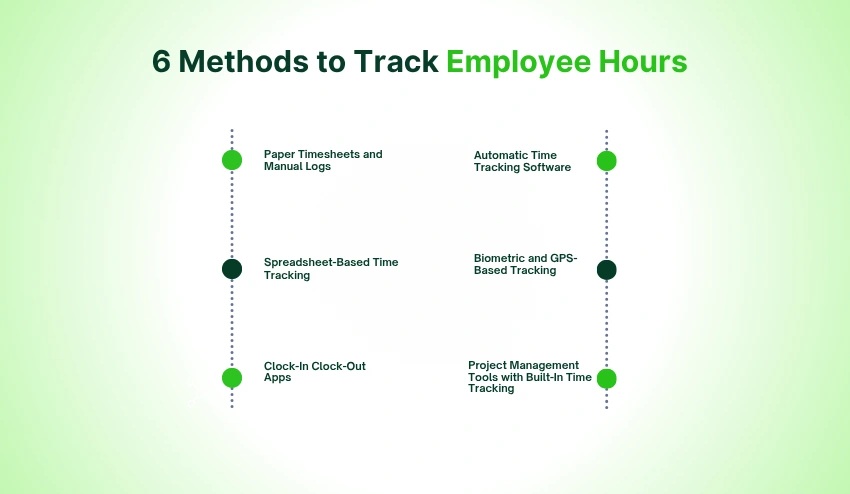
1. Paper Timesheets and Manual Logs
One of the top old-fashioned ways to log employee hours is paper timesheets. HOURS WORKED and breaks are manually entered by employees, and their end time is calculated automatically.
This technique is still applicable to small businesses with just a few employees. It’s inexpensive and requires virtually no technology.
Manually logging, though, can be prone to human error. Staff might not record hours, may add or subtract them incorrectly, or may enter the wrong information. Paper timesheets are also time-consuming to process.
This approach turns out to be a burden for larger groups of more than 5 staff members.
2. Spreadsheet-Based Time Tracking (Excel or Google Sheets)
Spreadsheets offer an alternative method of accounting to paper records that is more organized. Workers log their hours on a common spreadsheet, either Excel or Google Sheets, and managers can check and add up hours more easily.
Spreadsheets are free, easy to use, and customizable—which is why they are a popular choice for many small businesses.
Payroll calculations can be accomplished using a spreadsheet, too. For instance, a business can leverage tracked working hours with an hourly-to-salary calculator to give an approximate estimate of compensation and labor costs.
The drawback of this is that spreadsheets require full manual entry. Mistakes can be made by the employees, formulas can get broken, and version control of some sort can become difficult with teams.
3. Clock-In Clock-Out Apps
The modern solution is to use a dedicated clock-in clock-out application. The employee logs in and out as he/she starts and stop work.
The timestamps are automatically generated, which means that businesses can have more accurate attendance records. GPS tracking, photo verification, or PIN authentication are also common features included on many platforms to minimize “buddy punching.”
These are great for field workers, retail employees, construction companies, and remote staff.
This is the reason why it is crucial to select the right clock-in clock-out app, and many managers don’t realize it. The right system can make a huge difference in improving attendance accuracy and decreasing administrative efforts.
4. Automatic Time Tracking Software
Manual entry is often not the right way to go due to employee forgetfulness. That’s where automated time tracking comes in handy for remote teams.
Automatic tracking software works in the background and logs work activity all day long. It records the times when apps are used, when websites are visited, how long the active time lasts, and how long the idle time lasts.
This is particularly beneficial for knowledge workers or developers, designers, marketers, and remote teams who often jump between projects.
Eliminating the manual entry of time means more accurate records for the business and less time spent updating timesheets by the employees.
5. Biometric and GPS-Based Tracking
Fingerprint, facial recognition, or other unique identification is used to prove attendance with biometric systems.
GPS tracking also provides additional accountability as it verifies that an employee is in the designated locations when reporting to work.
Industries like construction, healthcare, transportation, field services, and retail are especially well-suited to these systems.
While the costs of implementation can be greater, biometric and GPS tracking are a worthwhile investment in reducing attendance fraud and enhancing workforce accountability.
6. Project Management Tools with Built-In Time Tracking
A lot of project management software provides time tracking capabilities that enable workers to record time on work tasks, projects, or customers.
This approach allows managers to be aware of where the time is going and streamlines the budgeting and resource planning of projects.
It’s particularly useful for agencies, consultants, software firms, and law firms that bill by the minute, as each minute recorded is a minute that goes towards billing to the client.
Similarly, software development teams following billable sprints find that linking development tasks and project milestones helps them track time entries directly to the work.
How to Track Employee Hours Effectively? (Step-by-Step)
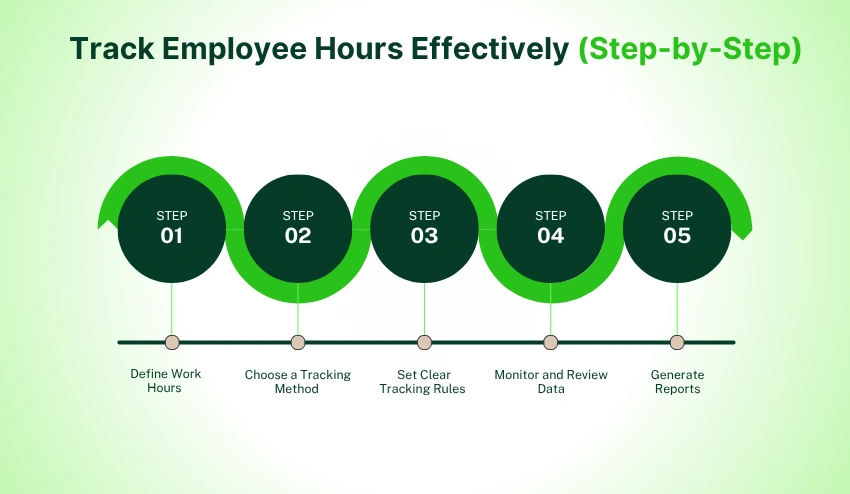
Accurate tracking of employee hours is more than just picking a tool. There must be clarity of processes, policies, and reporting systems in the organization.
Step 1: Define Work Hours
Set clear expectations from the beginning about employee schedules.
This includes:
- Standard work hours
- Shift schedules
- Flexible working arrangements
- Remote work policies
- Break periods
- Overtime guidelines
Once the expectations are well laid out, staff are clear on how to log hours.
For organizations managing both remote and on-site staff, having a formal policy becomes even more important as the future of remote work continues to evolve.
Step 2: Choose a Tracking Method
When policies are established, choose the most suitable tracking option.
There are two types of business that you can choose from:
Manual Tracking includes:
- Paper timesheets
- Spreadsheets
- Manual attendance logs
Manual approaches can be effective for smaller teams but can be challenging to scale.
Automated Tracking includes:
- Mobile tracking apps
- Online employee time tracker platforms
- Workforce management software
Automated systems save time and increase accuracy by automatically recording time data.
Automation is a key factor in many of the companies looking for the best time tracking software, as it reduces the chances of human error and enhances reporting.
Step 3: Set Clear Tracking Rules
There needs to be clarity and uniformity in employee hour tracking policies.
Define rules for:
- Clock-in procedures
- Clock-out procedures
- Break tracking
- Overtime approvals
- Missed time entries
- Attendance corrections
As long as everyone follows the same process, time records will be much more reliable.
Having objectives that are clear also assists managers in resolving conflicts swiftly and fairly.
Step 4: Monitor and Review Data
The only way to know if hours are being tracked is for businesses to review the information regularly.
Managers should analyze:
- Weekly attendance reports
- Productivity trends
- Absenteeism patterns
- Overtime usage
- Project time allocation
Routine inspections can help to acknowledge inefficiencies before they become bigger issues within the running of the business.
For instance, if the employees are consistently working overtime, it might mean that there are not enough employees working, or if the attendance is irregular, it can mean that there are problems with the schedule.
Step 5: Generate Reports
Reporting takes raw data of time and turns it into business insights.
There are three major types of reports that most organizations use:
Payroll Reports Used to calculate:
- Regular hours
- Overtime hours
- Paid leave
- Employee compensation
Productivity Reports used to evaluate:
- Team performance
- Project progress
- Resource utilization
Client Billing Reports are especially important for:
- Agencies
- Consultants
- Freelancers
- Professional service firms
Ensure payroll processing, project management, and organizational transparency are made easier with accurate timesheets and reports.
These five steps will help businesses establish a coherent employee hour tracking system that can promote payroll precision, productivity, and overall business development.
Challenges Businesses Face When Tracking Employee Hours
While there are already tracking systems in place, there are still a lot of organizations that face difficulties regarding payroll accuracy, productivity measurement, and workforce management.
1. Manual Entry Errors
One of the leading reasons for inaccurate employee hours, data entry is still a problem.
Common mistakes include:
- Incorrect clock-in times
- Missed clock-outs
- Mathematical errors
- Duplicate entries
- Data transcription mistakes
Solution
Most of the manual entry requirements are removed by automated tracking tools, and human error is greatly minimized. Employers who are implementing a digital time tracking system typically have better payroll accuracy and reduce conflicts.
2. Time Theft
With unproductive or inaccurate time tracking, businesses lose thousands of dollars annually to time theft.
Examples
- Buddy punching
- Takes more breaks than required
- A work log for non-actual hours.
- Not properly logging out of work
Solution
To minimize time theft, organizations can put into place automated attendance systems and activity monitoring software and establish a policy for time tracking. Clear expectations are clear so that employees know what they are expected to do and are treated fairly amongst themselves.
2. Forgotten Clock-Ins
Staff sometimes fail to log in or out, leaving gaps in the records that need to be filled in.
This problem is more likely to occur in the following groups:
- Remote workers
- Field employees
- Flexible schedule teams
Solution
Today’s employee time tracking software will remind and notify employees of their duty to log time. Tracking can also be eliminated with the automated method.
3. Remote Team Visibility
While remote work provides flexibility, it can also make tracking hours for employees more challenging.
Managers have a tough time with:
- Time tracking in different time zones
- Monitoring attendance
- Understanding workload distribution
- Measuring productivity consistently
In a world of remote work, visibility without micromanagement is crucial as organizations strive to be ready for the future.
Solution
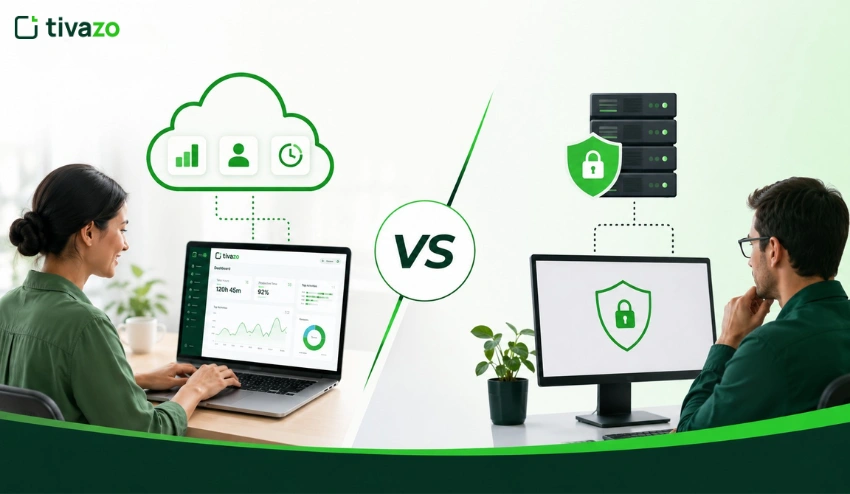
Cloud-based employee time tracking systems give you real-time tracking of work activity, employee attendance, and project progress, no matter where they are.
4. Payroll Discrepancies
Inaccurate work-hour records often lead to payroll problems such as:
- Overpayments
- Underpayments
- Overtime miscalculations
- Delayed payroll processing
These can have a negative impact on employees’ trust and organizational efficiency.
Solution
Automated employee hour tracking software seamlessly connects with payroll software, guaranteeing that payroll is calculated correctly and with the latest data.
7 Features to Look for in Employee Hour Tracking Software
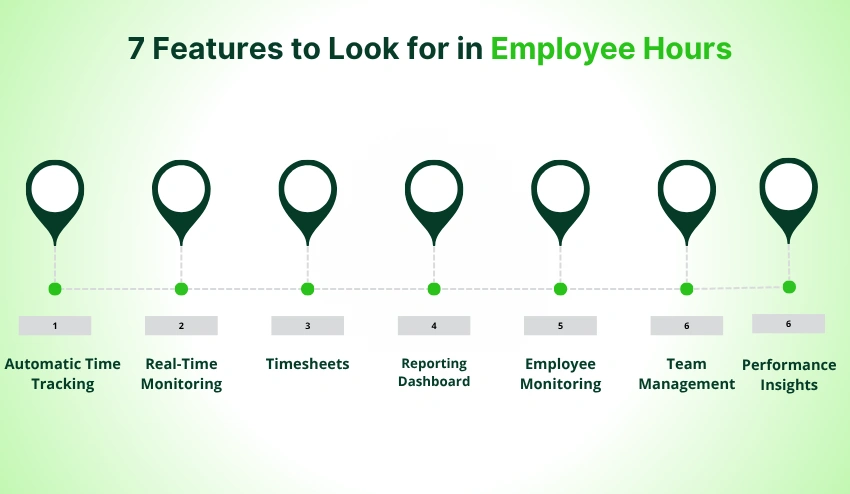
Not every employee tracking solution will have the same features. Any software designed for businesses ought to be considered on the grounds of its performance in enhancing the visibility of the workforce, their efficiency, and the accuracy of what they do.
1. Automatic Time Tracking
Manual timesheets are prone to inaccuracies and are time-consuming.
The modern platforms have an automatic time tracking feature that logs the hours spent on the job without the need for employees to continually start and stop timers.
Benefits of automatic time tracking
:
- Reduced human error
- Accurate work-hour records
- Less administrative workload
- Better payroll preparation
Automatic tracking is particularly useful for teams that work remotely or have several projects in progress.
2. Real-Time Monitoring
Real-time visibility can help managers see what’s going on with the workforce at any given time.
Key benefits of real-time monitoring:
- Attendance visibility
- Work-hour monitoring
- Improved accountability
- Faster issue resolution
Real-time insights enable managers to make proactive decisions and not wait for problems to arise.
3. Timesheets
A good employee time-tracking software should automatically create timesheets from the employee’s activity.
Good timesheet software can benefit businesses by:
- Approve hours faster
- Minimize preparation time for payroll.
- Maintain accurate records
- Improve reporting accuracy
Also, automated timesheets reduce disputes by ensuring that there’s a clear record of employee work hours.
4. Reporting Dashboard
Reporting turns employee hour information into valuable, actionable data.
See if the software has the following features:
- Attendance reports
- Productivity reports
- Overtime reports
- Payroll summaries
- Project tracking reports
Having a comprehensive reporting system helps in the detection of trends, better staff planning, and resource allocation.
5. Employee Monitoring
Today’s employee monitoring tools offer insights into employee work habits and boost productivity and accountability.
Some of the standard monitoring features are:
- Activity tracking
- Application usage analysis
- Website usage insights
- Productivity measurement
The aim should be to enhance the performance and operational efficiency, not to over-surveil.
6. Team Management
Coordinating employee schedules, workloads, and performance becomes more complex as the business grows.
The following are some of the benefits of good team management software:
- Manage schedules
- Allocate resources
- Track team performance
- Improve collaboration
Centralized workforce management can help cut down administrative load and boost operating efficiency.
7. Performance Insights
Advanced employee tracking software is more than just logs; it offers valuable productivity analytics.
Some useful performance insight tips can be:
- Productivity trends
- Employee engagement metrics
- Project performance data
- Work pattern analysis
These insights enable leaders to uncover bottlenecks, enhance workflows, and make informed decisions based on data.
How Tivazo Helps You Track Employee Hours Accurately?
Tivazo is an all-in-one solution for businesses looking for a practical solution, offering a flexible combination of multiple time tracking methods.
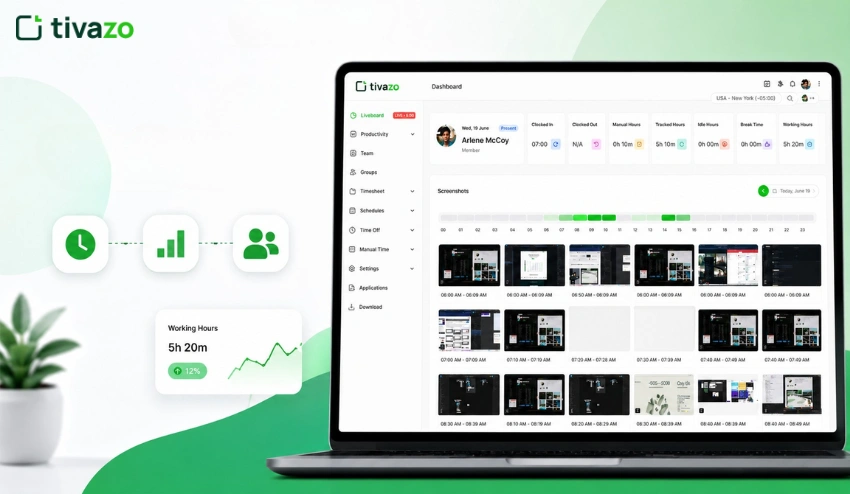
Tivazo avoids the hassle of manually logging hours each day with employees by allowing automatic time tracking that automatically logs work activity in the background. This helps to minimize lost entries and increase accuracy.
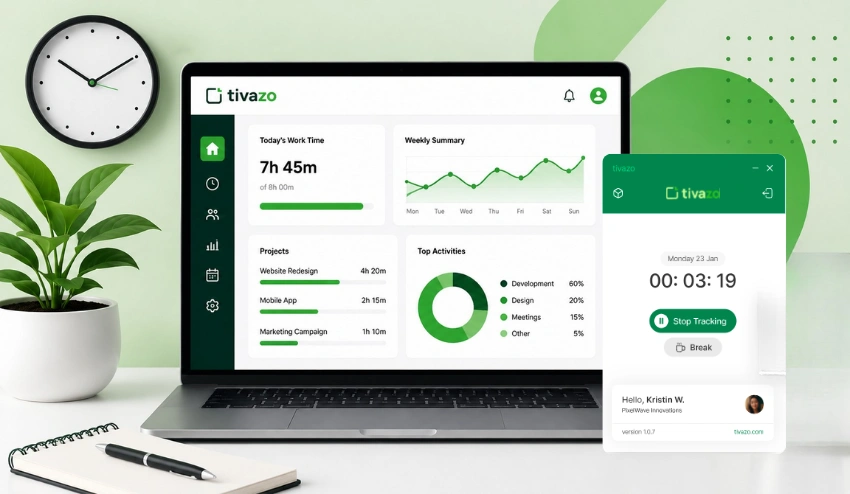
Employees can also log in and out from the clock-in and clock-out feature via desktop, mobile, and browser. Timestamps are automatically created, ensuring attendance records are reliable and easily verifiable.
The live screenshots and activity monitoring features provide managers with increased visibility, fostering transparency and accountability. Avoid making assumptions about how time is used, and teams can check on objective productivity data as necessary.
Tivazo also streamlines the preparation of payroll by automatically creating timesheets and providing comprehensive reports in CSV, Excel, and PDF formats. The manager can view and approve timesheets, with appropriate access controls for employees.
Tivazo has a free plan with no credit card needed for smaller organizations and up to 10 users. If you require more features, you can upgrade to paid plans ranging from $3 per user per month.
See all features or compare pricing plans to find the one that’s most suited to your team.
Start Building a More Accurate Time Tracking Process
Tracking employee hours accurately isn’t just an administrative task. It is the backbone of fair payroll, legal adherence, employee accountability, and growth.
You can use a simple template, a spreadsheet, or specialized software—any solution can help, as long as the result is a system that tracks work hours accurately and clearly.
Manual methods are more difficult and costly to maintain as your team expands. With the proper tools in place, you can eliminate payroll mistakes, gain visibility, and provide both managers and employees with increased confidence in work hours recorded.
Looking to end timesheet chasing and begin work hour management? Try Tivazo free for your team—no credit card, no setup headache, just accurate hours from day one.