The world of work has been forever altered. With remote and hybrid work no longer being a temporary solution, it’s now the standard operating model for millions of businesses around the world.
According to recent remote and hybrid work trends, businesses continue to adopt flexible work environments to improve productivity, employee satisfaction, and operational efficiency.
One of the biggest problems that can occur with a distributed team is maintaining productivity, accountability, and performance, especially with staff members spread across three continents.
Hence, in 2026, employee monitoring is one of the most talked-about subjects in the minds of HR managers, operations heads, and business owners when it comes to cloud versus on-premise.
Selecting the right workforce monitoring solution is key to creating an efficient team, but it’s not always easy to determine whether it should be cloud-based or on-premise.
We will explain each of these simplistically and honestly in this guide. You’ll know the differences, the true costs, the security implications, and which is right for your business size, industry, and team structure.
Cloud vs. On-Premise Employee Monitoring: Quick Answer
Many businesses that are comparing cloud and on-premise employee monitoring want a simple answer before they dive into the details.
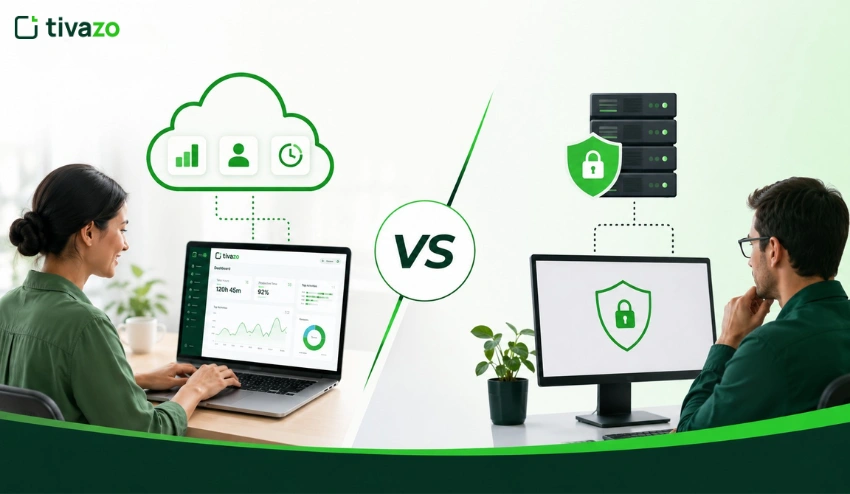
- Cloud-based employee monitoring is hosted by a third-party provider and accessed via the internet, making it perfect for remote and hybrid teams.
- On-premise employee monitoring is installed on your own company’s servers, which gives you more control over data but demands dedicated IT resources.
- Cloud solutions are typically more cost-effective and easier to deploy and scale.
- On-premise solutions are better for organizations that have strict regulatory or data residency requirements.
If you’re still researching what employee monitoring software is, the first step to finding the right solution for your business is to understand these two deployment models.
Understanding Cloud-Based Employee Monitoring
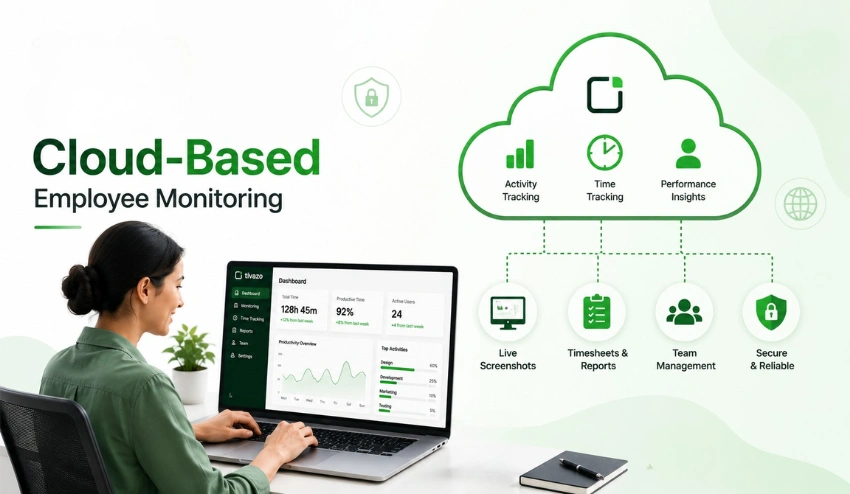
Cloud-based employee monitoring software is hosted on remote servers, operated by an external monitoring company, avoiding the need to install anything on a local server or to worry about maintaining the hardware. It’s a SaaS (Software-as-a-Service) product that you use via a browser or desktop application.
Data on employee activity, time logs, screenshots, productivity reports, and more, all in the cloud! You can monitor and control your team from anywhere in the world where you have an internet connection.
The most important features of Cloud Monitoring
- SaaS delivery model: subscribe and start using within minutes
- Browser or app-based access: no complex installation required
- Automatic updates: new features roll out without any action from your IT team
- Scalable by design: add or remove users as your team grows or shrinks
- Remote accessibility: managers can monitor and report from any device, anywhere
Cloud monitoring is ideally suited for remote workers, hybrid offices, and startups that are looking to get up and running without the costly infrastructure.
Cloud-based tools provide you with a single view in real time when your workforce is scattered across cities or countries.
Tivazo is a platform that is designed for this purpose. Tivazo provides businesses with a full view of team performance with such features as Employee Monitoring, Time Tracking, and Team Management, without requiring a single server room.
If you’re curious about what employee monitoring software actually does at its core, cloud solutions like Tivazo represent the most modern and accessible form of it.
As companies continue to embrace the future of remote work, cloud-based employee monitoring has become the solution of choice for organizations that need real-time visibility across distributed teams. Cloud solutions are very flexible in terms of modern workplaces, as managers can get productivity insights, attendance data, and activity reports from anywhere without requiring infrastructure in the office.
On-Premise Employee Monitoring: What is it?
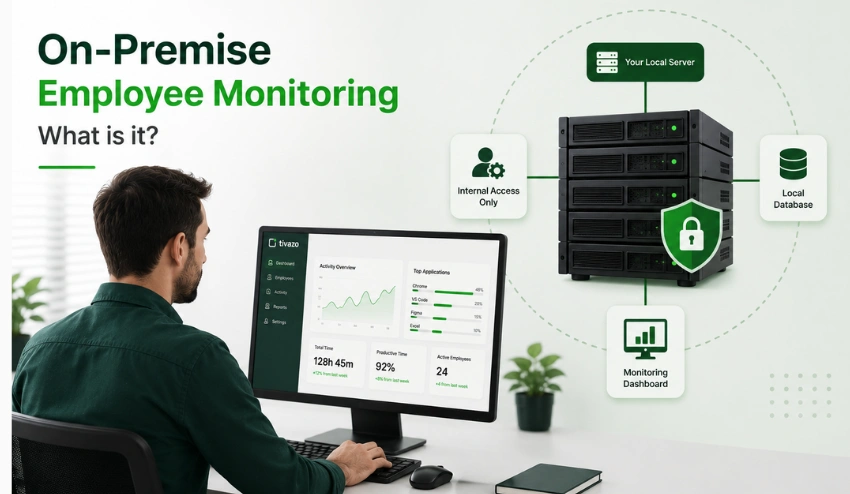
On-premise employee monitoring is configured on servers you own and control in an office, data center, or private network. All installation, maintenance, updates, and security are handled by your IT team.
Unlike cloud solutions, on-premise systems don’t rely on external infrastructure. All employee data stays within your organization’s own walls.
Key Characteristics of On-Premise Monitoring
These are your own servers, and you manage them. Self-hosted means your own servers and your responsibility.
- Local network installation: usually requires a lot of IT installation.
- Complete data control: no data leaves your internal infrastructure.
- Greatly flexible: can be adjusted to adhere to internal procedures.
- It-Dependent: Needs special personnel for maintenance and troubleshooting.
On-premises monitoring is most prevalent in industries where the control of data and compliance with regulations are paramount:
Healthcare: HIPAA Compliance for Data Protection.
Government agencies: classify information and have strict access controls.
Financial institutions: compliance with SOX, PCI-DSS, and similar regulations
Large enterprise organizations: complex internal governance requirements
If your organization falls into one of these categories, on-premise may not just be a preference, it may be a requirement.
Which Businesses Should Choose Cloud or On-Premise?
| Business Type | Recommended Solution | Why |
| Startups | Cloud | Low setup cost and easy deployment |
| Small Businesses | Cloud | Minimal IT maintenance |
| Remote Teams | Cloud | Access from anywhere |
| Hybrid Organizations | Cloud | Better scalability |
| Healthcare | On-Premise | Greater control over sensitive data |
| Financial Institutions | On-Premise | Easier compliance with internal policies |
| Government Agencies | On-Premise | Strict data security requirements |
Cloud vs On-Premise Employee Monitoring: Key Differences
Here’s a side-by-side comparison to help you evaluate both options at a glance:
| Feature | Cloud-Based Monitoring | On-Premise Monitoring |
| Setup Cost | Low (subscription-based) | High (hardware + licensing) |
| Maintenance | Managed by the provider | Managed by your IT team |
| Scalability | Instant – scale up or down easily | Limited – requires hardware upgrades |
| Remote Access | Full access from anywhere | Limited – typically requires VPN |
| Security | Provider-managed with encryption | Internal control, internal risk |
| Compliance | Varies by provider (GDPR, SOC2) | Full internal control |
| Flexibility | High integrations available | Moderate – depends on IT capacity |
| Updates | Automatic | Manual – requires IT scheduling |
| Deployment Speed | Minutes to hours | Days to weeks |
| IT Requirements | Minimal | Significant ongoing commitment |
The difference between them is control versus convenience. On-premises provides you with complete control of your data and infrastructure. Cloud provides you with speed, flexibility, and access – but without the burden of operational costs.
The flexibility and scalability of cloud monitoring tools are worth it. Cloud monitoring tools are winning because of their flexibility and scalability, particularly for businesses with remote or hybrid workforces.
However, on-premise control might be the right choice for businesses with sensitive data and stringent compliance regulations.
5 Benefits of Cloud-Based Employee Monitoring
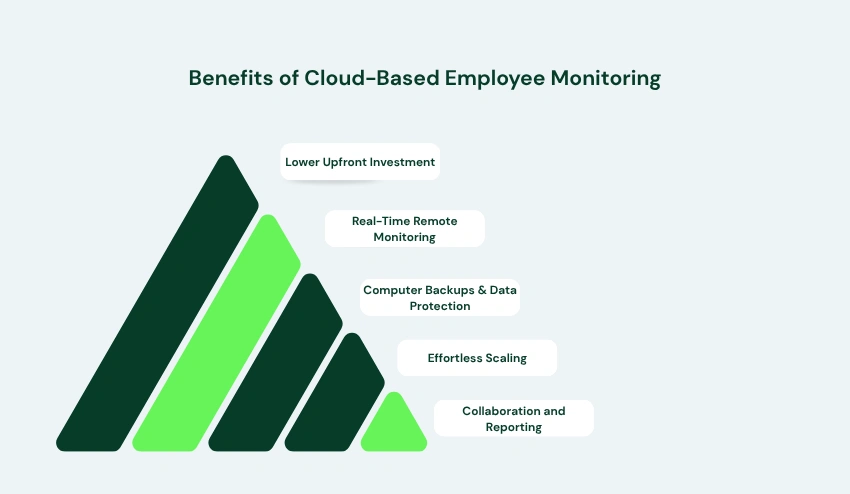
There’s a reason why employee monitoring software has become all the rage online. Why are many businesses changing over?
1. Lower Upfront Investment
No need to purchase a server, configure it, or hire an IT guru for installation. You subscribe, you set up your account, and you’re up and running.
This is particularly appealing for startups and expanding SMBs who want enterprise-grade monitoring for enterprise-grade budgets.
2. Real-Time Remote Monitoring
Cloud tools are designed to fit the modern workplace. Through the Manager view, managers can monitor all activities happening across the team live and in real time, from any device, anywhere in the world.
Live Screenshots and Performance Insights provide you with a clear window into the actual work that’s being done and not just what employees say at the end of the day.
Many cloud platforms also provide automatic time tracking, so employees don’t have to start and stop timers manually. It increases productivity and eliminates payroll errors that occur when time is forgotten or entered incorrectly.
Organizations that need to track employee hours across multiple locations will find automated data collection a huge advantage, enabling managers to produce accurate reports without manual effort.
3. Computer Backups and Data Protection
You have uninterrupted backups from time to time, and your backup is typically seamless. You’re insulated from local hardware problems, outages, or accidental deletions, to which on-premise systems are far more susceptible.
4. Effortless Scaling
Are you hiring 5 new employees? Include them in your monitoring program in minutes. Downsizing a department? Remove seats as quickly as you can. Cloud platforms like Tivazo grow with your business with no IT burden.
5. Collaboration and Reporting
Timesheets and Reports can be accessed and shared in the cloud, eliminating the need for HR teams and managers to log in to a local server or schedule reports to run. All is available and accessible.
Cloud-generated reports provide HR and finance teams with accurate attendance records, productivity measures, and payroll-ready timesheets.
These reports reduce the administrative burden and improve compliance with labor law. Organizations striving for improved payroll accuracy can also learn from the best practices presented in an Employee Payroll Management Guide to optimize workforce management and avoid expensive payroll errors.
Benefits of On-Premise Employee Monitoring
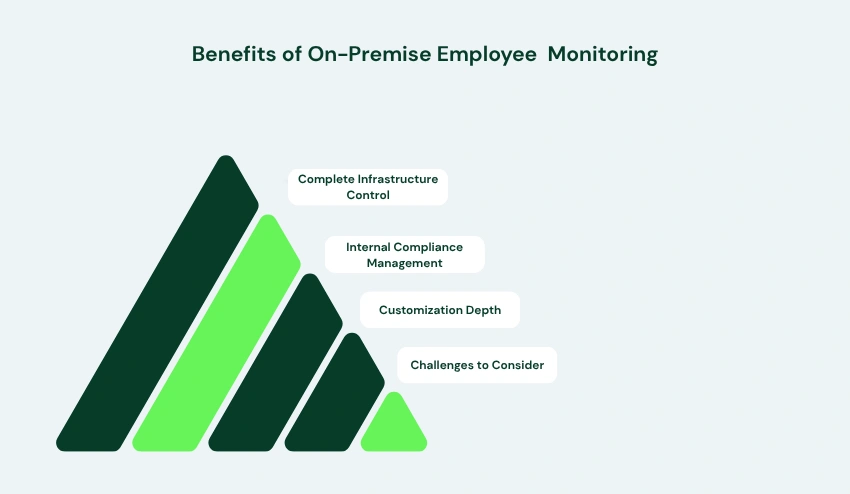
On-premise monitoring is not dead yet, for some organizations, it remains the most suitable option. It’s here where it really glitters.
1. Complete Infrastructure Control
If your data is not stored outside your building, then you are in control of who is able to access your data, how it is stored, and how long it is kept. This is a level of control that is vital for organizations in regulated industries.
2. Internal Compliance Management
On-premise systems enable your compliance and legal teams to create policies regarding how data is handled instead of relying on a vendor’s interpretation of the rules.
For any industry that has strict data governance rules, Internal Control can minimize the risk of compliance.
3. Customization Depth
In addition to the flexibility of customization available in cloud platforms, there is much more flexibility for on-prem systems, from where data is stored to how reports are generated. For big companies with workflow needs, this is truly helpful.
4. Challenges to Consider
Although the advantages exist, on-premise monitoring has some significant operational expenses:
The initial setup: costs of hardware, software licenses, and installation can be prohibitive.
Maintenance: servers must be maintained, updated, and patched; they must be monitored. IT team dependency: any technical issue requires internal resources to resolve
Slower updates: new features and security patches must be manually applied
Limited remote access: employees working off-site often need VPN configurations that add complexity
For most small-to-medium businesses, these challenges outweigh the benefits of self-hosting.
For remote teams, which Solution is Better?
This part is most important if you have a remote workforce, whether it is part of your team or not.
On-site monitoring is designed for a single staff team: It is expected that employees are on the same network, in the same building, or accessible by a controlled corporate VPN.
When managing remote workers with an on-premise solution, you’ll encounter additional layers of complexity at every turn, including VPN setup, access permissions, IT support tickets, etc.
Cloud monitoring was designed in a manner that is just the opposite: Distributed teams are not an afterthought but the default use case.
A manager in London can see a developer in Nairobi and a designer in Buenos Aires using a single dashboard – and in real-time! Complete visibility across all time zones, no IT overhead with Live Screenshots, Time Tracking, and Performance Insights.
Employee monitoring in the cloud is the only viable choice for freelancers, hybrid companies, or distributed teams.
This can include automated time tracking, which ensures that working time is accurately recorded without staff needing to remember to start a clock or manually punch in, among other features, to make the management of a remote workforce reliable, hassle-free, and efficient.
A clock-in clock-out app linked with cloud monitoring can also assist businesses in tracking shift workers and remote employees, from accurate and tamper-proof times to automatic synchronization.
Cloud monitoring is one of the best employee tracking methods companies with distributed workforces often leverage to improve accountability while maintaining employee trust.
Attendance tracking is made even easier with monitoring software in a clock-in/clock-out app that automatically records working hours for in-office and remote employees.
Security & Compliance Comparison
When considering monitoring software, security is likely to be the most important factor for businesses to consider – and with good reason! Let’s consider both models regarding it.
Modern employee monitoring platforms are expected to meet internationally recognized security standards. Businesses should evaluate encryption methods, data residency options, access controls, multi-factor authentication (MFA), and compliance certifications such as GDPR, SOC 2, ISO 27001, HIPAA, or PCI DSS depending on their industry requirements.
Comparing these security features helps organizations choose a monitoring solution that aligns with both operational needs and regulatory obligations.
Cloud Security
Modern Cloud Platforms employ enterprise-grade security measures:
- Encryption of data in transit and at rest. In-transit and at-rest encryption.
- Role-based access controls – ensuring that only authorized users can access sensitive data.
- Two-factor (and soon three-factor) authentication to stop unauthorized logins.
- Regular third-party security audits (SOC 2, ISO 27001, etc.)
- Automated backup and disaster recovery solutions
Cloud vendors of good repute invest in security, as their entire business is built on it. The security of many cloud monitoring platforms has evolved to match or surpass the security of the typical on-premise deployment.
Most cloud vendors have Data Processing Agreements (DPAs) and provide control over data residency for GDPR compliance. If you are in the EU, then your vendor must have a specific GDPR clause.
On-Premise Security
- Server patching and vulnerability management
- The security of hardware objects.
- Internal access policies
- Network perimeter defense
The problem is not that on-premise is a bad idea on that level – it’s that you have to rely on your own internal IT to ensure security.
Cost Comparison: Cloud vs On-Premise Employee Monitoring
Let’s talk numbers. Cost is nearly always a factor, and there is a significant difference between cloud and on-premise.
Cloud Monitoring Costs
- Subscription fees: typically priced per user per month (e.g., $5–$15/user/month depending on features)
- No Hardware Costs: the Vendor provides the Infrastructure.
- Lack of dedicated IT staff: low technical overhead
- Predictable monthly or annual billing: easy to budget
- Runs on a linear scale: as the team grows, so do the costs
On-Premise Monitoring Costs
- Upfront hardware investment: servers, storage, networking equipment
- Software licensing: often a large one-time fee or annual enterprise license
- IT staffing: dedicated personnel for installation, maintenance, and support
- Ongoing maintenance costs: patches, upgrades, hardware replacements
- Hidden costs: downtime, emergency IT support, compliance audits
In most organizations, the cost of cloud monitoring provides a much greater ROI, particularly in the first 2-3 years, where the upfront costs are borne on-premise.
Example Cost Comparison
For a company with 100 employees:
| Expense | Cloud-Based | On-Premise |
| Initial Setup | Minimal | High |
| Hardware | Included | Required |
| Monthly Cost | Subscription | IT Maintenance |
| Software Updates | Included | Manual |
| Scalability | Instant | Additional hardware |
How Tivazo Helps Businesses Monitor Teams Efficiently
Tivazo is engineered for contemporary business practices in workplace management. Let’s take a look at the value that each of the core features provides:
1. Time Tracking
Tivazo Time Tracking allows managers to access accurate, real-time information on employee working time. Time is automatically recorded, which minimizes the risk of inaccurate time recording and means that payroll is always accurate.
The most important factors businesses look for in the best time tracking software are automation, reporting, and ease of use. Tivazo offers exact time tracking, employee monitoring, and workforce analytics, giving managers full visibility over how work hours are spent.
2. Team Management
The Team Management module provides team leaders with a single interface to view all their team members, project details, productivity trends, and individual performance.
3. Employee Monitoring
With Employee Monitoring in Tivazo, managers can see how applications and websites are being used and view active and idle time to know where time is spent without being invasive or micromanaging.
Tivazo provides an understandable, transparent time tracking system that employees understand, as opposed to invasive monitoring solutions. Well-defined policies, transparency around data collected, and insights that support productivity help organizations drive accountability without sacrificing employee trust.
4. Live Screenshots
Live Screenshots show employees what they’re working on, visually, in real time. It’s possible to schedule screenshots, and they’re helpful for compliance, quality assurance, and remote accountability.
5. Performance Insights
Performance Insights converts activity data into actionable insights. Recognize top performers, catch trends of productivity decline early, and make decisions based on data on
workload allocation.
6. Timesheets and Reports
Timesheets and Reports provide HR teams with all the information they require for payroll, compliance, and performance management. Reports are automated, exported, and can be customized to meet your business needs.
If you’re seeking the perfect time tracking tool for your remote or hybrid workforce, Tivazo packs it all into one, hassle-free platform.
Automated reporting reduces manual calculations and the number of timesheet errors from automated time tracking that often lead to payroll discrepancies. HR teams can confidently export accurate timesheets, saving time and improving compliance.
Productivity Tools That Improve Workforce Efficiency
In addition to the basic monitoring capabilities, Tivazo provides a range of free productivity and workforce management tools to enable teams to work smarter:
1. Pomodoro Timer
A Pomodoro Timer is used by employees to organize their tasks into 25-minute blocks of time followed by short breaks. It’s an effective method for concentration and to avoid burnout, particularly for remote employees who manage their own time.
2. Online Timer
The Online Timer is a basic, versatile timer that allows you to set task lengths, time limits, and sprint sessions without the need for a separate app.
3. Military Time Converter
The Military Time Converter is useful for global teams operating in various time zones, eliminating time zone confusion in scheduling and shift planning. It’s a small but important tool to save a lot of friction in distributed organizations.
4. Hourly Salary Calculator
Use the Hourly Salary Calculator to easily calculate an annual salary from an hourly rate and vice versa for HR managers for compensation planning, hiring, and comparing payrolls for contractors.
5. Overtime Calculator
With the Overtime Calculator, businesses can rest assured they are calculating overtime pay accurately based on hours logged and the applicable pay rates, thereby avoiding payroll mistakes and preventing potential compliance problems.
6. Time Card Calculator
Use the Time Card Calculator to quickly add up hours worked from clock-in and clock-out data to ensure accurate payroll.
These are just some of the tools that are available to complement the Tivazo workforce management platform and contribute to making workforce management more productive and accurate for businesses in general.
Industry Use Cases
The needs of various industries vary in relation to employee monitoring. Here are ways cloud-based solutions can benefit different industries:
Professional Services (Law, Consulting, Accounting): In these industries, time is money. Time tracking software for law firms and consulting firms ensures that billable hours are accurately recorded, and client invoices match the amount of work done.
Tech and Software Companies: Software development teams often work across multiple projects and time zones. Using time tracking for software developers helps engineering managers understand sprint progress, allocate resources effectively, and improve project delivery without unnecessary status meetings.
E-Commerce and Retail Operations: Cloud monitoring enables operations managers to monitor their customer service teams, warehouse personnel, and remote administrators from one place.
Healthcare Administration: Healthcare admin teams (billing, HR, scheduling) can use cloud-based employee productivity software with proper data controls, whereas clinical data needs strict on-premise or private cloud environments.
Startups and Scale-Ups: Growing companies require tools to grow. Cloud monitoring is a perfect solution for startups that don’t want the overhead of infrastructure but must manage employees from a distance from the get-go.
Law firms rely heavily on billable hours, making time tracking software for law firms an essential tool for accurately recording client work, generating invoices, and maintaining compliance with client billing requirements.
Construction Industry: Time tracking for Construction is a must-have for construction companies that often have multiple job sites at the same time, as it helps track attendance, hours worked by project, and improves payroll accuracy for field teams.
Common Challenges Businesses Face
No matter the deployment model, companies typically find it hard to see productivity, do manual payroll calculations, and keep accurate attendance records.
Cloud-based monitoring platforms help to mitigate these issues while detecting possible time theft through accurate activity tracking and automated reporting. It gives managers the power to make better decisions based on trusted workforce data, not manual estimates.
Conclusion
But at the end of the day, it depends on the person and what it is they need.
Choose Cloud-Based Monitoring If You Are
- A start-up or small business that requires rapid deployment, but without the investment in infrastructure.
- A team that is remote or hybrid requires real-time visibility across locations
- A rapidly expanding company that requires a scalable solution
- A business that requires as little IT overhead as possible and consistent monthly costs
- A team that believes in contemporary productivity tools such as live screenshots, insights on performance, and automated timesheets.
For these organizations, Tivazo is a comprehensive and fully integrated cloud-based employee monitoring tool that ticks all the boxes, without the complexity and expense of managing your own servers.
Choose On-Premise Monitoring If You Are:
- A large business that has substantial IT resources and security staff.
- When working in a highly regulated environment (Healthcare, Defense, Financial Services), where data should not ever leave your infrastructure.
- An entity that already has server capabilities and the internal resources to support the servers
- Compliance rules require the ability to have full internal data control
But even so, it’s wise to consider whether the cloud platforms of today, compliant with GDPR and SOC 2, can work for your regulatory requirements.
For the vast majority of businesses in 2026, cloud-based employee monitoring software offers a better combination of cost, flexibility, security, and scalability. Platforms like Tivazo are purpose-built for the modern workforce – remote, distributed, and always moving.