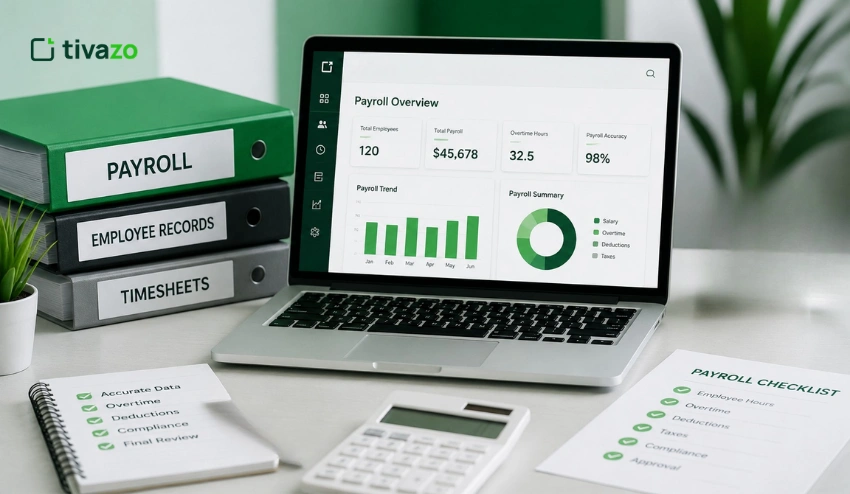
Paid time off is one of the most valued employee benefits, but it can quickly become complicated to calculate accurately.
Various accrual schedules, employee classifications, company policies, and hours worked all play a role in determining how much leave an employee accrues over time. Even a minor miscalculation can lead to payroll errors, incorrect PTO balances, employee disputes, or compliance headaches.
The PTO Accrual Calculator is designed to simplify this process by estimating the amount of paid leave earned by employees according to your organization’s accrual rules.
Without leave management software, you can still calculate PTO accruals accurately using tried-and-tested formulas, consistent payroll records, and reliable working-hour data.
The accuracy of PTO computations is reliant on the accuracy of attendance data. Businesses that use Time Tracking to track employee work hours and maintain Timesheets & Reports for payroll verification can calculate PTO balances with greater confidence and reduce manual errors significantly.
Whether you are an HR manager updating PTO balances, a payroll specialist processing employee leave, a small business owner making a fair PTO policy, or an employee trying to understand your available time off, it’s important to understand how PTO accrual works.
In this guide, you’ll learn:
- What a PTO Accrual Calculator is and how it works
- The most common PTO accrual methods used by employers
- The PTO accrual formula with practical examples
- How to calculate PTO for salaried, hourly, part-time, remote, and new employees
- Common PTO calculation mistakes and how to avoid them
- Why accurate track employee hours practices improve payroll and leave management
The accuracy of a PTO calculation depends on the data that supports it. Tivazo helps HR and payroll teams confidently manage employee leave.
We help build that foundation through accurate Time Tracking, payroll-ready Timesheets & Reports, and detailed productivity insights.
Quick Answer
What is a PTO Accrual Calculator?
PTO Accrual Calculator is a tool to calculate the paid time off (PTO) earned by an employee in a specific period according to the PTO policy of an organization. Calculates an employee’s available leave balance, taking into account the annual PTO allowance, pay periods, hours worked, or length of service.
How do you calculate PTO accrual?
The most common formula is:
PTO Earned = Annual PTO Hours ÷ Number of Pay Periods
For example, if an employee receives 120 PTO hours per year and is paid every two weeks (26 pay periods), they earn:
120 ÷ 26 = 4.62 PTO hours per pay period
Some businesses calculate PTO monthly, weekly, or based on hours worked instead of pay periods.
What Is a PTO Accrual Calculator?
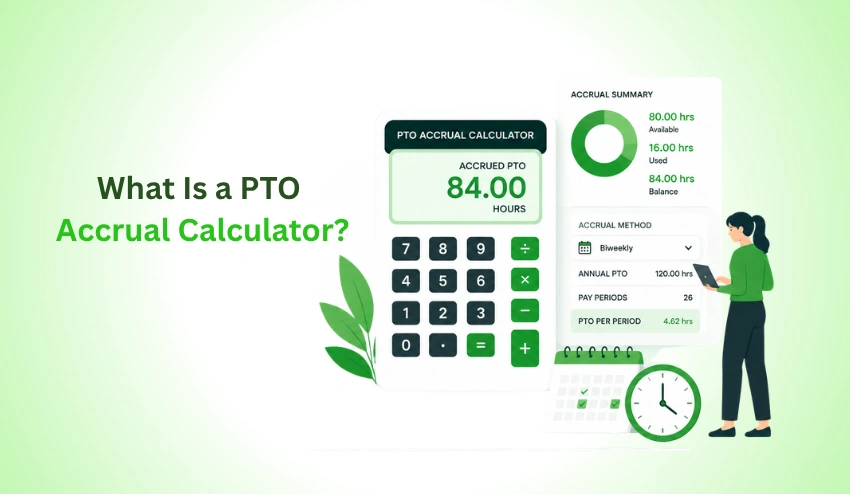
A PTO Accrual Calculator is a tool or software that calculates the amount of Paid Time Off (PTO) an employee earns over time based on a company’s leave policy.
Most employers like to give out their PTO over time, instead of all at one time. Employees accrue vacation, personal leave, or a combination of paid time off on a predetermined accrual schedule during the year of service.
The calculator determines an employee’s current PTO balance based on the accrual rules of the organization.
Each company has its own policy, but generally the calculation takes into consideration:
| Factor | Description |
| Annual PTO entitlement | Total PTO employees receive each year |
| Accrual schedule | Annual, monthly, biweekly, weekly, semi-monthly, or hourly |
| Hours worked | Especially important for hourly employees |
| Length of employment | Some organizations increase PTO with tenure |
| Existing PTO balance | Previously accrued leave minus time already taken |
| Company PTO policy | Rules for carryover, caps, waiting periods, and payouts |
The goal is simple: calculate earned leave accurately while keeping payroll, attendance records, and employee balances aligned.
Understanding PTO
Paid Time Off (PTO) is paid leave that allows employees to take time off for approved absences without losing wages.
Instead of maintaining separate vacation and personal leave banks, many employers combine various types of paid leave into one PTO balance.
Depending on company policy, PTO may include:
- Vacation leave
- Personal days
- Sick leave
- Mental health days
- Family responsibilities
- Other approved paid absences
Each organization determines how fast PTO accumulates, the day employees are eligible to take PTO, and if unused leave is carried over or paid out when employment ends.
What Does “Accrual” Mean?
Accrual simply means that you earn something slowly over time.
Employees earn PTO as they work, rather than receiving PTO all at once on the first day of the year.
For Example:
- Work one pay period → earn a portion of PTO.
- Work another pay period → earn additional PTO.
- Continue throughout the year → build a larger PTO balance.
This allows employers to align leave benefits with actual time worked while providing employees a clear view of how much paid leave they have earned.
PTO Calculator vs. Vacation Accrual Calculator
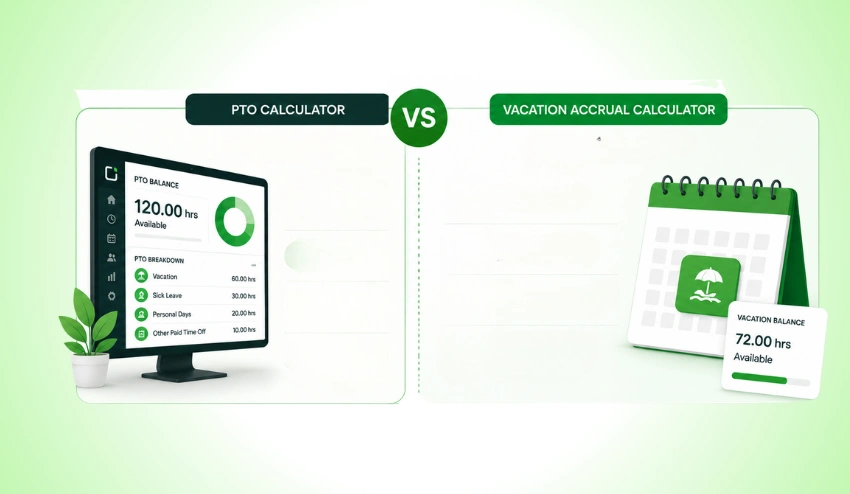
The terms PTO calculator and vacation accrual calculator are often used interchangeably, but they don’t always mean the same thing.
| PTO Calculator | Vacation Accrual Calculator |
| Calculates all paid time off under a combined PTO policy | Calculates only vacation leave |
| May include vacation, sick leave, and personal time | Focuses exclusively on vacation hours |
| Common in organizations with unified leave policies | Common where vacation is tracked separately |
Before calculating leave, it’s important to understand how your company’s PTO policy is structured, as the accrual method depends on the type of leave being tracked.
How PTO Accrual Calculators Simplify Leave Management?
As a workforce grows, the manual calculation of PTO can become more and more complicated. The risk of miscalculations can be amplified by factors such as varying hire dates, work schedules, accrual rates, unpaid leave, and policy rules that HR teams must consider.
A systematic process for calculating PTO enables organizations to:
- Calculate leave consistently across employees
- Keep PTO balances up to date
- Prepare payroll using verified leave records
- Improve workforce planning
- Reduce manual spreadsheet work
- Minimize disputes over earned leave
Reliable calculations also depend on accurate attendance data. Businesses that track employee hours consistently and use automatic time tracking can verify the work hours that support PTO accrual calculations while reducing manual administrative effort.
Why PTO Accrual Matters for Businesses
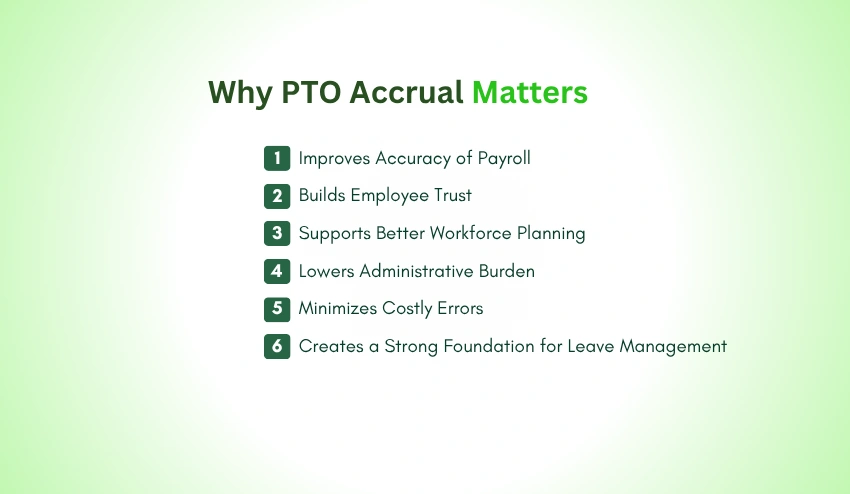
PTO is more than just an employee benefit, it directly impacts payroll accuracy, workforce planning, compliance, and employee satisfaction. A clear accrual process helps organizations manage leave fairly while ensuring every employee receives the paid time off they have earned.
1. Improves Accuracy of Payroll
PTO balances often affect payroll, particularly when employees take paid time off or are paid out PTO at termination. Incorrect leave balances can lead to overpayments, underpayments, or payroll adjustments.
An Employee Payroll Management Guide helps the HR and payroll teams to keep accurate records of work hours to check leave balances before processing payroll.
2. Builds Employee Trust
Employees want to be able to see that their leave balance is correct. Knowing exactly how leave accruals were calculated can help eliminate misunderstandings, build trust in the HR process, and reduce disputes over your team’s available PTO.
An employee can check the transparent time tracking system and understand exactly how their work hours impact their leave balance.
3. Supports Better Workforce Planning
Your managers need a clear view of all upcoming leave so that they can arrange the right work.
Keeping reliable time off balances up to date can help ensure there is no gap in coverage and simplify vacation management with the help of employee shift management software and availability calendars.
PTO laws and employer obligations can vary depending on your location. While federal law in the United States generally does not require employers to provide paid vacation, organizations must follow their own written PTO policies and comply with applicable federal, state, and local employment laws.
Maintaining accurate PTO records also helps employers respond to audits, employee inquiries, and payroll disputes.
Before creating or updating your PTO policy, review the guidance provided by the U.S. Department of Labor and check any state-specific leave requirements that apply to your workforce.
4. Lowers Administrative Burden
When teams manually log their time in spreadsheets, information needs to be updated and reviewed multiple times.
Teams who keep a reliable record of attendance via automated time tracking need to spend less time reconciling the time they work to ensure the right amount of PTO has been accumulated.
5. Minimizes Costly Errors
Common PTO mistakes include:
- Incorrect accrual rates
- Missing unpaid leave adjustments
- Spreadsheet formula errors
- Duplicate entries
- Incorrect carryover balances
- Payroll mismatches
Accurate attendance records, verified Timesheets and reports, and consistent leave policies help reduce these issues before they impact payroll or employee trust.
6. Creates a Strong Foundation for Leave Management
The optimal PTO process includes:
- A clearly documented PTO policy
- Consistent accrual rules
- Accurate attendance records
- Reliable payroll preparation
- Transparent employee communication
- Regular audits of PTO balances
When all of this is integrated, it leads to a company where managing leave becomes so much smoother and where employees can rest assured that their holiday pay and entitlement are calculated correctly.
How PTO Accrual Works
Calculating PTO for your team involves knowing how you accrue paid time off. Every company has its own system for PTO, but for the most part, paid time off is awarded to your employees gradually rather than providing them with the total amount of leave days they’ll be receiving annually upfront.
The rate your team is earning PTO will vary between your company and others, depending on the company’s leave policy.
Others may give employees leave based on the time in calendar time, whereas other employers may offer leave based on an employee’s hours worked or number of pay periods.
For example, an employee may earn:
- A fixed number of PTO hours every month
- PTO after each weekly or biweekly pay cycle
- Leave based on every hour worked
- An annual PTO balance available on a specific date
- A higher accrual rate after reaching certain years of service
Whether you opt for the former or the latter, the aim remains the same: that employees are properly compensated with PTO and HR and payroll teams get the precise status of employee PTO balances.
Businesses with robust time-tracking procedures that frequently analyze Timesheets and Report data can calculate accrued PTO with higher degrees of certainty, as each calculation stems from confirmed hours worked rather than speculation.
The Most Common PTO Accrual Methods
When it comes to time off (or PTO), there are six main ways companies do the accrual thing. The best fit varies with the size of your company, your payroll cycles, whether you have salaried or hourly employees, and how your HR department prefers things to work.
PTO Accrual Methods Comparison
| Accrual Method | How It Works | Best For | Advantages | Considerations |
| Annual | Employees receive their yearly PTO allocation at once. | Small businesses with simple leave policies | Easy to administer | Employees may use leave before earning it if employment ends early. |
| Monthly | PTO is earned in equal amounts each month. | Salaried employees | Predictable and easy to track | Slightly less precise than hourly accrual. |
| Weekly | Employees accrue PTO every week worked. | Weekly payroll organizations | Frequent balance updates | Requires consistent recordkeeping. |
| Biweekly | PTO accrues every two weeks with each payroll cycle. | Businesses with biweekly payroll | Aligns naturally with payroll processing | Requires accurate pay period tracking. |
| Semi-monthly | PTO is earned twice each month, regardless of the number of days worked. | Organizations with semi-monthly payroll | Simplifies payroll administration | Monthly accrual amounts may vary slightly across months. |
| Hourly | PTO is earned based on actual hours worked. | Hourly, seasonal, and part-time employees | Highly accurate and fair | Depends on precise attendance records and track employee hours consistently. |
No single method is universally better. The best accrual schedule is the one that aligns with your payroll process, complies with local employment laws, and is clearly communicated to employees.
Annual PTO Accrual
If an employee has an annual accrual policy, they will get their full PTO allocation at the start of the year or at their anniversary date.
For example:
- Annual PTO allowance: 120 hours
- Available immediately: 120 hours
Many organizations use this method that has rules about:
- Waiting periods for new employees
- PTO repayment if an employee leaves early
- Carryover limits
- PTO payout eligibility
While annual allocation is easy to manage, many employers may favor the gradual accrual approach as well, as it better represents the time the employee actually works.
Monthly PTO Accrual
Monthly accrual is a method that gives 12 equal amounts of PTO throughout the year.
For example:
Annual PTO = 120 hours
Monthly accrual:
120 ÷ 12 = 10 PTO hours per month
An employee earns:
| Month | PTO Earned | Total PTO Balance |
| January | 10 hours | 10 hours |
| February | 10 hours | 20 hours |
| March | 10 hours | 30 hours |
| June | 10 hours | 60 hours |
| December | 10 hours | 120 hours |
Monthly accrual is easy for HR teams to understand and works well for salaried employees whose work schedules remain relatively consistent.
Weekly PTO Accrual
Organizations running weekly payroll often calculate PTO every week.
Example:
- Annual PTO = 104 hours
- Weeks per year = 52
Weekly accrual:
104 ÷ 52 = 2 PTO hours per week
Every completed workweek adds:
- Week 1 → 2 hours
- Week 2 → 4 hours
- Week 10 → 20 hours
- Week 52 → 104 hours
Weekly accrual provides employees with regularly updated leave balances while aligning naturally with weekly payroll cycles.
Biweekly PTO Accrual
Biweekly accrual is one of the most common methods because many businesses process payroll every two weeks.
Example:
- Annual PTO = 120 hours
- Pay periods = 26
Calculation:
120 ÷ 26 = 4.62 PTO hours per pay period
Employee PTO progression:
| Pay Period | PTO Earned | Running Balance |
| 1 | 4.62 hrs | 4.62 hrs |
| 5 | 4.62 hrs | 23.10 hrs |
| 10 | 4.62 hrs | 46.20 hrs |
| 20 | 4.62 hrs | 92.40 hrs |
| 26 | 4.62 hrs | 120 hrs |
Because PTO is updated alongside payroll, HR teams can easily verify leave balances before processing employee wages using accurate Timesheets and reports.
Semi-Monthly PTO Accrual
Semi-monthly payroll typically includes 24 pay periods each year.
Example:
Annual PTO = 120 hours
Calculation:
120 ÷ 24 = 5 PTO hours per pay period
Employees earn:
- 5 hours on the first payroll
- 5 hours on the second payroll
Monthly total:
10 PTO hours
This method provides predictable leave accumulation while simplifying payroll administration.
Hourly PTO Accrual
Hourly accrual is commonly used for:
- Hourly employees
- Part-time staff
- Seasonal workers
- Temporary employees
Instead of earning PTO according to calendar dates, employees accrue leave based on actual hours worked.
For example:
Company policy:
1 PTO hour for every 30 hours worked
Employee works:
160 hours
Calculation:
160 ÷ 30 = 5.33 PTO hours earned
This technique is entirely based on real working hours. Hence, it is useful for companies by automating the tracking of hours and keeping records with certainty. Hence, the actual attendance verification makes the payroll much simpler.
PTO Accrual Formula
Although PTO policies differ from one organization to another, the underlying formulas are straightforward. Once you know an employee’s annual entitlement and the company’s accrual schedule, calculating earned PTO becomes much easier.
Annual PTO Formula
When PTO is granted annually:
Accrued PTO = Annual PTO Allowance
Example:
Annual PTO = 120 hours
Employee receives:
120 hours immediately
Monthly PTO Formula
Monthly PTO = Annual PTO Hours ÷ 12
Example:
120 hours annually
Calculation:
120 ÷ 12 = 10 PTO hours per month
Weekly PTO Formula
Weekly PTO = Annual PTO Hours ÷ 52
Example:
104 annual hours
104 ÷ 52 = 2 PTO hours each week
Biweekly PTO Formula
Biweekly PTO = Annual PTO Hours ÷ 26
Example:
120 annual hours
120 ÷ 26 = 4.62 PTO hours every pay period
Semi-Monthly PTO Formula
Semi-monthly PTO = Annual PTO Hours ÷ 24
Example:
120 annual hours
120 ÷ 24 = 5 PTO hours each payroll
Hourly PTO Formula
When leave is based on hours worked:
Accrued PTO = Hours Worked × PTO Accrual Rate
Example:
Policy: 0.0333 PTO hours per hour worked
Employee worked: 160 hours
Calculation:
160 × 0.0333 = 5.33 PTO hours
Many organizations express this policy as:
- 1 PTO hour every 30 hours worked
- 1 PTO hour every 40 hours worked
- 1 PTO hour every 25 hours worked
The exact rate depends on the employer’s PTO policy.
Understanding the Variables in PTO Formulas
Before calculating PTO, it’s important to understand the values used in each formula.
| Variable | Meaning |
| Annual PTO Hours | Total paid time off employees receive in one year. |
| Hours Worked | Actual hours recorded during the accrual period. |
| Pay Periods | Number of payroll cycles each year (12, 24, 26, or 52). |
| PTO Accrual Rate | Amount of PTO earned per hour, week, month, or pay period. |
| PTO Balance | Total accrued PTO minus any leave already used. |
| Accrued PTO | PTO earned but not yet taken by the employee. |
Knowing this information allows HR departments to confirm payroll computations, clearly explain vacation entitlements to their employees, and mitigate payroll errors.
Keeping these numbers correct is an issue of tracking work attendance. So organizations should sync employee attendance with a Timesheet and Report that’s payroll-ready and then go over work-hours data that they’ve collected via the Time Tracking tool before calculating their employees PTO.
HR Tip: Choose an Accrual Method That Matches Your Payroll Cycle
It’s actually so easy to reduce your PTO calculations, so if you want to make it simple, you could calculate it the same way that you run payroll.
For example:
- Monthly payroll → Monthly PTO accrual
- Biweekly payroll → Biweekly PTO accrual
- Weekly payroll → Weekly PTO accrual
- Hourly workforce → Hourly PTO accrual
Matching payroll and PTO processing is how to easily reconcile time off and pay employees without the headaches of creating new data files and spreadsheets. It also simplifies the process of documenting for payroll.
If time is being captured by auto-time clocks and employees refer to the Employee Payroll Management Guide along with their timesheet to stay on track, it can be even more streamlined.
How to Calculate PTO Accrual Step by Step
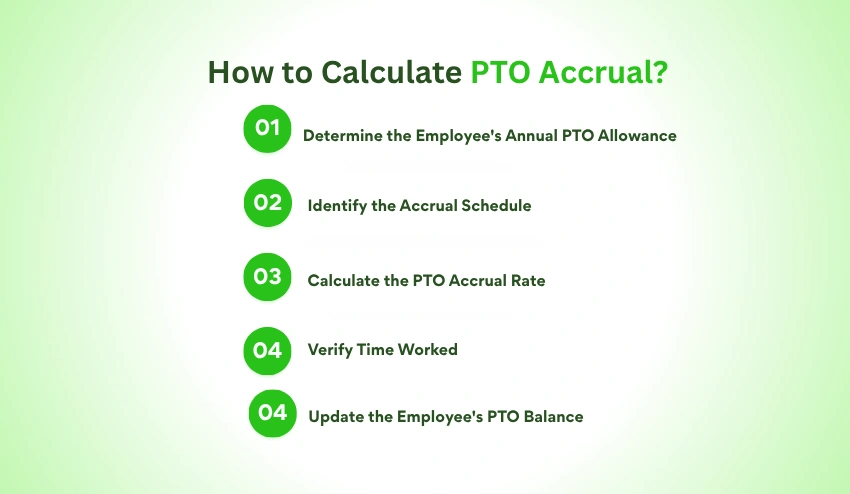
Knowing the various methods and formulas for accrual, let’s consider how PTO is calculated in a real-world workplace.
If you’re an HR person looking at leave balances or simply a worker hoping to figure out the amount of PTO you have, the steps below will show you how to do it:
Even though every workplace has its own policy, the calculation itself works essentially the same.
Step 1: Determine the Employee’s Annual PTO Allowance
Start by identifying how much paid time off the employee is entitled to receive over a full year.
For example:
| Employee | Annual PTO |
| Employee A | 80 hours |
| Employee B | 120 hours |
| Employee C | 160 hours |
Each company decides the PTO they offer. This may be a universal number for everyone or can fluctuate with experience, position, or status (full time/part time).
Always verify your annual PTO. You can then proceed with the calculation.
Step 2: Identify the Accrual Schedule
Next, determine how the organization awards PTO.
Common schedules include:
- Annual
- Monthly
- Weekly
- Biweekly
- Semi-monthly
- Hourly
For example, a company that pays employees every two weeks typically accrues PTO every pay period, while organizations with hourly workforces often base accrual on actual hours worked.
Using the correct schedule ensures that employees earn leave consistently throughout the year.
Step 3: Calculate the PTO Accrual Rate
Once you know the annual entitlement and accrual schedule, calculate how much PTO is earned during each accrual period.
Example
- Annual PTO: 120 hours
- Biweekly payroll: 26 pay periods
- Calculation: 120 ÷ 26 = 4.62 PTO hours per pay period
This rate becomes the basis for updating each employee’s PTO balance.
Step 4: Verify Time Worked
If the PTO accrues before a balance is added, check to ensure that the employee has fulfilled the organization’s accrual requirements.
If the employee is on an hourly basis, verify hours worked.
For salaried employees, ensure that the person is still employed during the pay period and look for exceptions (unpaid leave, long absences, etc.).
A clock-in/clock-out app with accurate attendance records simplifies the process of verifying worked time prior to updating PTO balances, particularly for remote teams, hybrid teams, and shift-based teams.
Step 5: Update the Employee’s PTO Balance
After calculating earned PTO, add it to the employee’s existing balance.
Example:
- Previous balance: 40 hours
- PTO earned this pay period: 4.62 hours
- Updated balance: 44.62 PTO hours
If the employee has taken paid leave during the same period, subtract those hours to determine the current available balance.
PTO Accrual Examples for Different Employee Types
The type of workforce each organization has varies. PTO calculation must take each employee’s working structure into account. PTO accrual can be shown as follows:
Example 1: Full-Time Salaried Employee
Scenario
Emma works full time and receives 120 PTO hours per year.
Her employer processes payroll every two weeks.
Calculation
- Annual PTO: 120 hours
- Pay periods: 26
- 120 ÷ 26 = 4.62 hours
Emma earns:
- 4.62 PTO hours every pay period
- Approximately 10 PTO hours each month
- 120 hours over a full year
This method keeps leave balances aligned with payroll and provides employees with predictable PTO growth.
Example 2: Hourly Employee
Scenario
Daniel earns PTO based on actual hours worked.
Company policy:
1 PTO hour for every 30 hours worked
Hours worked this month: 150
Calculation: 150 ÷ 30 = 5 PTO hours earned
If Daniel earns extra overtime pay, whether those additional overtime hours apply toward his PTO accrual will be up to the company’s PTO policy.
But businesses should know that the overtime calculation is different than the PTO calculation. Businesses can still use an Overtime Calculator for overtime, but make PTO calculations based on their company’s stated leave policy.
Example 3: Part-Time Employee
Part-time employees often receive PTO on a prorated basis or according to hours worked.
Scenario
Sophia works 20 hours each week.
Company policy:
1 PTO hour for every 40 hours worked.
- Monthly hours: 80
- Calculation: 80 ÷ 40 = 2 PTO hours
Even if your part-timers earn leave a bit slower than your full-time employees, sticking with the same formula for both is fair and transparent.
Make sure PTO is implemented in a way that applies correctly in your business if you have both hourly and salaried workers – if that sounds confusing, read up on the difference between hourly vs salary employees.
| Month | PTO Earned |
| April | 0 |
| May | 0 |
| June | 0 |
| July | 10 hours |
| August | 20 hours |
| September | 30 hours |
Clearly documenting waiting periods helps avoid confusion during onboarding and ensures consistent PTO administration.
Example 5: Remote Employee
Remote employees typically earn PTO using the same accrual rules as office-based employees.
Scenario
Olivia works remotely with a biweekly payroll schedule.
Annual PTO: 80 hours
Calculation:
80 ÷ 26 = 3.08 PTO hours per pay period
The employee’s work location does not usually affect PTO accrual. What matters is consistent application of the company’s leave policy and accurate attendance records.
Managers can review leave trends alongside Performance Insights to understand how planned time off affects workloads and productivity without using PTO as a performance metric.
Common PTO Accrual Scenarios
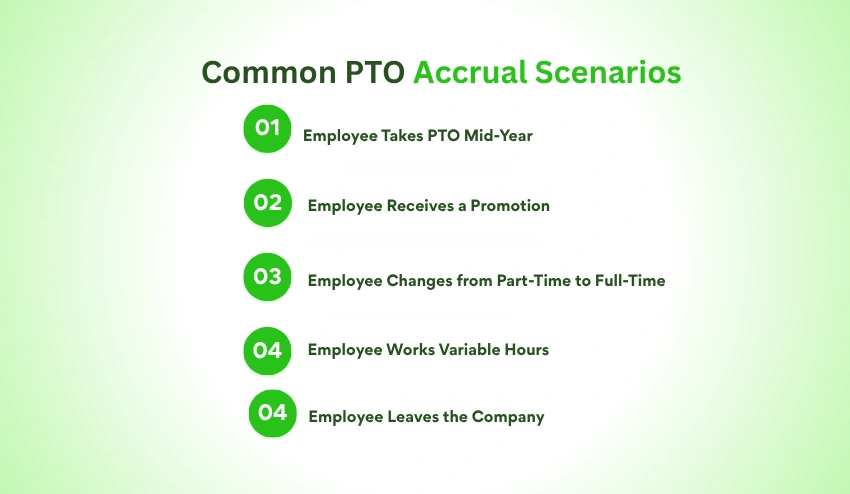
Real workplaces rarely fit into a single formula. HR professionals often encounter situations that require additional consideration.
Scenario 1: Employee Takes PTO Mid-Year
- Employee balance before leave: 48 hours
- Leave taken: 16 hours
- New balance: 32 PTO hours
Future accrual continues according to the organization’s normal schedule.
Scenario 2: Employee Receives a Promotion
Some employers increase PTO after promotions or changes in employment status.
Example:
- Before promotion: 120 annual hours
- After promotion: 160 annual hours
HR should document:
- Effective date
- New accrual rate
- Updated PTO balance calculation
Applying changes consistently ensures employees receive the correct leave entitlement.
Scenario 3: Employee Changes from Part-Time to Full-Time
Changing work schedules may require a revised PTO accrual rate.
For example:
- Previous entitlement: 80 annual hours
- New entitlement: 120 annual hours
The updated rate should apply from the effective date of the employment change rather than retroactively.
Scenario 4: Employee Works Variable Hours
The retail, hospitality, healthcare, and seasonal industries tend to hire staff with irregular working hours.
For these situations, accrual of PTO on an hourly basis is typically a fairer method as leave is not tied to any set schedule but to hours worked.
HR staff should use a Time Card Calculator to ensure that attendance is reconciled with payroll before posting PTO balances.
Scenario 5: Employee Leaves the Company
When employment ends, HR should determine:
- Accrued PTO
- PTO already used
- Unused balance
- Applicable PTO payout rules
Whether unused PTO must be paid depends on local employment laws and the organization’s PTO policy.
Accurate documentation throughout the employee lifecycle makes final leave calculations significantly easier and helps reduce payroll disputes.
Best Practices Before Calculating PTO
Before updating any PTO balance, HR teams should confirm:
- The employee’s current PTO policy
- Annual leave entitlement
- Accrual schedule
- Employment status
- Hire date
- Waiting periods
- Recorded work hours
- PTO already taken
- Carryover rules
- Payroll schedule
Reviewing these details before each calculation helps maintain consistency, improves payroll accuracy, and ensures employees receive the leave they have earned.
Common PTO Accrual Mistakes (and How to Avoid Them)

For all intents and purposes, there is a possibility of errors in leave calculations even in the case of a clearly defined PTO policy. Payroll problems, employee discontent, and more work can be caused by incorrect accrual rates, incorrect spreadsheets, or incorrect attendance records.
Luckily, there are many ways to avoid making mistakes in PTO. HR teams can keep leave balances accurate and minimize disputes by grasping the most frequent errors and putting established processes in place.
1. Using the Wrong PTO Accrual Rate
A common mistake is using the incorrect accrual rate.
For instance, a computer user who is supposed to earn 4.62 hrs per pay period (bwk) might have a spreadsheet formula that pays him/her 5 hrs due to a mis-typed number or an incorrect policy.
These may appear minor, but they can add up over time and impact an employee’s PTO balance.
How to avoid it
- Check rates of accrual on an annual basis.
- Keep payroll and HR records up-to-date whenever the PTO policy is updated.
- Re-check formulas before every payroll period.
2. Not keeping track of unpaid leave
Some employers have policies that PTO will not accrue during specified unpaid leave, like unpaid medical leave, unpaid parental leave, extended personal leave, etc.
These elapsed periods can cause an employee to receive more PTO than they are entitled to get.
Example
Employee works:
- January: Full month
- February: Full month
- March: Entire month of unpaid leave
For those who are not taking unpaid leave, March should be omitted from the calculation of the accrual period.
When determining eligibility, always adhere to your organization’s documented PTO policy and applicable employment rules.
3. Spreadsheet Formula Errors
Spreadsheets are still used to keep track of employee leave, but they can get more and more cumbersome the bigger a business gets.
Common spreadsheet issues are:
- Broken formulas
- Incorrect cell references
- Duplicate entries
- Accidental data deletion
- Manual copy-and-paste mistakes
- Version control issues
All these seemingly minor errors can impact dozens – if not hundreds – of employee records.
How to avoid it
- Protect formula cells.
- Audit spreadsheets regularly.
- Standardize calculation templates.
- Create a backup before changes.
Many businesses opt for integrated HR and attendance solutions when teams grow larger, as it can help to minimize manual calculation and streamline record-keeping.
4. Incorrect PTO Rounding
An often-encountered problem is that of inconsistent rounding.
For example:
Actual accrual: 4.615 hours
This may be rounded to:
- 4.6 hours
- 4.62 hours
- 5 hours
When rounding is inconsistent over the course of a year, it can make a significant difference to an employee’s leave.
Best practice
Have a rounding policy in place and use it uniformly throughout the company, including on PTO and payroll calculations.
5. Not Updating PTO After Leave Is Taken
The key to the first part of PTO accrual is to do it right.
Organisations should also process approved leave in a timely fashion.
Late PTO requests can cause inaccurate balances for employees, causing scheduling problems or payroll adjustments.
Managers should have an approved leave workflow that doesn’t cause any delays for them to see approved leave on employee balances.
Managers ensure a good balance of staffing levels during busy periods with the help of Effective Team Management practices.
6. Miscalculating PTO for Hourly Employees
Calculating PTO for hourly workers can be trickier.
Common mistakes include:
- Estimating work hours instead of verifying them
- Missing overtime records
- Forgetting unpaid shifts
- Using scheduled hours rather than actual worked hours
With hourly accrual, each hour counts, so it’s important to record attendance.
The consistent attendance process helps make sure PTO is not based on schedules, but on real work.
7. Ignoring PTO Carryover Rules
Many PTO policies have features that allow employees to carry over unused time to the next year.
Examples include:
- Unlimited carryover
- Maximum carryover limits
- “Use it or lose it” policies
- Expiration dates for unused PTO
If the wrong use of the carryover rule is used, balances may not be accurate, and employee disputes can arise.
When leave is conducted, be sure to check employee balances at the end of the leave year before making adjustments on the carry-over balance.
8. Overlooking PTO Policy Changes
PTO policies are updated from time to time based on the growth of the company, new employment laws, or employee benefits.
Common changes include:
- New accrual rates
- Revised eligibility requirements
- Updated waiting periods
- Increased PTO allowances
- New carryover rules
When policies change, HR will make sure to recalculate policies from the date of the change.
How Time Tracking Improves PTO Accuracy
Although PTO calculations rely on formulas, those formulas are only as accurate as the underlying work records.
Every PTO calculation starts with reliable information, including:
- Hours worked
- Attendance records
- Approved leave
- Payroll periods
- Employee status
- Hire dates
Accurate Work Records Lead to Accurate PTO Calculations
For salaried employees, maintaining consistent attendance records helps HR verify employment status during each accrual period.
For hourly employees, accurate work-hour records ensure PTO is earned according to the organization’s policy.
Reliable attendance data also simplifies:
- Payroll preparation
- Leave balance verification
- PTO audits
- Year-end reporting
- Employee inquiries
Businesses can discover inconsistencies much sooner, rather than after it is processed and errors are discovered.
Reduce Manual Administrative Work
Attendance, leave balances, and payroll data entries are typically managed in several spreadsheets and repeated manually, which is time-consuming.
These manual processes grow to be tedious as a business expands.
Using digital workforce management tools allows HR teams to:
- Maintain centralized attendance records
- Reduce duplicate data entry
- Review employee work history quickly
- Support more consistent payroll preparation
- Spend less time resolving leave discrepancies
Automation is not a replacement for PTO policies, it’s just an efficient way to apply them.
Improve Visibility Across Teams
Managers should have all attendance data correct to enable them to make staffing decisions.
Having the workforce data helps to plan projects more effectively, as it lets teams know who is working, who has leave approved, and who is near PTO milestones.
With well-maintained attendance and leave logs, companies can:
- Reduce scheduling conflicts
- Improve resource planning
- Be more responsive to leave requests
- Maintain operational continuity
For those who have Employee Monitoring enabled, organizations can also see attendance trends in conjunction with the Employee Monitoring data (where applicable) to ensure they have an accurate record of work to support payroll and leave administration.
Support Payroll-Ready PTO Records
Accurate attendance data is important to payroll teams when calculating wages and paid leave.
Keeping complete work hour records will simplify the following:
- Verify accrued PTO
- Process paid leave
- Compute PTO payments, if applicable
- Prepare payroll documentation
- Reduce payroll adjustments
Organizations waste less time on unnecessary errors in attendance and payroll.
How Tivazo Supports Accurate PTO Management
Tivazo is not currently offering a dedicated PTO Accrual Calculator, but it does enable businesses to keep accurate work records upon which PTO calculations are based.
Before applying any PTO formula, there should be reliable attendance and payroll data. Tivazo is helping businesses with this by providing a way to record employee work activity, organize attendance information, and create payroll-ready reports.
Depending on the HR workflow, Tivazo can support HR teams:
- Keep up-to-the-minute attendance records
- Check work history of employees.
- Prepare payroll-ready reports
- Make it easier for people on multiple teams to see each other.
- Reduce manual recordkeeping
- Provide more uniformity of leave administration
By aligning effective attendance tracking with a transparent PTO policy, businesses can have a more dependable and clear leave management system.
When considering ways to enhance the performance of your workforce, you might find it helpful to research the best time tracking software to determine what features enable you to record attendance accurately, prepare payroll, and manage leave very effectively in the long run.
Manual PTO Tracking vs. Time Tracking Software
Spreadsheets are a common way to track PTO for many small businesses. This may be effective for a small number of staff members, but as a company expands, leave becomes more complicated. Errors are more likely with varying hire dates, accrual schedules, payroll cycles, and carryover rules.
If you don’t have specific leave management capabilities, time tracking software will not automatically calculate PTO.
But it does offer correct attendance and work-hour logs, which makes PTO calculations more accurate and less work-intensive when it comes to keeping your employee’s leaves balanced.
A table below highlights the differences between the two methods.
| Feature | Manual PTO Tracking | Time Tracking Software |
| Accuracy | Depends on manual calculations and spreadsheet formulas | Uses consistent attendance and work-hour records to support accurate calculations |
| Speed | Time-consuming as employee numbers grow | Faster access to attendance and reporting data |
| Payroll Preparation | Requires manual verification | Payroll-ready reports simplify verification |
| Reporting | Limited and often manual | Detailed attendance and workforce reports |
| Human Error | Higher risk of data entry and formula mistakes | Lower risk through centralized records |
| Scalability | Becomes difficult for growing teams | Easier to manage across departments and locations |
| Transparency | Employees often rely on HR for updates | Managers and HR have easier access to attendance records |
| Audit Readiness | Requires reviewing multiple spreadsheets | Historical records are easier to organize and review |
The right choice depends on the size of your organization, but as your workforce expands, maintaining accurate attendance records becomes increasingly important for supporting reliable PTO calculations.
When Is Manual PTO Tracking Enough?
Manual tracking can still be effective when:
- The business has a small workforce.
- Employees follow the same work schedule.
- The PTO policy is straightforward.
- Leave requests are infrequent.
- HR has sufficient time to review calculations manually.
Even in these situations, businesses should establish clear processes for reviewing leave balances before payroll is finalized.
When Should You Consider Time Tracking Software?
Organizations often benefit from digital time tracking when they experience:
- Rapid team growth
- Remote or hybrid workforces
- Multiple office locations
- Hourly and salaried employees
- Shift-based scheduling
- Frequent payroll processing
- Increased administrative workload
Instead of replacing PTO policies, workforce management software helps businesses maintain the accurate attendance records that PTO calculations rely on.
For organizations managing multiple schedules, integrating attendance records with employee shift scheduling software helps managers plan workloads while accounting for approved employee leave.
Best Practices for Managing PTO
Accurate PTO calculations start with accurate policies and consistent administrative processes. The following best practices help HR teams maintain fair leave management while reducing payroll errors.
1. Create a Clear PTO Policy
Every employee should understand:
- How PTO is earned
- When PTO becomes available
- Waiting periods
- Carryover rules
- Maximum PTO balances
- PTO payout eligibility
- Approval procedures
A clearly documented policy reduces misunderstandings and makes calculations more consistent across the organization.
2. Choose One Consistent Accrual Method
Switching between multiple accrual methods without clear documentation increases the risk of errors.
Whether your organization uses:
- Annual
- Monthly
- Weekly
- Biweekly
- Semi-monthly
- Hourly accrual
Apply the same method consistently to employees covered by that policy.
3. Review PTO Balances Regularly
Don’t wait until year-end to identify mistakes.
Schedule periodic reviews to verify:
- Accrual rates
- Leave taken
- Remaining balances
- Carryover eligibility
- Payroll records
Regular reviews make it easier to correct small discrepancies before they become larger payroll issues.
4. Standardize the Leave Approval Process
A consistent approval workflow helps ensure PTO records remain accurate.
Every leave request should include:
- Employee request
- Manager approval
- Approved leave dates
- Updated PTO balance
- Payroll notification where required
Standardized approval processes also improve communication between employees, managers, and HR.
5. Keep Attendance Records Accurate
Reliable PTO calculations depend on reliable attendance records.
Businesses should regularly verify:
- Employee work hours
- Absences
- Approved leave
- Shift changes
- Public holidays
- Payroll periods
Maintaining accurate attendance data reduces the need for manual corrections later.
6. Train Managers on PTO Policies
Managers are often the first point of contact for leave requests.
Providing training helps them:
- Apply PTO policies consistently
- Approve leave fairly
- Recognize policy exceptions
- Answer employee questions accurately
- Escalate complex situations to HR
Strong manager knowledge contributes to a smoother leave management process across the organization.
7. Communicate PTO Balances Transparently
Employees are more confident in the leave process when they understand:
- How PTO is calculated
- How much leave they have earned
- How much leave has been used
- How much remains available
Clear communication reduces confusion and minimizes disputes about leave balances.
HR managers should regularly review their PTO policies to make sure they stay consistent, transparent, and understandable for employees.
To lessen misunderstandings and enhance policy compliance, industry resources from the Society for Human Resource Management (SHRM) suggest setting down clear rules for accrual, carryover, eligibility, and leave approval procedures.
HR PTO Process Checklist
Use this checklist to evaluate whether your current PTO process supports accurate leave management.
Policy
- PTO policy is documented.
- Employees understand how PTO accrues.
- Waiting periods are clearly defined.
- Carryover rules are documented.
- PTO payout rules are communicated.
Payroll
- PTO balances are reviewed before payroll.
- Leave taken is recorded promptly.
- Payroll records match attendance records.
- Accrual rates are verified regularly.
Attendance
- Employee attendance records are complete.
- Approved leave is recorded consistently.
- Holidays are reflected correctly.
- Work-hour records are reviewed before calculating PTO.
HR Administration
- Managers follow a consistent approval process.
- PTO balances are audited periodically.
- Policy changes are communicated promptly.
- Historical records are retained for future reference.
Completing this checklist on a regular basis helps organizations maintain accurate PTO records while reducing administrative effort.
Conclusion
Accurate PTO management is about more than applying a formula. It depends on a clear leave policy, consistent leave rules, accurate attendance and payroll verification.
Regardless of how your organization may track PTO, whether it be annual, monthly, bi-weekly, or hours worked, having a structured process helps minimize errors, increase transparency, and gain employee trust.
As your business grows, managing PTO becomes more complex. Maintaining accurate work-hour records, consistent timesheets, and a clear PTO policy helps reduce payroll errors, improve transparency, and simplify leave management.
With reliable time tracking and payroll-ready reports, HR teams can calculate PTO more confidently and keep employee records accurate as the organization scales.
Tivazo doesn’t have a specific PTO Accrual Calculator built in, but it has the necessary tools to help businesses keep the time logs correctly to support accurate PTO calculations.
Tivazo empowers organizations to establish a solid ground for leave management with its capabilities for attendance tracking, payroll-friendly reporting, workforce visibility, and team coordination.
If you’re looking to reduce manual recordkeeping and improve workforce efficiency, explore Tivazo reasons to use time tracking software to see how accurate attendance records can simplify payroll, PTO management, and day-to-day operations.