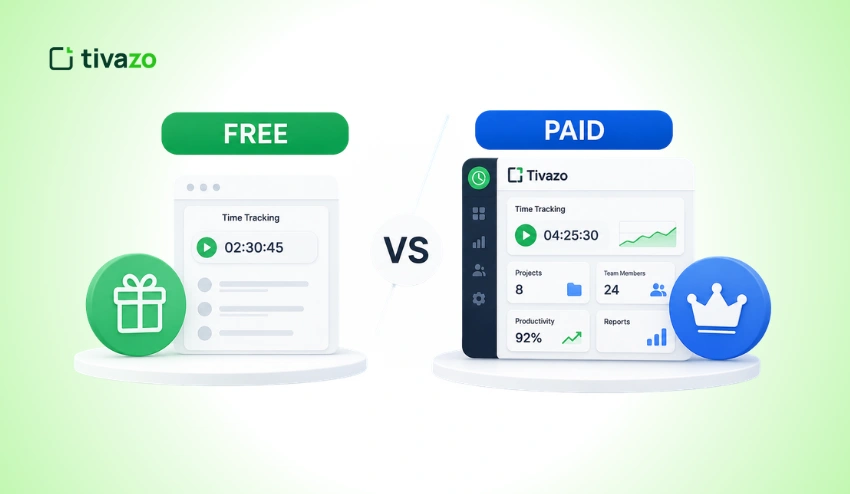
Choosing between free vs paid time tracking software is no longer just about recording employee work hours. It’s about selecting a solution that improves productivity, simplifies payroll, and supports long-term business growth.
With the shift to remote and hybrid work, choosing the right solution is no longer just an operational decision, it’s an investment in your business.
Companies often begin by using free time tracking software, as it provides a cost-effective solution for tracking work hours and managing small teams.
As businesses expand, however, there are certain limitations, including limited users, limited reporting, fewer integrations, and manual processes that decrease efficiency.
Paid time tracking software, on the other hand, offers more advanced automation options, advanced analytics, payroll integration options, project management functionalities, and better security.
It has a cost, but it can save a business owner a lot of money and time in the process because it means that there will be less administrative work and makes the workforce more productive.
It’s important to know the differences before selecting a solution that aligns with your business objectives. As a freelancer working on a personal project, a startup developing the first remote team, or a growing company aiming to enhance workforce visibility, a comparison of free and paid options can aid you in making an informed choice.
But if you’re still undecided about whether your business needs a dedicated tracking solution, here are the reasons to use time tracking software to understand the value of time data and how it enables your business to be more productive, accurate, and profitable in your projects.
Here you will find out about the:
- The features of free and paid time tracking software
- The most significant differences between the two.
- Pros and cons of each choice
- What are the advantages for each solution?
- When to upgrade—how do you know?
- Growing teams frequently migrate to paid platforms such as Tivazo.
At the end of this guide, you’ll be well informed enough on which one is the best long-term option for your business.
Quick Answer
The decision between free vs paid time tracking software depends on the size of your team, the goals you’re aiming for, and the requirements your team has. Freelancers, students, and very small companies that require fundamental time tracking will greatly benefit from free tools.
Advanced features like automatic tracking, payroll integration, detailed reporting, project management, productivity insights, and enhanced security are provided by paid solutions. Free software works fine for a beginner, but for growing businesses, paid software with automation of repetitive work and actionable workforce insights gives more value and efficiency in the long term.
Key Takeaways
- For freelancers, startups, or small teams looking for simple tracking solutions, free time tracking software is the best option.
- There are paid solutions that offer automation, advanced reporting, payroll support, integrations, and enterprise-grade security.
- Free software may increase expenses in the long run due to hidden costs like manual data entry, reporting constraints, and productivity losses.
- When looking at the cost of a CRM solution, businesses should also consider its scalability, integrations, reporting capabilities, and compliance.
- As per your business size, the complexity of your workflow, and the plans you are considering, the right software is needed.
- Generally, a paid solution provides a greater ROI with increased productivity, proper payroll, and better workforce management.
What Is Time Tracking Software?
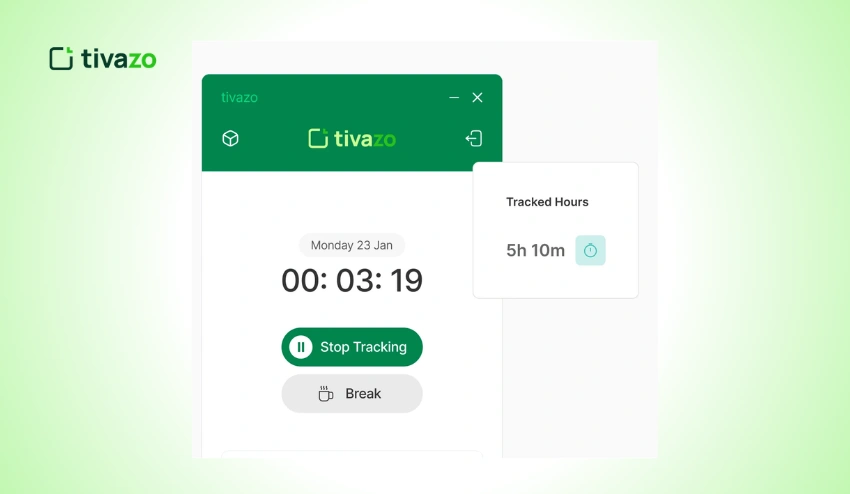
Time tracking software is a digital solution that captures employee, freelancer, or contractor work hours. Businesses can automate timesheet tracking, monitor project progress, and create accurate reports all from a single platform, instead of managing it with paper timesheets or a spreadsheet.
Today’s time tracking software is more than just a clock-in and clock-out system. They enable organizations to boost productivity, manage payroll, track budgets, and make informed business decisions with real-time workforce data.
While some organizations are interested in a platform that offers minimal time logging capabilities, many are interested in platforms that offer a combination of time tracking, reporting, project management, and employee productivity insights.
How Time Tracking Software Works?
Employees can log their time through:
- To start and stop a timer.
- Clock in and clock out using desktop or mobile devices
- Activity monitoring during work hours, automatically recorded
- Keeping hours manually once work has been finished
- Monitoring time by project/client.
Managers can then access this information on dashboards and reports and easily see how workloads are distributed, project progress, and how operations are being streamlined.
Automatic time tracking can be beneficial for businesses seeking more accuracy, as it allows for more dependable timesheets, less manual data entry, and less lost time.
Common Features of Time Tracking Software
While features vary between providers, most solutions include:
| Feature | Purpose |
| Time Tracking | Record employee work hours accurately |
| Timesheets | Create daily, weekly, or monthly records |
| Project Tracking | Allocate time to projects and tasks |
| Reporting | Analyze productivity and labor costs |
| Payroll Software | Export accurate work hours for payroll |
| Attendance Tracking | Monitor employee attendance |
| Mobile Access | Track work from anywhere |
| Team Dashboards | View workforce activity in real time |
More advanced platforms also feature workforce analytics, automated reports, integrations with payroll systems, productivity insights, and employee monitoring capabilities.
The ability to combine time tracking with employee performance data is very useful for businesses with distributed teams, giving managers meaningful insights into productivity trends, project efficiency, and resource allocation rather than just total hours worked.
Free vs Paid Time Tracking Software: What’s the Difference?
Both free and paid time tracking software may appear to offer the same functionality on the surface. Both offer users the ability to log work hours, build timesheets, and track basic productivity.
The main difference is what happens after the time is tracked.
Free software is usually simple. But paid solutions will give you automation, analytics, integrations, compliance features, and the scalability that a growing business will need.
The table below compares free vs paid time tracking software across the features that matter most, helping businesses choose the right solution based on their needs.
| Feature | Free Time Tracking Software | Paid Time Tracking Software |
| Cost | Free | Monthly or annual subscription |
| Users | Often limited | Scales with business growth |
| Time Tracking | Basic | Advanced with automation |
| Timesheets | Basic | Fully customizable |
| Reports | Limited | Advanced analytics and insights |
| Payroll Integration | Rare | Common |
| Project Tracking | Basic | Comprehensive |
| Integrations | Few | Extensive integrations |
| Automation | Limited | Automatic workflows |
| Customer Support | Community or Email | Priority support |
| Data Security | Basic | Enterprise-level security |
| Compliance | Limited | Better compliance controls |
| Scalability | Suitable for small teams | Designed for growing organizations |
Free tools can meet short-term needs, but many companies eventually switch because manual processes become harder to manage.
Businesses that compare time tracking vs manual tracking often find that automated solutions dramatically reduce the amount of administrative work, improve the accuracy of payroll, and eliminate errors that come from spreadsheets or handwritten timesheets.
It’s less about what you can afford and more about how efficiently your business needs to manage people, projects, and operational data.
Advantages of Free Time Tracking Software
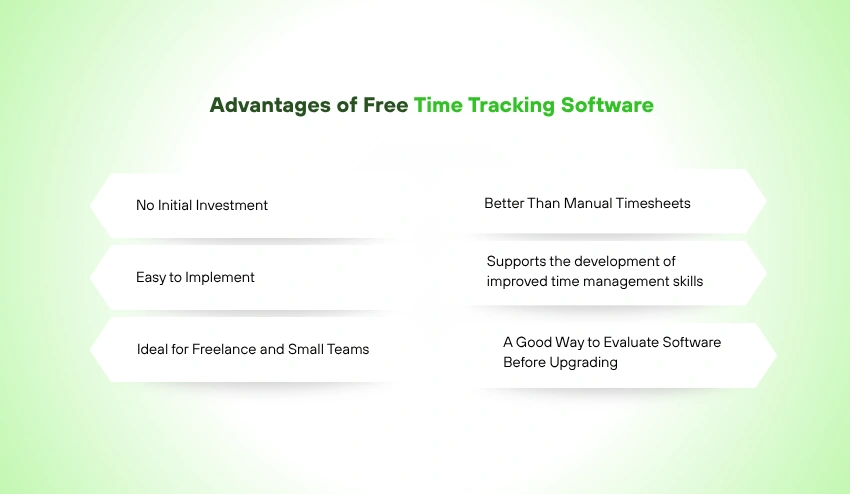
With the rise in popularity of free time tracking software, it has become more accessible to implement digital workforce management. It helps small businesses, startups, freelancers, and others overcome the pain of replacing manual spreadsheets without up-front cost.
In the proper context, free software offers valuable value.
1. No Initial Investment
The first one that comes to mind is cost.
Companies can start logging employee times without buying costly software or signing on monthly subscription fees. As a result, this can be a fantastic option for entrepreneurs and new businesses that have limited financial resources.
This helps organizations to discover the features they need for their workflows before investing in software.
2. Easy to Implement
The majority of free platforms will require very little configuration.
Teams can register in minutes, invite users, and begin tracking time in minutes.
Generally, the learning curve is low, and employees can take up the software without too much training.
3. Ideal for Freelance and Small Teams
Freelancers will generally require only a timer, project tracking, and basic reports.
Likewise, smaller companies with fewer than 10 staff members may not need the more sophisticated workforce analytics, payroll integrations, or enterprise reporting that start-ups need.
These users do not need more features and can make use of the free software for enhancing their organization without spending any money.
4. Better Than Manual Timesheets
Easy software is typically much more precise than spreadsheets or paper records.
The paperless tracking of digital time can help to prevent lost work hours, facilitate accurate record-keeping, and alleviate simple calculation errors.
So often, companies see a difference in accuracy and reporting when they move away from a spreadsheet system.
5. Supports the development of improved time management skills
Keeping track of work hours helps workers and freelancers to be more conscious of their time.
This visibility allows the detection of distractions, more accurate project timelines, and better productivity every day.
People who want to improve concentration often use the time tracker in conjunction with other productivity hacks like a Pomodoro timer so that they can work in bursts for longer periods of time during the day.
6. A Good Way to Evaluate Software Before Upgrading
Businesses can try the interface before committing to paying for a subscription by signing up for many premium platforms’ free plans.
This enables them to test usability, reporting features, and workflow before investing money into it.
The benefits of free software are several, but it does have some drawbacks, which are more apparent at larger team sizes. In time, restricted users, limited reports, fewer integrations, and manual processes can hinder efficiency, making many growing businesses ultimately go to paid solutions.
Advantages of Paid Time Tracking Software
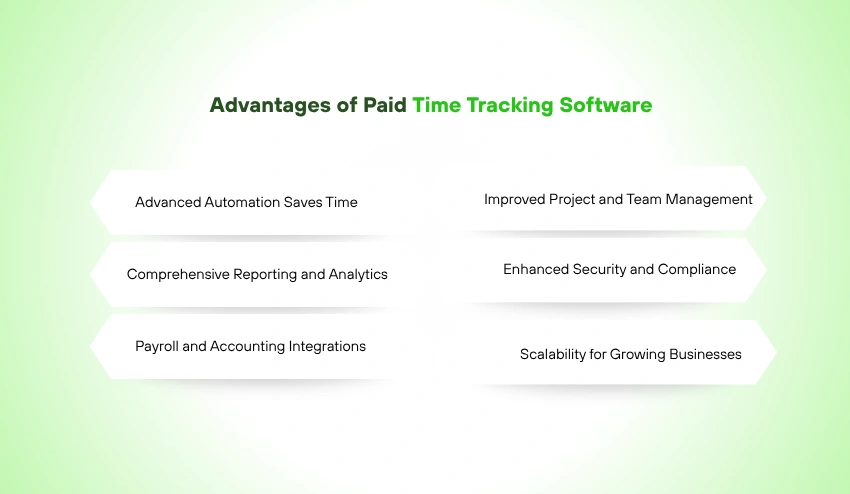
Although free time tracking software is a good start, paid software is created to assist companies in growing their operations, optimizing their efficiency, and reducing manual work. Rather than just tracking work hours, premium platforms offer intelligent capabilities that lower manual workload, offer meaningful insights, and aid in business development.
If a business has more than one employee, project, or client, then software may become more of an investment than a cost.
1. Advanced Automation Saves Time
Automation is one of the major benefits of the paid software.
Rather than having to manually clock in on each individual job or rely on staff remembering to start timers, powerful platforms can track work activity automatically. This decreases human mistakes, produces more exact timesheets, and saves the managers hours of management work weekly.
Additionally, automation reduces time tracking errors, resulting in accurate payroll and project reports.
2. Comprehensive Reporting and Analytics
For growing businesses, more than just hours worked is necessary—they need insight.
Customizable dashboards, productivity reports, attendance summaries, project profitability reports, and workforce analytics are available on paid platforms.
These reports provide managers with insights into team productivity, pinpointing issues such as time wasters and ensuring that workloads are optimized, and enabling informed business decisions based on the data.
Employee performance time data can also be leveraged to analyze productivity trends, benchmark project efficiency, and optimize work resource planning.
Industry research shows that organizations using digital workplace tools and data-driven decision-making are better positioned to improve productivity and employee engagement. The Microsoft Work Trend Index explores how businesses are adapting to hybrid work through technology and automation.
3. Payroll and Accounting Integrations
Human workflow for payroll can lead to errors in calculations and waste valuable administrative time.
Paid solutions are designed to sync with payroll and accounting software so that employers are able to export approved time worked straight into payroll software.
Precise timekeeping also makes overtime calculations, tax reporting, and employee pay easy. To enhance payroll accuracy, companies can use an Employee Payroll Management Guide together with the integrated time tracking software.
4. Improved Project and Team Management
Managers can manage projects, tasks, and deadlines and track team workloads from a single console with premium software.
This single view allows for better collaboration, avoids overloading resources, and keeps projects on track.
When businesses grow, it also becomes more beneficial to have both time tracking and team management in a single platform.
5. Enhanced Security and Compliance
Companies with confidential employee or client data should have robust security measures.
Generally, paid solutions come with:
- Role-based permissions
- Encrypted data storage
- Audit logs
- Compliance support
- Secure cloud backups
- Multi-factor authentication
These features provide protection to business information and fulfill the legal compliance needs and organizational requirements.
Organizations that manage employee and business data should also follow recognized cybersecurity best practices. The National Institute of Standards and Technology (NIST) provides widely adopted security frameworks that help businesses strengthen data protection and reduce security risks.
6. Scalability for Growing Businesses
The tool that is effective for 5 workers may not be enough for 50 workers.
As paid software grows with businesses, it allows more users, complex workflows, custom reporting, and business-level integration while continuing to function seamlessly with current operations.
Businesses can continue to expand in the same ecosystem without having to switch platforms every few years.
Feature-by-Feature Comparison
At first look, free and paid software seem alike, but as businesses grow increasingly complex, there are significant differences in what they can accomplish.
The differences between the two are the following:
| Feature | Free Software | Paid Software |
| Time Tracking | Basic timer | Manual + automatic tracking |
| User Limits | Usually limited | Supports growing teams |
| Project Management | Basic | Advanced task and project management |
| Timesheets | Standard | Automated and customizable |
| Productivity Reports | Basic | Advanced dashboards and analytics |
| Payroll Integration | Rare | Included in many platforms |
| Third-Party Integrations | Limited | Extensive integration library |
| Mobile Access | Usually available | Full-featured mobile experience |
| Employee Monitoring | Limited | Activity tracking, screenshots, productivity insights |
| Custom Reports | Limited | Fully customizable |
| Customer Support | Community support | Priority support |
| Security | Basic | Enterprise-grade security |
| Compliance | Limited | Advanced compliance features |
| Scalability | Small teams | Growing businesses and enterprises |
Companies that compare time tracking vs. manual tracking often find that automation removes the repetitive administrative work while improving reporting accuracy and operational efficiency.
Which Businesses Should Choose Free Software?

Free time tracking software is not the appropriate software for everyone—it is just for a different type of user.
If your work does not require many complicated features, and your operations are not very intense, free software may be all you need.
1. Freelancers
Freelancers usually monitor their time spent on small business, client projects, and billable time.
For self-employed people with a few clients, simple timers and reports will generally do. For contractors charging by the hour, there’s also a way to boost your invoice accuracy by understanding how to bill your clients properly.
2. Students and Personal Users
Free software can be advantageous for students and people monitoring their study lessons, side projects, or their own productivity without paying a lot for enterprise-level functions that they may not use.
3. Small Teams and Startups
When it comes to running costs, new startups tend to focus on reducing expenses.
When a business has fewer than five or ten employees and doesn’t need the advanced reporting or payroll integration, a free solution could be a good starting point.
4. Businesses Testing Time Tracking
Free software can help organizations test the waters with time tracking before committing to purchasing expensive or specialized software.
This way, teams can establish positive habits and get a good grasp on how digital time tracking works in the flow of everyday work.
Which Businesses Should Choose Paid Software?
Consider the benefits of paid software for expanding teams, intricate projects, and data-driven decisions.
1. Growing Small Businesses
Automating, reporting, and managing your workforce from a single source is a benefit to businesses with multiple departments or growing workforces.
Managers can effectively monitor employee hours, minimize manual time tracking, and improve operational visibility.
2. Remote and Hybrid Teams
There is a need for more transparency and accountability when managing dispersed employees.
While manual updates are a thing of the past, paid solutions offer reporting, activity insights, attendance tracking, and productivity analytics to aid managers in supporting remote workers with ease.
3. Construction Companies
Construction companies usually have various job sites, workers, and differing schedules.
A field-specific approach to time tracking for construction can aid in tracking time on jobs, enhancing job costing, and streamlining payroll procedures in multiple locations.
4. Law Firms
Many attorneys charge their clients based on how much time they spend.
Time tracking software solutions for law firms not only enable lawyers to document billable hours correctly, but also enhance the billing process for clients and ensure better profitability.
5. Software Development Teams
Usually, development teams are on many projects, in many sprints, and in various collaborative workflows.
Time tracking specifically for software developers enhances project estimates, sprint planning, workload balance, and productivity reporting.
6. Agencies and Consultants
Project tracking is essential for marketing agencies, consultants, and creative companies to stay profitable.
Advanced reporting and automated timesheets not only minimize administration but also ensure client billing accuracy.
Hidden Costs of Free Time Tracking Software
Although free software doesn’t require a subscription fee, it isn’t always free in the long run.
Businesses can sometimes have hidden operating expenses that exceed the savings.
1. Manual Administration
Managers are spending extra time to make corrections to missing entries, sign off on timesheets, generate reports, and manually process payroll.
All these repetitive jobs lower productivity and add to expenses.
2. Limited Reporting
Without advanced analytics, managers have a difficult time detecting productivity patterns, forecasting profitability, or identifying resource allocation problems.
This lack of visibility can lead to missed opportunities for key decisions in business.
3. Increased Payroll Errors
The risk of inaccuracies in work hours and overtime claims, payroll errors, and discrepancies is high with manual data entry.
To mitigate these risks, organizations should adopt a time tracking solution that is integrated with payroll processes, rather than using spreadsheets.
4. A higher risk of time theft
If an organization doesn’t use activity monitoring or tracking software, they could have time theft , where hours worked do not line up with productive work.
Even the slightest error can add up over time to big losses in labor costs.
5. Limited Integrations
With the increasingly widespread use of accounting software, project management software, and communication applications, free software applications are often unable to fit into the workflow.
The result is that employees find themselves having to enter the same information into several systems, leading to inefficiencies and the potential for errors.
Free vs Paid Time Tracking Software for Remote Teams
The work-from-home trend has transformed the way companies operate in terms of productivity and teamwork.
In an office setting, a manager is able to see a project in action and get a good idea of the work when he/she comes into the office; in this situation, the manager must rely on other methods.
Rather, businesses require reliable, clear information that enables accountability and doesn’t harm employee trust.
If the team is a small, remote team that needs basic timesheet features, the free software might be sufficient.
As teams expand in various locations and time zones, though, businesses can sometimes need more visibility, project management, and attendance monitoring, as well as advanced reporting capabilities.
Successful remote organizations prioritize a transparent time-tracking system employees understand and trust. Clear communication about what is tracked, why it’s tracked, and how the information is used helps build accountability while maintaining employee confidence.
An overabundance of supervision isn’t the answer either. Rather than being constantly seen and supervised, businesses should look at the results. Employee monitoring vs micromanagement are two distinct things, and with knowledge, organizations can establish a healthy workplace environment that increases productivity while maintaining and expanding autonomy for their employees.
With remote and hybrid work on the rise, the future of remote work will rely on technology that will improve employee well-being, productivity, flexibility, and collaboration. You can’t achieve that balance with a manual approach. Paid time tracking platforms can support the balance with automation, insightful reporting, and a scalable WFM system.
Why Automatic Time Tracking Saves More Money?
When looking at free time tracking software, at first glance, it would seem to be the most cost-effective solution, as there is no monthly cost.
But many companies don’t account for the hidden costs and inefficiencies of manual timesheets, incorrect timesheet entries, payroll corrections, and lost productivity. These costs will often add up over time and become more than the cost of a premium solution.
This is where automated time tracking can make a real impact. Rather than having to ask staff to keep track of when they are starting and stopping their jobs, automatic tracking records work activity in the background and generates accurate timesheets, with very little effort on your part. This leads to reduced administrative burden, fewer mistakes, and increased productivity.
1. Reduces Manual Data Entry
Manual timesheets rely on staff members’ ability to keep track of their working time. Often, people forget to start timers, round their hours, or forget to do things.
Automatic tracking eliminates this from the way, since work activity is automatically recorded when it occurs.
Less time is spent on updating timesheets, and less time is spent on reviewing and correcting timesheets.
2. Improves Payroll Accuracy
When payroll is incorrect, it can hurt employee trust and raise administrative expenses.
The absence or misinformation in time logs requires HR teams to manually process hours, determine overtime, and handle disputes.
Automatic tracking makes sure that records are accurate and streamlines payroll operations, minimizing mistakes and increasing efficiency.
Regular overtime calculations can also be advantageous for businesses as they can link time tracking with an overtime calculator to ensure proper payments to employees.
3. Prevents Revenue Leakage
Every hour that a professional service firm, agency, or consultant does not bill is a lost hour.
More work is captured throughout the day, and it records all client tasks with ease to help avoid reliance on memory. A more comprehensive record keeps more up-to-date invoices and helps improve profits.
4. Provides Better Productivity Insights
Automation isn’t just about clocking hours, however, it’s about understanding how work is performed.
Managers can identify:
- High-performing teams
- Project bottlenecks
- Unproductive workflows
- Resource allocation issues
- Capacity planning opportunities
Leaders can make effective decisions on how to optimize operations, rather than guessing, by basing their actions on accurate data.
5. Reduces Administrative Costs
Time dedicated to reviewing spreadsheets, fixing timesheets, and preparing payroll is time that could be spent elsewhere.
Using automatic tracking can considerably cut down administration tasks by:
- Creating timesheets automatically
- Recording attendance
- Simplifying approvals
- Generating reports
- Exporting payroll-ready data
These time savings easily convert to financial savings for growing firms.
How to Choose the Right Time Tracking Software?
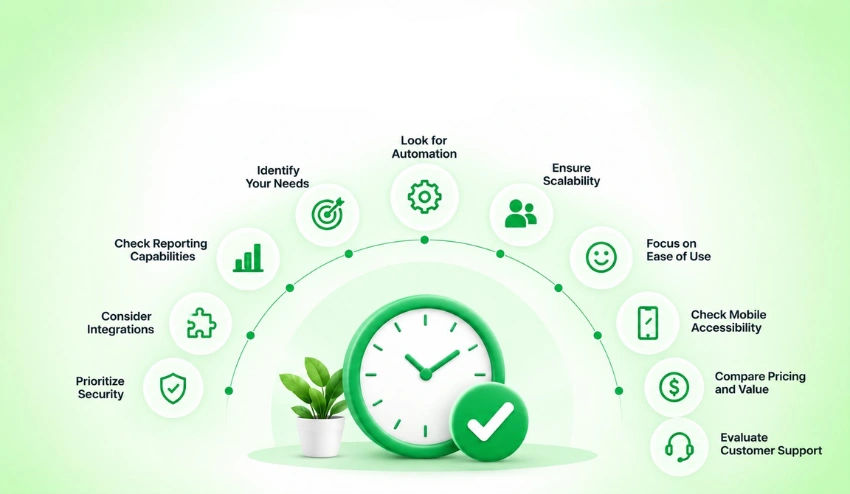
There are hundreds of time tracking solutions available, and it can seem overwhelming to select the right one. Consider software that meets your business needs now, as well as grows with your business, rather than just price.
The ideal should facilitate your business being productive, correct, and scalable, rather than just record work hours.
1. Identify Your Business Needs
Begin by asking yourself:
- What is the number of employees on your staff?
- Do your teams work remotely, work remotely and in the office, or work in the office?
- Have several projects that you are managing?
- Bill on an hourly basis?
- Do you pay out payroll regularly?
Your responses will help you decide if you need a free solution or if paying for a platform will be more useful in the long term.
2. Look for Automation
Every day, automation saves time.
Select software with the following features:
- Automatic time tracking
- Smart timesheets
- Attendance tracking
- Project tracking
- Automated reports
Manual tasks are minimized, which increases accuracy and productivity.
3. Evaluate Reporting Capabilities
Reporting becomes more and more critical as your business expands.
In search for software, look for:
- Productivity dashboards
- Employee attendance reports
- Project profitability
- Team performance analytics
- Exportable reports
Advanced reporting assists decision-making based on facts, not guesswork.
4. Consider Integration Options
Time tracking should integrate with the tools you are using in your business.
Suggest integrations with:
- Payroll software
- Accounting platforms
- Project management software
- Communication tools
- Calendar applications
Integrated systems minimize redundant tasks and enhance efficiency in operations.
5. Think About Scalability
If a company selects software that can only fulfill present requirements, it could be necessary to make another migration in a year.
Choose a platform that will support:
- More employees
- Additional projects
- Multiple departments
- Remote teams
- Business expansion
Scalable software helps you save your investment and minimize disruption in the future.
6. Prioritize Employee Experience
The best time tracking software is easy for employees to use.
Check for the following:
- One-click timers
- Mobile apps
- Automatic tracking
- Simple dashboards
- A small amount of manual data entry.
Time tracking is easier to do and more accurate with easy-to-use software.
Why Growing Businesses Upgrade from Free to Paid Software?
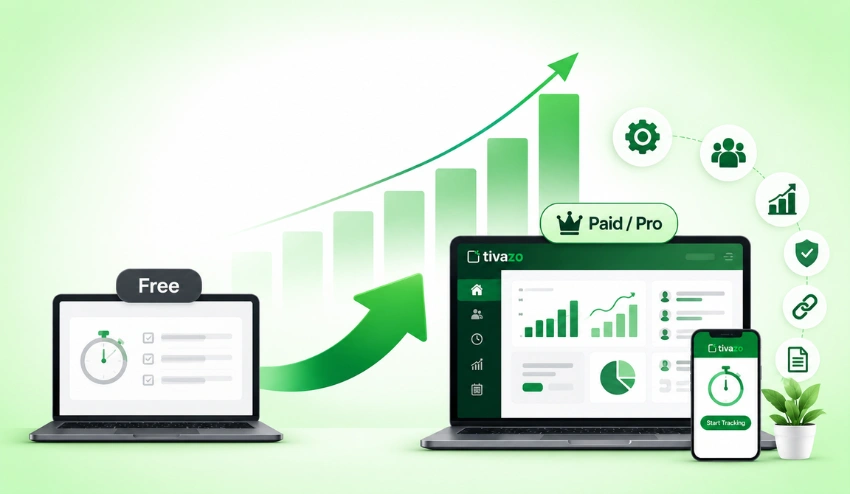
Most businesses don’t upgrade because the free software suddenly doesn’t work, they upgrade because their business changes.
As businesses grow, they need more visibility, automation, and control than simple tools can offer.
Increased Team Size
It’s not the same to manage five employees rather than fifty.
Businesses with expanding teams require a solution that delivers reports and administrative efficiency without compromising the accuracy of reporting.
With paid solutions, it is easier to have departments organized, track attendance, and manage workforce productivity all in a single platform.
More Complex Projects
As businesses grow, their clients will increase in size, they will have more projects on the go, and deadlines will be shorter.
By leveraging advanced project tracking features, managers can make informed decisions about resource allocation, track project progress, and detect delays in advance to ensure projects are delivered on time.
Better Workforce Visibility
Business leaders require information that they can use to make decisions.
Premium software offers dashboards with the ability to provide information such as:
- Team productivity
- Attendance trends
- Workload distribution
- Project progress
- Labor costs
Rather than addressing issues, managers can be proactive in identifying areas where they need to improve.
Stronger Security
With the growth of businesses, the importance of protecting employee and company data is growing.
Several services may be included in paid solutions:
- Role-based access
- Secure cloud storage
- Data encryption
- Audit logs
- Administrative controls
These capabilities enable enterprises to ensure compliance with their security regulations and safeguard confidential data.
Improved Return on Investment
Businesses may find that premium software pays for itself in a variety of ways, but the most common of which include:
- Reduced payroll errors
- Lower administrative costs
- Better productivity
- Faster reporting
- Improved project profitability
The ROI of software is usually greater over time than the software cost.
Why Tivazo Is the Smarter Choice
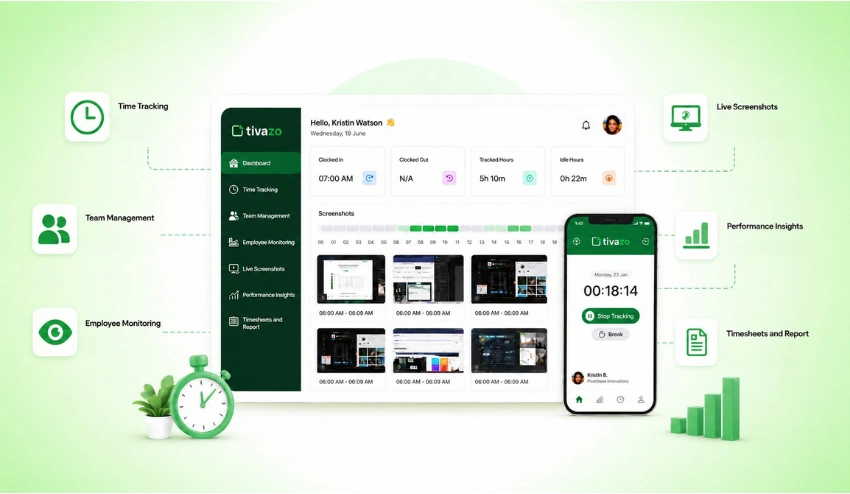
The decision between free software vs. paid software is a long-term business value question. When your organization requires more than time tracking, Tivazo offers an all-in-one solution to empower teams to boost productivity, streamline workforce management, and scale with confidence.
Businesses can track attendance, reports, and productivity in one place instead of using a variety of tools for each.
Accurate Time Tracking Without Extra Effort
Tivazo time tracking feature is for businesses to keep track of work hours and time and limit manual data entry.
Time can be easily tracked and logged by the employees, and the manager can get accurate records for payroll, reporting, and project management.
Better Visibility Across Your Team
As businesses get bigger, managers require insight into the productivity of work.
Employee monitoring gives leaders the ability to see what employees are working on in a way that is responsible, understand potential workflow issues, and optimize their operations not on a guess but on data.
Manages teams more efficiently
Task management tools streamline the coordination of multiple departments or remote employees, allowing for better organization, management of workloads, and collaboration within the organization.
Improve Accountability with Visual Insights
Live screenshots offer more transparency into what is currently being worked on without relying on manual updates for businesses with remote or distributed teams.
This is a good thing when used transparently, as it can help to hold people more accountable and to promote good working practices.
Turn Data Into Better Decisions
Time spent on work is only useful if it allows them to gain value-adding insights.
Tivazo Performance Insights convert workforce data into actionable reports that enable managers to pinpoint trends in productivity, maximize resources, and enhance project performance.
Simplify Payroll and Reporting
Preparing payroll doesn’t have to involve spreadsheets and manual calculations.
Timesheets and Report allow companies to create accurate work records, reduce administrative work, and improve payroll accuracy by easily reviewing employee hours and exporting data.
Why Businesses are Choosing Tivazo?
Tivazo offers the flexibility of being integrated with various features, such as:
- Accurate time tracking
- Automated timesheets
- Workforce visibility
- Productivity reporting
- Team management
- Scalable business tools
Organizations save on paying for several disparate solutions and can control their workforce from one platform while planning for future expansion.
Tivazo is designed to offer the advanced features and capabilities that many free software programs don’t offer but is still user-friendly enough to be used on a day-to-day basis.
Conclusion
Choosing free vs paid time tracking software isn’t simply about comparing subscription costs—it’s about selecting a solution that supports your business today while preparing it for future growth.
For freelancers, startups, and smaller teams who are seeking a simple time tracking solution without the financial commitment, free software serves as a great initial option. It is an excellent solution to avoid the time-consuming process of manually completing timesheets, to streamline organization, and to obtain a view of the day.
As businesses expand and grow, however, they become more complex in their operations. For larger teams, handling payroll, managing multiple projects, and making informed decisions based on data, time tracking is not enough. Paid software solutions tackle these issues with automation, sophisticated reporting, integration, improved security, and more scalable HRM tools.
Businesses should ask not “Which is cheaper?” but:
- Which one of the solutions saves more time?
- Which saves manual labor?
- Which is more accurate in terms of payroll?
- Which of the following helps to achieve long-term growth?
- Which offers value for the business?
The results for many organizations are a paid platform that offers higher efficiencies and a return on investment.
For those looking to take time tracking beyond the basics, Tivazo provides a complete package of accurate time tracking, employee monitoring, productivity insights, team management, and robust reporting all in one simple interface.
As a small team or for your growing business, a scalable software investment will yield benefits over time.